# IBM i server - Monitoring Messages
## Tracking messages displayed in your IBM i server.
- How do you keep track of the various messages passing in the IBM i server?
- Do you want to be notified of those messages that need a reply?
- How can you filter messages and track diagnostic messages?
[](https://www.manageengine.com/products/applications_manager/images/as400-messages-monitoring.png)
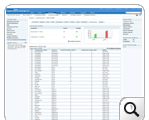
Message Information display gives you more detailed information about the various message(s) being displayed in your IBM i server. The messages are displayed with in-depth details such as message ID, severity of the message, type of the message, message text with a cause and recovery information if applicable, date and time of the message generated and help information for that particular message.
Some of the parameters monitored are:
| | |
|---|---|
| **Severity** | A 2-digit value ranging from 00 through 99. The higher the value the more severe or important the condition. |
| **Type** | **Completion:** A message that conveys completion status of work.
**Diagnostic:** A message that indicates errors in a system function, errors in an application, or errors in input data.
**Escape:** A message that describes a condition for which a program must end abnormally.
**Information:** A message that provides general non error-related information.
**Inquiry:** A message that conveys information but also asks for a reply.
**Notify:** A message that describes a condition for which a program requires corrective action or a reply.
**Reply:** A message that is a response to a received inquiry or notify message.
**Request:** A message that contains a command for processing by a request processor, such as command entry.
**Sender Copy:** A copy of an inquiry or notify message that is kept in the sender's message queue. |
| **Default Reply** | Displays the default reply that was generated by your IBM i server for the particular generated message. |
| **Help** | Displays in-depth details for the particular message from your IBM i server. It displays the following values:
- Message ID
- Date Sent
- Alert Option
- Current User
- From Job Number
- From Program
- Reply Status
- File Name
- Message
- Cause
|
## Message Monitoring Capabilities
Applications Manager allows you to monitor and control the messages in IBM i server. You can also configure alarms for these messages. You can now configure, enable or disable messages in the IBM i server and even make quick edits.
## IBM i Server Monitoring Capability
- [IBM i server - Monitoring Jobs](https://www.manageengine.com/products/applications_manager/as400-monitoring-jobs.html)
- [IBM i server - Monitoring History Logs](https://www.manageengine.com/products/applications_manager/as400-monitor-history-logs.html)
- [IBM i server - Monitoring Queues](https://www.manageengine.com/products/applications_manager/as400-monitoring-queues.html)
- [IBM i server - Monitoring Subsystems](https://www.manageengine.com/products/applications_manager/as400-monitoring-subsystem.html)
- [IBM i server Monitoring](https://www.manageengine.com/products/applications_manager/as400-monitoring.html)
For more information, refer to [IBM i Messages Monitoring Online Help](https://www.manageengine.com/products/applications_manager/help/as400-iseries.html#messages).