Agent reinstall via SCCM
This document talks about how agent can be reinstalled via SCCM.
Steps:
- Create the exe of the agent to be reinstalled manually using the steps mentioned in the document
- Copy the .exe file
- Paste the exe in a share path accessible by all the computers on which the agent is to be installed.
- Download the script given below and update the shared path with your network share path.
- Now, open System Center Configuration Manager (SCCM) and navigate to Software Library > Overview > Application Management >Packages.
This will launch Create Package and Program Wizardwindow, in which you will be asked to fill in the necessary information like Name, Description, Manufacturer, etc.
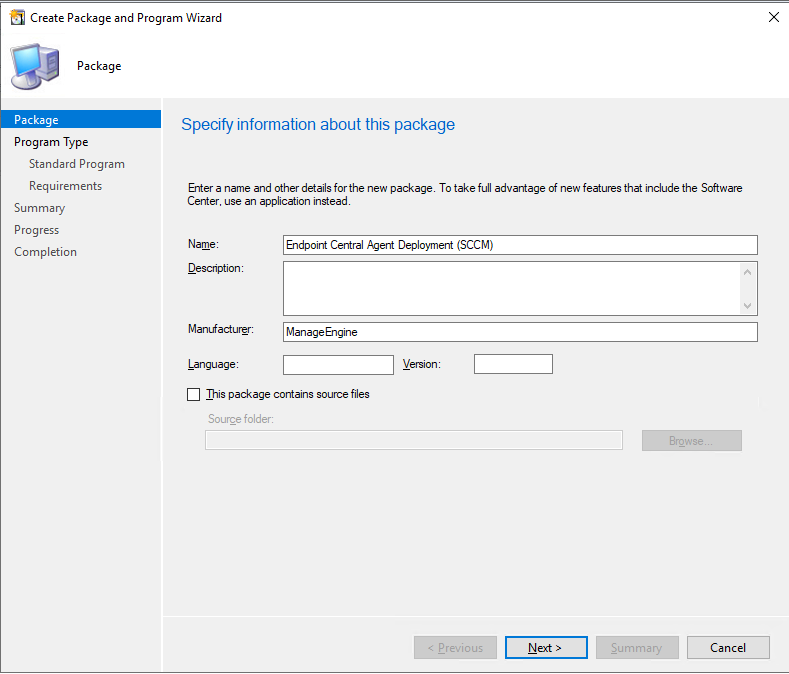
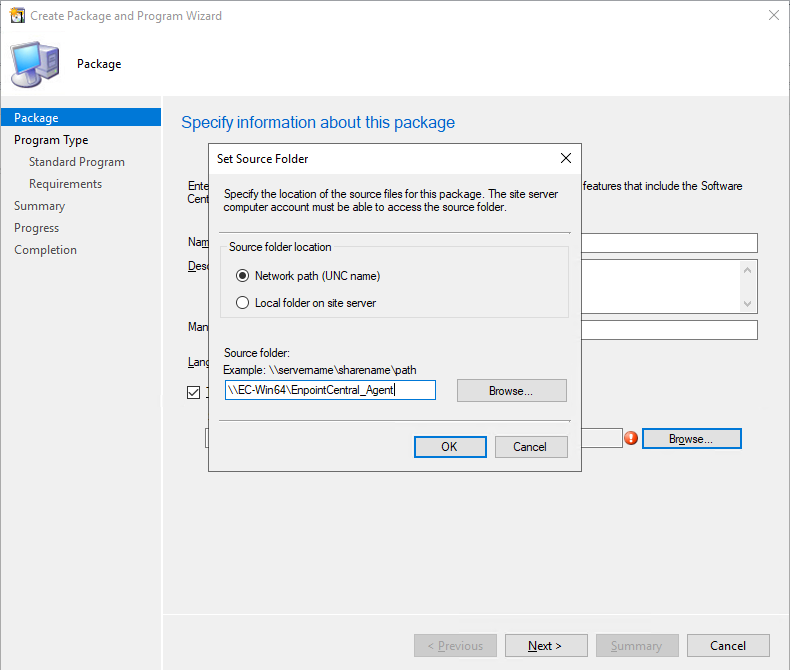
Enable the checkbox This package contains source files. Select Network path and enter the path of the shared folder as shown below.
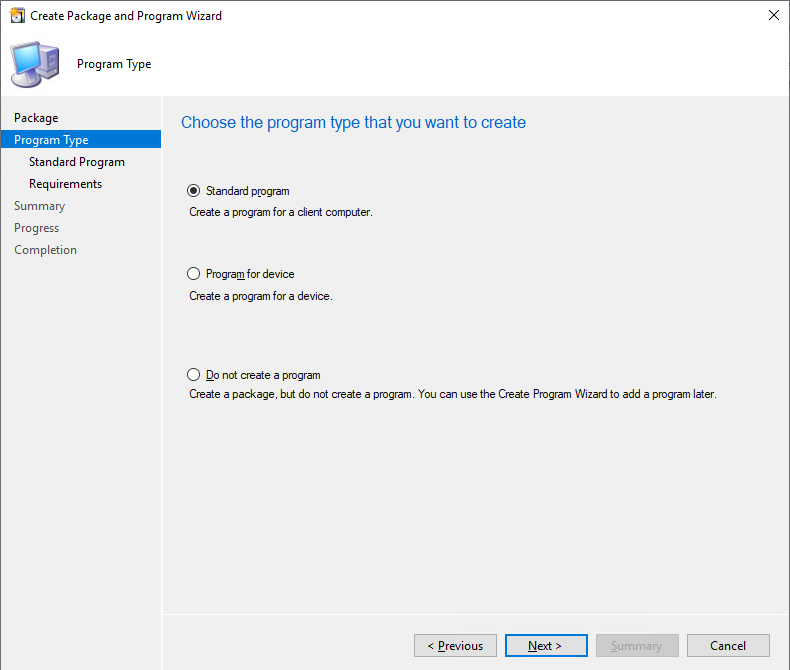
Select Architecture as x86 (if available) and the program type as Standard and click Next.
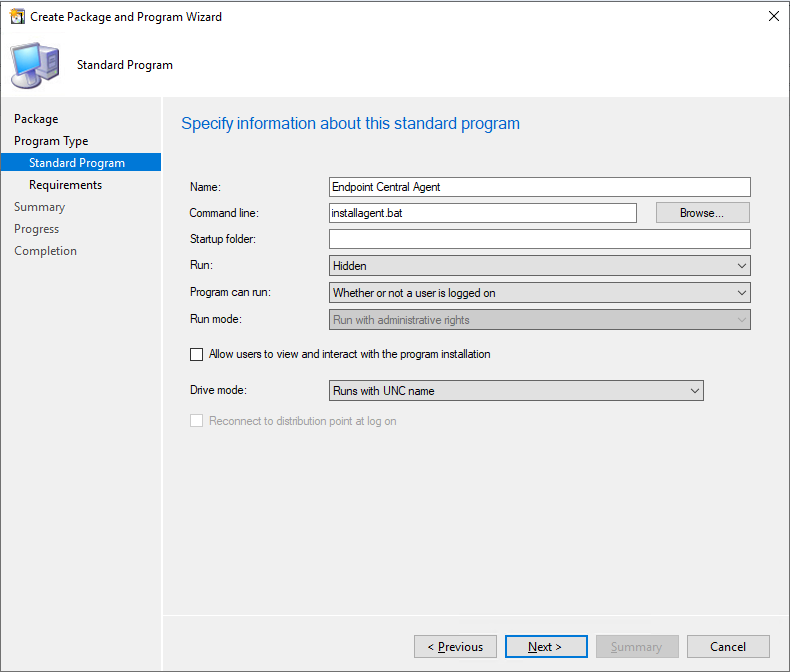
Fill in the necessary information, as shown in the image below and click Next.
Review the requirements and ensure they are like as shown in the image below and click Next.
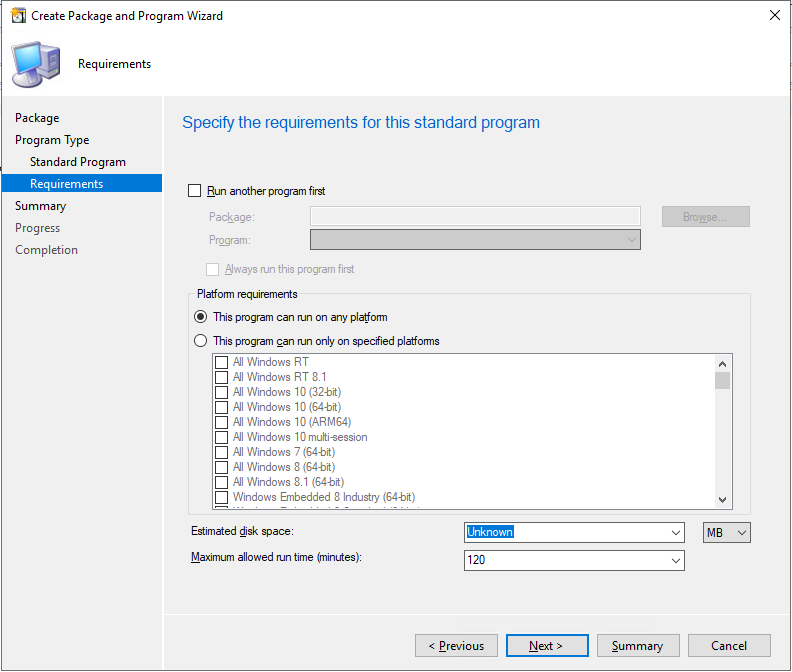
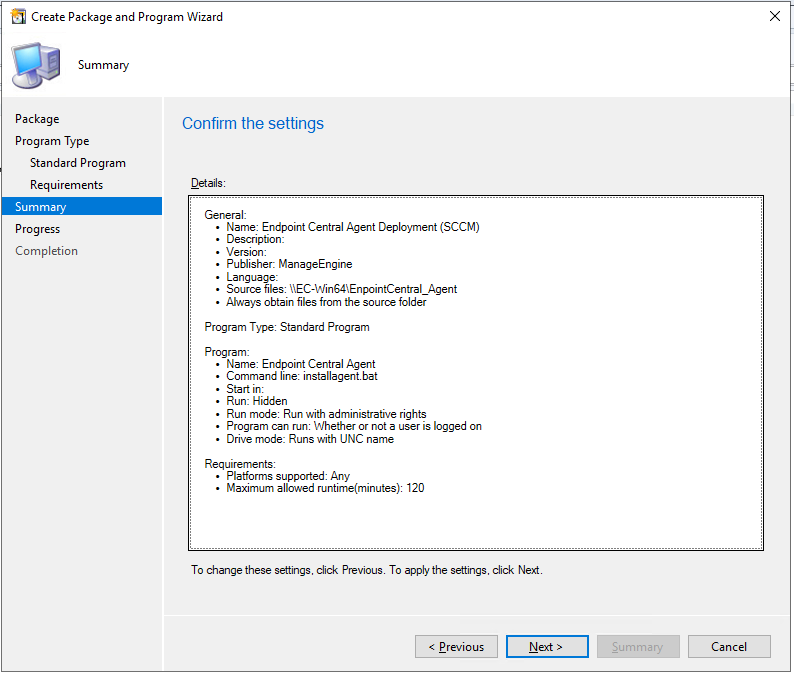
After reviewing, confirm the settings to proceed to create the package
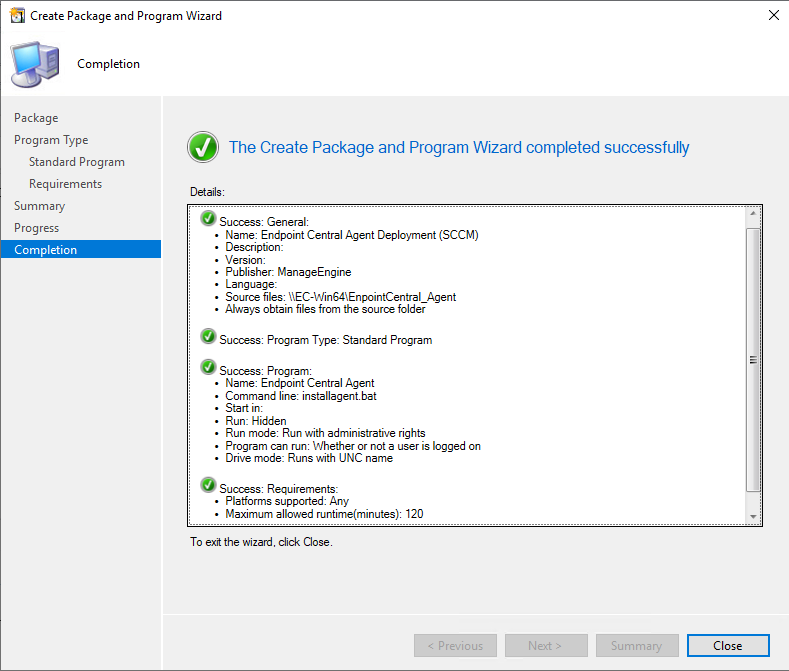
The package has been created successfully.
- The package can now be deployed to the end user's computers.
- You have now successfully reinstalled agents in target endpoints using SCCM.




