Best Practices for creating software packages
Description
This document explains the best practices of using switches and installation commands while creating MSI and EXE software packages.
MSI Packages
Follow the steps below while creating MSI software packages:
- Ensure that you do not include switches while specifying the installation/uninstallation command. By default MSI software gets silently installed when deployed using Endpoint Central, thus it does not require any switches for installation.
- While creating packages using a shared folder, ensure that you specify the path name within " " quotes. This is essential as the installation command will not work when specified without quotes.
Few examples of MSI software Installation commands:
- "\\software reo\Appln\7z1604-x64.msi"
- "\\nwcomputer\shares\GoogleChromeframeStandaloneEnterprise.msi"
MSI Packages with Parameters
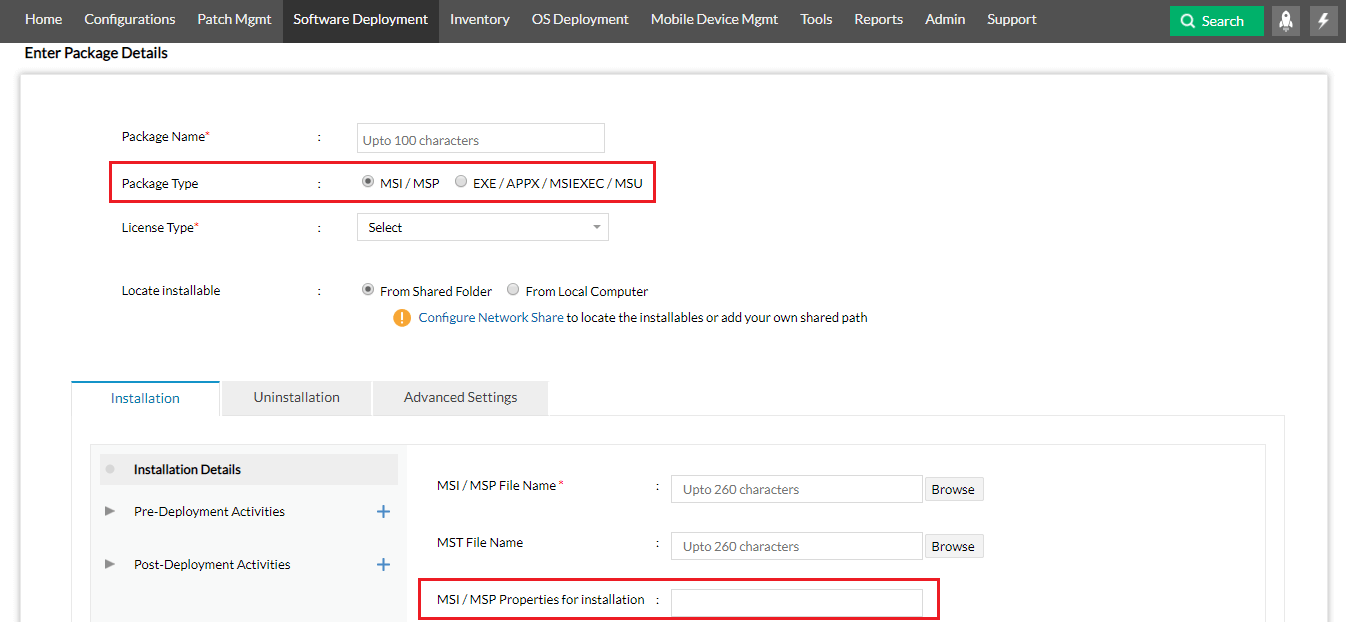
Some MSI softwares requires additional parameters and properties for installation. These packages can be created either under MSI or EXE.
While creating these packages under MSI, specify the additional parameters in the MSI properties for installation. For example, take a look at the screenshot given below.
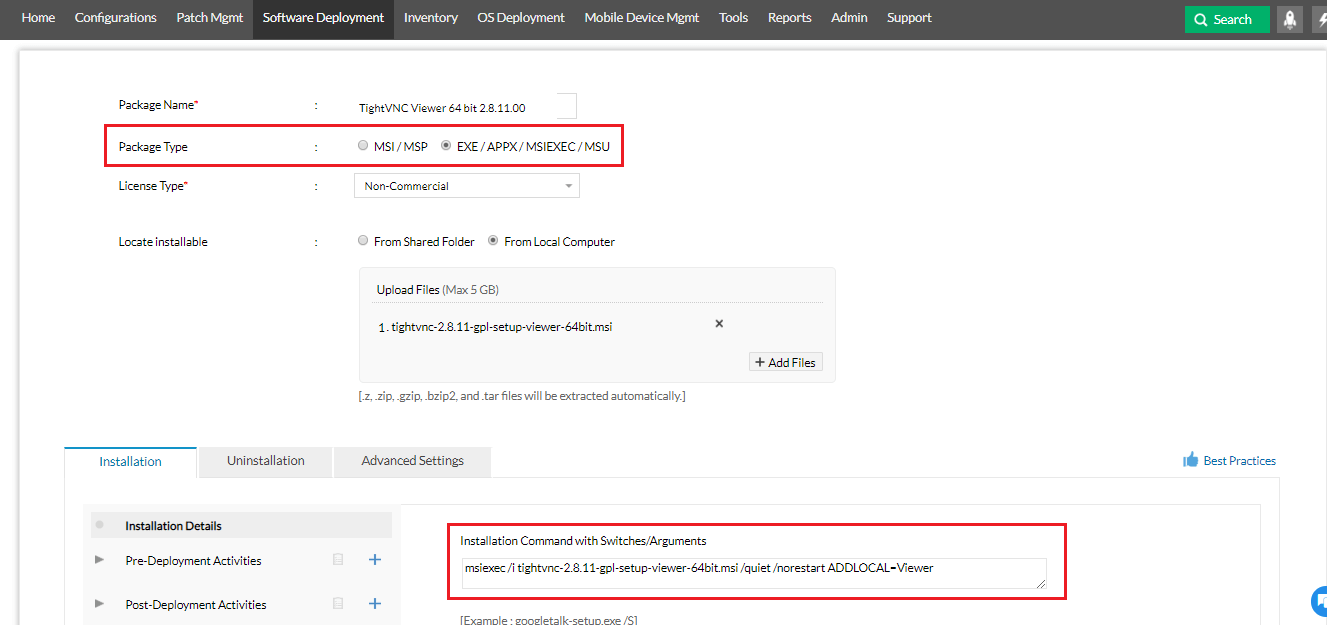
These software packages can also be created under EXE, you will have to specify the switches and also prefix "msiexec /i" in the installation command. A screenshot is provided below for your reference.
EXE Packages
Follow the best practices given below while creating EXE software packages.
Ensure that you include the switches while specifying the installation/uninstallation command while creating EXE packages using Shared folder or via uploading a file from the local computer. Siltent switches helps in silent installation of software without user's interaction. It is necessary that you specify the switches for smooth installation of software.
Note: You can look for silent switches in the online database of Software Templates and use this link to raise software request for silent switches. You can also check with the original software vendors to get the silent switches. Online search is another way to get your switches from user communities, software expert blogs etc.,
- While creating packages using Shared folder, ensure that you specify the path name within " " quotes. This is needed because if the installation command has space between them it will not work when specified without quotes.
For examples of EXE software installation command,
- Firefox Setup 43.0.2.exe -ms -ma
- PowerPointViewer.exe /quiet /passive /norestart
- "\\software repo\Appln\Office2016Exreacted\setup.exe" /configure "software repo\Appln\Office2016Exreacted\configuration.xml"
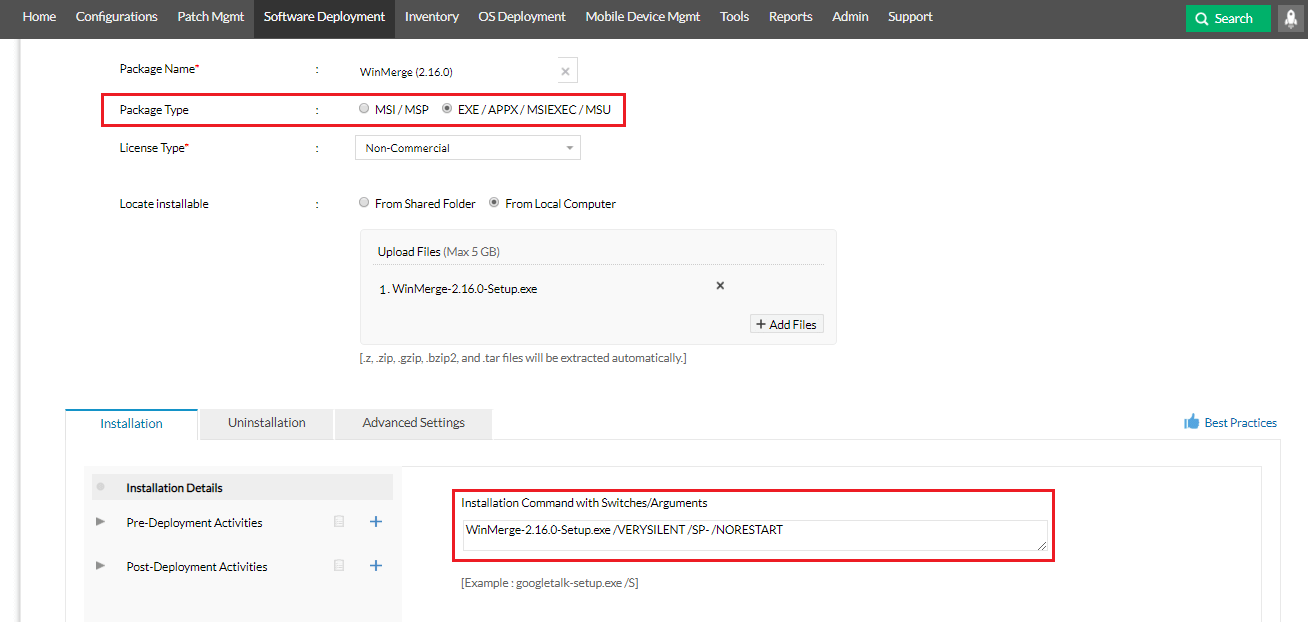
Refer the below screen shot for EXE software installation command,
EXE Packages with User Interaction
There are scenarios where you would like to allow user's interaction during the installation process. Follow the below practices to allow user's interaction,
- Creating the EXE packages without silent switches
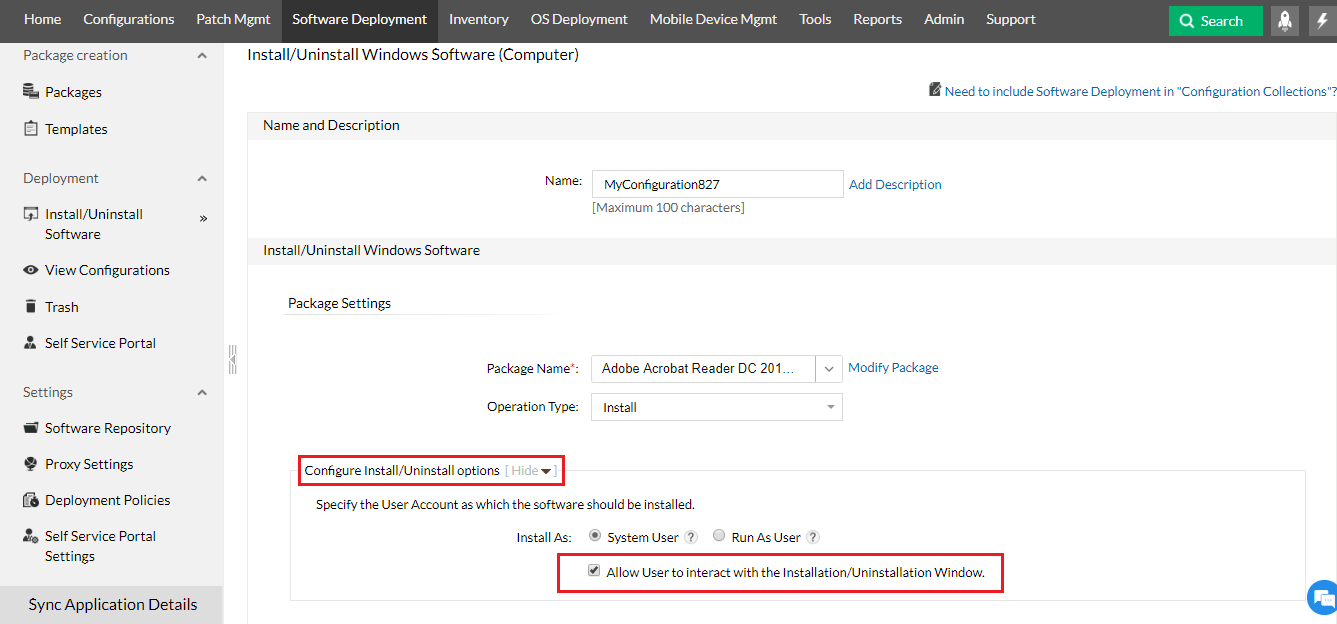
- After creating the packages, Go to Deployment --> Install/Uninstall software --> Configure install/uninstall option --> Enable Allow user to interact with the installation/uninstallation window.
Refer the below screen shot for better understanding
Important Note:
Before deploying the EXE packages in the production environment ensure that you test them in the test environment using the following steps,
- Open command prompt in the client machine with run as admin privileges.
- Navigate to the location where the EXE package is stored.
- Deploy the EXE package using the silent switch and check if the installation is happening silently.
If the silent installation is successful in the test environment, you can proceed with the deployment of EXE package in the production environment.
Learn more about software deployment best practices.




