×![]()
×
×![]()
×
×
How to set up AD Connector | Endpoint Central
AD Connector acts as a communicator between the Central Server and Domain Controller. It retrieves the information from the domain controller and sends it to the Central Server. To set it up effectively, configure a distribution server in same remote office as the Domain controller.
Steps to Configure Remote Office
- In the Server console, navigate to the Agent > Remote Office
- Click Add Remote Office and fill in the ncessary details
- Choose the communication type as through a distribution server. To know more, click here
- Set up a distribution server in the required device in the selected remote office.
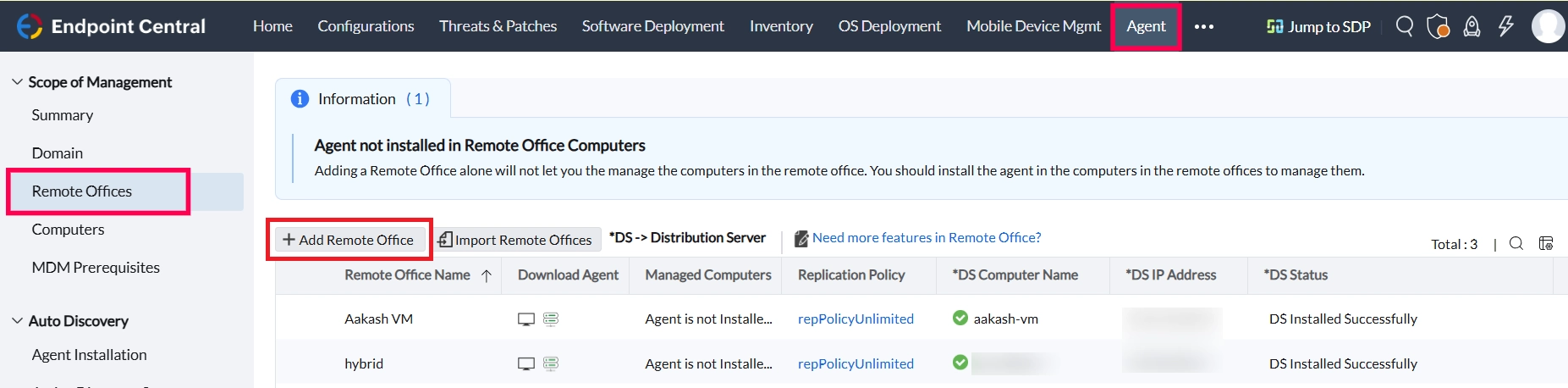
Steps to set up an AD connector inEndpoint Central
Note
Note:
1. AD Connector must be able to reach both Domain Controller and Central Server
2. Once AD Connector is configured, AD Sync will be initiated automatically for that specific domain
1. AD Connector must be able to reach both Domain Controller and Central Server
2. Once AD Connector is configured, AD Sync will be initiated automatically for that specific domain
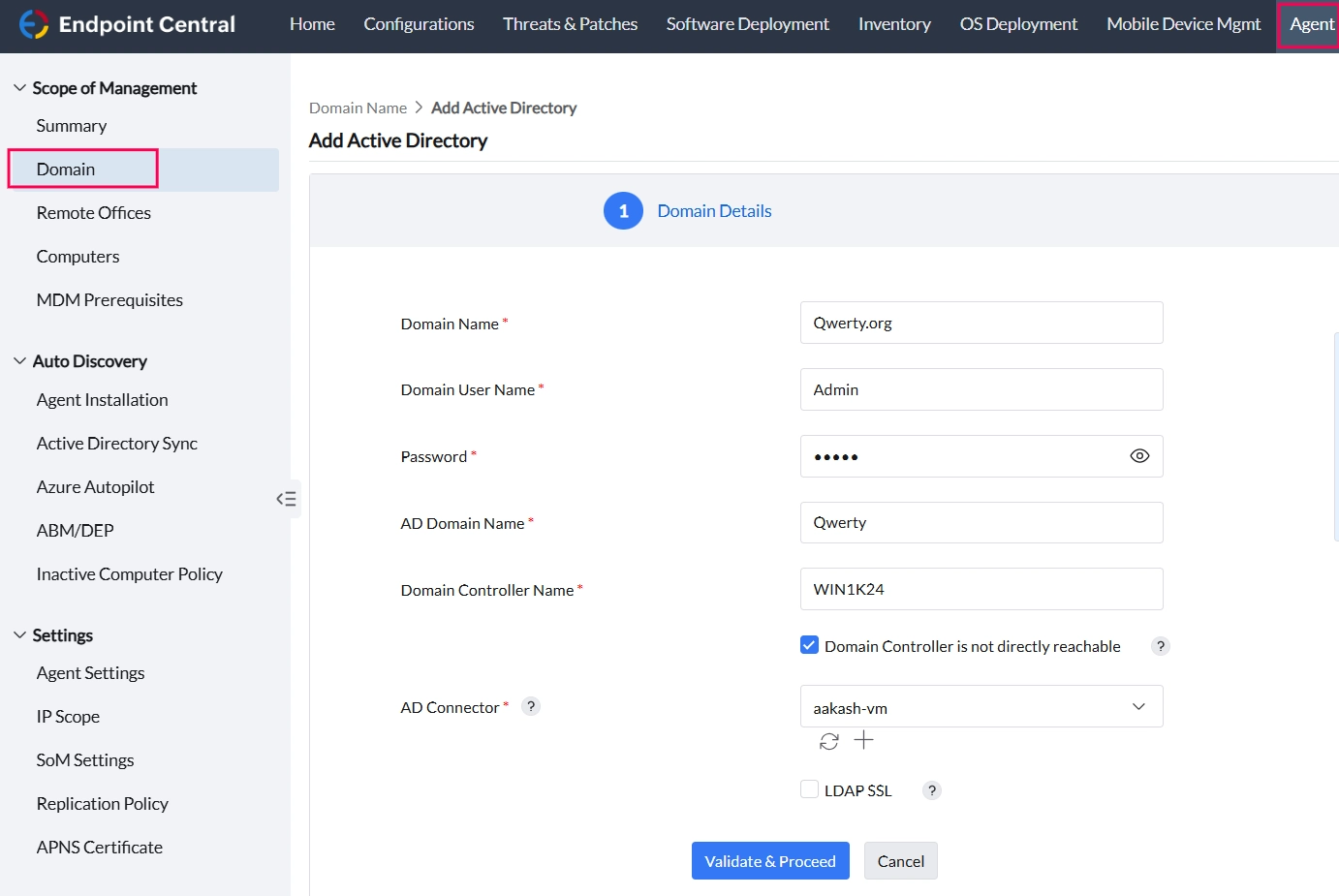
- Navigate to Agent > Domain > Add Domain
- Click Active Directory from the drop down
- If the domain controller will not be reachable from Central Server, enable Domain controller is not directly reachable and select AD Connector from drop down
If you want to configure AD Connector for existing domain, Navigate to the actions menu and select Modify Domain