×![]()
×
×![]()
×
×
Integrate with Qualys
By seamlessly integrating Qualys into the Endpoint Central console, you can now efficiently address identified vulnerabilities with the deployment of corresponding patches. Bid farewell to the hassle of navigating to multiple dashboards and manually mapping vulnerabilities with the appropriate patches. This integration handles it all for you, simplifying the entire process and saving all the valuable time and efforts.
Pre-Requisites
- Create a Manager User account in Qualys with read permissions to Vulnerability and Asset Data.
- Your user account must have permission to the below three APIs:
- GET https:/(Qualys API Base URL)/api/4.0/fo/asset/host/
- GET https:/(Qualys API Base URL)/api/3.0/fo/asset/host/vm/detection/
- GET https:/(Qualys API Base URL)/api/3.0/fo/knowledge_base/vuln/
Steps to integrate Qualys with Endpoint Central
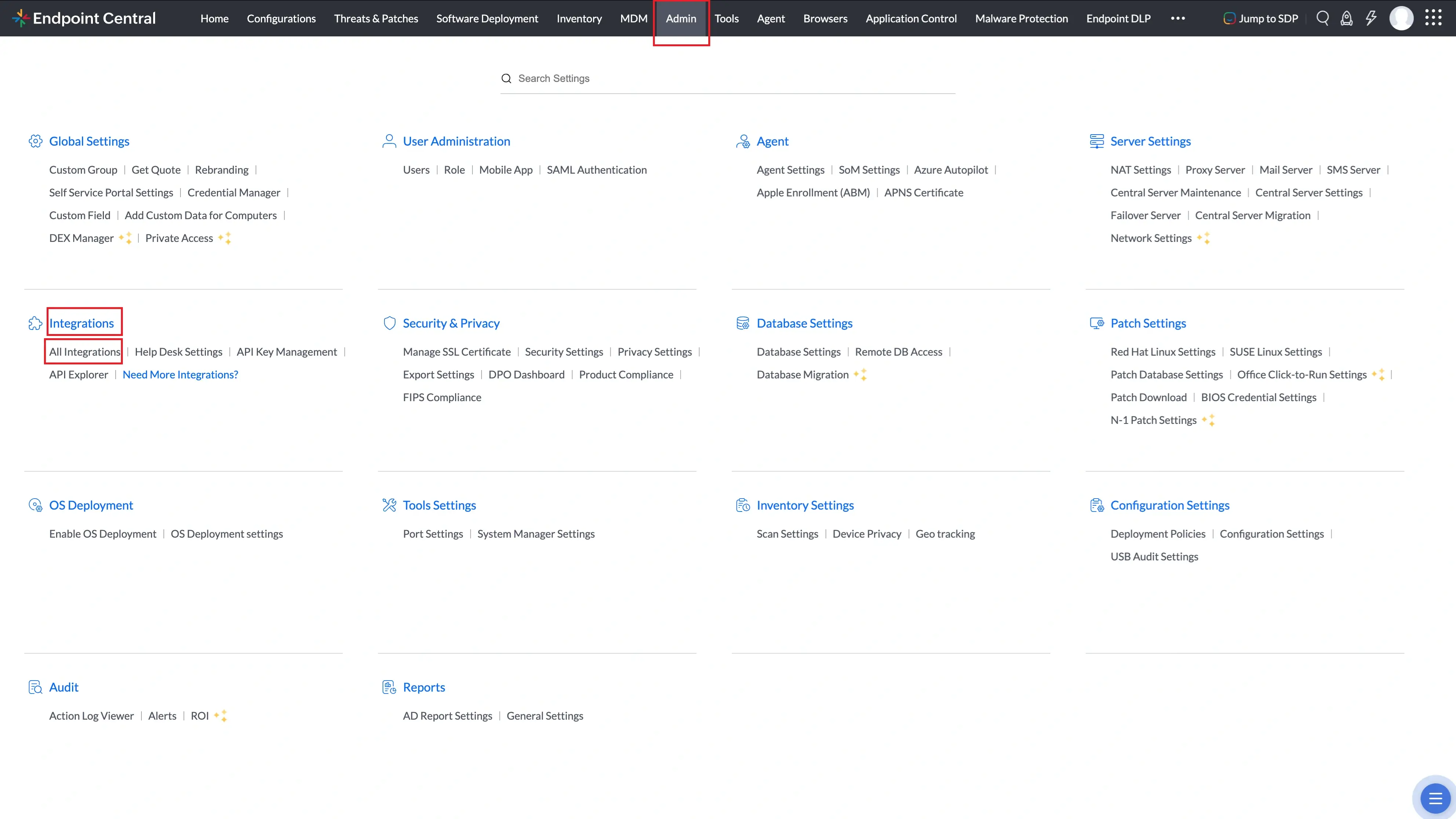
- In Endpoint Central console, navigate to Admin -> Integrations -> All Integrations.
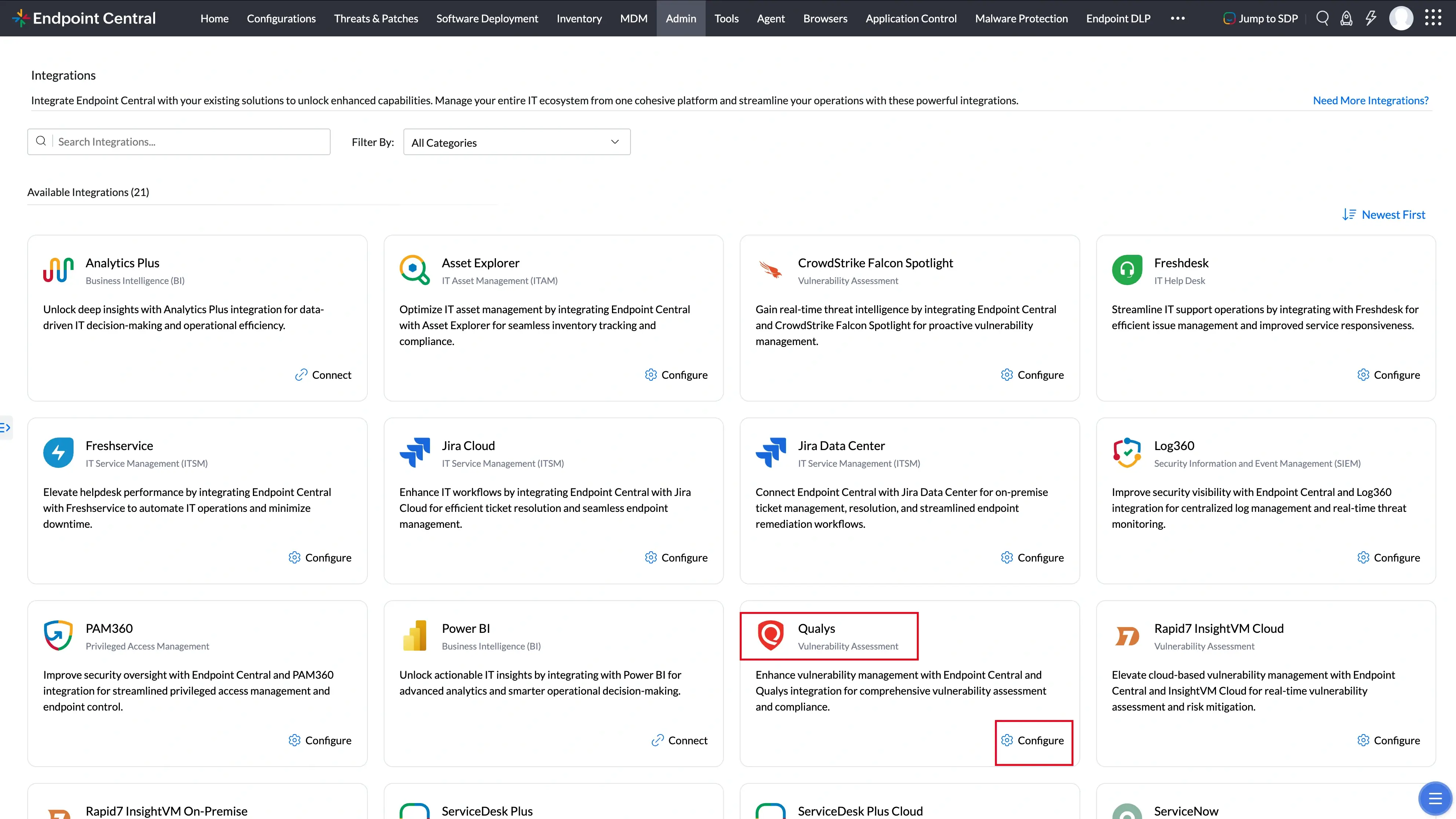
- Now here search Qualys and click Configure.
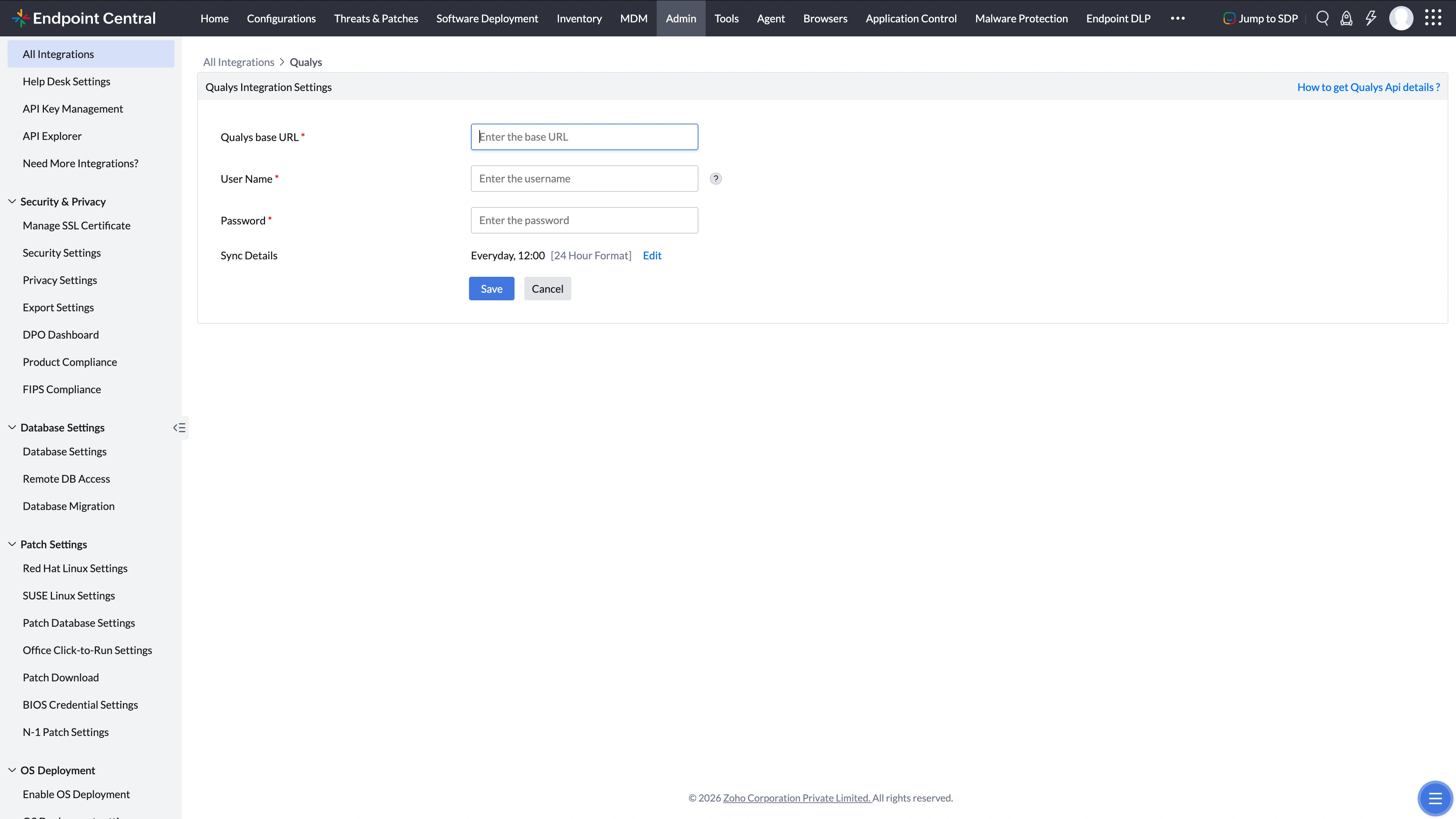
- In the Integrate Now dropdown, select Qualys.
- Provide the API server URL under the option Qualys base URL (This URL will change with resepct to your Qualys account). To identify your API server URL with respect to your Qualys account, refer to this page. API Server URL will start with https://qualysapi.
- Set up a new user account with VMDR UI and API permissions exclusively for your company's computers. For multi-tenant accounts managing multiple entities, do not use these. Create a distinct account for your organization.
- Configure the frequency of sync of the Qualys with the Endpoint Central under Sync Details
- After configuring all the necessary integration settings, click on Save to enable the integration.
Workflow
- After enabling the Integration, Endpoint Central will import the vulnerability details and the affected machine details from Qualys.
- Identify the corresponding patch/fix for the respective vulnerabilities and remediate those vulnerabilities by installing the appropriate patch.
- Threats detected by Qualys, with the patch availability, will be listed under Threats & Patches > Qualys Threats. You can also deploy patches for vulnerabilities from this view.