Migrating to a New Machine While Retaining Your Existing Network Configuration
This guide details the steps required to migrate your Central Server to a new machine while keeping the same network configuration, including FQDN, machine name, and IP address. By following these steps, you will ensure that your agents continue to communicate with the new server without disruption.
Table of Contents
Pre-requisites Before Server Migration
- Ensure that all necessary ports for agent communication with the new server are open. Refer to the port requirements.
- If your data size is large, follow the cleanup document to remove unwanted files from the Central Server directory.
- Verify that there is enough space available in the new directory for the Central Server installation.
Steps to Perform on the Current Central Server Setup
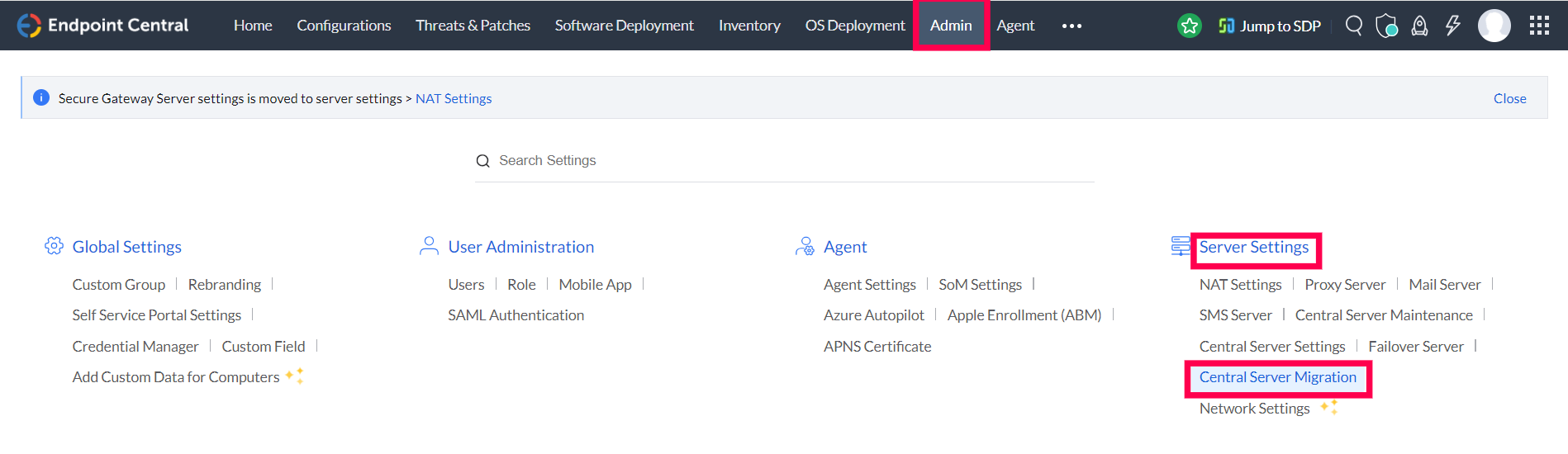
- In the web console, go to the Admin tab. Under Server Settings, select Central Server Migration.
- Select the migration method: Use existing FQDN / IP Address on the new computer.

- Download the Server Migration Guide and follow the 'Steps to Ensure' section to prevent startup issues with the new server.
Run the following command in Command Prompt (as administrator) on your old installation:
server-migration.bat retain
Example:
C:\ManageEngine\UEMS_CentralServer\bin\server-migration.bat retain
- Zip the entire Central Server installation directory (e.g.,
UEMS_CentralServer) and transferUEMS_CentralServer.zipto the new computer. 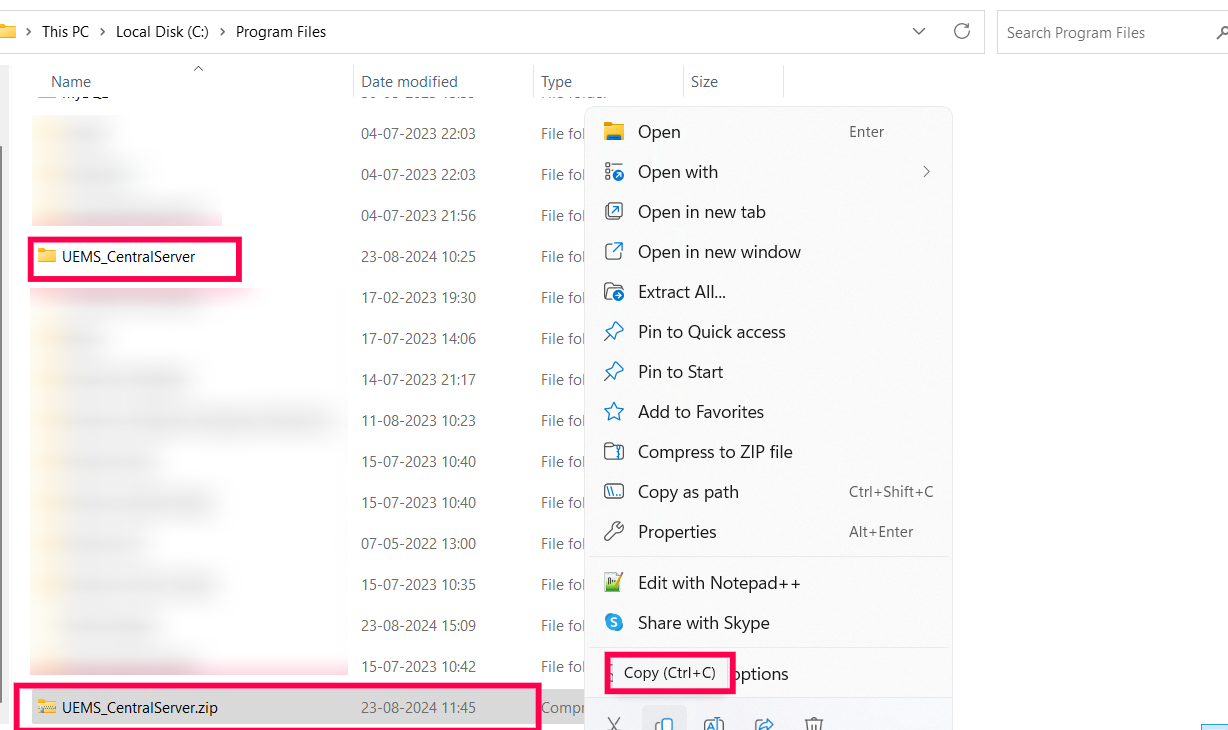
- Once migration is completed on the old server, the service will be stopped. If restarted, it will automatically stop as migration is complete.
Steps to Perform on the New Central Server Setup
- Extract UEMS_CentralServer.zip on the new server to the desired location.
- Navigate to
<extracted_location>\confand delete the ws.modtime file. 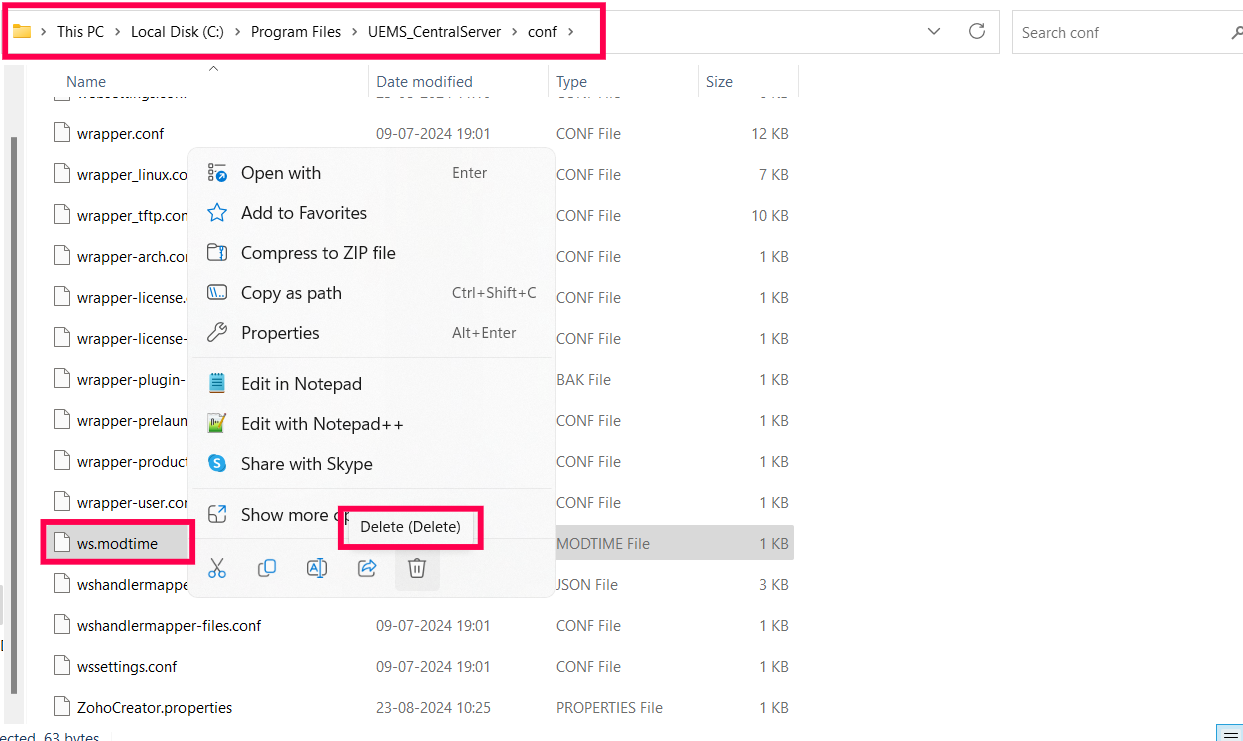
Run the following command in Command Prompt (as administrator) from the extracted location:
Migrate-DCServer.bat
Example:
C:\ManageEngine\UEMS_CentralServer\bin\Migrate-DCServer.bat
- After migration, start the Central Server service. Agents will contact the new server during their next refresh cycle.
Post-Migration Steps
- Verify Successful Migration: Ensure that the new server starts without any issues. A successful startup confirms that migration was performed correctly.
- Verify Agent Communication:
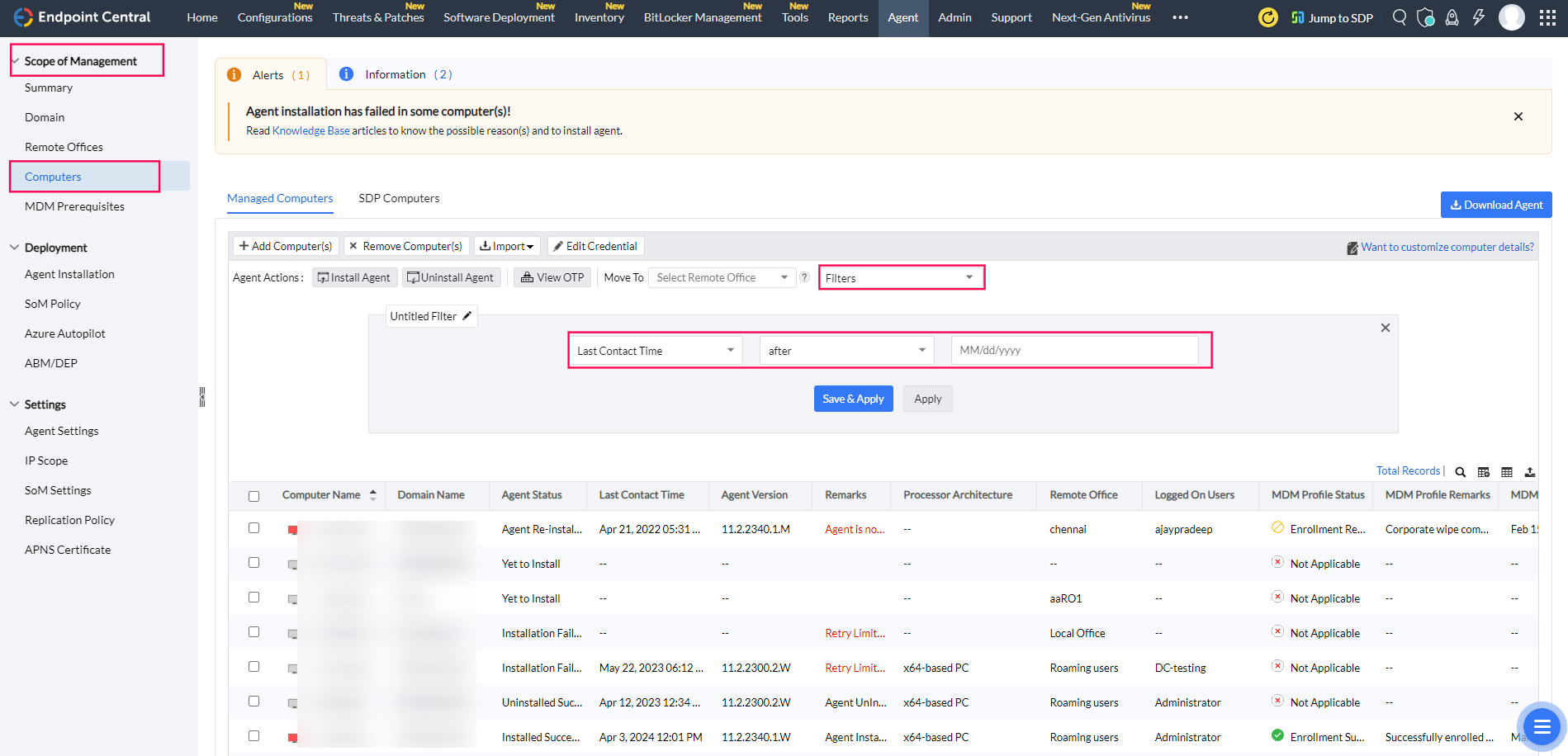
- Navigate to Admin > SOM Settings > Scope of Management > Computers.
- Filter by "Last Contact Time" to confirm agent communication after the new server startup.
Frequently Asked Questions
- When should I remove the old server setup? Do not remove the old setup until all agents have reported to the new server.
- Do I need to reapply the server license? No, the license remains valid after migration.
 | Need Assistance? Try Our Professional ServiceWe offer a professional service to migrate your Server and Data for $295. Register here if you’re interested. |




