While creating a software package for Windows, you can configure various activities to be carried out before and after installation depending on the software deployment method to ensure that the software installation is smooth and that the computers in which the software is being installed meet all the prerequisites.
Let's consider a few scenarios to understand how to use pre/post deployment activities effectively.
Scenario 1: Updating Java 8 on all computers in the network
Challenges
These are the most common issues faced while installing Java updates:
- Making sure that old PCs on the network have enough space before installation.
- Installing it only on the systems that don't have the latest version.
- Uninstalling previous version of Java, because it may cause issues otherwise.
- Specifying the path to JRE installation, so that the users don't have to specify it everytime they run a Java command.
- Disabling automatic updates- to have complete control over which version is being used.
Resolution
Here is a scenario that shows you how all these issues can be resolved using pre/post deployment activities-
John is an IT administrator in a reputed company. His network consists of a wide range of computers, including some legacy Operating Systems. He needs to to upgrade Java 8 on all the computers in his network and follows the following steps to achieve that:
- He first creates the package and gives the installation commands as follows:
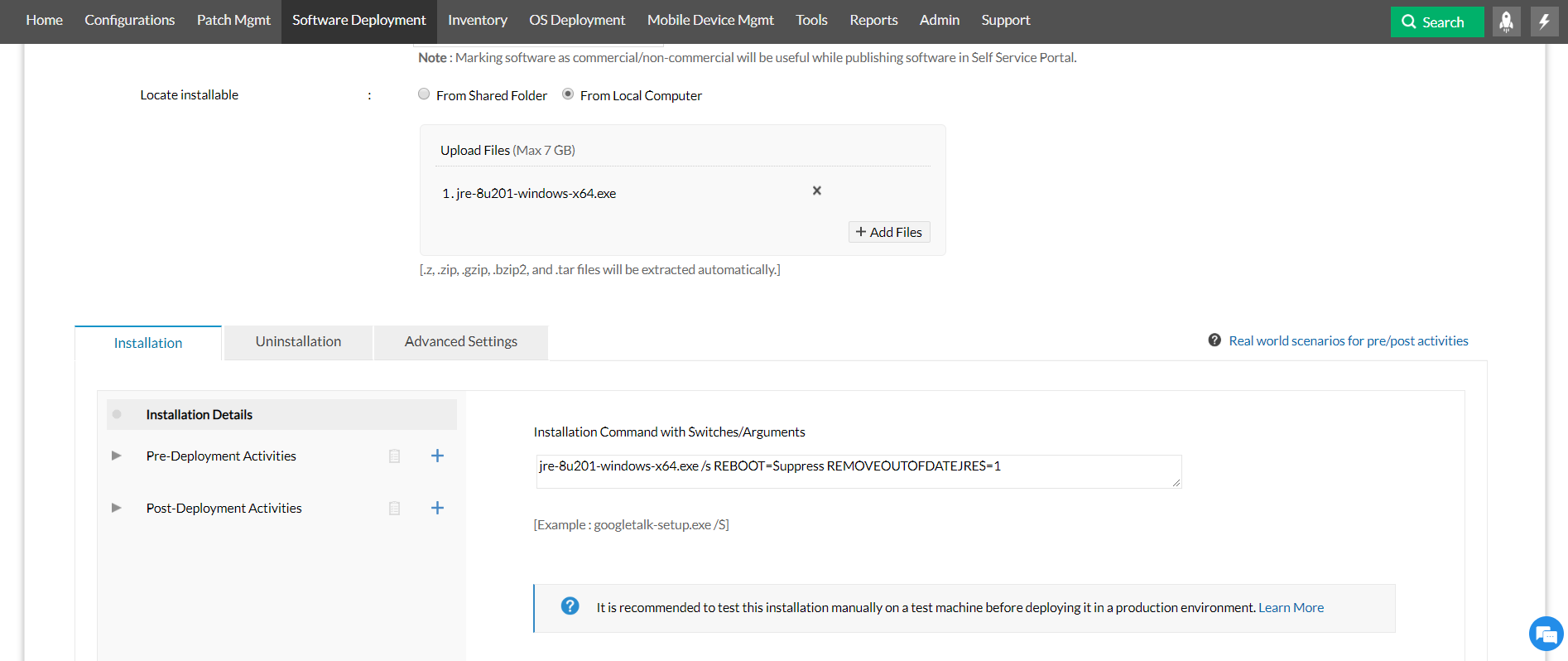
- Since John has many old PCs in his network, he needs to ensure they have enough space before installing the update. He does that by adding a pre-deployment activity called "Check Free Disc Space", as shown below:
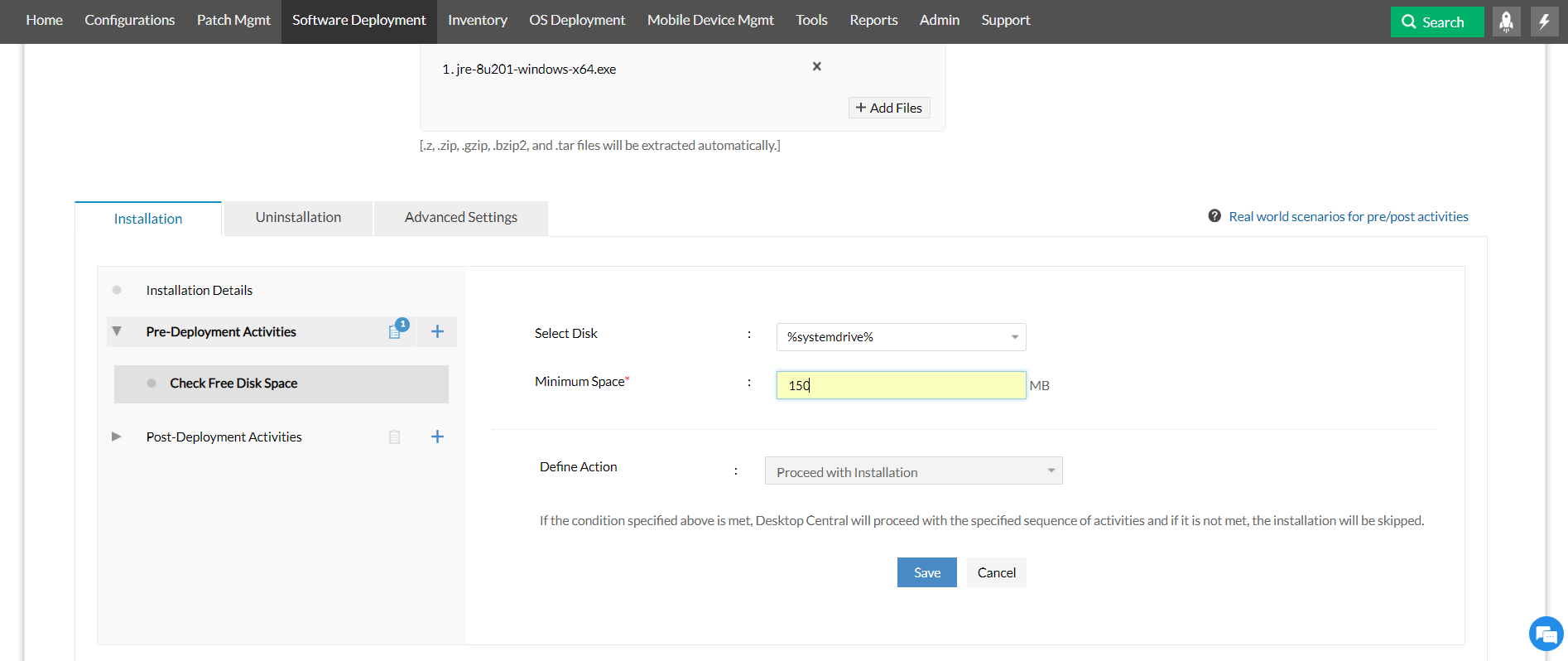
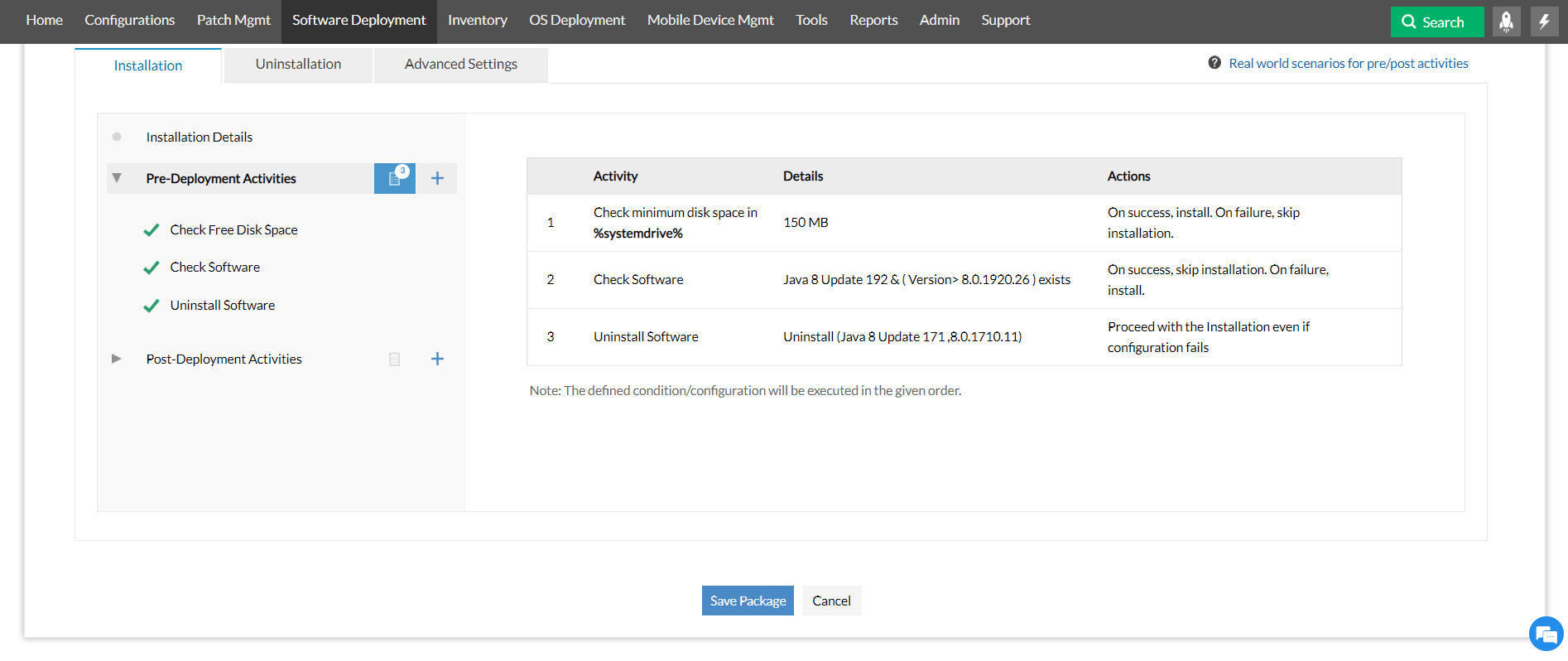
Now, the installation will be carried out only on computers with more than 150 MB of free space.
- Many users are very particular about keeping their applications up to date. For systems that already have the latest version, John will skip the installation by checking the software version under pre-deployment activities, as shown below:
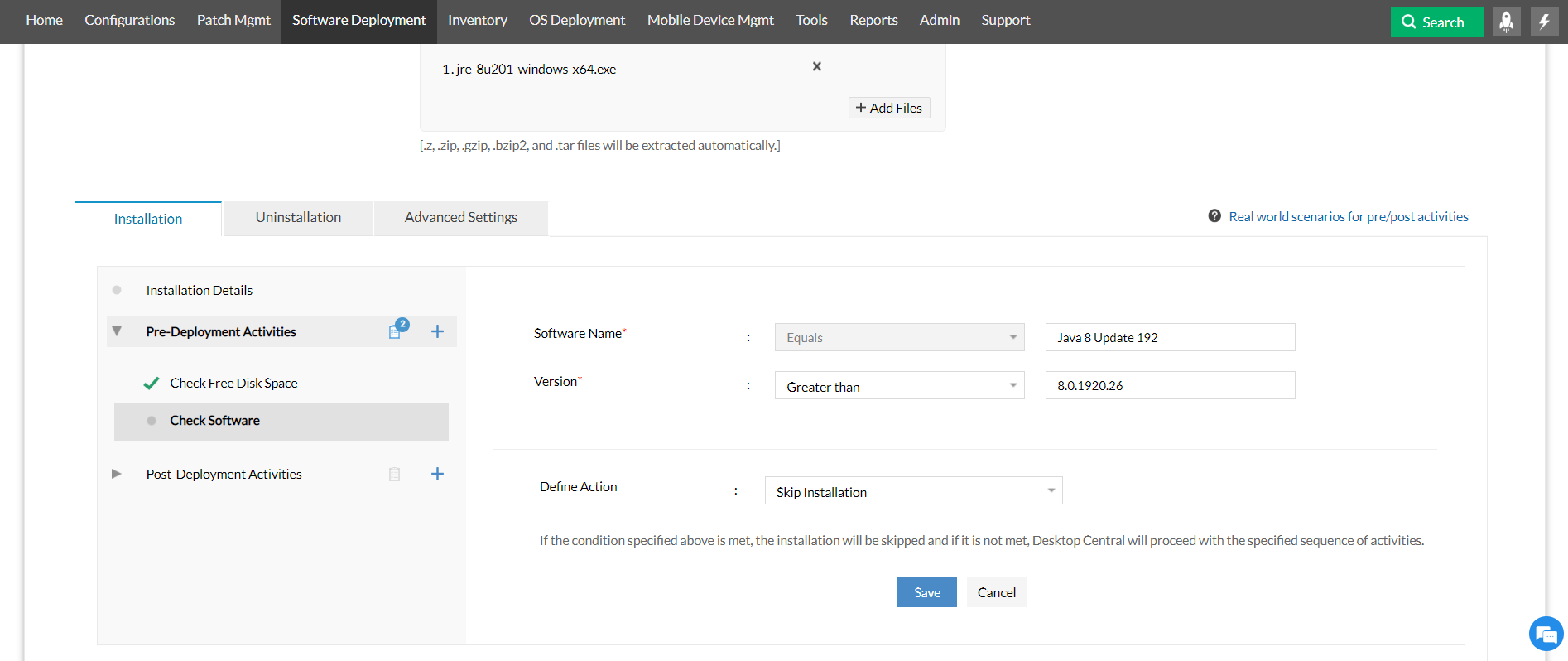
After configuring this condition, only systems that don't have the latest version will get the update.
- John needs to uninstall the previous version to make sure that the latest version is installed successfully. He does that by setting up the configuration "Uninstall Software" under pre-deployment activities:
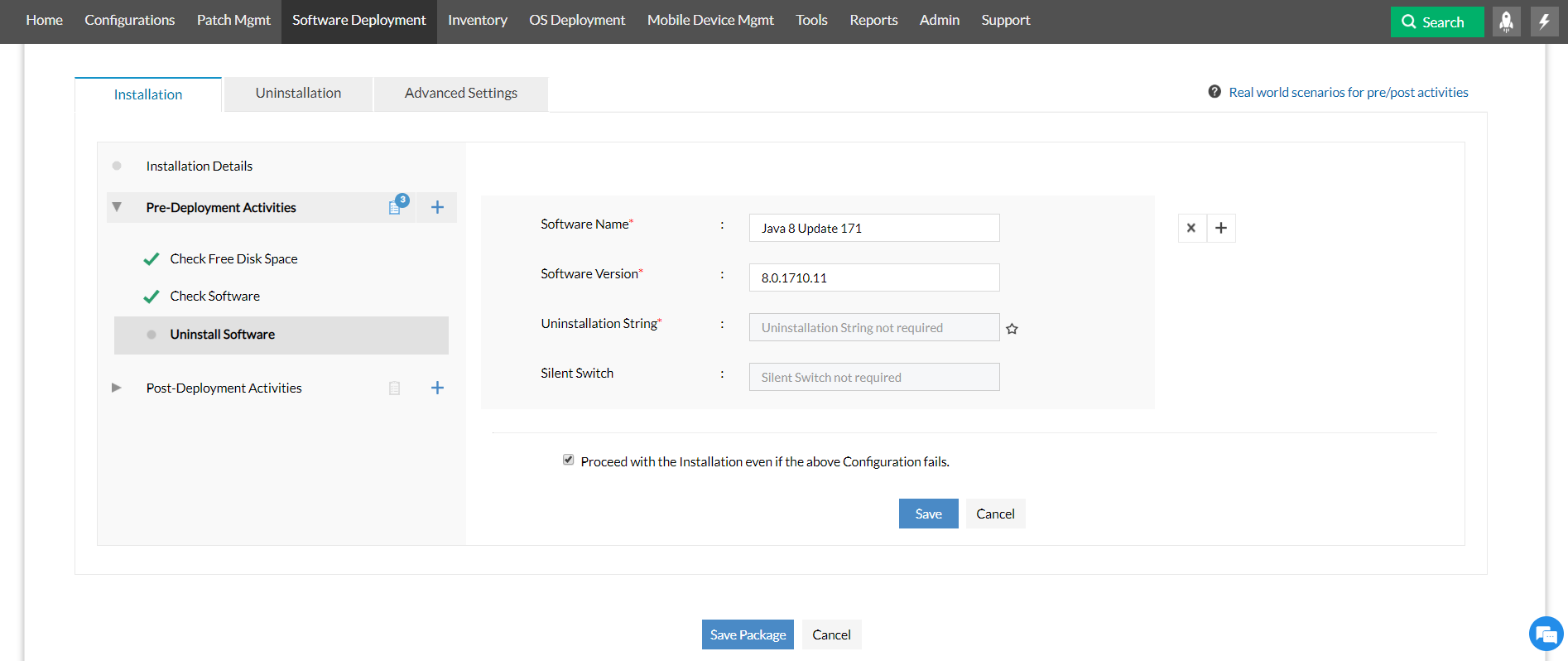
- This is the view John gets when he clicks on "Summary" for "Pre-Deployment Activities". The activities will be carried out in the order in which they are listed here:
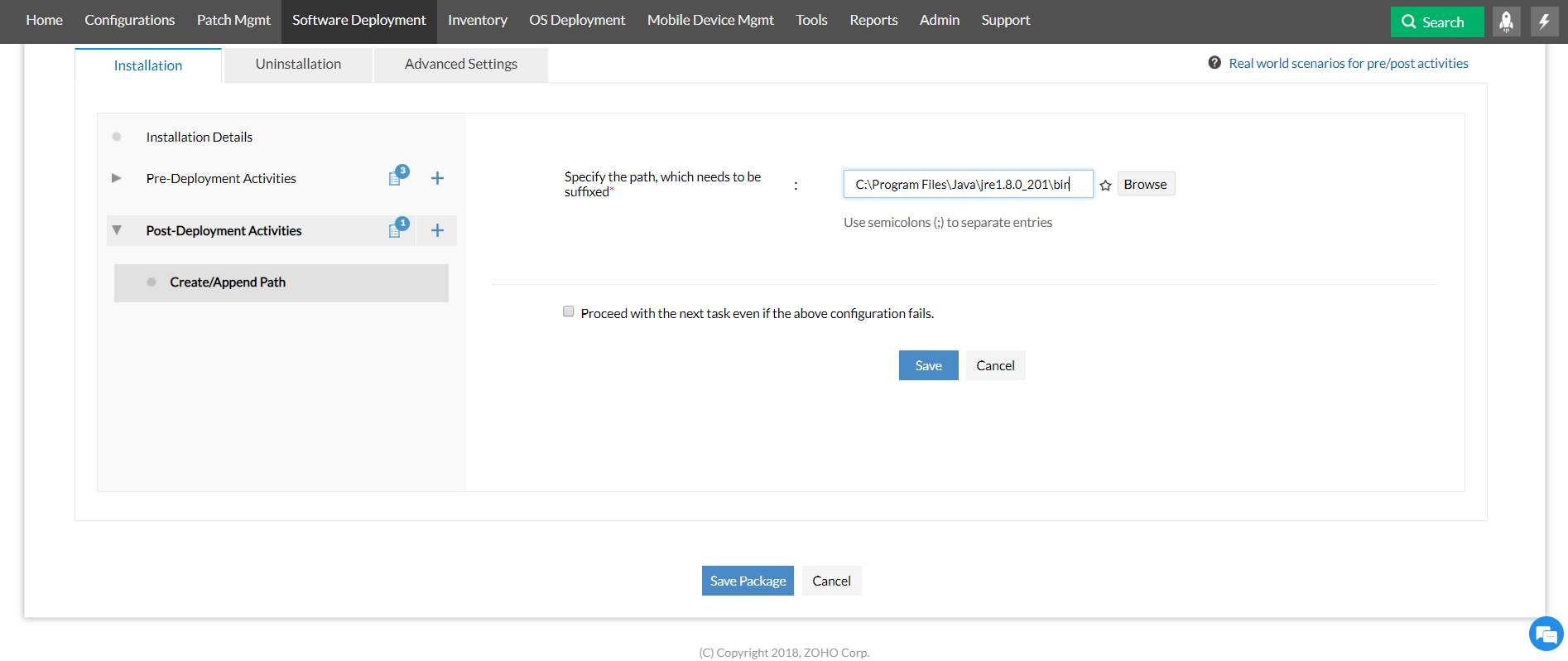
- After the application is installed, John sets a path pointing to the JRE installation location using "Create/Append Path" as follows:
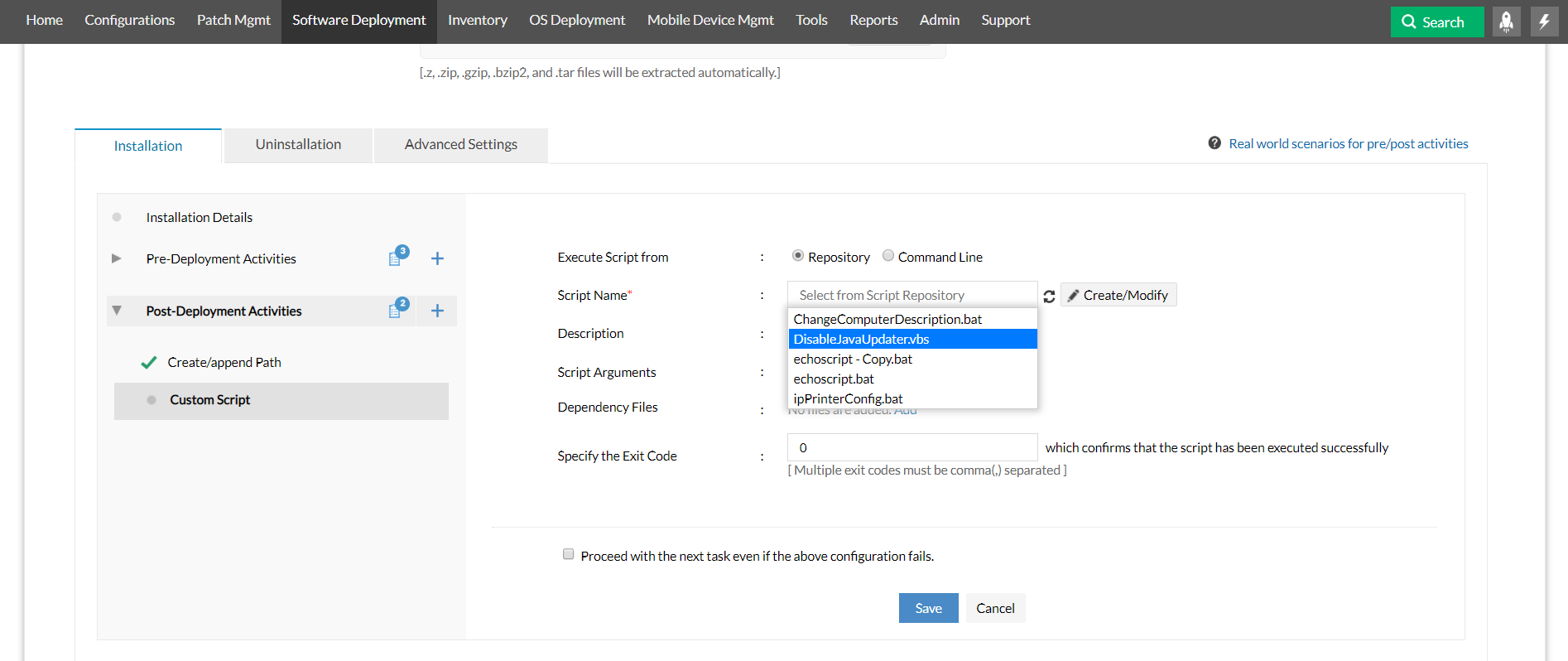
- To make sure that there aren't any automatic updates, John runs a script using the "Custom Script" configuration:
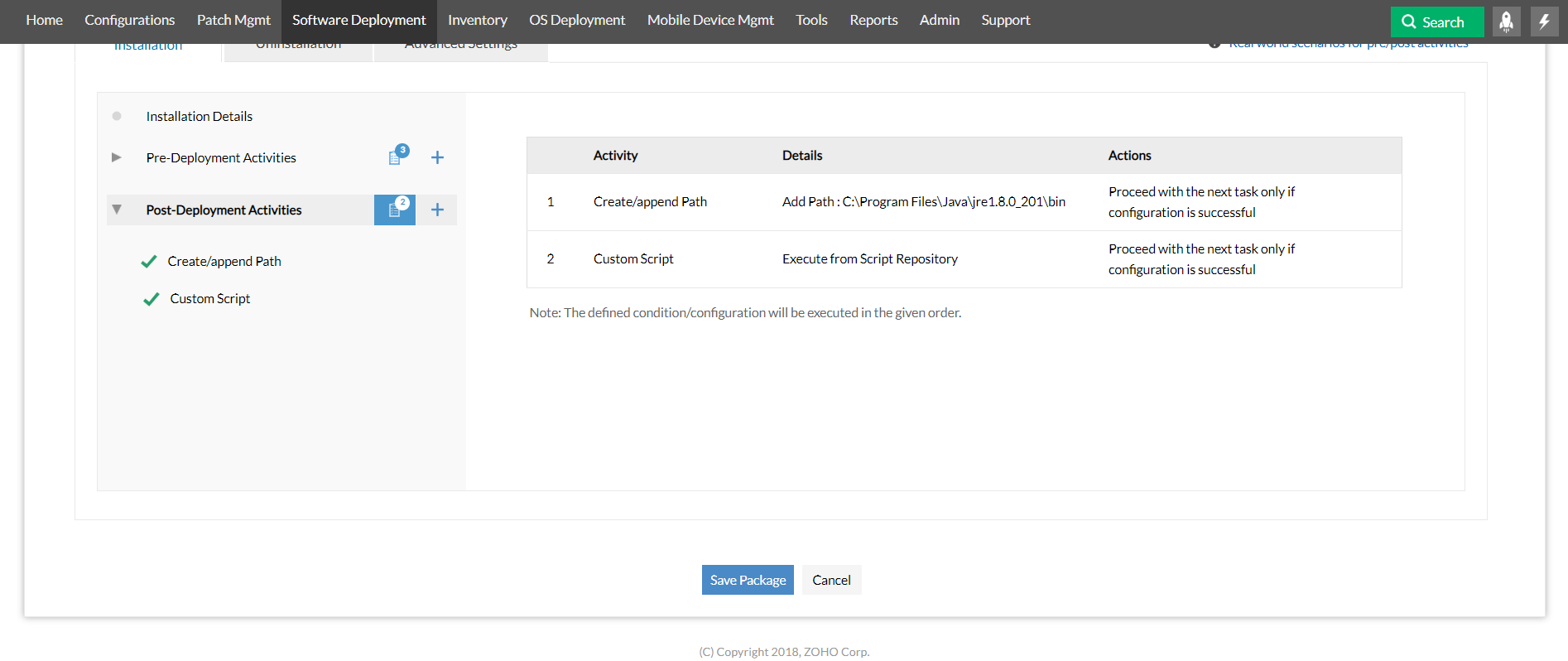
- This is the view John gets when he clicks on "Summary" for "Post-Deployment Activities". The activities will be carried out in the order in which they are listed here:
After setting up these activities, John saves the package and deploys it immediately using the "Deploy now" option. The update gets installed on all the computers.
Scenario 2: Uninstalling Notepad++ from all computers in the network
Challenges
The biggest issue administrators face while uninstalling an application is when the uninstallation fails because a process initiated by the application to be uninstalled is running.
Resolution
Here is a scenario that shows you how all this issue can be resolved using pre/post deployment activities
John's boss has asked him to uninstall Notepad++ from all the computers that have it installed. He creates the package for uninstalling Notepad++ using Endpoint Central's template. Here is how he modifies the created package to ensure that the uninstallation is carried out efficiently:
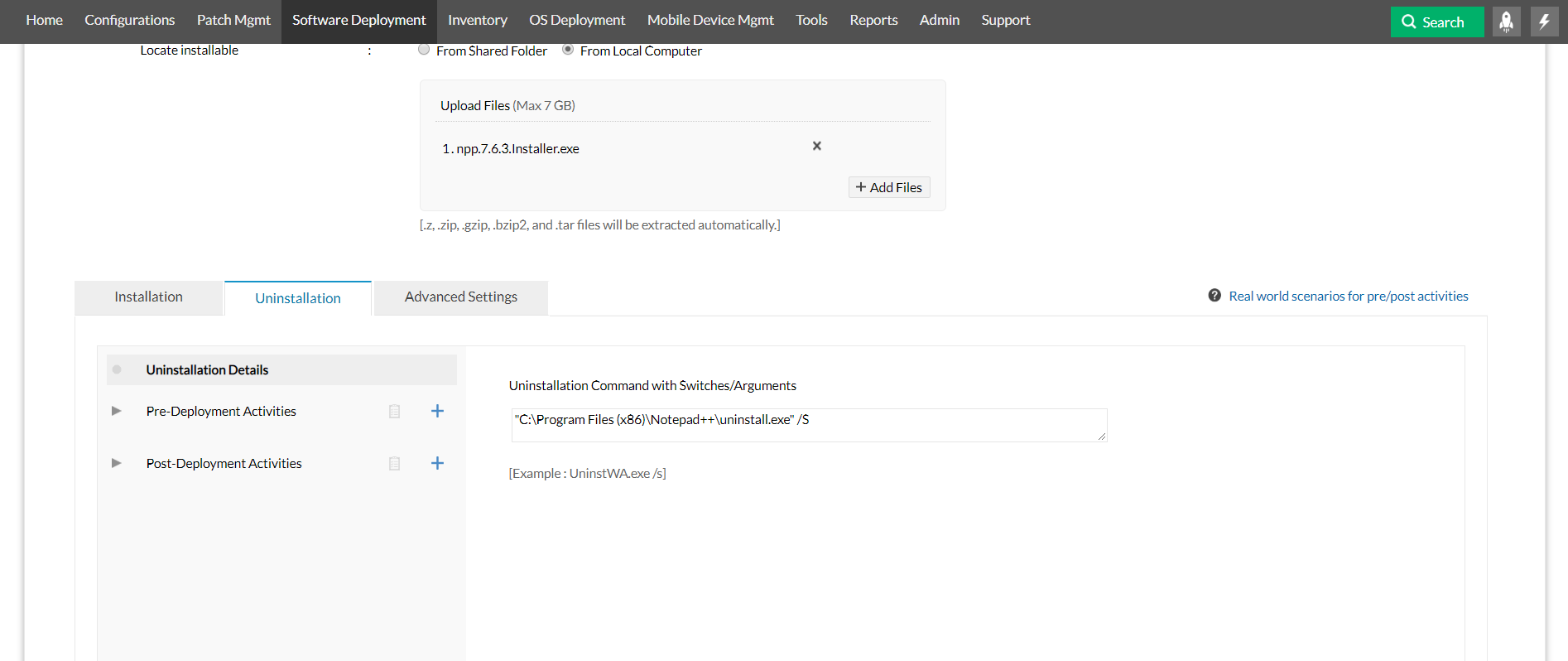
- John first creates a package and gives the uninstallation switches as follows:
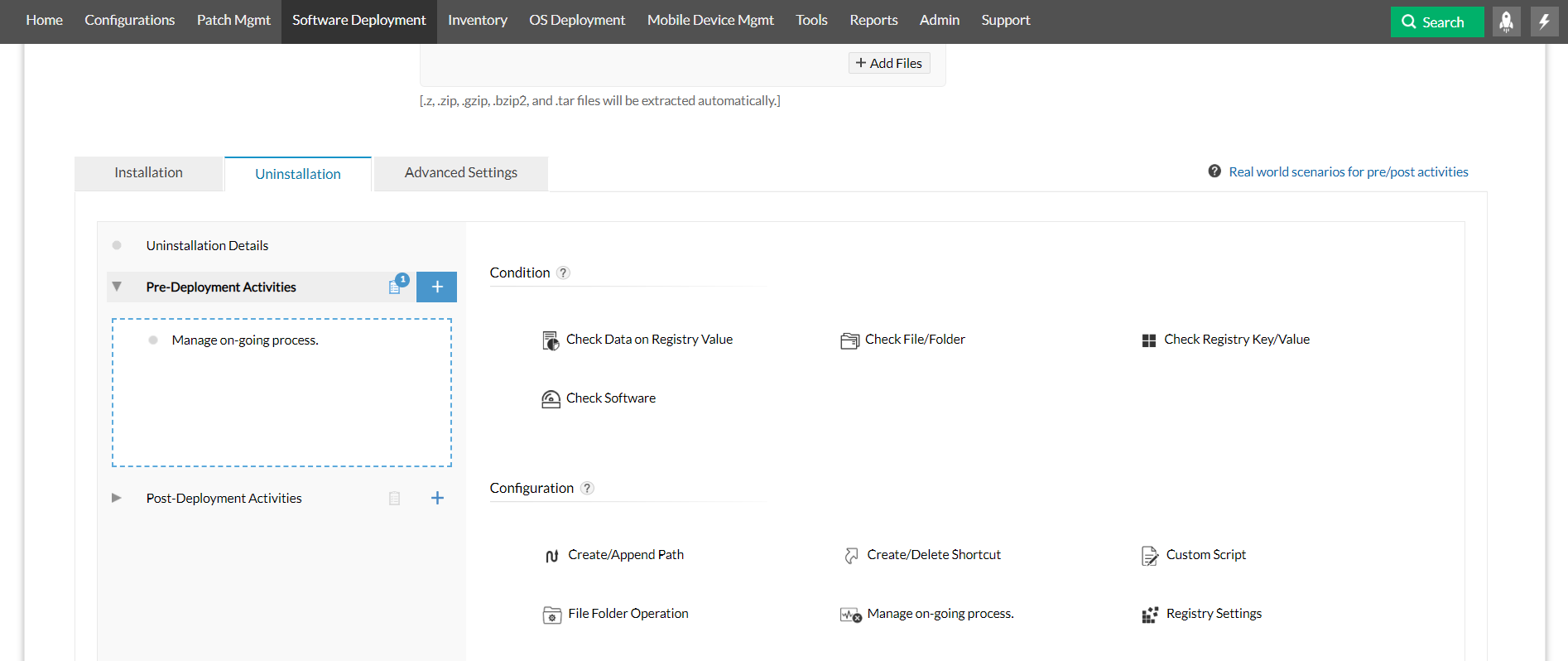
- John needs to make sure that the Notepad++ isn't running at the time the uninstallation is attempted. Hence, he selects the pre deployment configuration "Manage on-going processes" as shown below:
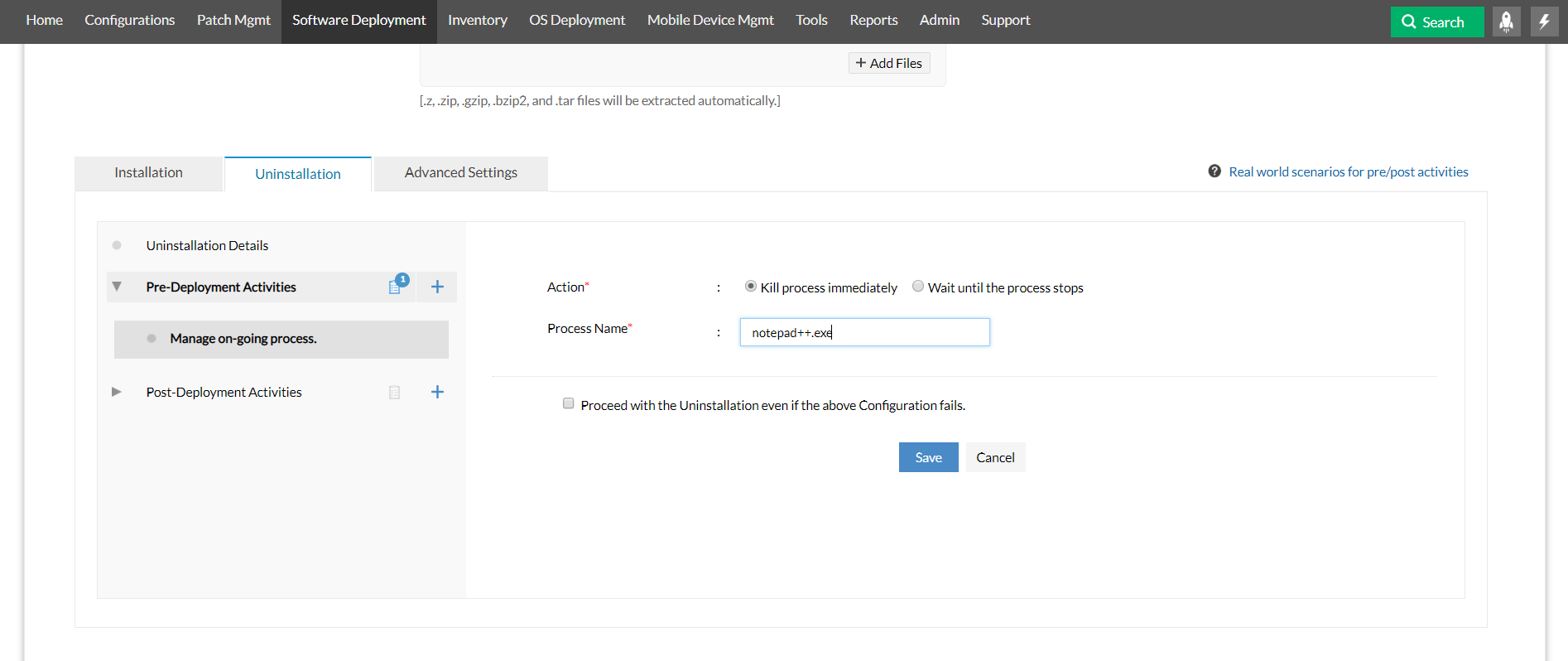
- This is how he sets up the configuration to kill the process if it's running:
- This is the view John gets when he clicks on "Summary" for "Pre-Deployment Activities". The activities will be carried out in the order in which they are listed here:
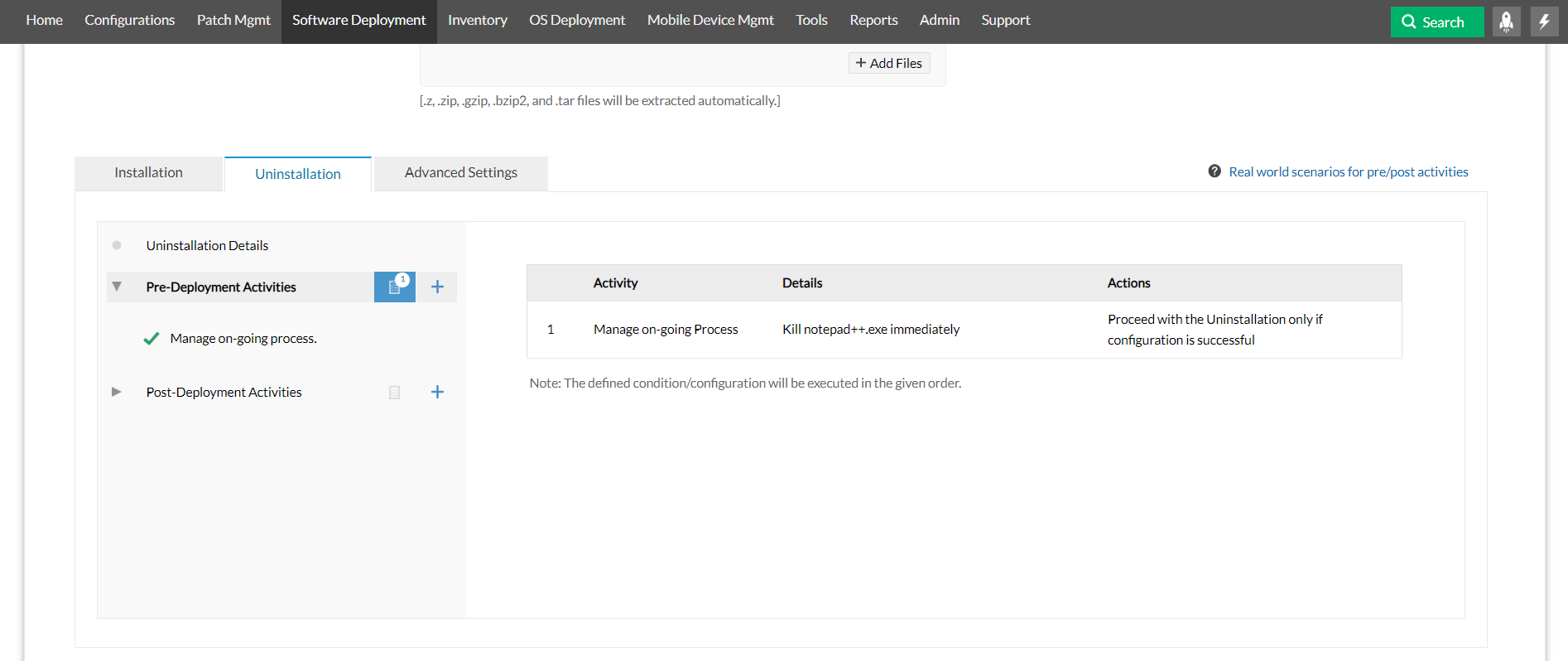
After configuring these activities, he saves the package and deploys it to the desired target. Notepad++ gets uninstalled on all the computers.
Scenario 3: Installing a plugin for a particular application
Challenges
While installing a plugin, you need to make sure that the plugin is installed only on the computers that have the application.
Resolution
Here is a scenario that shows you how you can accomplish this using pre/post deployment activities-
There is a requirement for installing Zoom plugin for all the computers that have Microsoft Outlook. After creating the package, John uses the condition "Check Software" to find out which computers have Outlook installed on them. Now, the plugin will only be installed on the computers that have Microsoft Outlook on them: 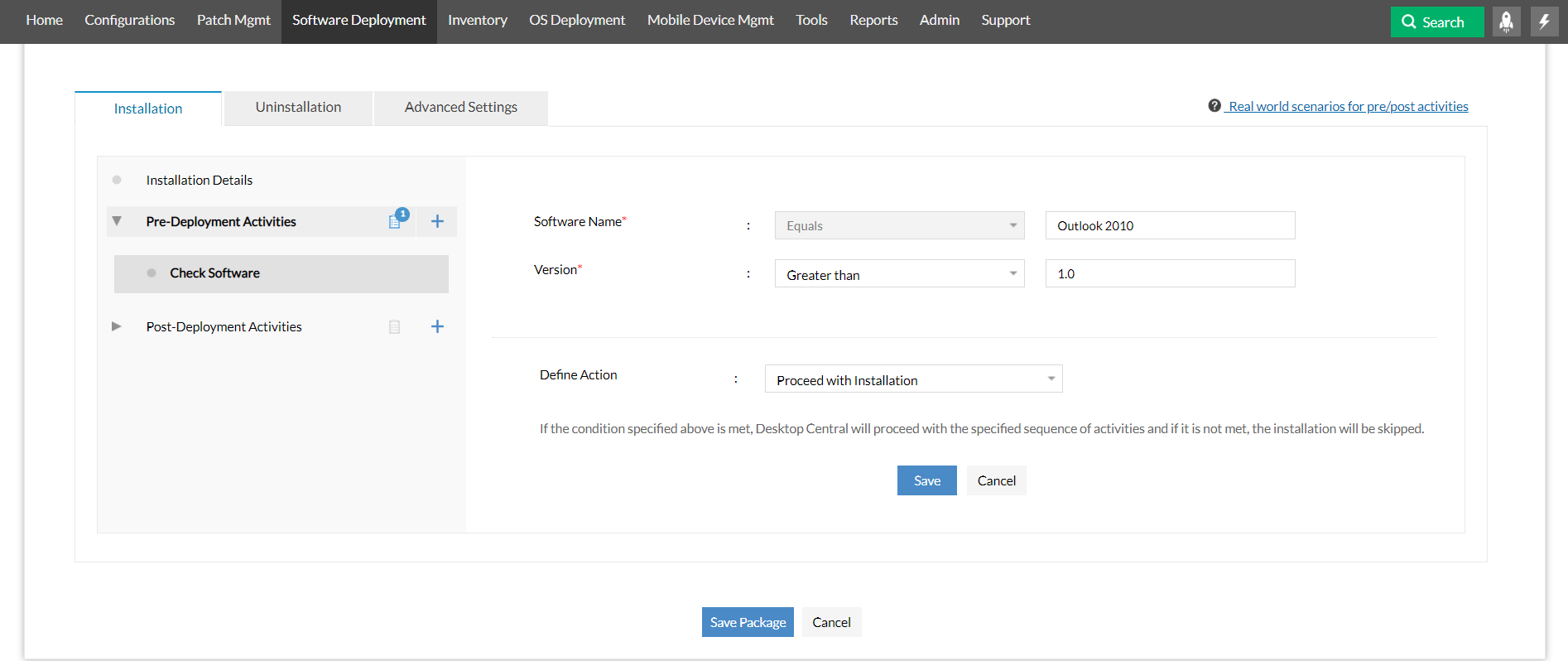
After saving the package, John deploys it and Zoom plugin gets installed on the right computers.
For more details, visit this webpage.




