Discover Rogue DHCP Servers in IP Address Manager
ManageEngine OpUtils enables you discover and monitor unauthorized DHCP servers across your network with Rogue DHCP Discovery. By detecting Rogue DHCP servers, it helps in preventing IP conflicts, connectivity issues, and potential security threats. This feature helps administrators to identify the DHCP servers that are not part of the approved infrastructure and troubleshoot as needed.
Discovered DHCP servers are automatically classified as Trusted if they are mapped in Active Directory. You can also manually categorize DHCP servers as Trusted or Rogue, enabling seamless management. Rogue DHCP Discovery can be enabled by choosing one or more discovery methods to identify DHCP servers across diverse network environments.
- Discovering Rogue DHCP Servers
- Rogue DHCP Discovery Methods
- How to Configure Alerts for DHCP Discovery
Discovering Rogue DHCP Servers
To identify unauthorized servers and automate discovery, you must first configure the Rogue DHCP Server settings.
- In OpUtils, navigate to Settings -> OpUtils -> DHCP.
- Under Rogue DHCP Discovery, select the DHCP Discovery Methods to discover the DHCP servers.
- Enable Schedule Discovery to automatically discover DHCP Servers.
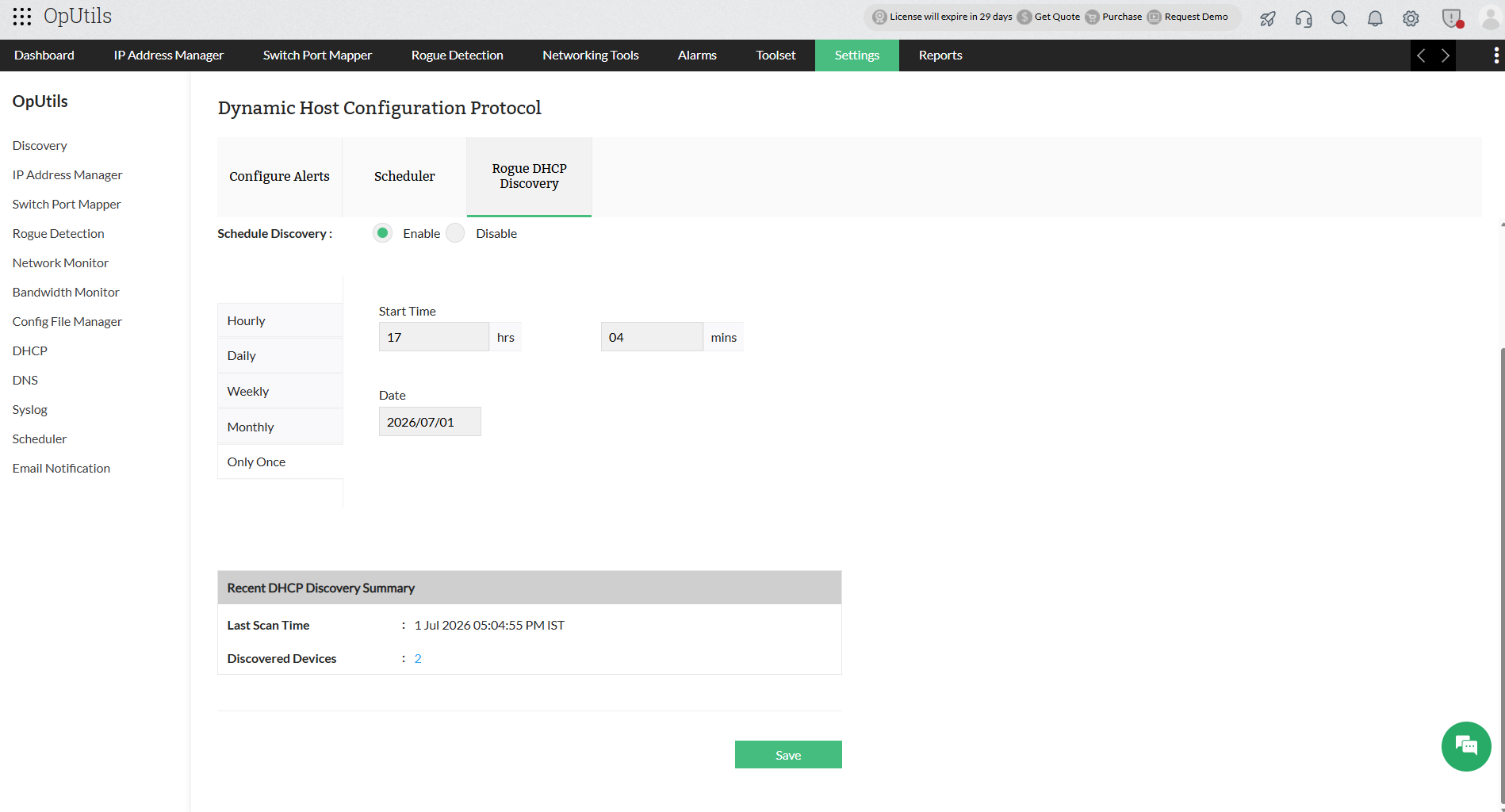
- Under Recent DHCP Discovery Summary, you can view the Last Scan Time and the number of discovered devices.
- Click on the Discovered Devices count to be redirected to the DHCP Summary page.
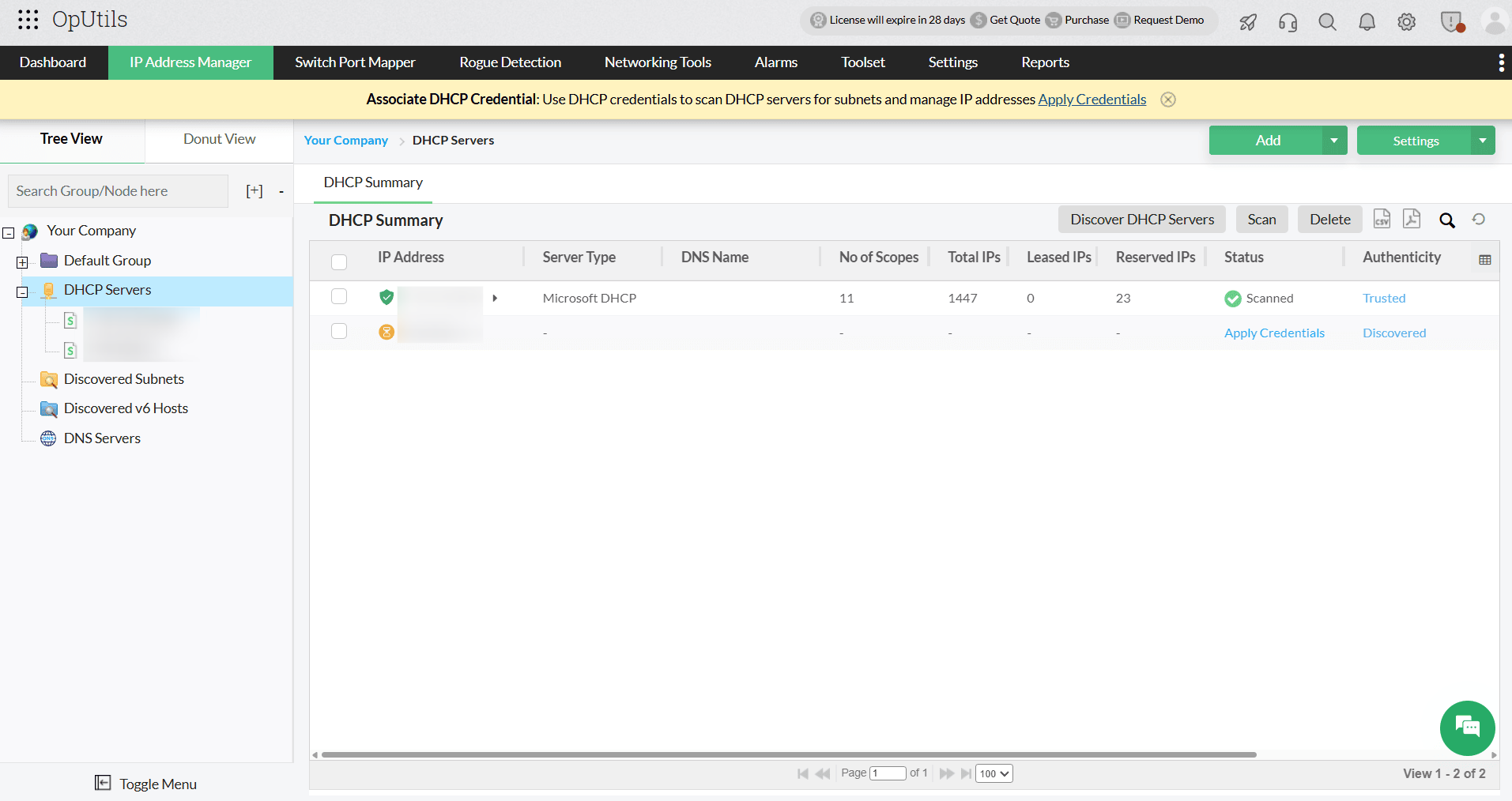
After configuring the Discovery Methods, you can manually perform a DHCP server discovery as follows:
- Go to IP Address Manager, and select DHCP Server.
- In the DHCP Summary page, click Discover DHCP Servers to run a discovery.
Rogue DHCP Discovery Methods
DHCP Discovery via Broadcast (Nmap-Based)
You can enable this method to discover DHCP servers by leveraging Nmap's DHCP broadcast capabilities to detect active DHCP servers within the network. By sending broadcast DHCP discovery packets, it quickly identifies any DHCP servers that respond, offering an efficient way to scan for accessible servers on the local network.
PowerShell-Based Discovery Methods
OpUtils supports multiple PowerShell-based discovery techniques to improve accuracy in Windows environments:
- Discovery Using Adapter Configuration
- Enabling this method will retrieve DHCP server information directly from the network adaptor configurations.
- It detects DHCP servers that are actively assigning IP addresses to clients.
- Discovery via Domain Controller
- Identifies authorized DHCP servers registered within the domain environment by querying Active Directory and domain-related configurations.
- Enables administrators to validate discovered servers against authorized DHCP infrastructure.
- DHCP Service-Based Discovery
- This method detects systems running DHCP server services and verifies the operational status of active DHCP server instances.
- Network Listener-Based Discovery
- In this discovery method, DHCP traffic on the network is monitored to identify servers responding to DHCP requests.
- This method provides real-time visibility into DHCP server activity across the network.
Note:
- You can select multiple discovery methods to discover DHCP servers.
- For Unix systems, only the DHCP Discovery via Broadcast method is applicable.
How to Configure Alerts for DHCP Discovery
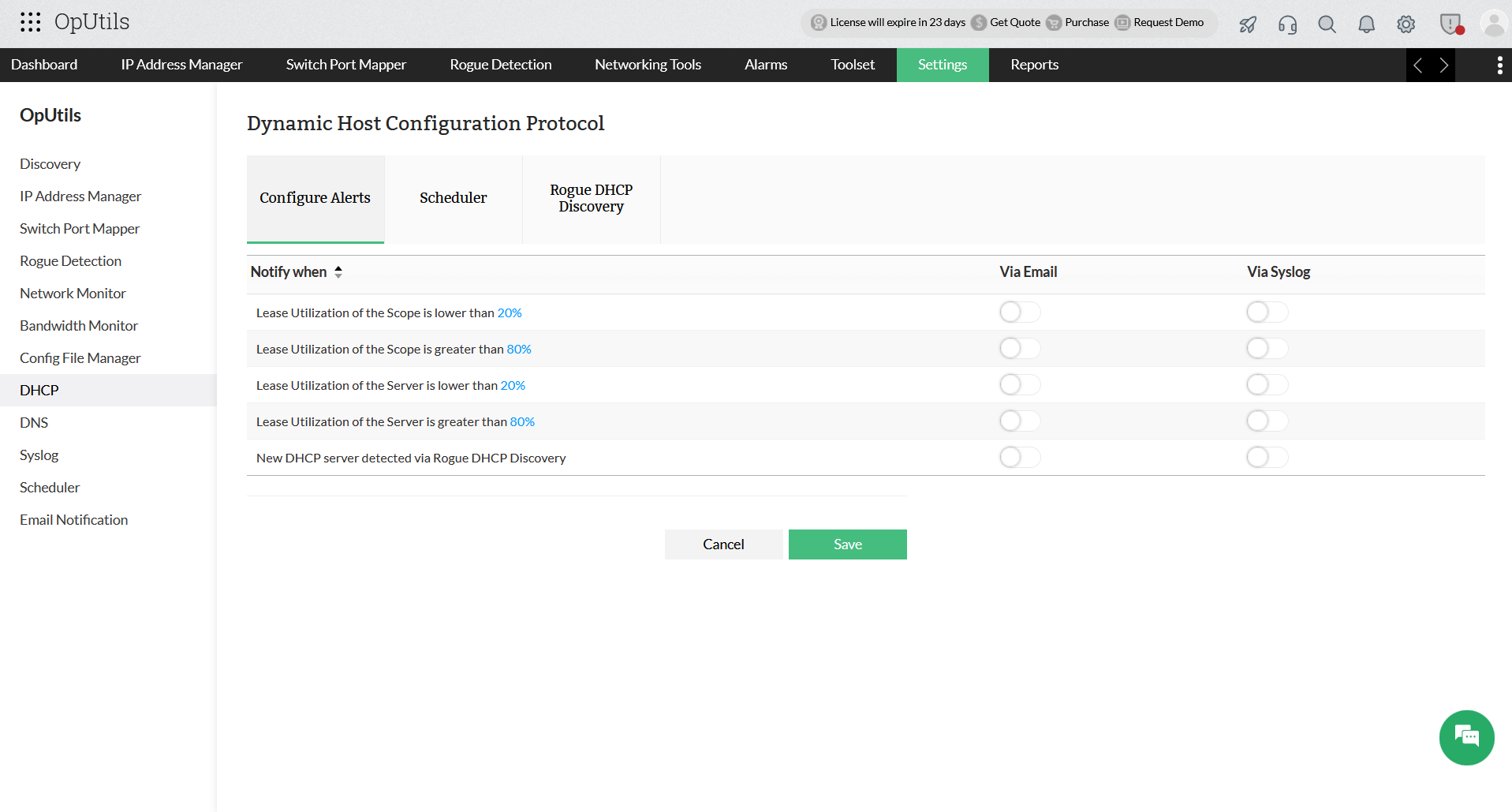
Notifications can be configured to send you alert whenever a DHCP server is discovered. To configure notifications, navigate to the Configure Alerts page using either of the following paths:
- Settings -> OpUtils -> DHCP -> Configure Alerts
- Settings -> OpUtils -> Email Notificaiton -> DHCP
- Enable via Email or via Syslog notifications for the New DHCP server detected via Rogue DHCP Discovery alert.
- Configure the Mail Server Settings and click Save.