Description
Patch Connect Plus has introduced SCCM Right Click Tools that helps in seamlessly managing the client machines right from the SCCM console. This means the users can perform a wide range of functions like on-demand client operation, client troubleshooting, and system management actions. This document will provide detailed steps to install Admin Tools in the SCCM console.
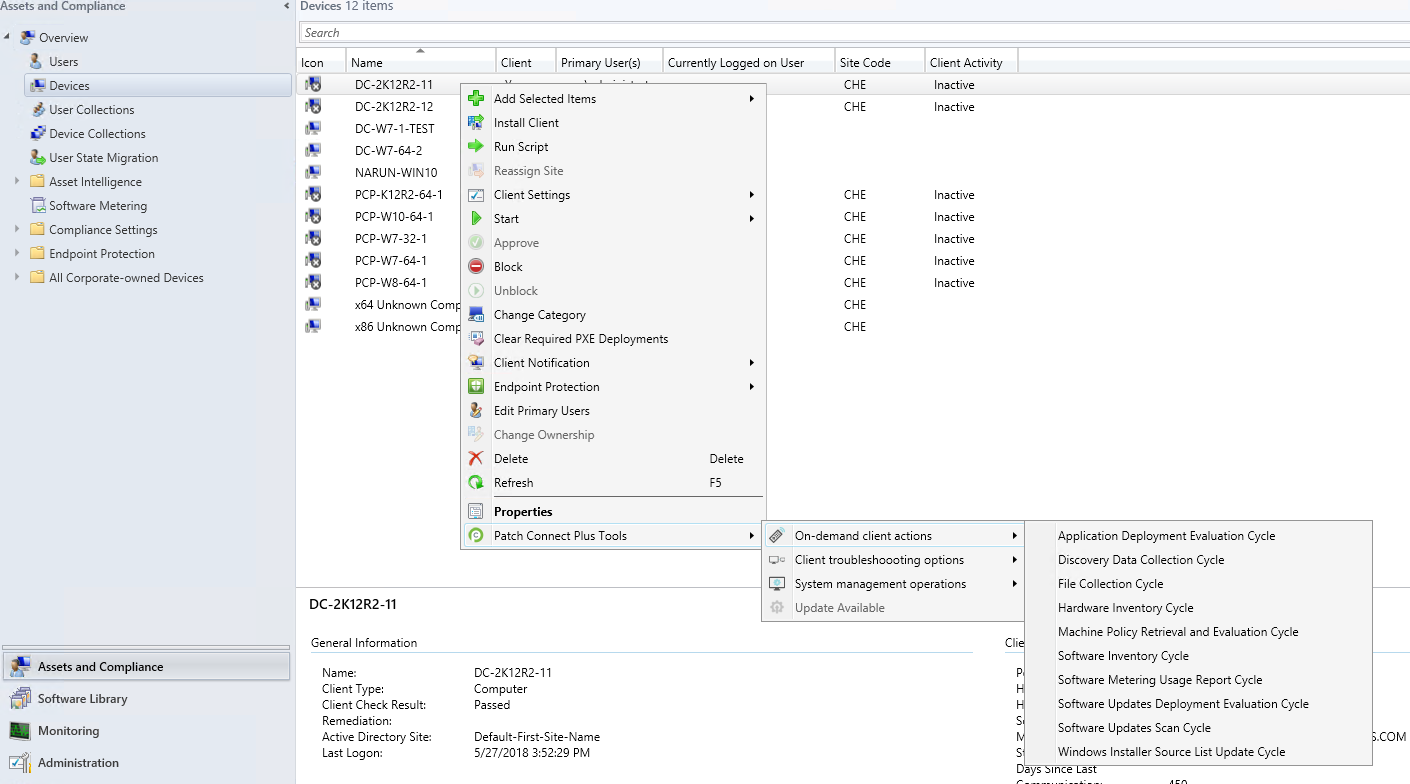
Installation steps
To install Patch Connect Plus' Admin Tools in the SCCM console, follow the steps given below.
- Open Patch Connect Plus' web console
Navigate to "Tools" tab in Patch Connect Plus' console
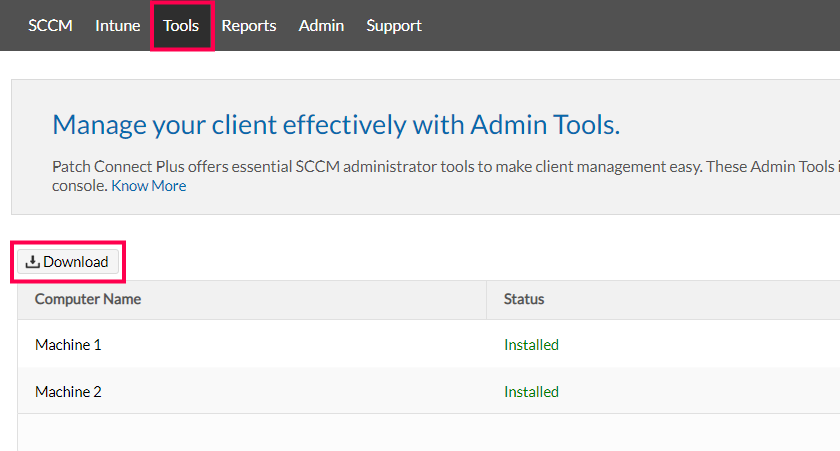
- Download the "SCCM Plugin" Zip file from the download option given.
- Copy and Extract the zip file into the machine where SCCM Console is installed.
- Run "setup.bat" with Administrator privileges.
- Once the installation gets completed, close and reopen the SCCM console for the changes to get reflected.
Steps to upgrade SCCM Right Click Tools
If you wish to upgrade the Admin Tools to the latest version, follow the steps mentioned below.
- Close the SCCM console.
- Navigate to " SCCM plugin installation dir" and run "PCPPluginScheduler.exe" with administrator privileges.
- The upgrade process will be carried out in the background. You can open the SCCM after sometime for the updated changes to be reflected.
Keywords: Third-party Patch Management, Publish Patches, Patch Failure.