Thanks!
We'll let you know once the beta is good to go.
-
1
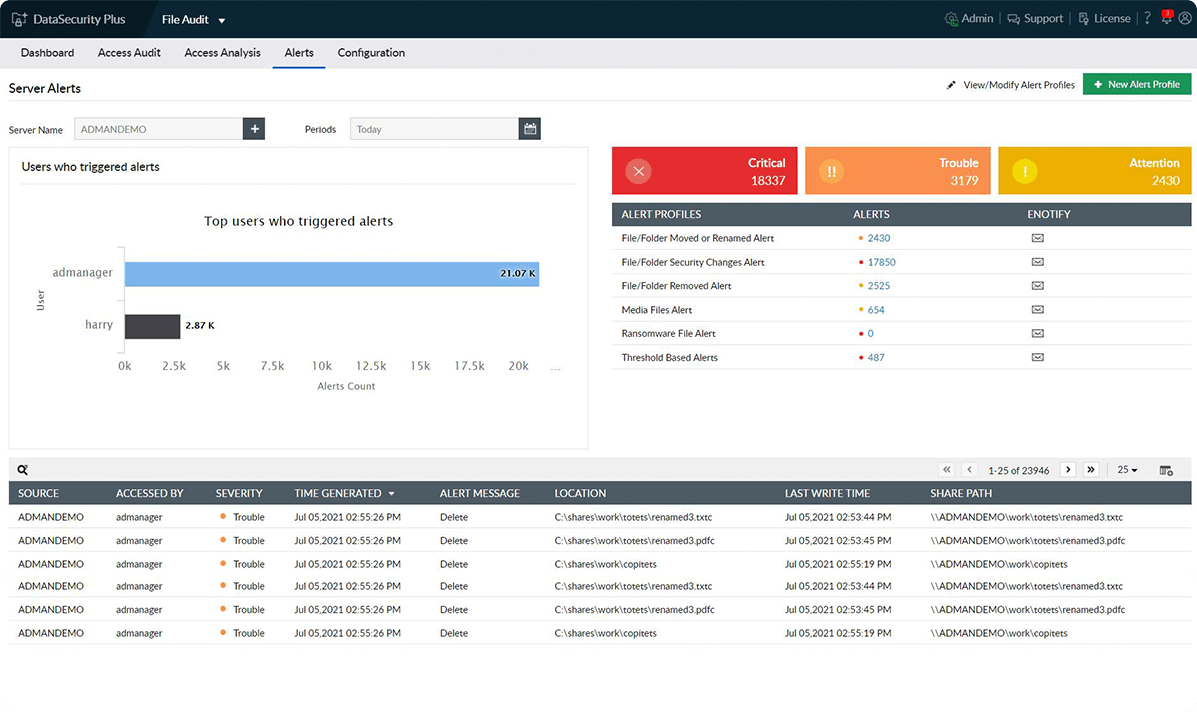
Employ prebuilt security alert profiles
Employ our default alerts to detect and stop potential ransomware attacks, which will be indicated by sudden spikes in file renaming and permission changing activities.
-
1
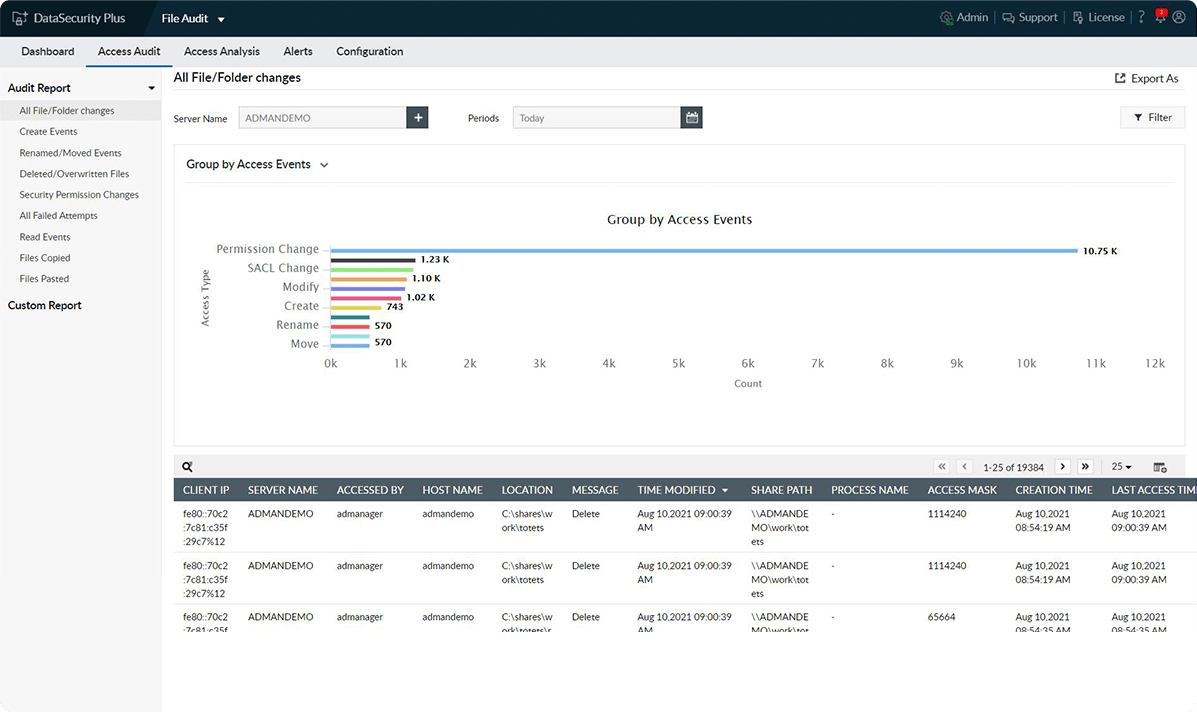
Summarize all file activities
Use our interactive graphs to gain insights into the most frequent type of file modification, the processes used, and much more.
-
1
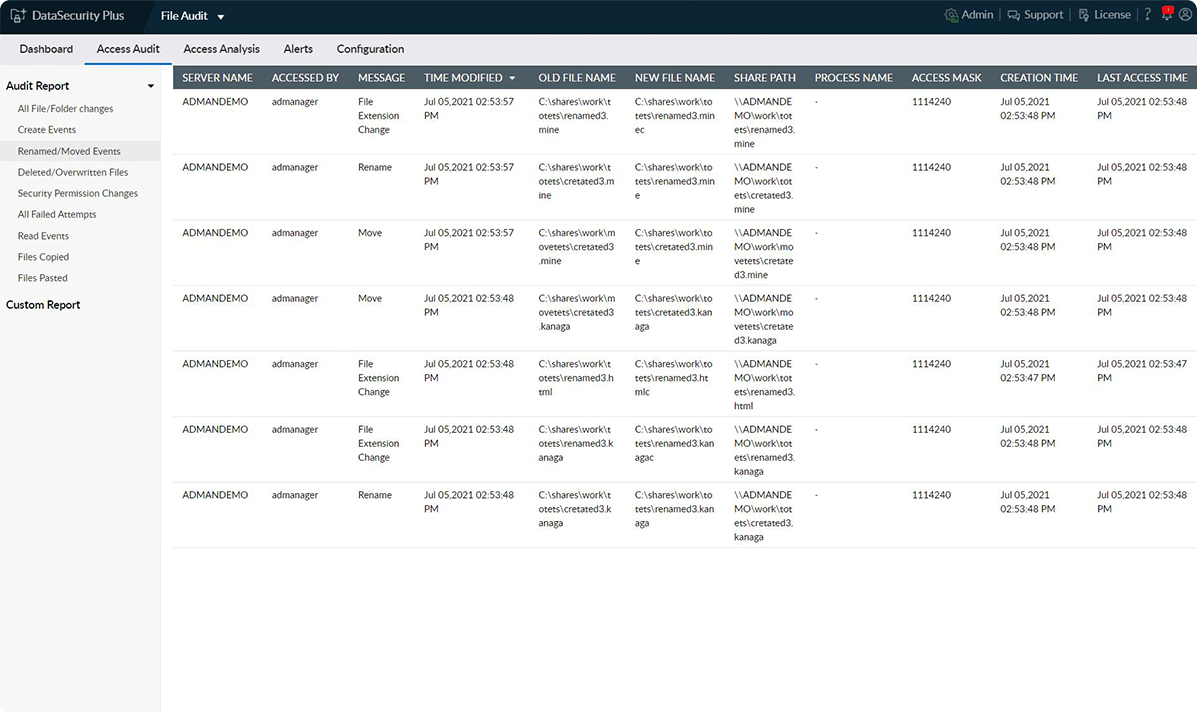
Use audit logs for security
Promote accountability by using our detailed audit trails to track and identify the root cause of security incidents involving file misuse.
-
Detect all file change activities
Maintain a daily log on a wide range of failed and successful file modifications, such as creating, renaming, overwriting, moving, deleting, copying, and pasting.
-
Scrutinize high-risk file changes
Employ instant email alerts to notify admins when a permission, owner, or SACL value for a business-critical file is modified during nonbusiness hours.
-
Track file access patterns
Use graphs to find the most active users, the file activity summary, the most modified files, and more. The offered filters, like the last access time, host details, and file name, help you drill down further.
-
Ensure file integrity monitoring
Ensure easy compliance with regulations, such as the PCI DSS, HIPAA, and the GDPR, that mandate around the clock monitoring of vital files for detecting any unauthorized changes.
Gain pervasive visibility into all file activities with the help of our file server auditing software.