

Action Log Viewer
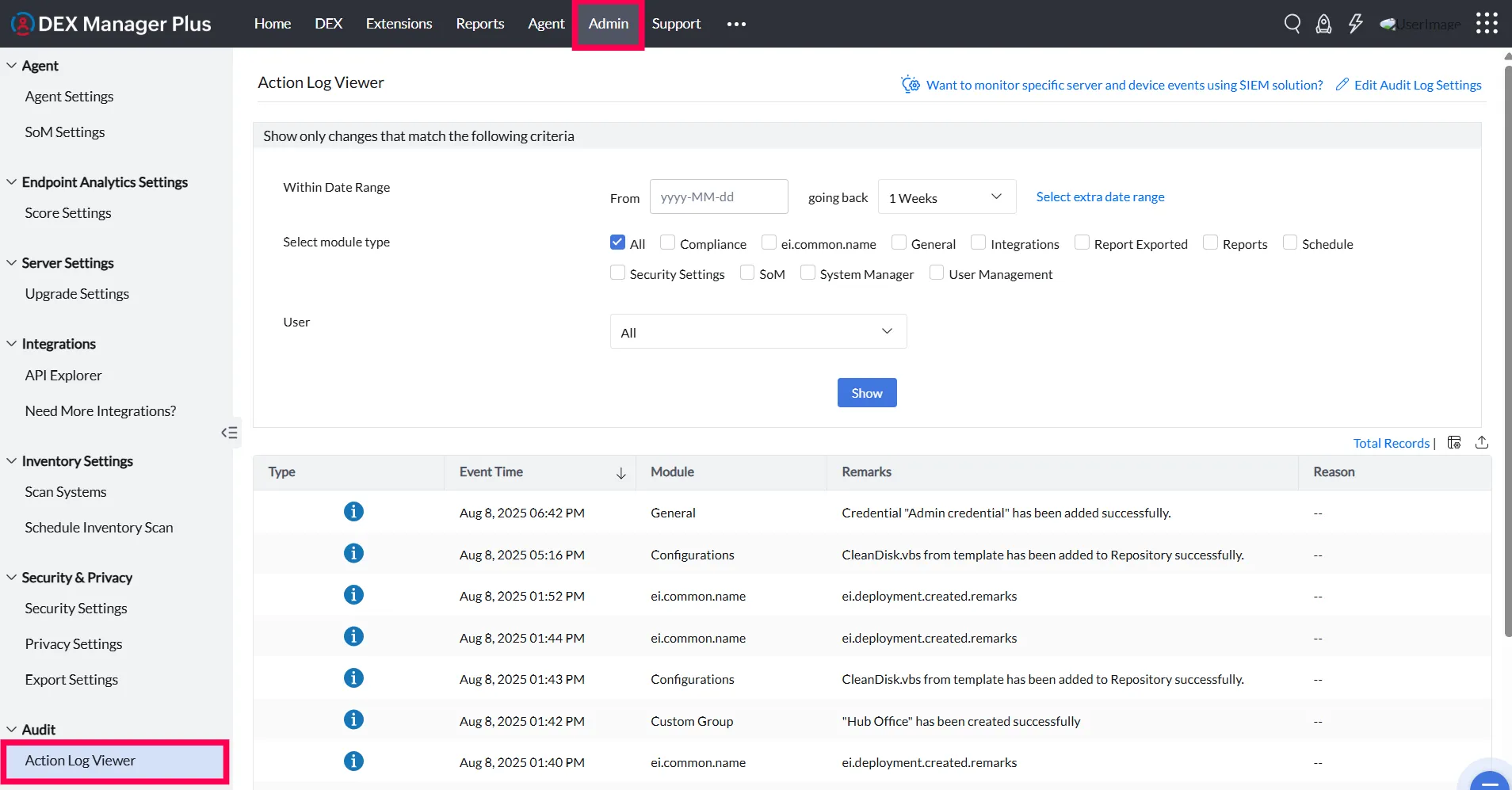
The Action Log Viewer in DEX Manager Plus enables administrators to audit every user activity within the Central Server environment. With role-based access in place, it becomes essential to monitor user operations for compliance, traceability, and troubleshooting. The Action Log Viewer captures every action performed by each user, including the exact time of execution.
Why Use Action Log Viewer?
- Maintain accountability: Track who performed what action and when.
- Improve security posture: Detect unauthorized or suspicious activities.
- Simplify audits: Retrieve logs quickly during compliance or internal audits.
- Diagnose issues: Understand configuration changes that may have impacted the environment.
Accessing the Action Log Viewer
- Log in to the DEX Manager Plus console.
- Navigate to Admin > Audit > Action Log Viewer.
The viewer displays a chronological list of user actions across the application.
Filtering Logs
You can customize the log view based on:
- Date Range — Select a specific period to focus on recent or historical events.
- Modules — Filter logs by feature/module. Use the All option to view all modules.
- Users — Select specific users from the dropdown or choose All to include everyone.
Configuring Log Retention
Logs are retained for a configurable number of days (maximum: 750 days). To set this up:
- Go to Admin > Audit > Action Log Viewer.
- Click Edit Action Log Settings.
- Define the desired retention period.
Alerts Overview
Alongside activity logs, DEX Manager Plus provides an Alerts section that captures important product-level events and device level events.
To view alerts:
- Navigate to Admin > Audit > Alerts.
You can filter alerts by:
- Date Range
- Module Type
- Alert Type
- Alert Level
 Yes No