Restart Stage
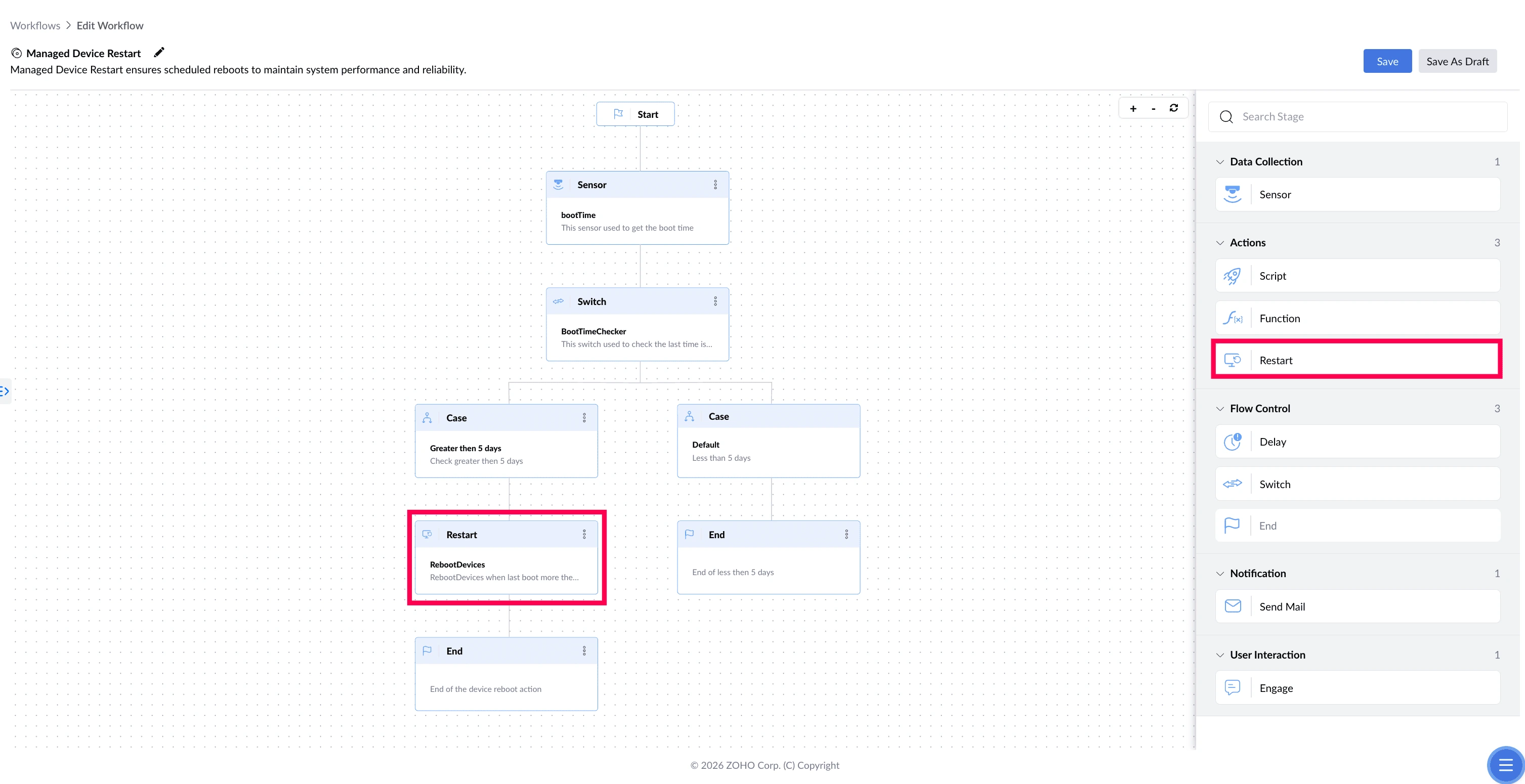
The Restart stage restarts the device as part of the workflow. Use it when a change only takes effect after a restart, or when the restart itself is the goal — such as enforcing regular reboots on devices that never get one.
The device restarts without any warning to the person using it. If they should have a chance to save their work first, add an Engage stage before the Restart stage to ask them.
What This Stage Solves
Some fixes aren't finished until the device restarts. Patches sit half-installed, configuration changes don't apply, and performance keeps degrading — often for weeks, because users postpone restarts indefinitely. The Restart stage carries out the restart as part of the workflow, so the fix actually completes.
| The problem | What Restart does about it |
|---|---|
| Users postpone restarts for weeks, so patches never finish installing | Restarts the device once it crosses the threshold you set |
| A configuration change won't take effect until the device restarts | Restarts the device so the change applies |
| Devices left running continuously slow down over time | Restarts them as part of routine maintenance |
Example
Managed Device Restart
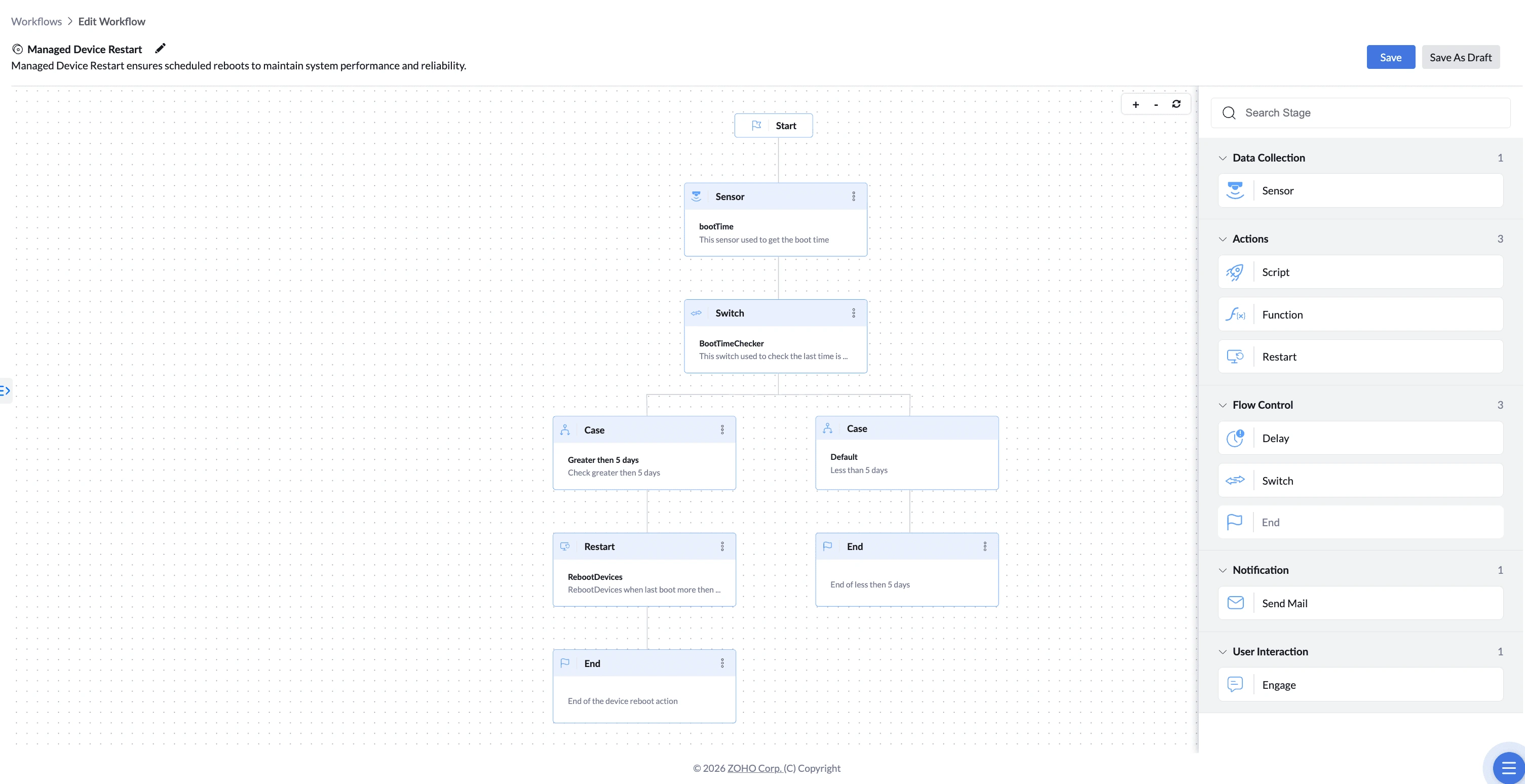
In this workflow, the Restart stage is what actually enforces the reboot. The Sensor reads each device's boot time and the Switch checks whether more than 5 days have passed. Devices that cross that line are restarted, so patches finish installing and performance recovers. Devices restarted recently are left alone.
How to Configure
- Drag the Restart stage onto the canvas and connect it to the preceding stage.
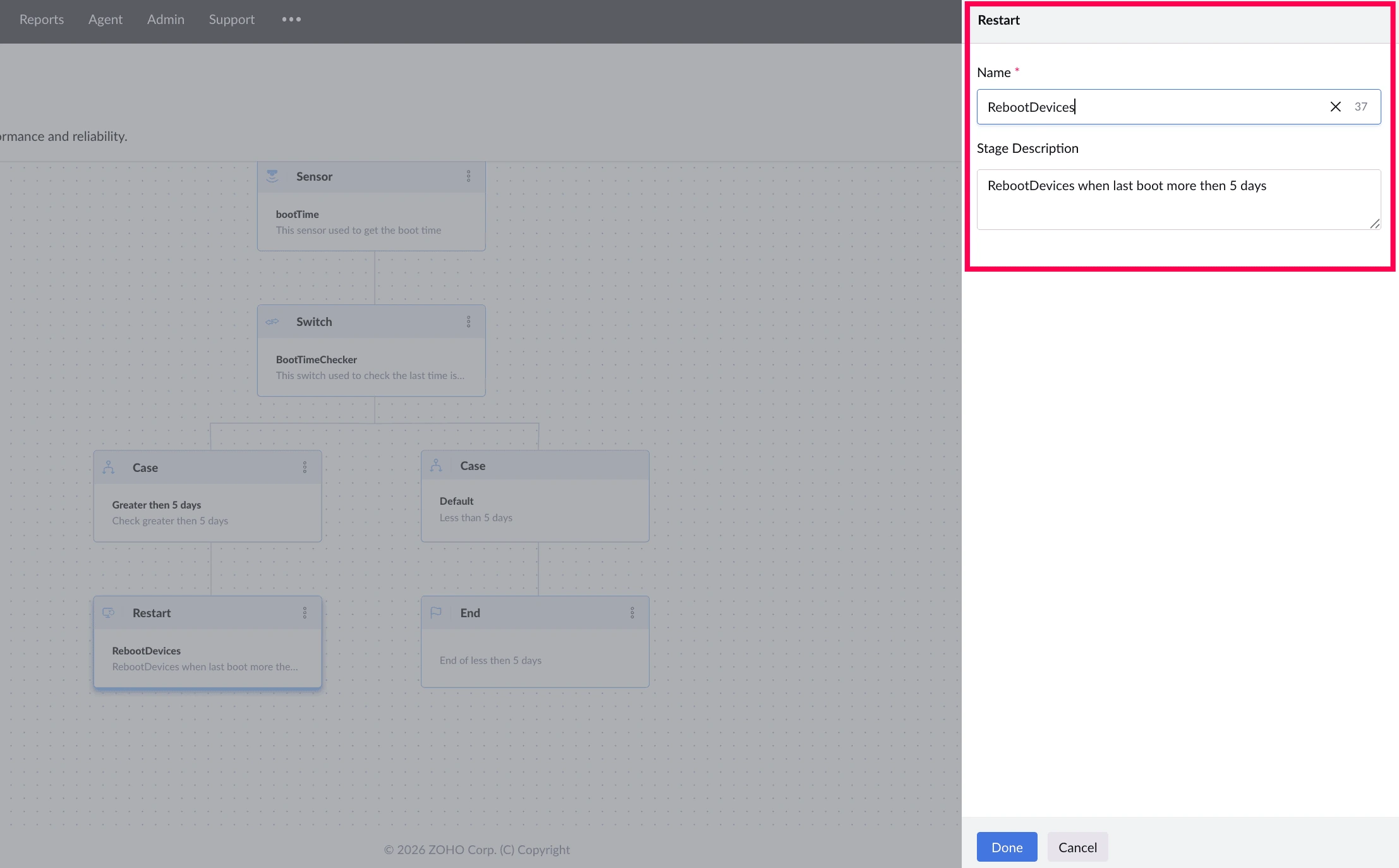
- Enter a Name for the stage (required).
- Enter a Description (optional).
- Connect the Restart stage to the next stage in your workflow.
Things to Know
- Restarts the whole device — it cannot restart a single service or application
- The user receives no warning before the restart happens