User Logon Reports
Today's enterprises use multiple domain controllers in their Active Directory-based network. The data synchronization between multiple domain controllers happens at regular intervals, mostly once a week. In this case, the user logon details retrieved from a domain controller may not reflect the current data. Moreover, it is limited as it only provides the user name and their last logon time.
User Logon Reports provides detailed information about the users' login details along with their history. These agent-based reports are more accurate and also provide the details of the user, their logon time, logoff time, the computer from which they logged on,etc., along with their logon history.
What are user logon reports?
One of the most critical requirements of an organization is to monitor the activity of their employees. From logon failures to logon activities of users, user logon reports cover details about all the users in the organization. The user logon reports are generated with the help of DEX Manager Plus agents installed in the client systems. To view User Logon Reports, navigate to Reports tab > Other Reports > User Logon Reports
How are user logon reports different from active directory reports?
In case of Active Directory reports, if multiple domain controllers are involved, the synchronization of data between the domain controllers will only happen at regular intervals. So the reports derived from the active directory may not be accurate or updated. Whereas, user logon reports will be able to provide updated reports of the logon details since they are generated with the help of DEX Manager Plus agents. User logon reports will also be able to provide information about the logon history which the active directory reports fail to provide. The only limitation of user logon reports is that it will only be available to users and computers who fall within the scope of management. These reports will not be able to provide logon history of users who log on and log out immediately.
What are the different types of user logon reports?
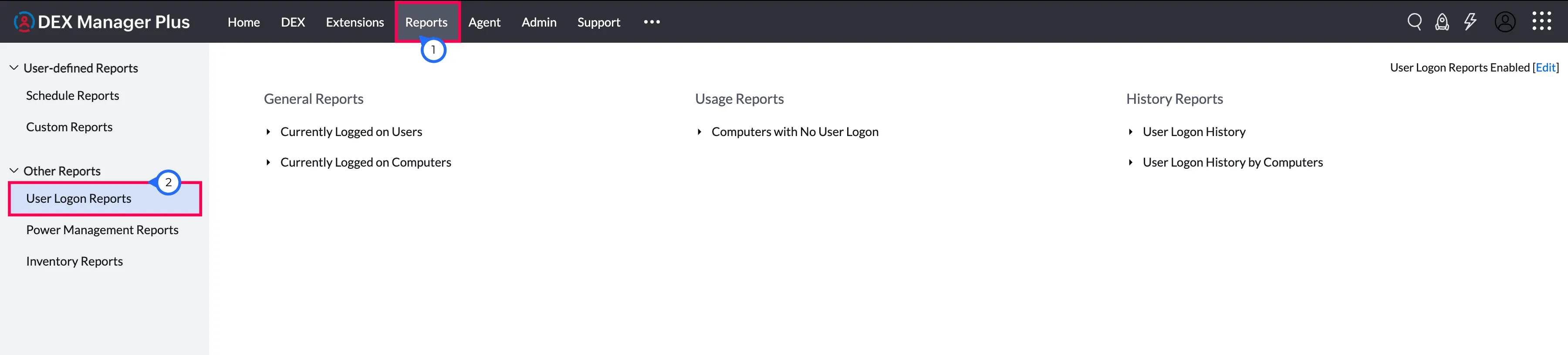
The different types of user logon reports are as follows:
General Reports
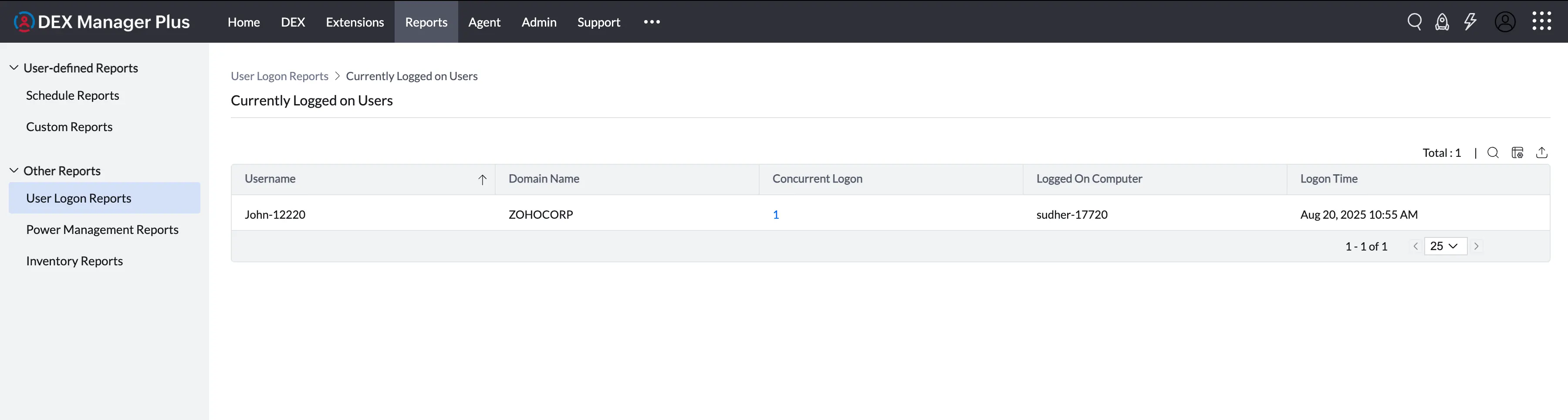
Currently Logged on Users
Provides the list of users who are currently logged on to the domain.
To view the currently logged on users report:
Navigate to the Reports tab > User Logon Reports > General Reports category > Currently Logged on Users
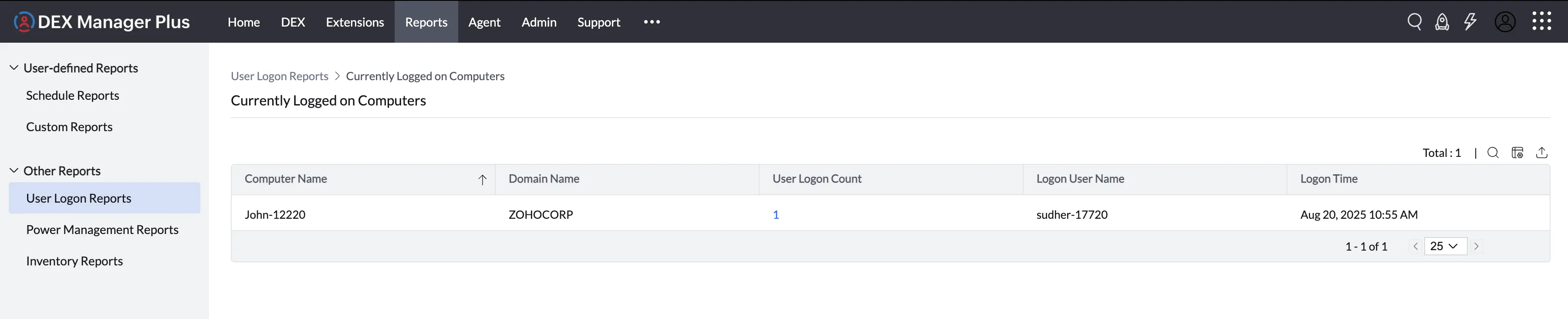
Currently Logged on Computers
Provides the list of computers that are currently logged on to the domain.
To view the Currently logged on computers report,
Navigate to the Reports tab > User Logon Reports > General Reports category > Currently Logged on Computers
Usage Reports
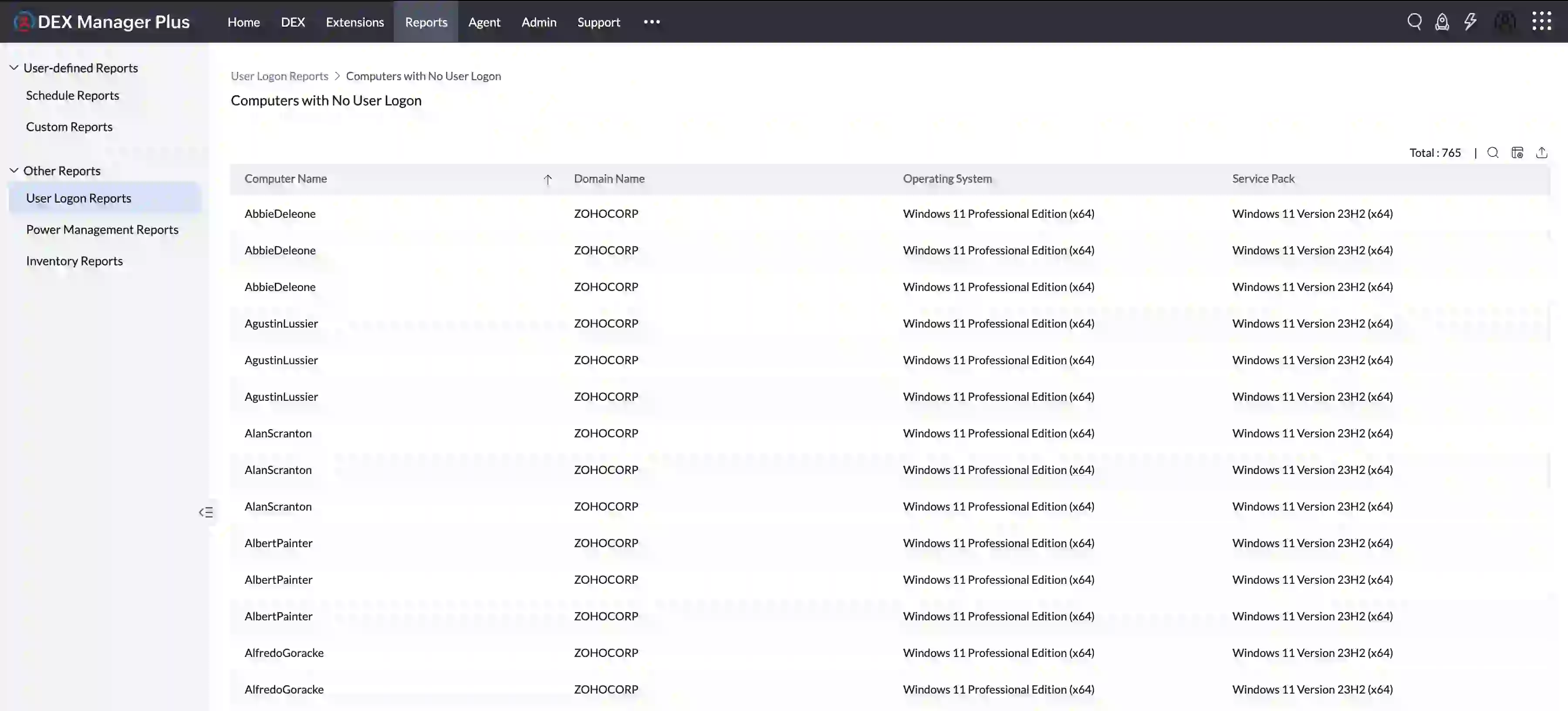
Computers with No User Logon
Provides the list of computers where no user has logged on.
To view the Computers with no User logon report,
Navigate to the Reports tab > User Logon Reports > Usage Reports category > Computers with No User Logon
History Reports
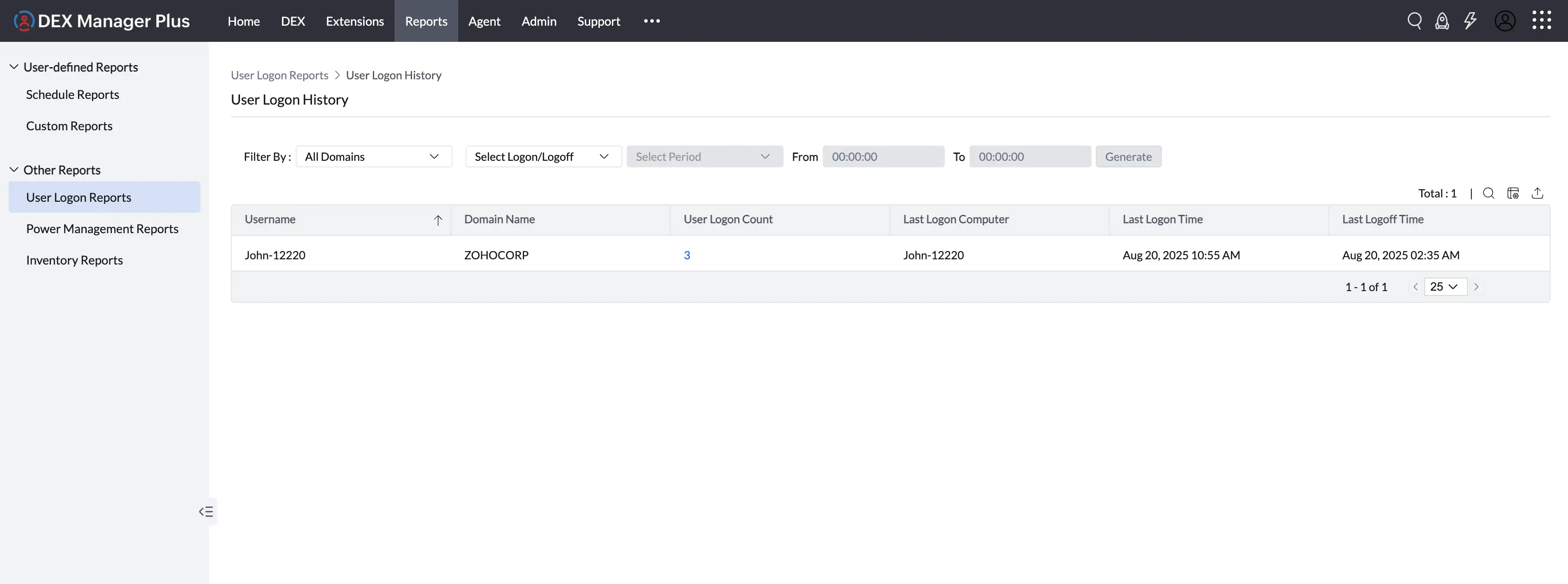
User Logon History
Provides the list of history of users who have logged on to the domain in the specified number of days.
To view the User Logon History report
Navigate to the Reports tab > User Logon Reports > History Reports category > User Logon History Reports
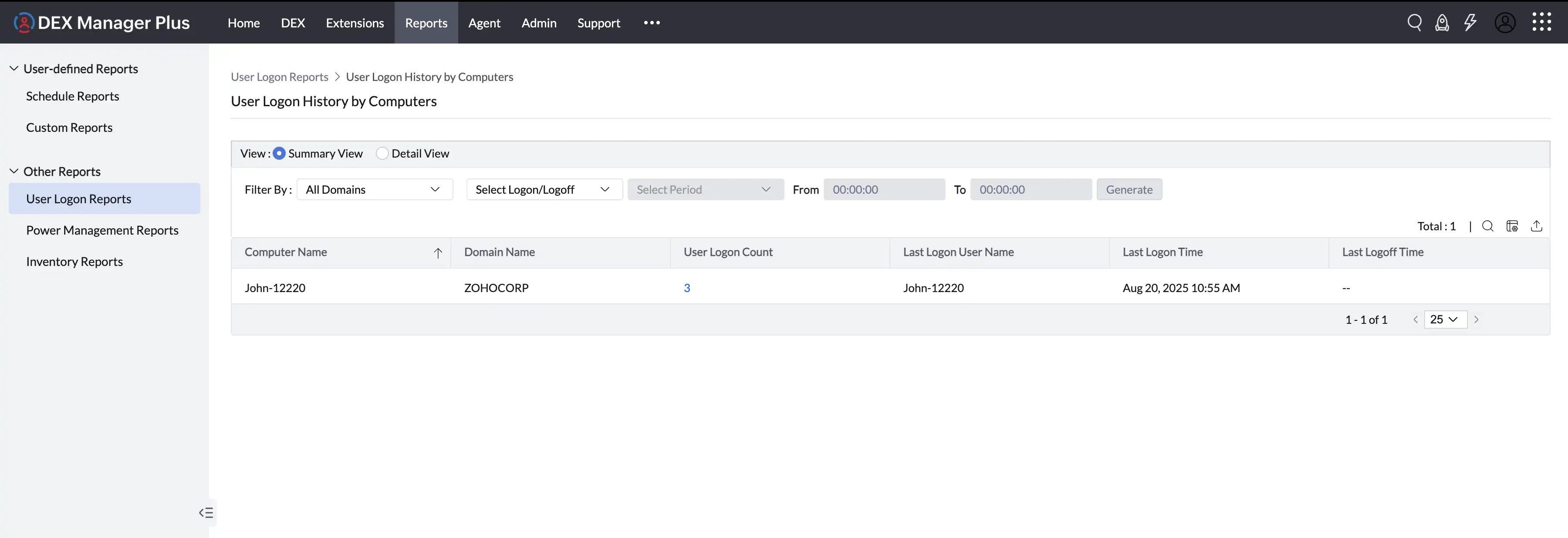
User Logon History by Computers
Provides the list of computers and their corresponding user logon history within the specified number of days.
Navigate to the Reports tab > User Logon Reports > History Reports category > User Logon History by Computers.
How to enable User Logon Reports?
- Go to Admin > Report Settings.
- Select the option "Enable User Logon Reports".
- Specify the period for storing logon history.
- Click Save Changes.