Advanced DNS-DHCP-IP address discovery
To discover all the advanced configurations of DNS-DHCP services, the whole IP address plan and the current IP address inventory:
- Choose one of the three options: DNS, DHCP, Both.
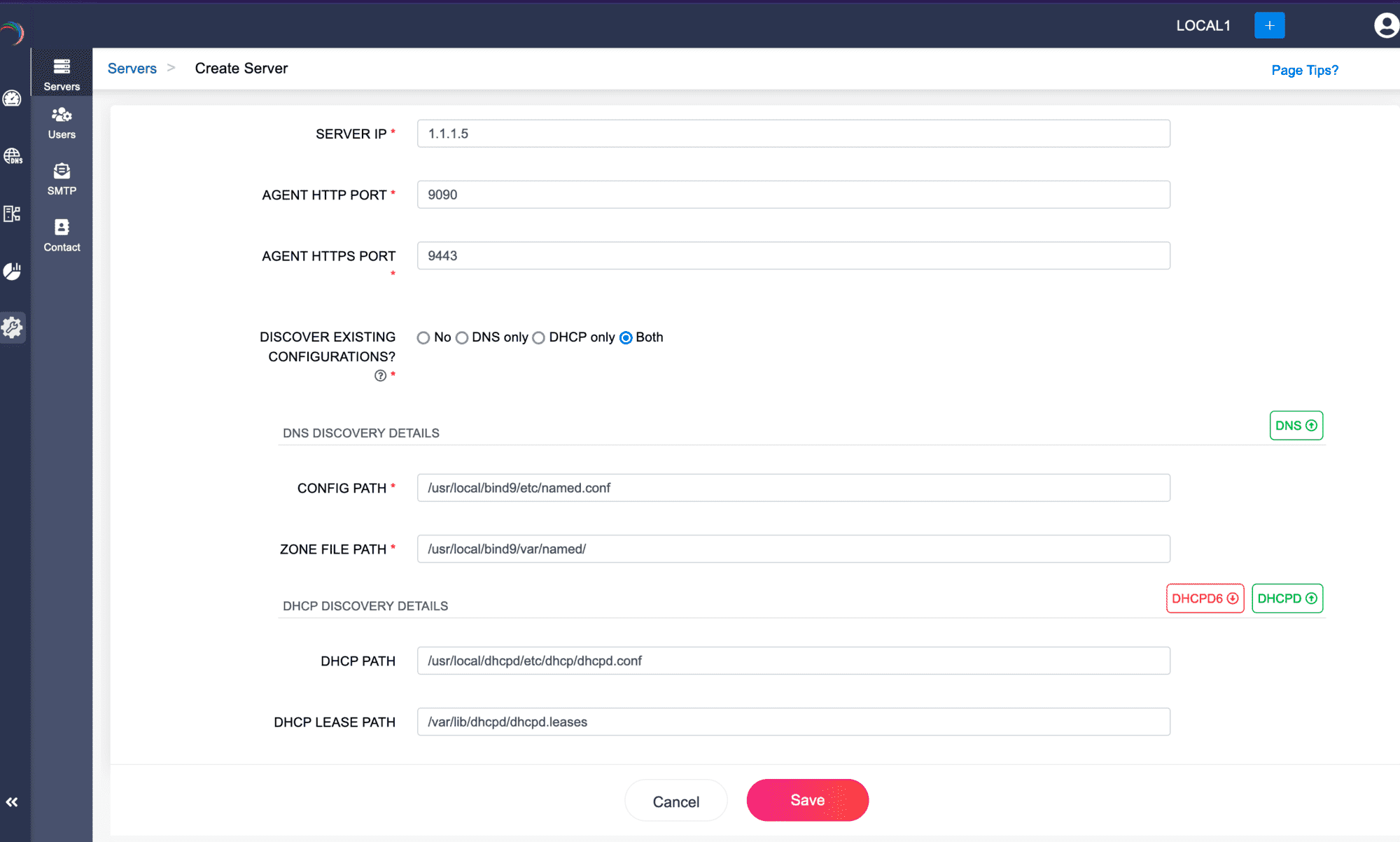
- Provide the essential Config Path and the Zone File path for the DNS servers, while providing the Lease Path and the DHCP server path for the DHCP servers.
- Click Save.
- The Discovery process takes a considerable amount of time depending on the volume of configurations in the servers. Wait until the whole process completes.
Note: While discovering a DNS server that has DDNS enabled domains make sure you Discover Both DNS and DHCP servers for DDI to capture the combined configurations. The same is to be repeated while discovering DHCP servers provisioning IP address for Dynamic domains for the DNS servers.