Analyzing Lease and Lease history
To access the lease records of the DHCP server:
- Select DHCP-> Lease from the left menu bar.
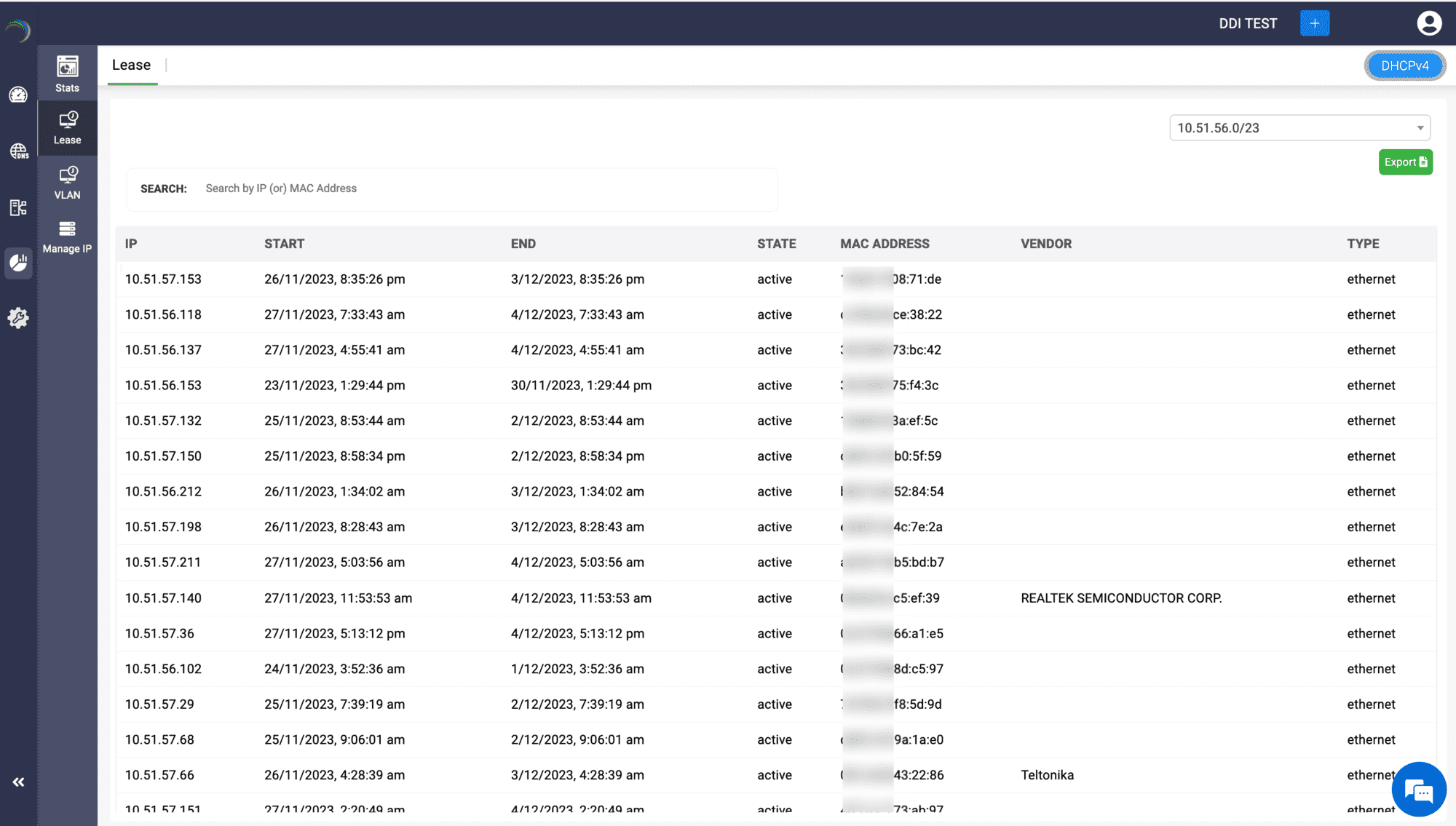
- The Lease page appears displaying the list of IP addresses currently leased by the DHCP server from a specific subnet, along with its the total lease duration, the current availability state of the IP, the MAC address and the manufacturer details of the host device associated with the IP during the lease period.
Note:
You can also export these lease records and download them as a CSV file for future references.
To select a different subnet, click on the dropdown box at the top right end and choose the specific subnet by its network address.
Click on an IP address to probe through the lease history of that particular address.
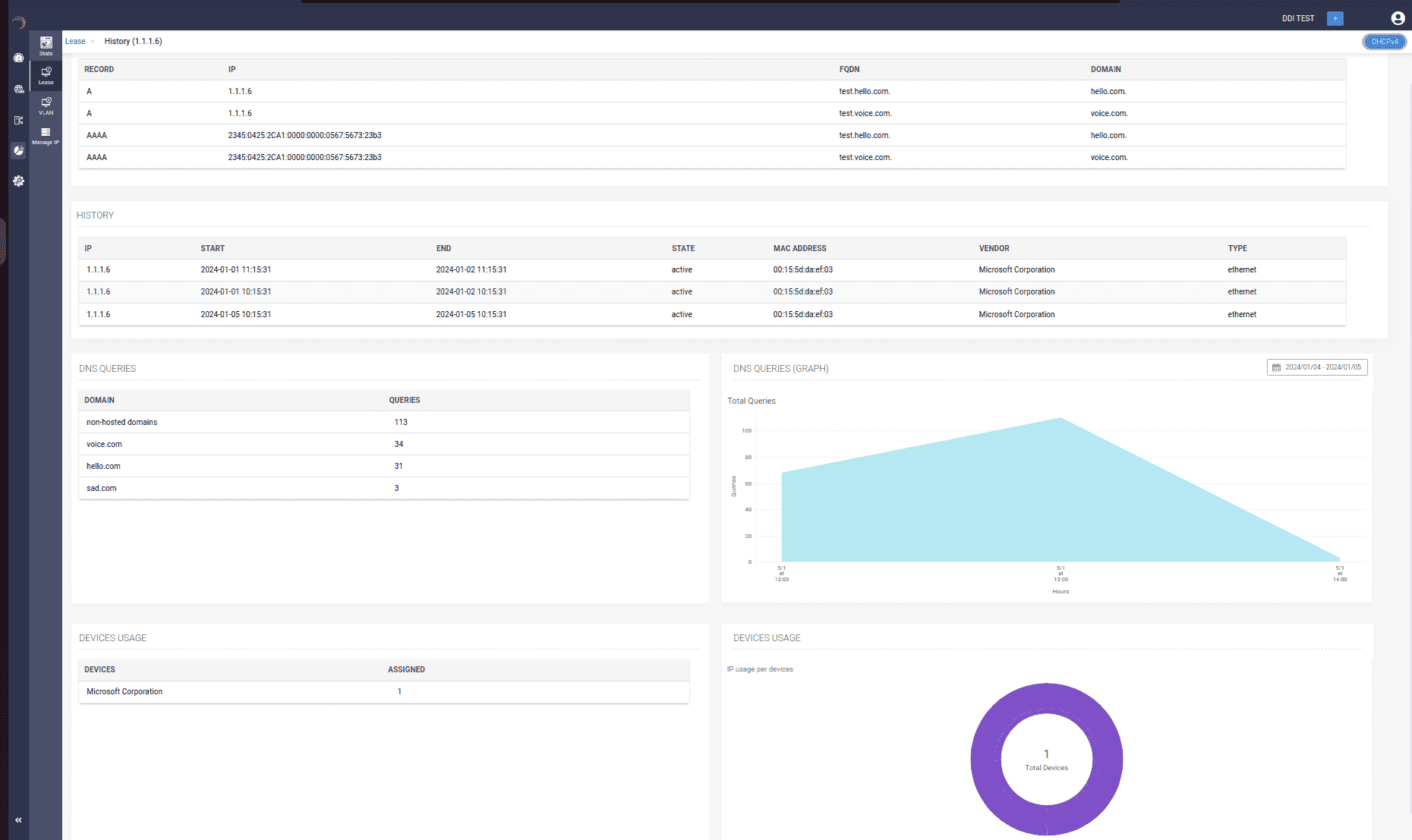
The History page for the IP address appears displaying the following sections:
DNS Relations
The DNS relations section displays a list of domain name records that was previously leased with the selected IP address. It includes information such as the type of record, the exact Fully Qualified Domain Name (FQDN) linked to the record, and the root domain of the record.
History
The history section provides a comprehensive audit trail detailing the evolution of the IP over time. It includes information on the host, identified by its MAC address and the manufacturer of the host device, to which the IP was leased and the duration of that lease. Additionally, it records the type of connection and precisely indicates the availability state of the IP during the entire span of the lease.
DNS Queries
The DNS Queries provides two sections to help you quantify and visualize the query volume handled by the IP during its association with various FQDNs.
The section on the left, lists a historical overview of the total query volume to each specific FQDNs when the IP was associated with them.
Additionally, the section on the right helps you visualize, in the form of line graphs, the hourly query volume handled by the IP when it was associated with different domain names along a custom time frame. To analyze these hourly readings more accurately, make sure you select a custom time frame from the drop down calendar at the left corner within the same section.