Getting Started with DDI Central REST API
The DDI Central API enables users to perform all operations available in the web client via API calls. Built on RESTful principles, it ensures predictable URLs, making application development easier. The API follows HTTPS protocols, allowing seamless interaction with various HTTPS clients.
Every resource is presented as a URL. The URL of each resource can be obtained by accessing the API Root Endpoint.
Authentication and Authorization
DDI Central API requires OAuth 2.0 tokens for authentication. OAuth enhances security by avoiding the need for username/password authentication for every request. Instead, it provides access tokens that verify identity and permissions.
Steps to get started
Open the DDI Central web application:
https://{appconsole_IP}:{port_number}/#/login- Enter your credentials to log in.
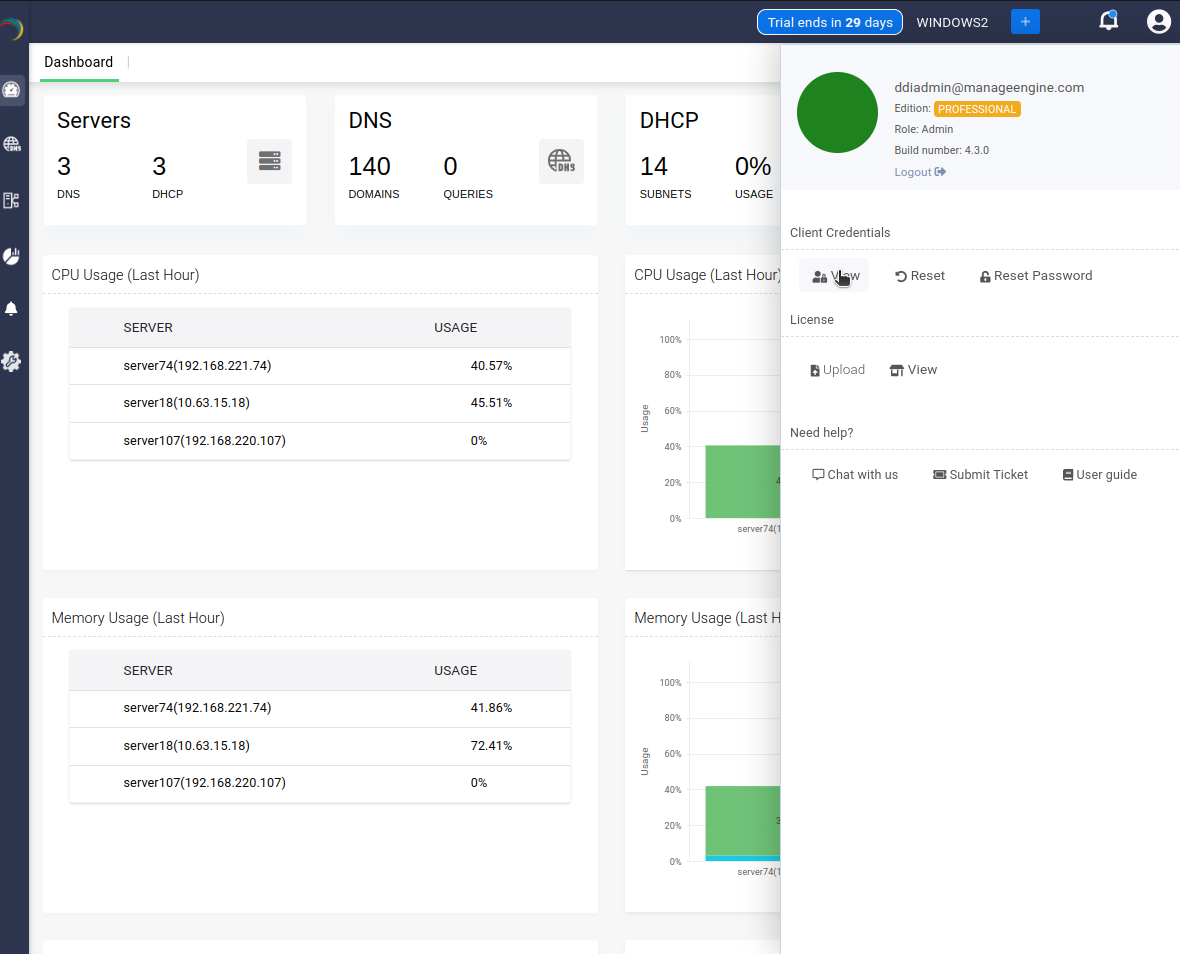
- Click on the User Profile icon in the top-right corner.
Navigate to the Client Credentialssection and click View.
Copy the Client ID and Client Secret. These credentials will be used for API authentication.
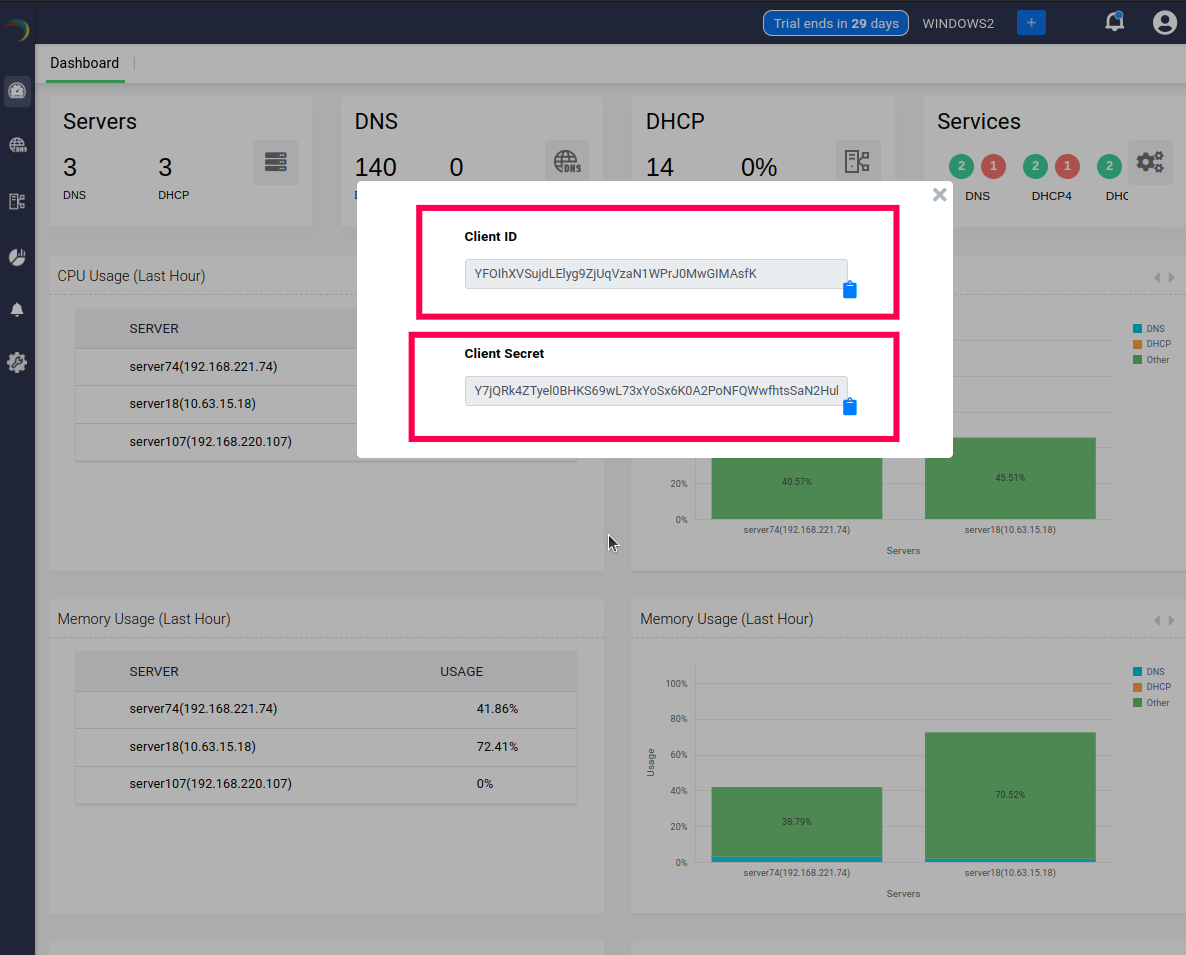 Note: Do not share these credentials with anyone.
With your Client Credentials, generate a grant token to obtain authorization to use the APIs based on your requirement.
Use your Client ID and Client Secret to request an OAuth 2.0 access token. Make a POST request to the following API endpoint:
https://{appconsole_IP}:{port_number}/oauth2/token/Pass your credentials in the request body to obtain the access token.
DDI Central's OAuth implementation uses the Bearer authentication scheme. Hence, while making API calls, access_token obtained via the OAuth 2.0 Client Credentials Grant must be included in the Authorization header of every API requests. This token verifies the client’s identity and ensures appropriate permissions for accessing resources.
The Authorization Header follows the format below:
Headers = { "Authorization":"Bearer {bearer_tk}" }This ensures the API request is authenticated and authorized.
OAuth2 Authorization APIFor full OAuth2 documentation, visit:
Log in to DDI Central
Retrieve Client Credentials
Generate an Access Token
Use the Access Token in API Calls
Key Considerations
- Always use HTTPS for secure API interactions.
- Regenerate access tokens periodically with your client credentials to maintain uninterrupted access.
- Keep your Client ID & Client Secret secure to prevent unauthorized access.
You're now ready to integrate and use the DDI Central REST API!