Configuring OpManager in DDI central
DDI Central integrates ManageEngine OpManager within the application and brings in data of the devices to which IP addresses were leased. This integration provides real time insights over the device connected in the network through DHCP lease, while also identifying unauthorized MAC address and IP address leasing.
To configure OpManager in DDI Central:
- Go to the Integrations section on the right side menu bar
- Select the OpManager option on the settings menu.
- Provide the details for configuring OpManager.
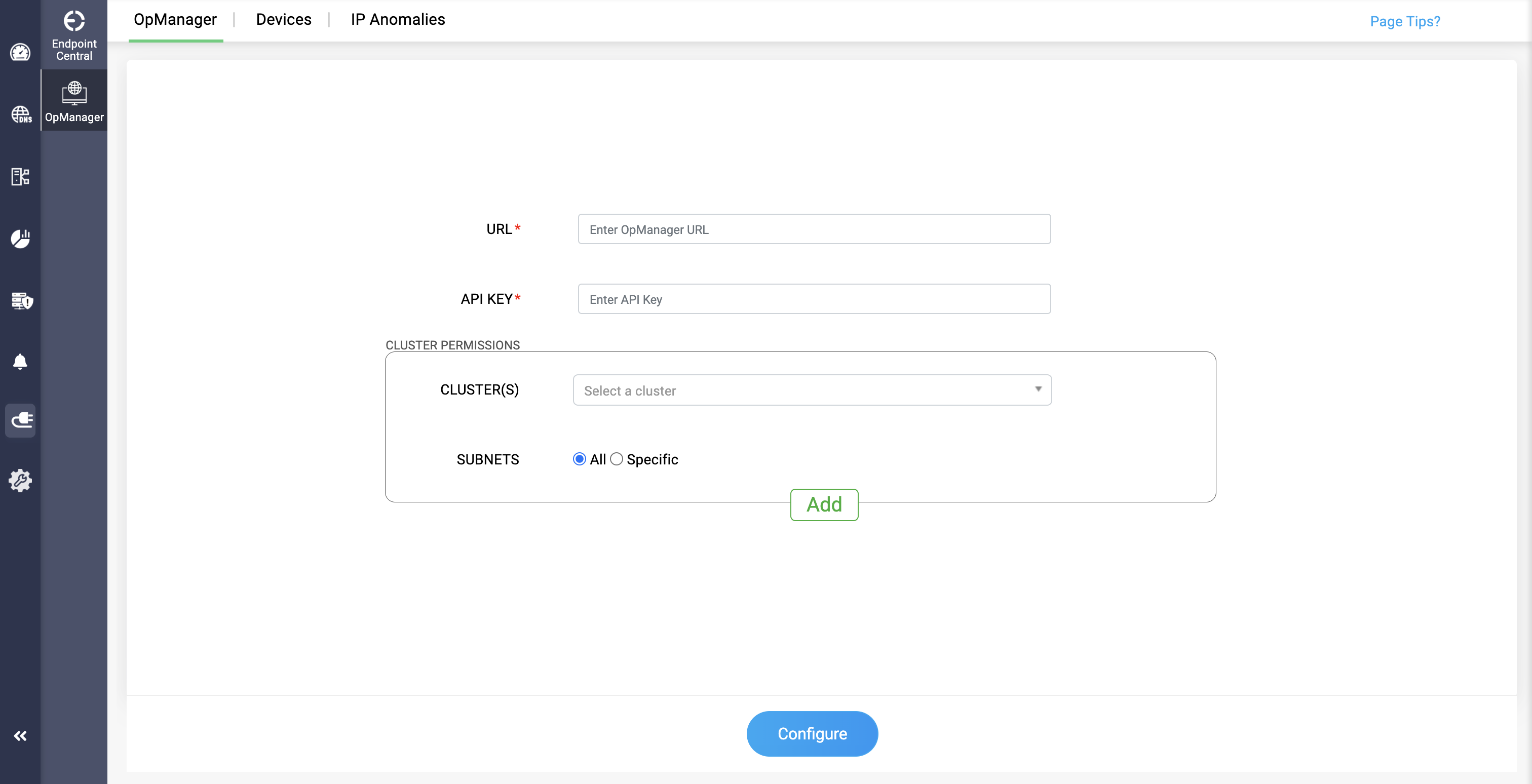
OpManager integration can be configured by network admins through the following section:
- URL: Provide the URL of your OpManager application
API KEY Provide the API KEY of your OpManager application
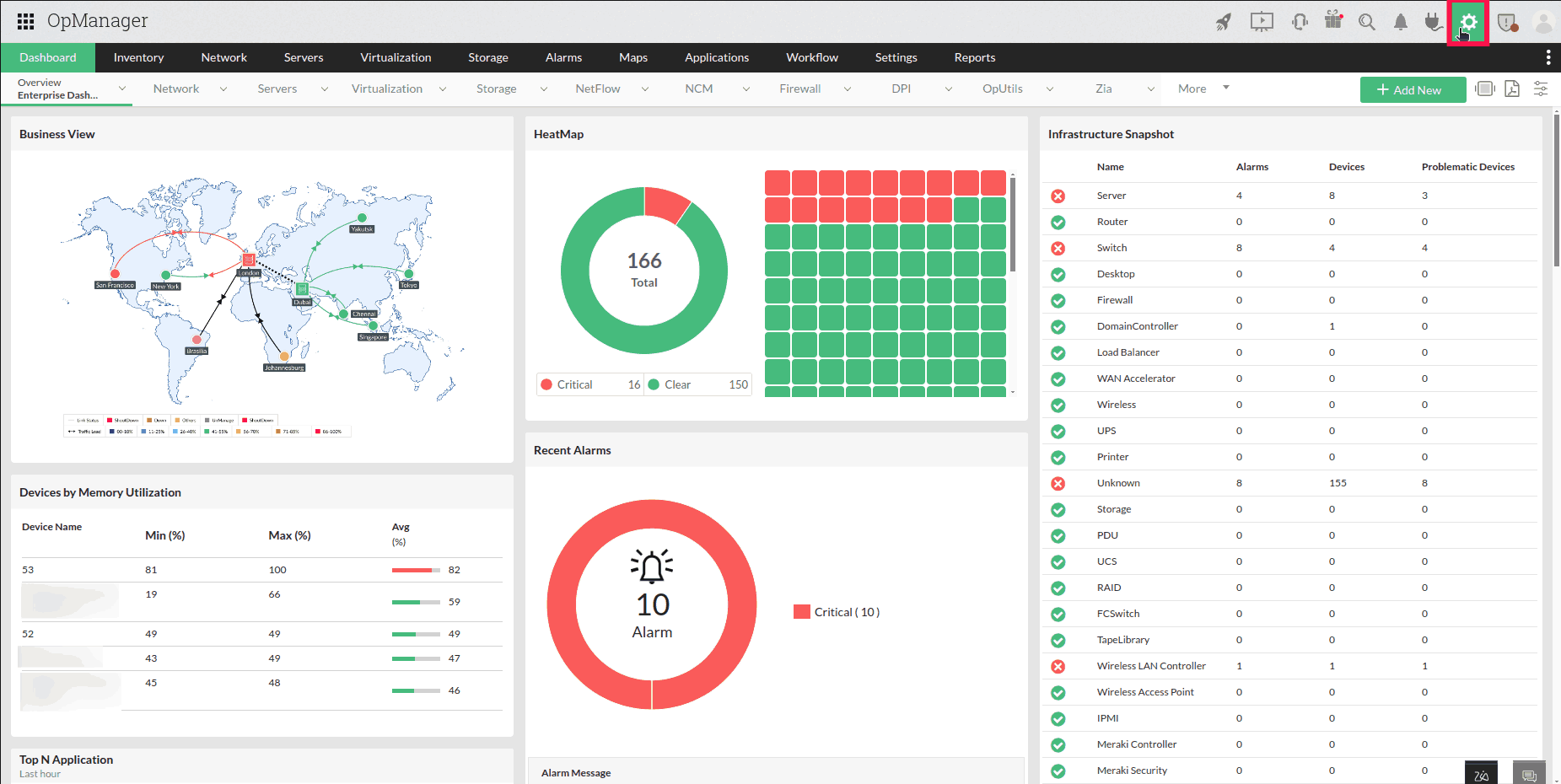
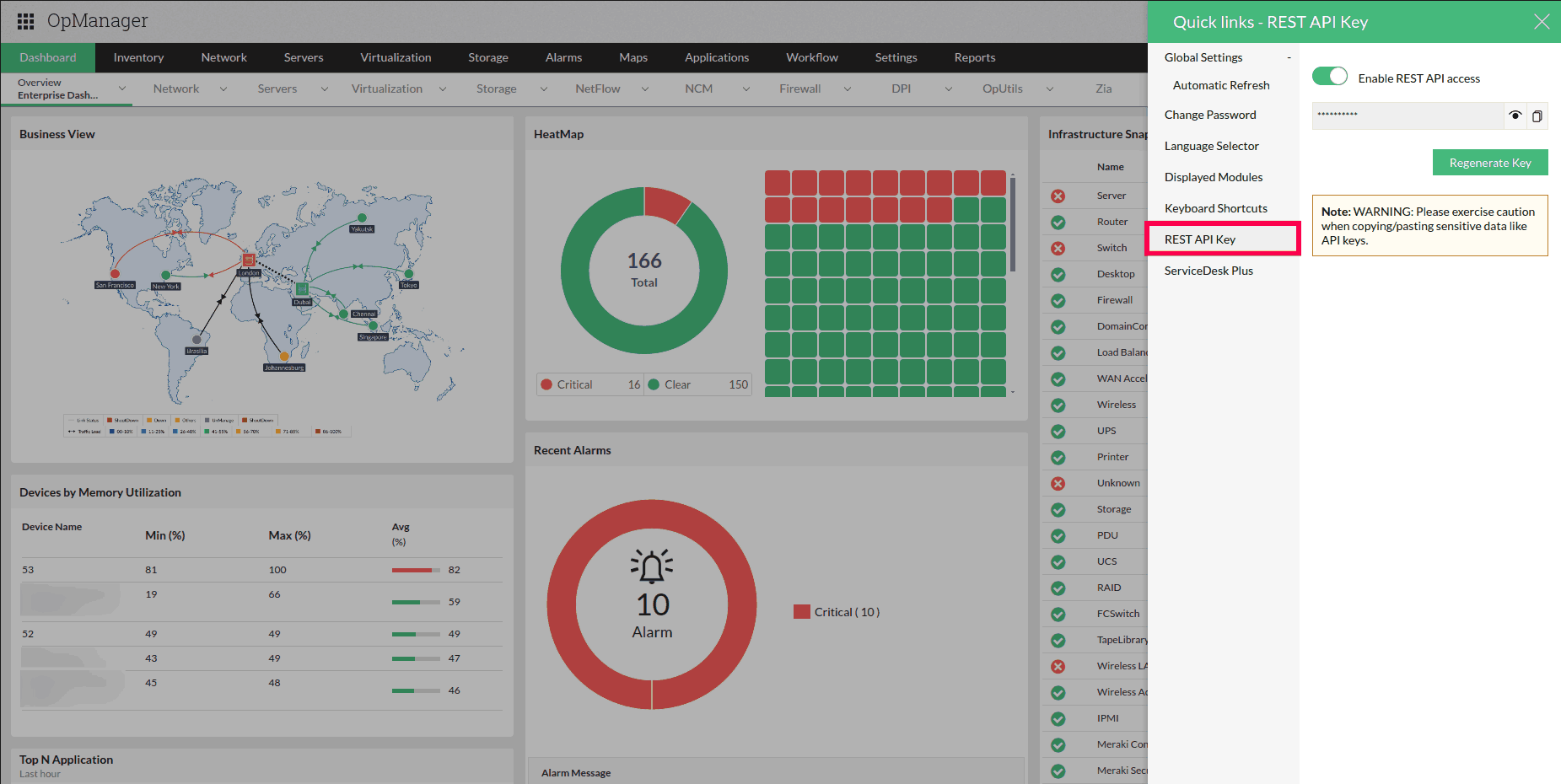
To get the API KEY, go to OpManager>Settings>REST API, and provide the API KEY in the field.
In the Cluster Permissions section, admins can add and update the cluster(s) and subnets for which Opmanager access is required.