Configuring DNS Clientsubnets
Client subnets in Microsoft DNS, are named groups of IP subnets that allow DNS servers to provide more specific responses based on the client’s location or network segment. A client subnet is identified by a name and contains two lists of IP addresses: one for IPv4 subnets and one for IPv6 subnets. Client subnets can represent logical groups such as geographical areas, datacenters, or trusted resolver fleets. These client subnets can be used in DNS Query Resolution Policies(QRPs), and Response Rate Limiting Exception lists and many other DNS policies referring to the same client subnet.
How to create Client Subnets for Microsoft DNS using DDI Central
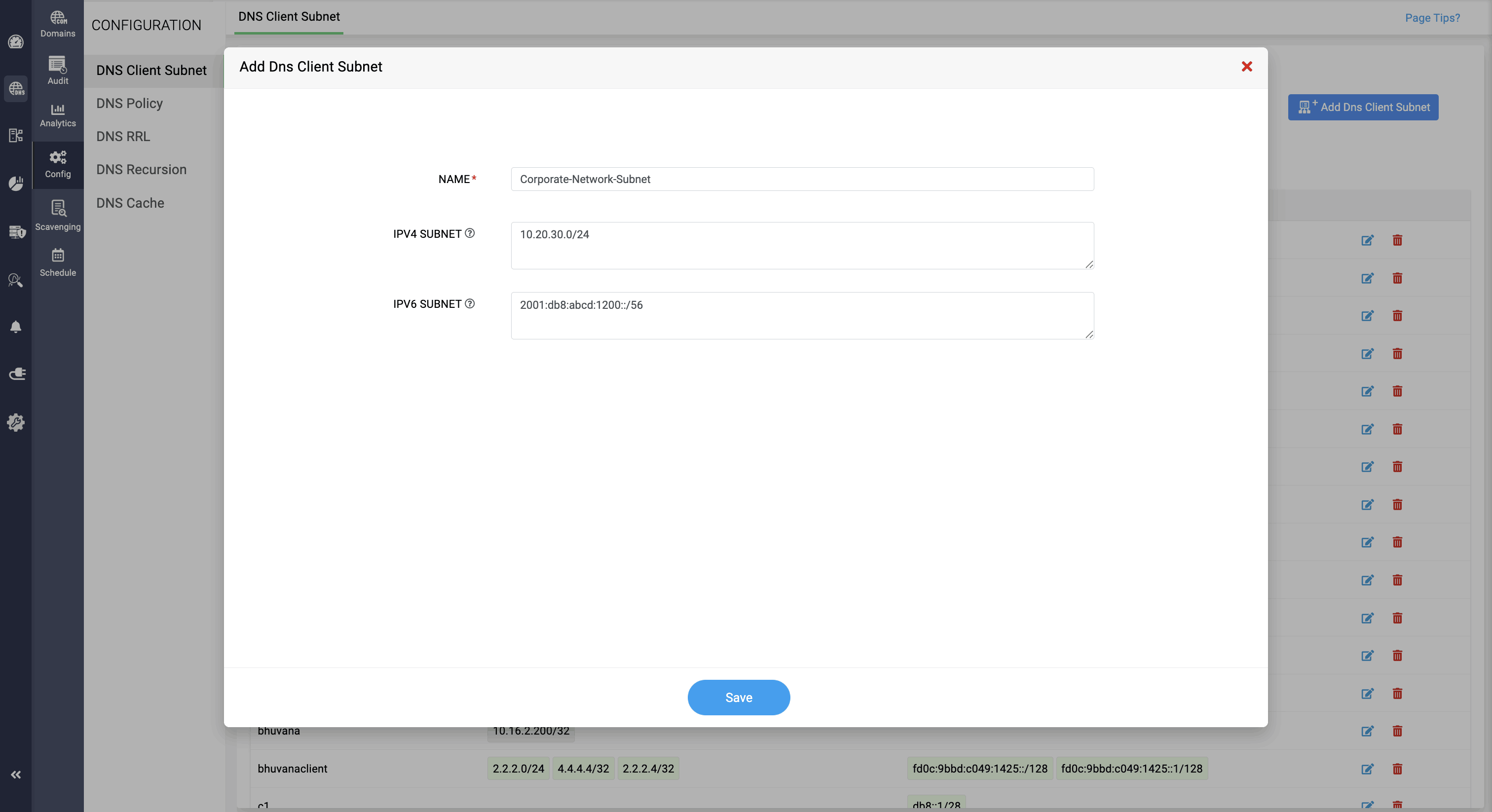
Creating client subnets involves defining a named group of IP subnets. Here’s how to create client subnets in DDI Central:
- Get into the DNS module.
- Select the Config menu. On the Configuration page, navigate to the DNS Clientsubnet tab.
- Click on the Add Client Subnet button in the top right corner.
- On the Add Client Subnet form that appears, enter a unique name for the client subnet group for easy identification.
- For the IPv4 Subnet field, enter the list of IPv4 subnet addresses that are part of the ClientSubnet group, separated by commas.
- For the IPv6 Subnet field, enter the list of IPv6 subnet addresses that are part of the ClientSubnet group, separated by commas.
- Click Save to create the client subnet.
PFor IPv6 addresses, the process is similar to IPv4, but the notation and the domain used for reverse DNS delegation are different. The domain used for IPv6 reverse DNS is .ip6.arpa.