Configuring DNS Query Resolution Policies (QRPs)
Overview
In Microsoft DNS (Domain Name System), the Query Resolution Policy provides administrators with granular control over how DNS queries are resolved. This feature allows for dynamic and flexible management of DNS queries based on a variety of conditions, enabling a more secure, optimized, and customized DNS resolution process.
Key capabilities of DNS Query Resolution Policy
- Granular Control:
- Administrators can define policies that apply to specific types of queries, originating IP addresses, time of day, and other criteria. This allows for precise control over how and when DNS queries are handled.
- Conditions: These are criteria that must be met for a policy to apply. Conditions can include client subnet, time of day, query type, and more.
- Actions: These define what happens when a condition is met. Actions can include allowing or denying the query, redirecting the query, logging the query, or modifying the response.
Understanding the Exception List
The Action Exception List is a crucial component of query resolution policy framework, allowing for certain queries or query sources to bypass the defined rules.
The exception list enable Microsoft DNS serves to override the conditions specified in the Query Resolution Policy. This ensures that certain DNS queries are always resolved in a specified manner, regardless of the broader policy conditions.
The exception list in Microsoft DNS Query Resolution Policies is a powerful tool for administrators to ensure that critical DNS queries and trusted sources can bypass the general rules set by QRPs. By configuring exceptions carefully, organizations can maintain robust DNS policies while ensuring that vital services and trusted networks remain unaffected by broader restrictions.
Here’s how the exception list works:
Priority Over General Policies:
The entries in the exception list take precedence over general query resolution policies. This means that if a DNS query matches an entry in the exception list, it will bypass the rules specified in the QRP and be processed according to the default DNS resolution behavior or any specific instructions given in the exception.
Types of Exceptions:
Client Subnet Exceptions:
Description: Specific client subnets can be exempted from certain policies. For example, queries originating from a trusted subnet can be allowed to bypass security restrictions applied to other subnets.
Example: If an organization's internal subnet is highly trusted, adding this subnet to the exception list allows devices within it to bypass stringent security policies applied to external subnets.
FQDN Exceptions:
Description: Certain fully qualified domain names (FQDNs) can be set to bypass normal query processing rules. This is useful for ensuring that critical services are always resolvable without delay.
Example: Adding the FQDN of an essential application server to the exception list ensures that queries for this server are resolved immediately, regardless of other policies.
Query Type Exceptions:
Description: Specific query types, such as those for critical services (e.g., A records for important servers), can be exempted from policies that might otherwise redirect or block them.
Example: Ensuring that MX record queries for mail servers are resolved without delay by adding them to the exception list.
FQDN Exceptions:
Description: Certain fully qualified domain names (FQDNs) can be set to bypass normal query processing rules. This is useful for ensuring that critical services are always resolvable without delay.
Example: Adding the FQDN of an essential application server to the exception list ensures that queries for this server are resolved immediately, regardless of other policies.
Query Time Exceptions:
Description: Queries received at specific times can be exempted from certain policies, allowing for different handling based on the time of day.
Example: Allowing all queries during off-peak hours (e.g., midnight to 6 AM) to bypass normal security checks to optimize performance.
Transport Protocol Exceptions:
Description: Specific transport protocols (UDP or TCP) can be exempted from policies, ensuring that queries using these protocols are handled differently.
Example: Prioritizing UDP queries over TCP for faster resolution in time-sensitive applications by adding UDP to the exception list.
Internet Protocol Exceptions:
Description: Queries using specific network protocols (IPv4 or IPv6) can be exempted from certain policies.
Example: Ensuring that IPv6 queries are given priority or bypass certain restrictions to support modern network infrastructure by adding IPv6 to the exception list.
Configuring Query Resolution Policies
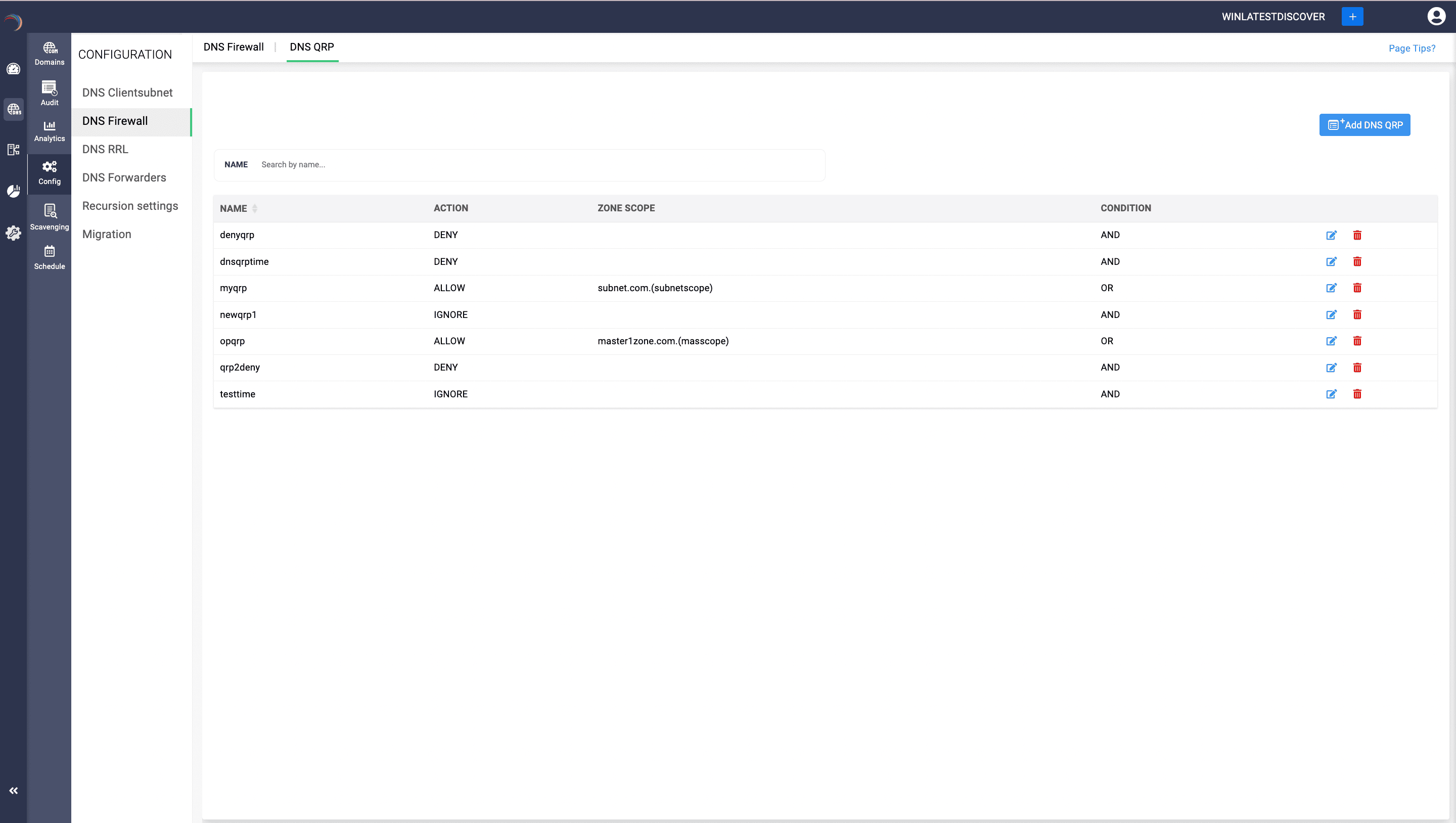
- Access the DNS module and select the DNS Firewall menu.
- Navigate to the Query Resolution Policy tab.
- Click Add Policy to create a new policy.
- The DNS Query window appears on the screen.
- Name the Policy with a unique, identifiable name.
- Define the actions to be taken when the conditions are met. Actions include:
Allow: Permit the query.
Deny: Block the query.
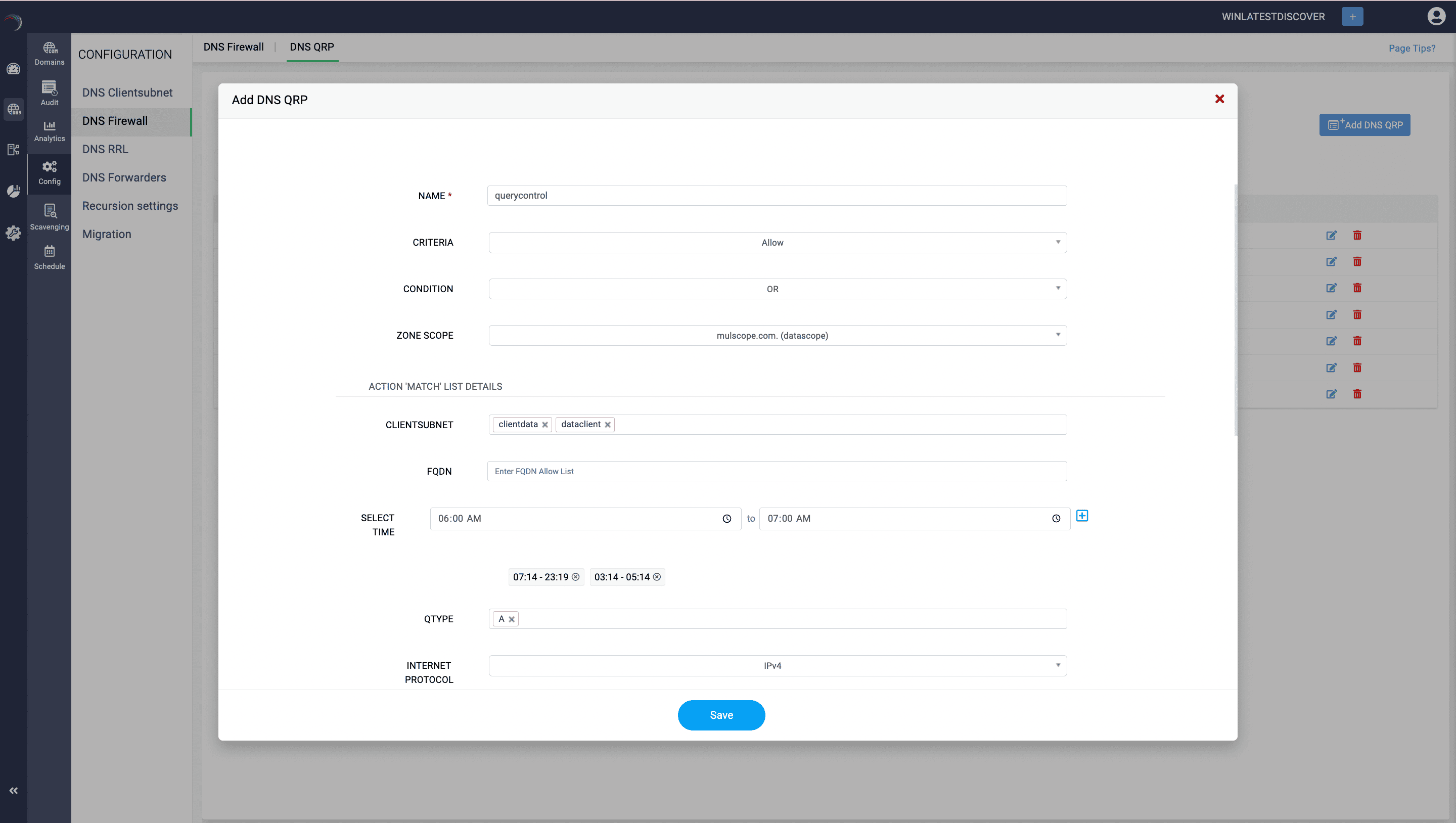
- Defining the conditions: Specify one of the two conditional operators AND / OR under which the policy will be applied. This operator sets the rule for multiple criteria evaluation. Options include:
- OR: Each criterion is evaluated separately and combined (OR).
- AND: Only overlapping criteria are combined (AND).
- Client Subnet: Applies the policy to queries from specific subnets.
- FQDN: Applies the policy when for queries to a specific Fully Qualified Domain Name
- Time of Day: Applies the policy only during specified hours. To define the time limit:
Click on the clock icon on the right to define the time limit. After entering the time limits, click on the blue add (+) icon on the extreme right end. You can add multiple time ranges for the match list. Make sure you click the add icon after each time entry.
- Query Type: Applies the policy to specific types of DNS queries (e.g., A, AAAA, MX).
- Transport Protocol: Applies the policy if the query uses the specified transport protocol.
- Internet Protocol: Applies the policy if the query uses the specified Internet protocol.
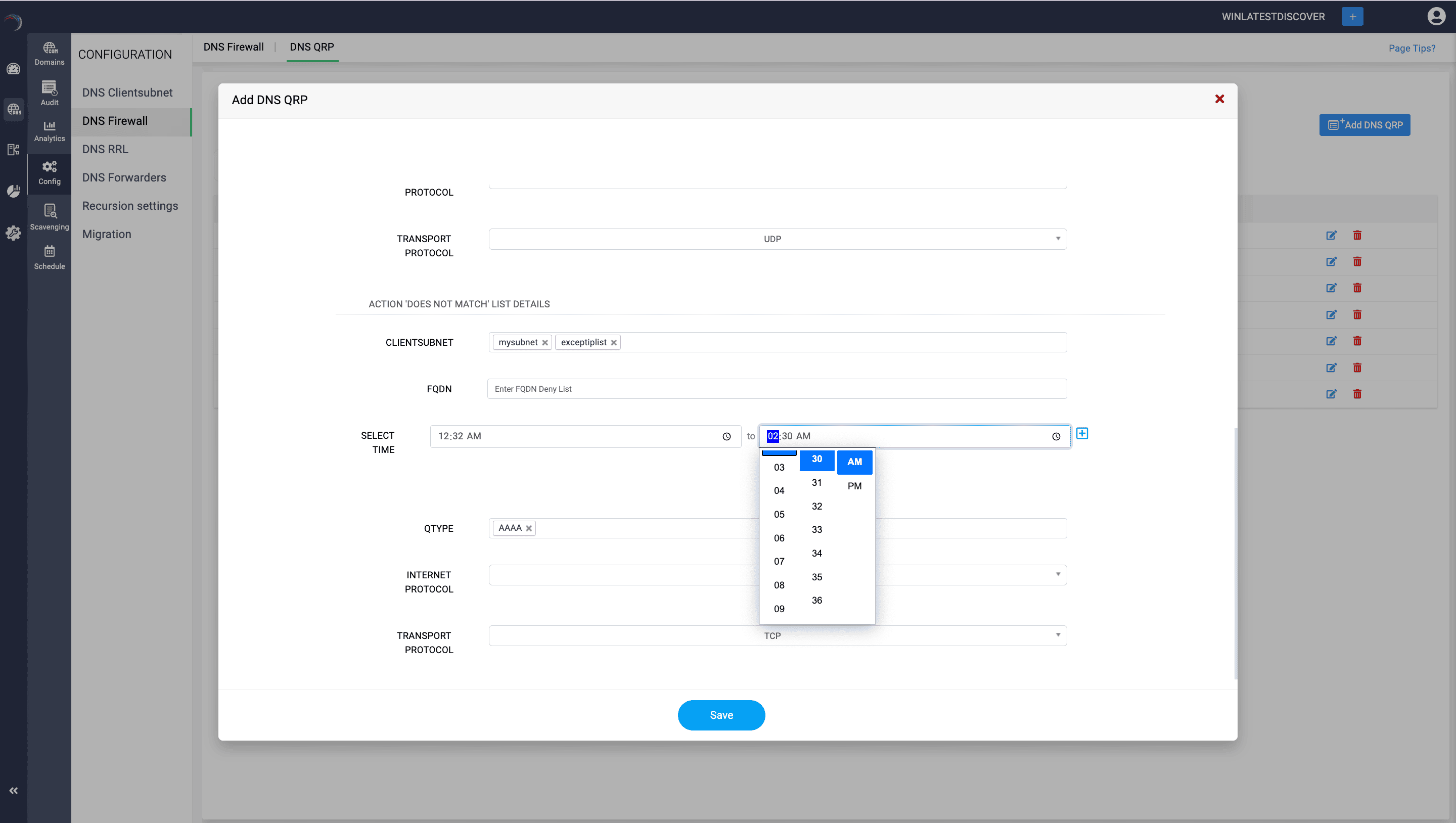
The table below outlines various conditions that can be used to create flexible and powerful DNS query resolution policies in Microsoft DNS. These policies can help control how DNS queries are handled based on the originating subnet, transport protocol, network protocol, server interface, FQDN, query type, and the time of day. This allows administrators to implement detailed rules to optimize performance, enhance security, and manage DNS traffic effectively.
| Criteria | Description | Sample value |
|---|---|---|
| Client Subnet | Name of a predefined client subnet. Used to verify the subnet from which the query was sent. |
|
| Transport Protocol | Specifies the transport protocol used in the query. |
|
| Internet Protocol | Identifies the network protocol used in the query. |
|
| Server Interface IP Address | Checks the IP address of the DNS server network interface that received the query. |
|
| FQDN (Fully Qualified Domain Name) | Evaluates the FQDN of the record in the query, with support for wildcards. |
|
| Query Type | Specifies the type of DNS record being queried. |
|
| Time of Day | Checks the time of day when the query is received. | == (as defined in Match List),10:00-12:00,22:00-23:00: The condition is true if the query is received between 10 AM and noon, or between 10 PM and 11 PM. |