DHCP Role Based Access Control (RBAC)
DHCP subnets, supernets, and hosts in your organizations' servers can now be assigned to individuals in the network based on their roles. Admins can grant access to selected users for specific subnets, supernets, and hosts in the network.
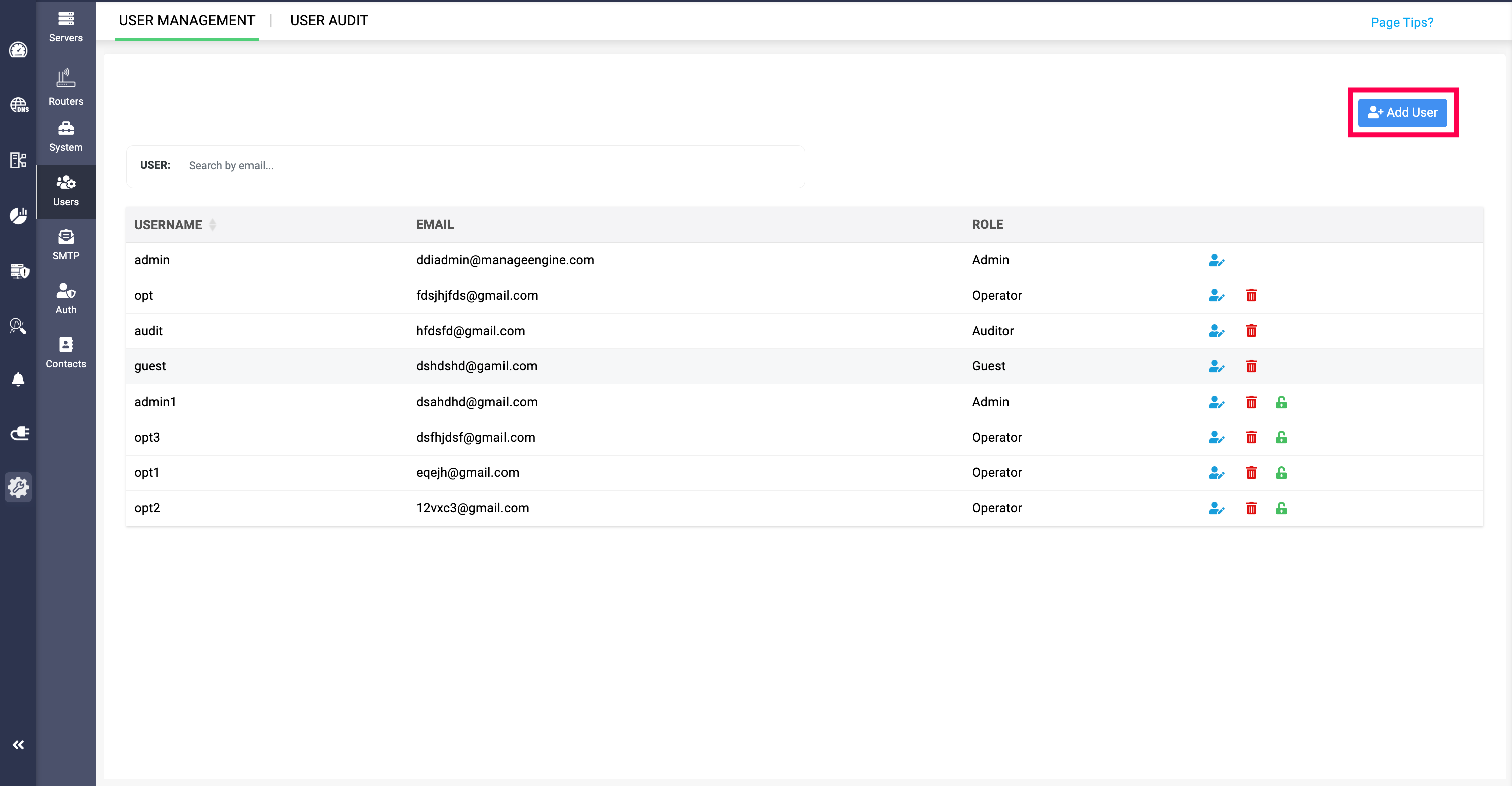
To grant access to users in the network:
- Click through Settings>Users>Add User.
- Provide the details in the following fields:
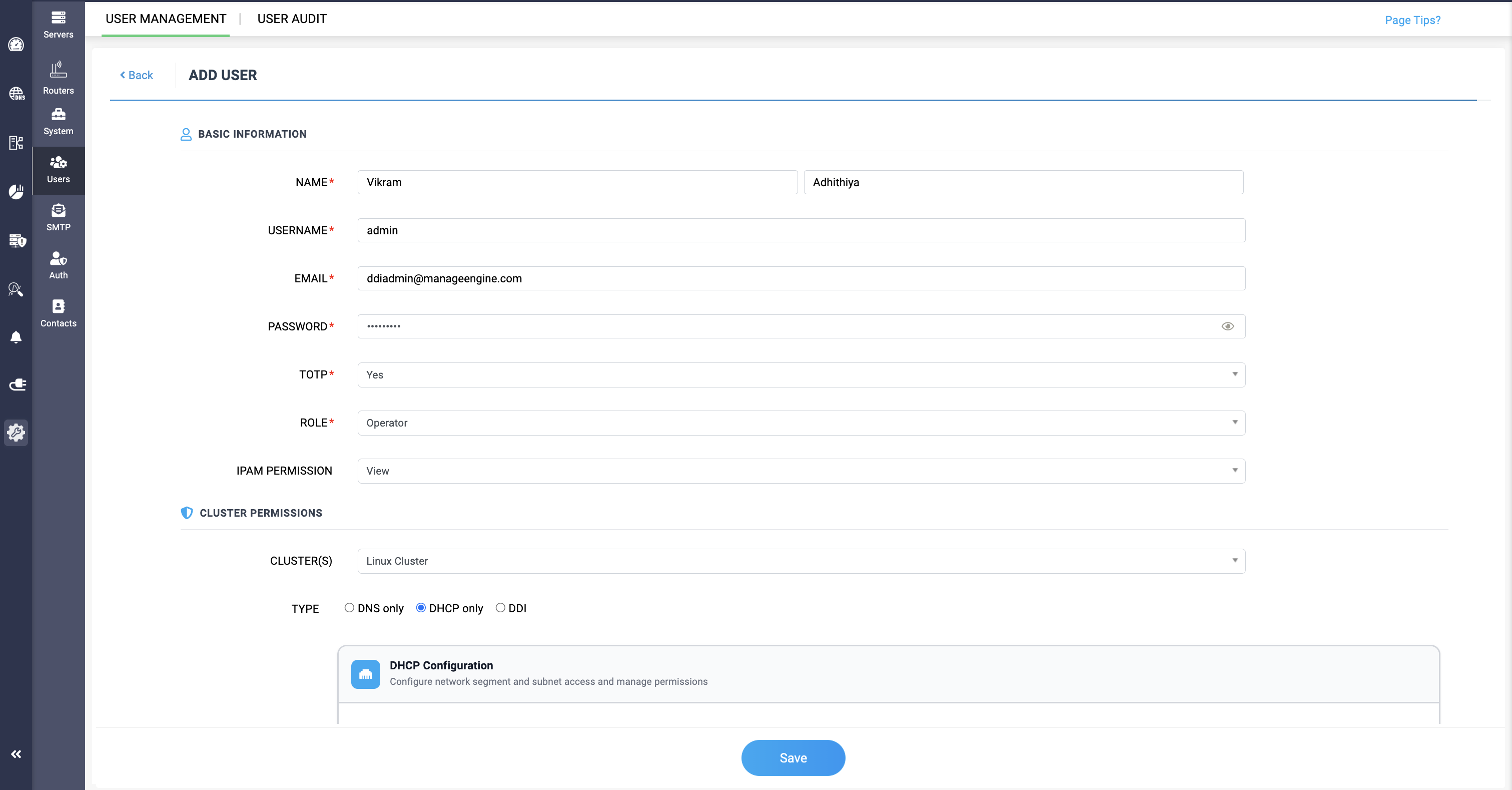
- NAME: Provide the name of the individual in the network.
- USERNAME: Provide their username assigned in the network.
- EMAIL: Provide the network admin's email ID.
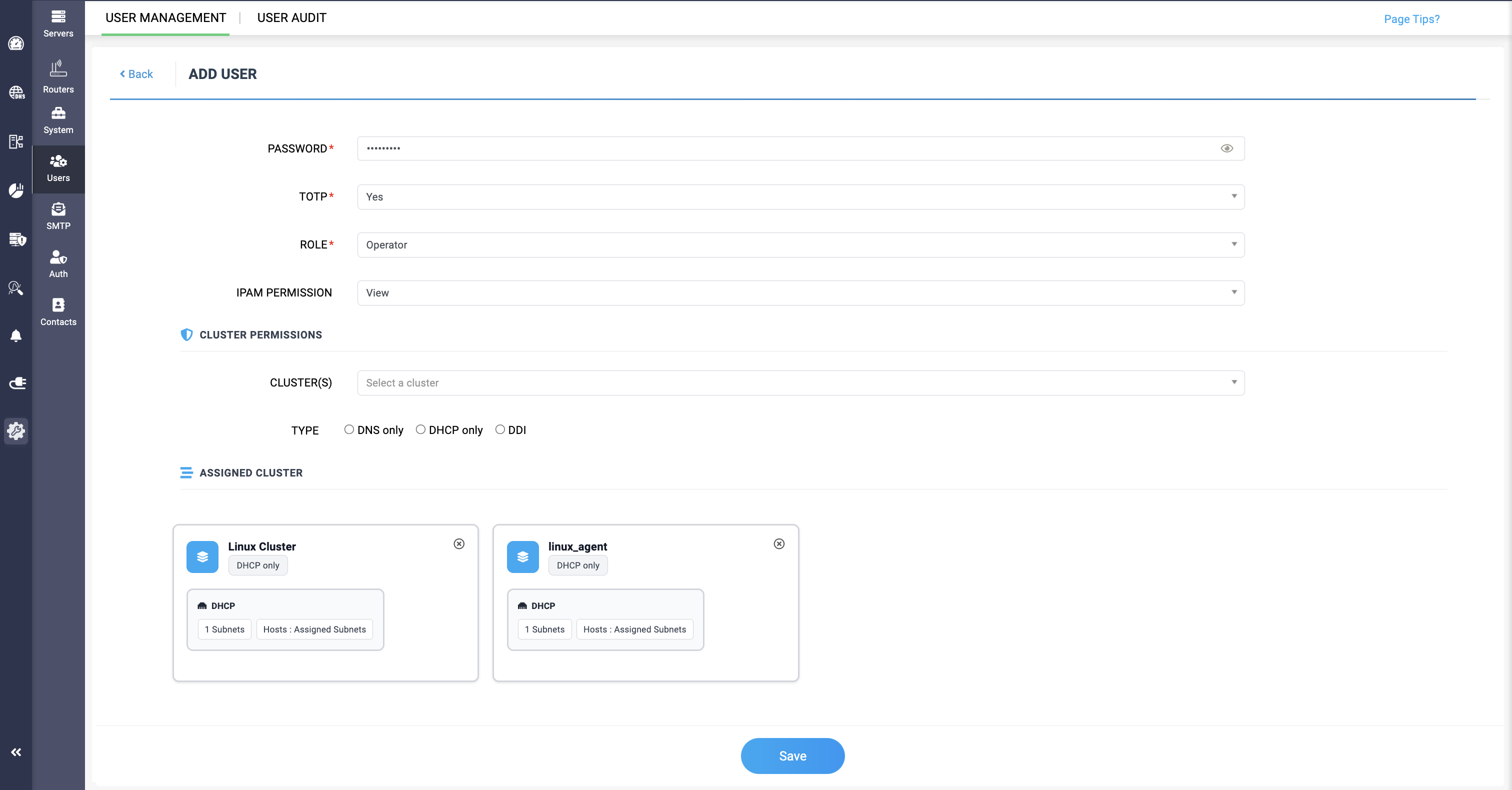
- PASSWORD: Provide the password for configuration.
- TOTP: Enable TOTP for Two step verification before granting access to subnets, supernets, or hosts.
- ROLE: Select the role you want to assign to the individual. There are 4 different role options, and only Operator and Guest roles can be granted access to subnets, supernets, or hosts.
- CLUSTERS: Select the cluster from which monitors and domains need access granted for the individuals.
- TYPE: Select from which network service's resources need access granted.
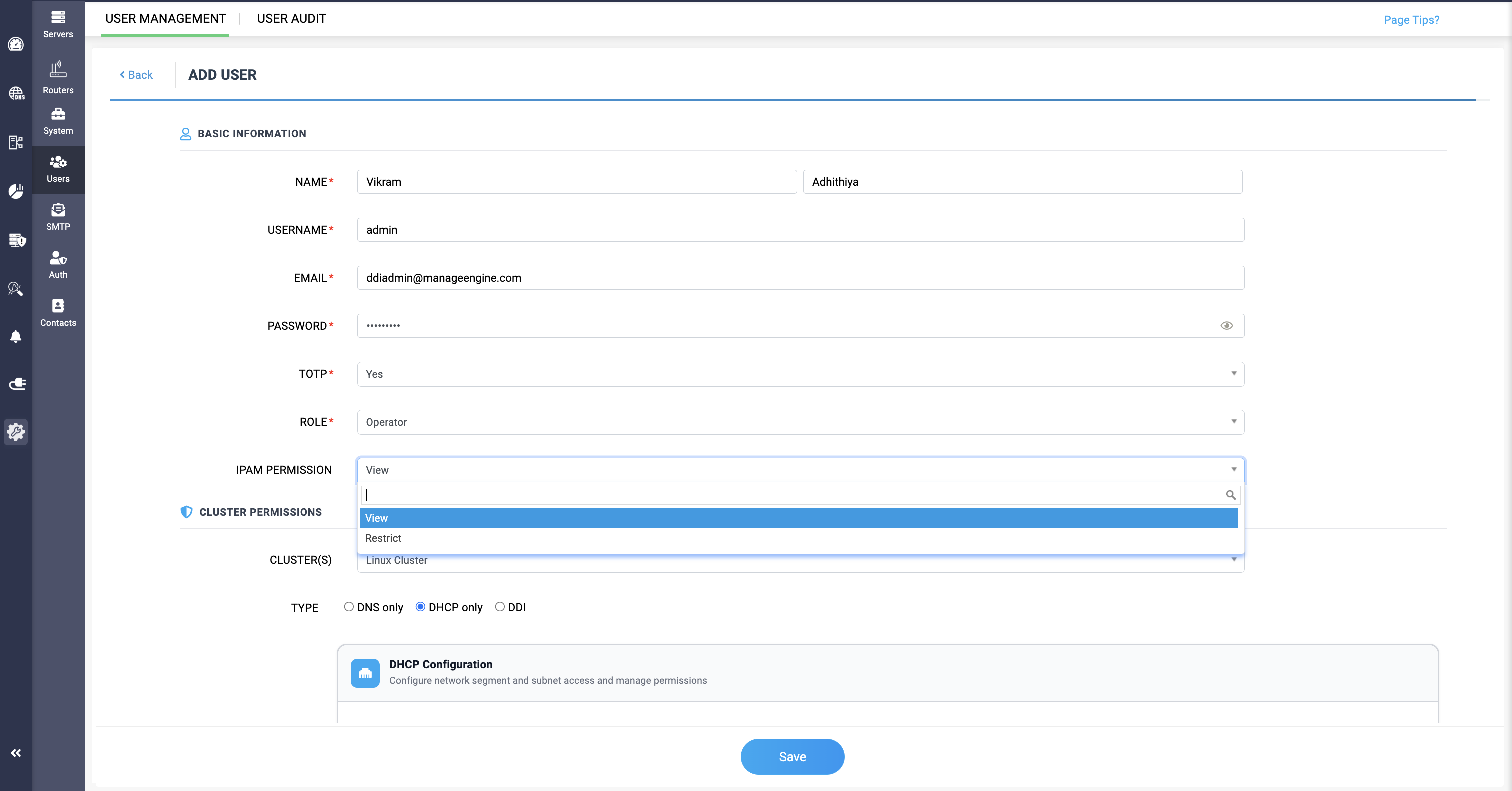
The IPAM Permissions field allows network administrators to selectively grant individuals access to view the IPAM Tower View data of the cluster. The View type allows users to view the data, while the Restrict type completely prevents users from accessing the IPAM data.
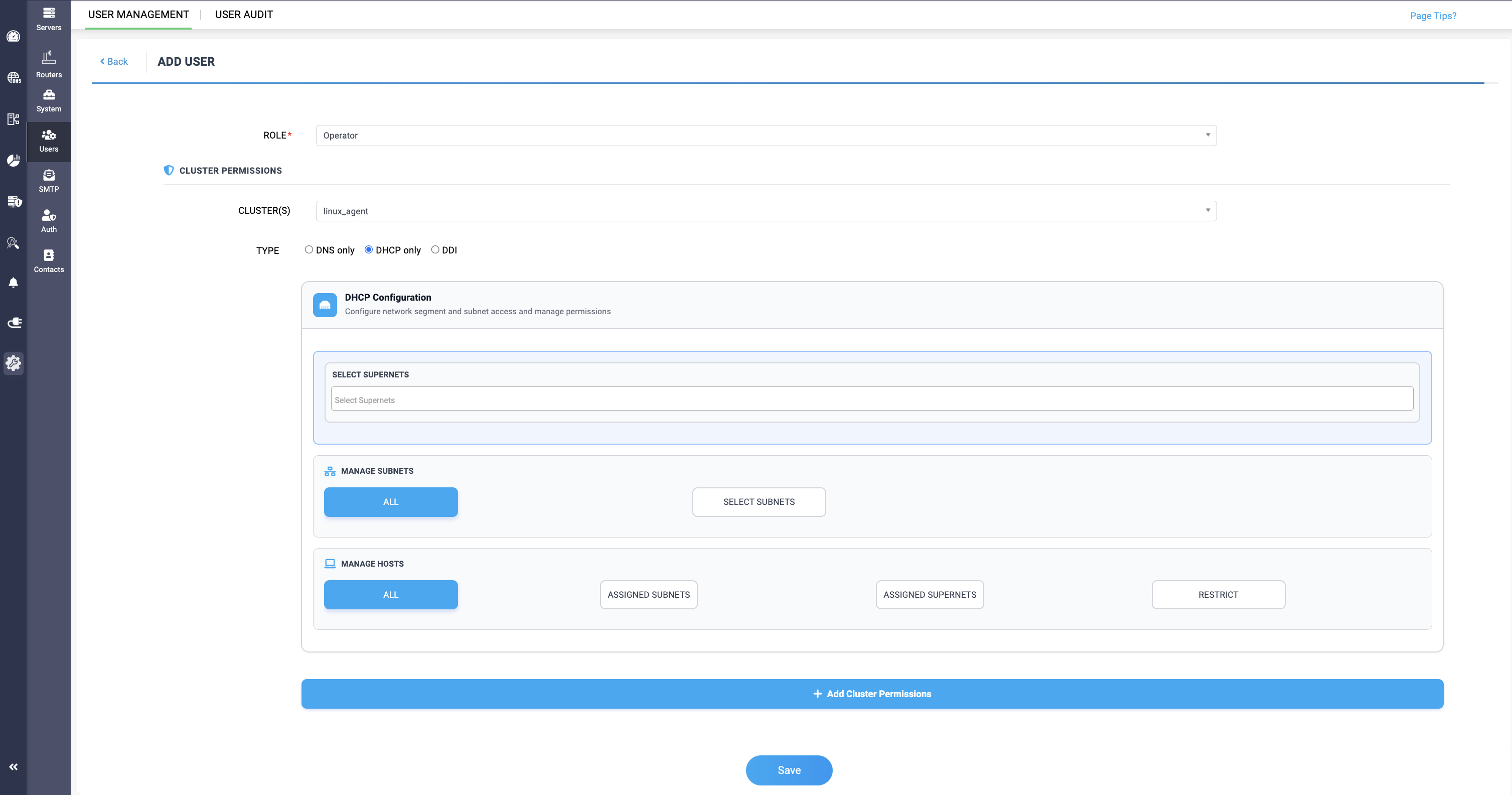
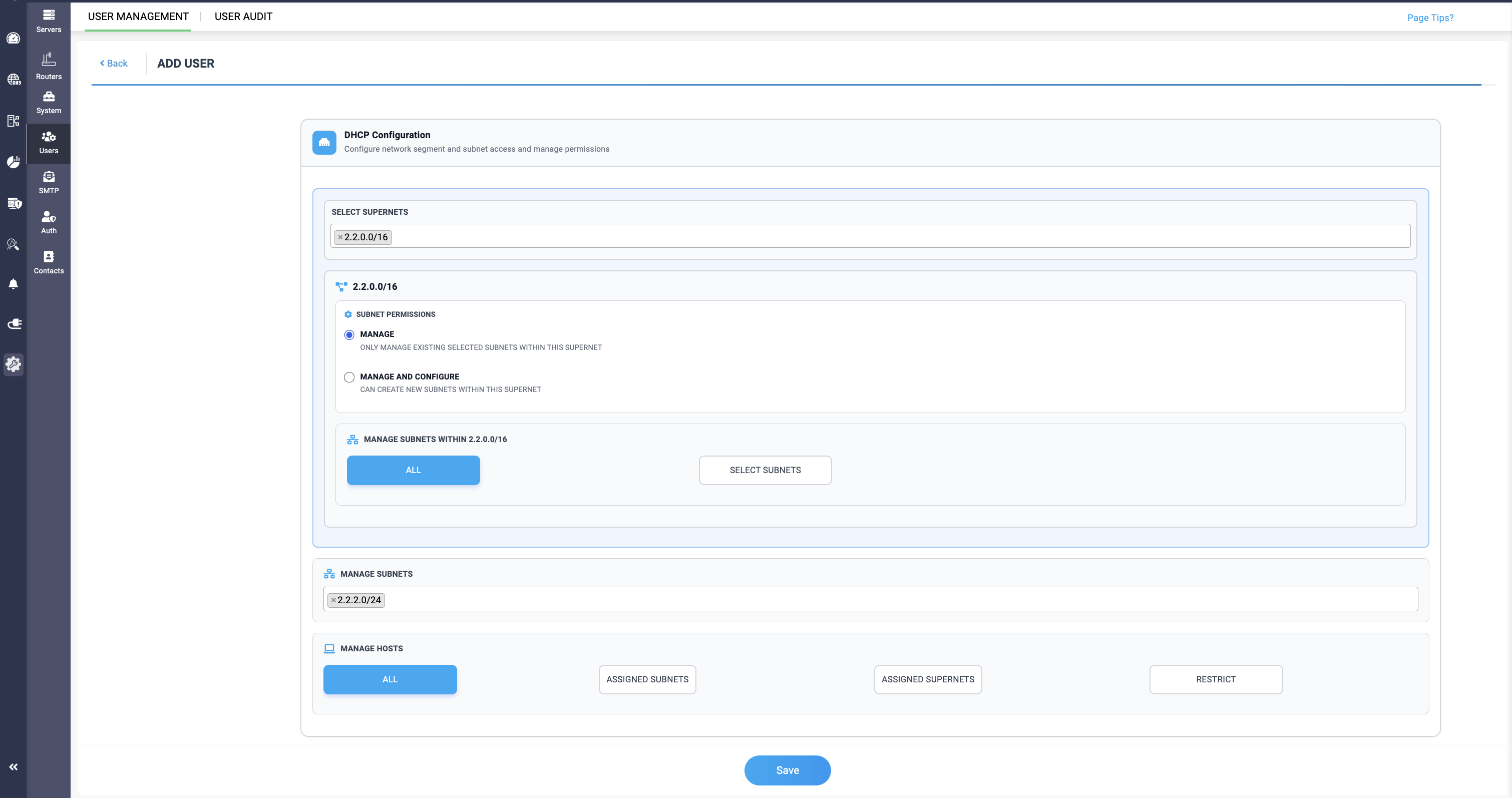
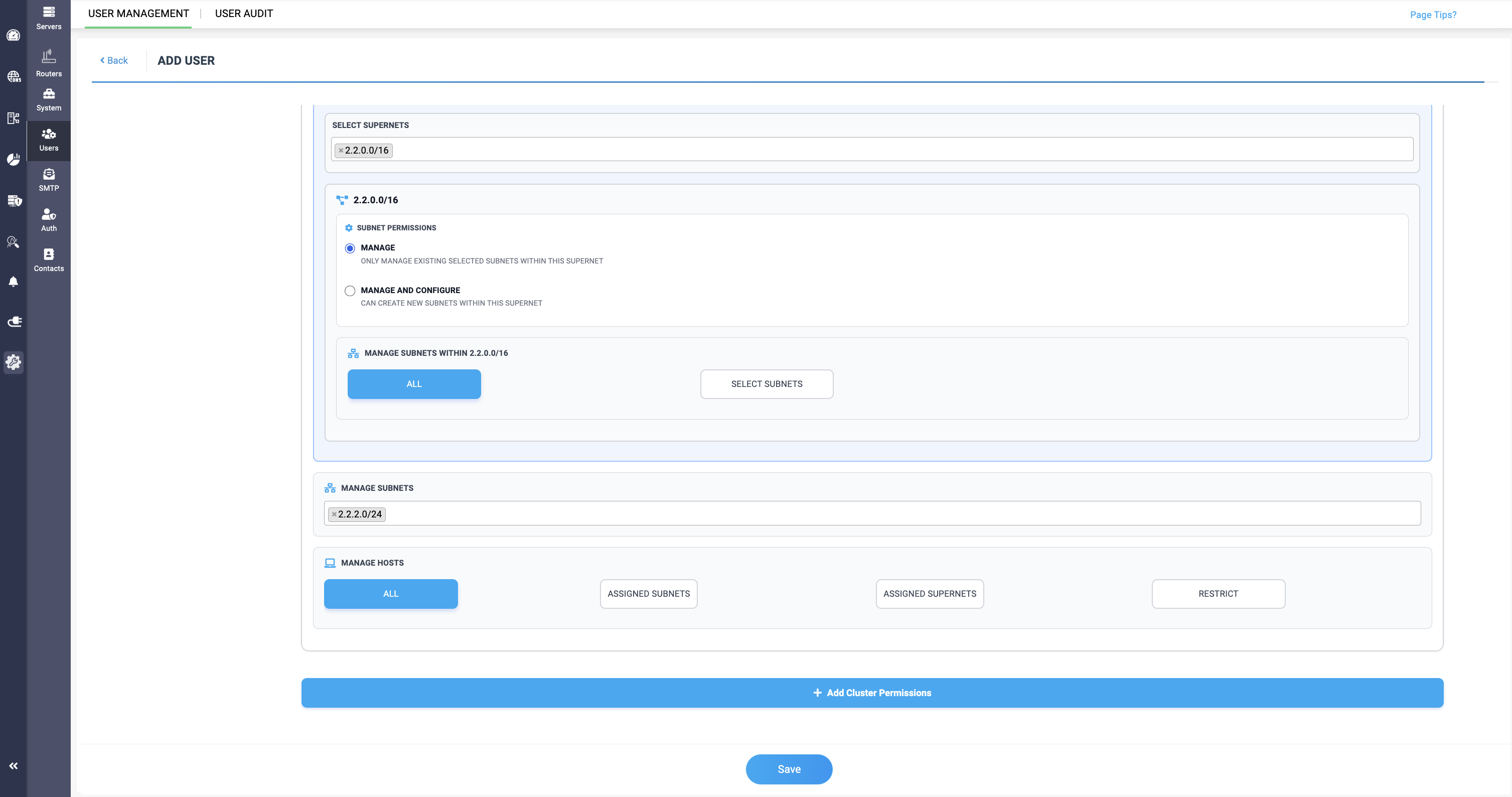
- MANAGE - This option can only allow the user to manage the existing subnets in the selected supernet.
- MANAGE AND CONFIGURE - This option can allow the user the both manage the subnets and also create new subnets within the selected supernet.