Domain blocking using DNS Firewall
Domain blocking using a DNS Firewall is a security measure that prevents users from accessing specific websites or domains by intercepting DNS queries and filtering out requests to undesired or malicious domains. When a user attempts to visit a website, their device sends a DNS query to resolve the domain name into an IP address. A DNS Firewall steps in at this point to screen the query against a set of predefined security rules or blacklists.
The DNS Firewall first intercepts DNS queries from client devices on the network before they reach the internet. It analyzes the domain name requested against a database of blocked or suspicious domain names. If the domain is on the block list, the DNS Firewall applies the configured policy, which typically involves preventing the resolution of the domain name into an IP address. Finally, the DNS Firewall redirects the query to a safe page. DDI's Firewall based Domain Blocking measure blocks collections of recognized malicious domains and directs the users to a safe customized IP address.
Components of DNS Firewall based Domain Blocking
- Blacklists: Lists of known bad domains, which can be custom-defined by the organization or subscribed to from external security providers.
- Category-Based Filtering: Blocking domains based on categories, such as adult content, social media, or streaming services. DDI also curates most common collections of malicious or suspicious domains from third party services and enables you add your own custom collection of malicious sites.
To add a domain to the DNS Firewall Blacklist :
- Go to DNS->Config-> DNS Firewall.
You can start adding the domains to the blacklist one by one under a particular category. Check the Block subdomains check box if you want to block all the subdomains of the domain as well.
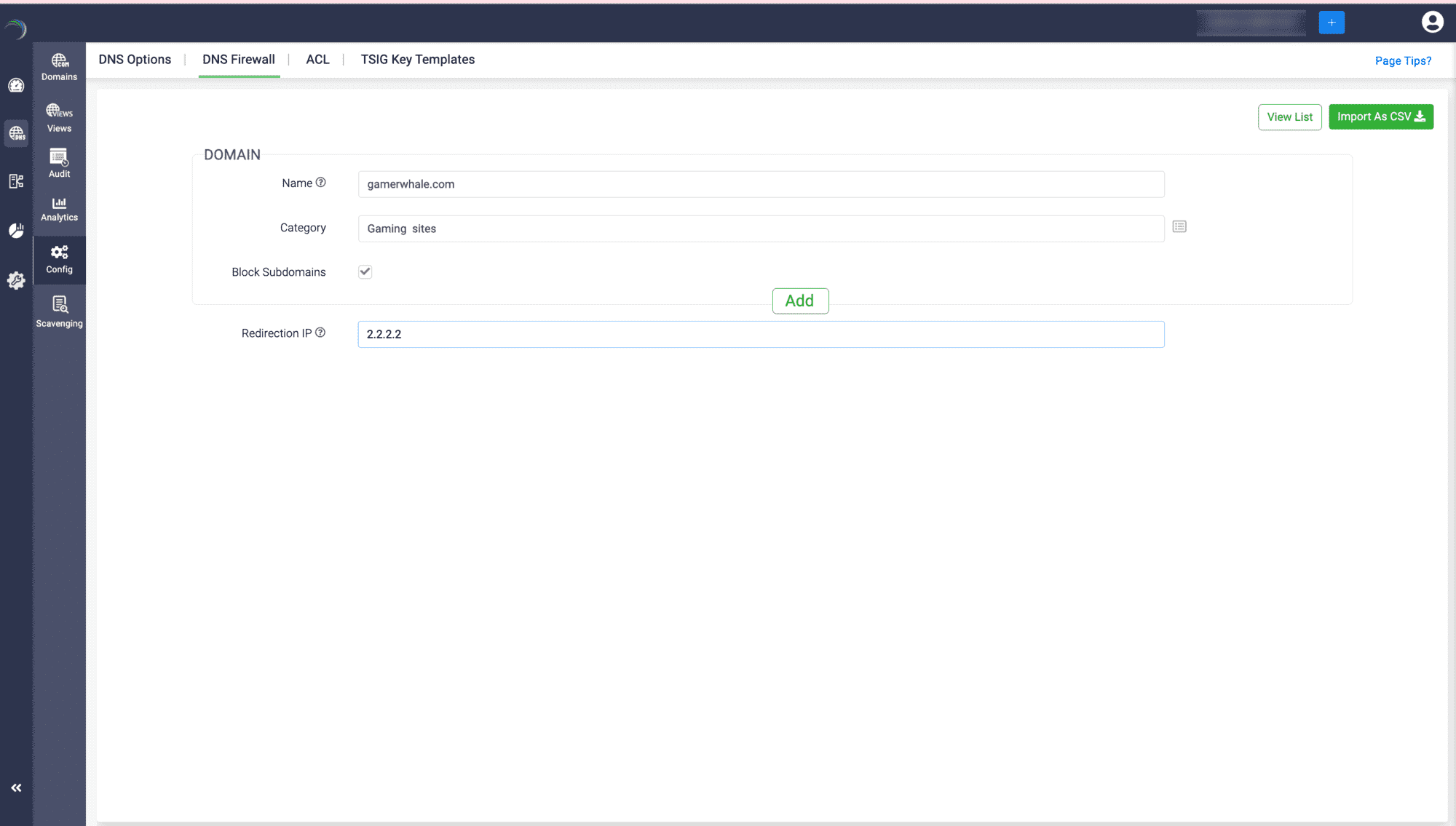
- Once you click Add, you will see two separate lists, one that says Domains Blocked and the other says Domains blocked along with subdomains. This way, you can build your categories of malicious domains on your own.
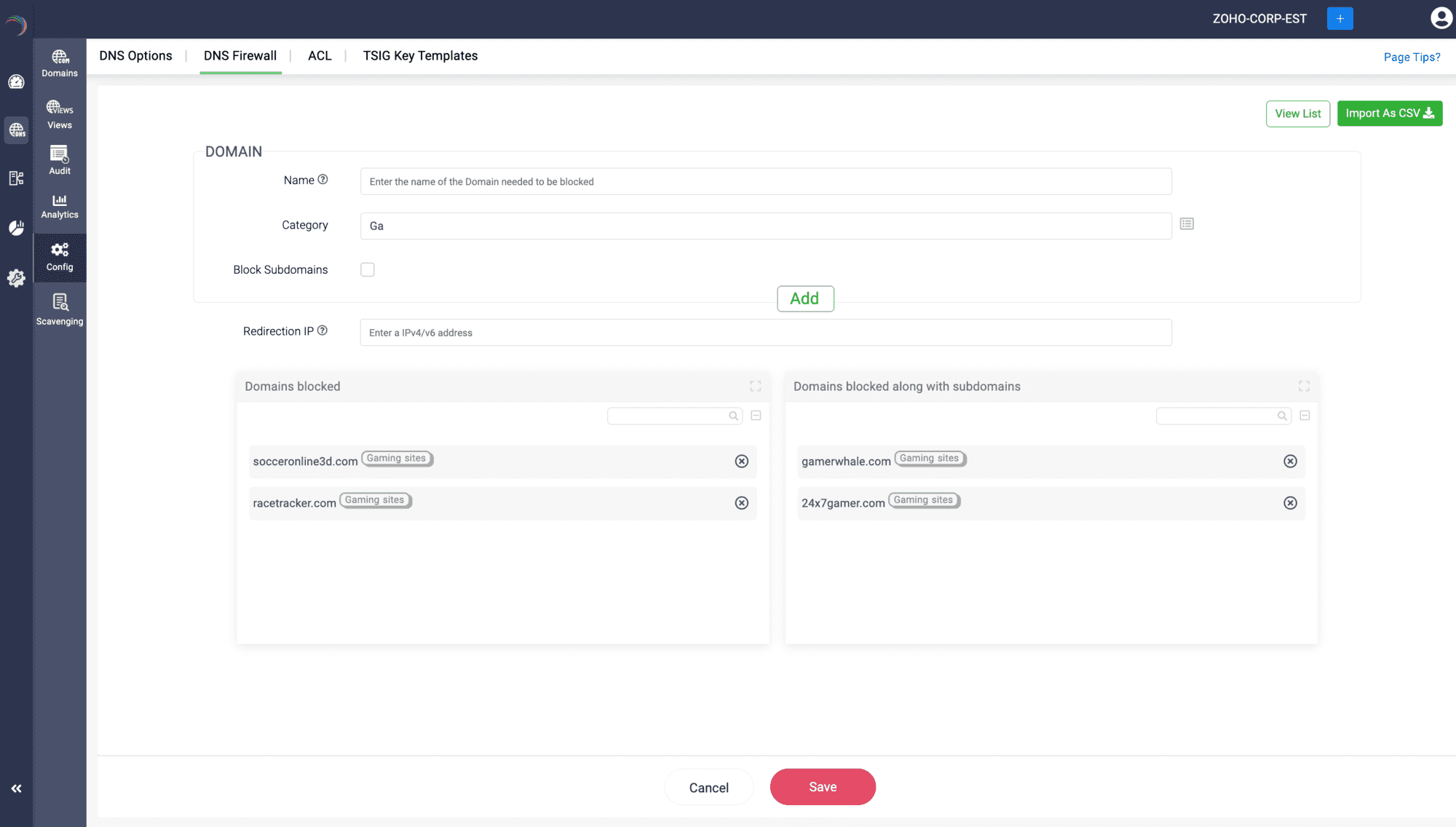
- Once you are done building the list, specify the Redirection IP and click Save.
- You can bulk import a customized list of malicious domains via CSV import for quicker addition. You can also block as many categories based on your organizational needs.
You can also click on the View list button on the top right corner of the page, to import already existing categories into the current blacklist you are building.
- This setup enhances network security by proactively preventing access to potentially harmful web content and mitigating cyber threats.