

- Overview
- Configuration
ManageEngine ADManager Plus
Empower users and secure self-service actions with integrated AD solutions
ManageEngine ADManager Plus is a comprehensive Active Directory (AD) management and reporting solution that simplifies and automates key AD, Office 365, and Exchange management tasks, from user provisioning and deprovisioning to user account and group management. By integrating ADManager Plus with ADSelfService Plus, organizations can extend these management capabilities to empower end users with self-service options for certain AD tasks while incorporating additional security and approval workflows.
Deploy help desk approval for self-service actions
Configure approval workflows for end-user self-service actions performed through ADSelfService Plus.
Use workflow rules for approving user self-service actions
Define customized workflow rules in ADManager Plus for the approval of self-service actions.
Allow users to track and manage self-service requests
Enable users to create, view, and track the status of their self-service requests.
Integrating ADManager Plus with ADSelfService Plus
Note: When ADSelfService Plus is integrated with ADManager Plus, admins have complete control over all the self-service actions performed by users. Based on their need, admins can choose to monitor the actions of all users or only privileged ones. When users perform any self-service action using ADSelfService Plus, it will be updated in AD only after the admin approves it in ADManager Plus.Follow these steps:
- Download and install ADManager Plus.
- Log in to ADSelfService Plus web console with admin credentials.
- Navigate to Admin tab → Product Settings → Integration Settings.
- Click the ADManager Plus product tile.
- In the Server Name or IP field, enter the name of the server in which ADManager Plus is installed.
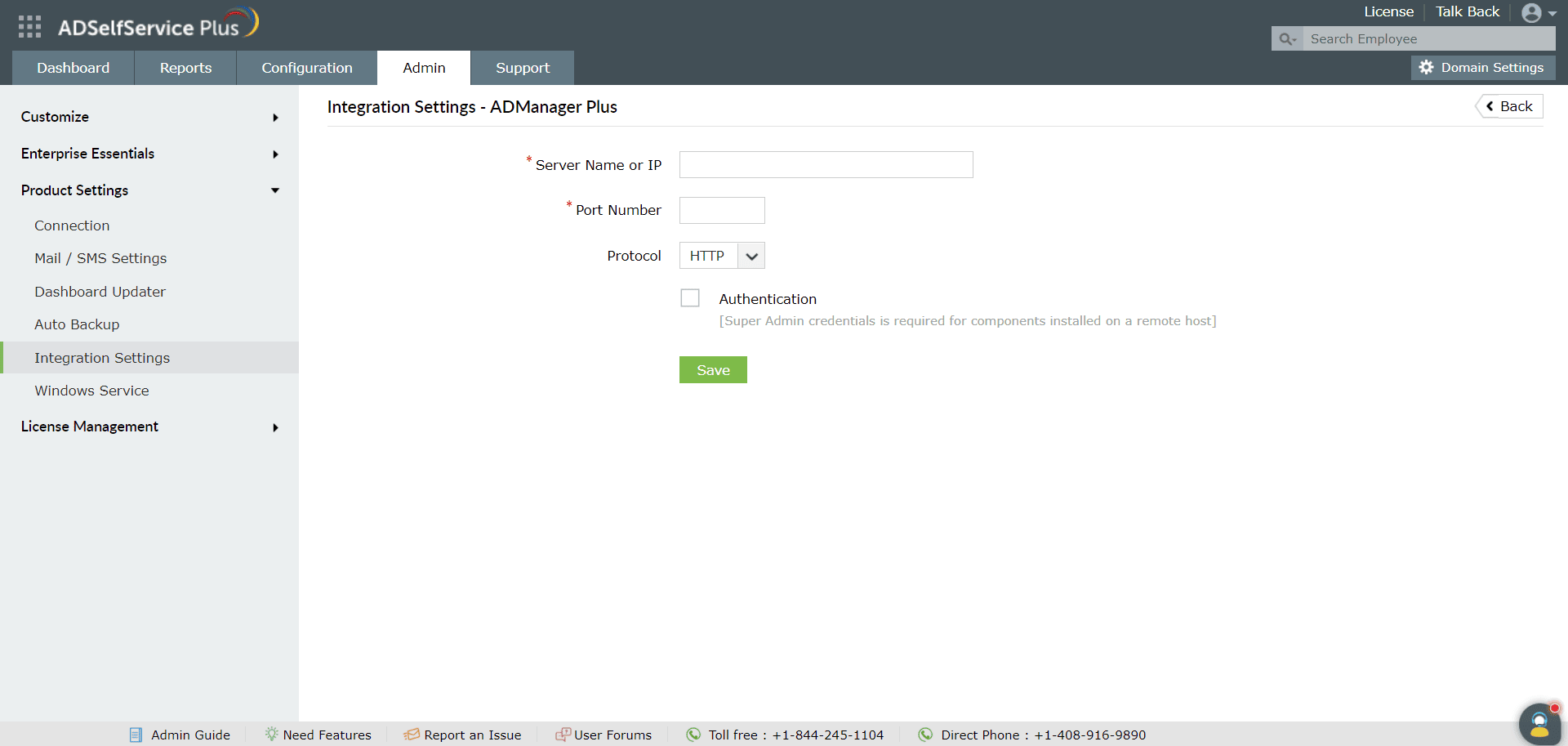
- Enter the Port Number used by ADManager Plus.
- Select the Protocol (HTTP/HTTPS) enabled in ADManager Plus from the drop-down list.
- Click Save.