- Quick Links
- Highlights
- MFA
- SSO
- Adaptive authentication
- Related Products
- ADManager Plus Active Directory Management & Reporting
- ADAudit Plus Real-time Active Directory Auditing and UBA
- ADSelfService Plus Identity security with adaptive MFA, SSPR, and SSO
- Exchange Reporter Plus Exchange Server Auditing & Reporting
- EventLog Analyzer Real-time Log Analysis & Reporting
- M365 Manager Plus Microsoft 365 Management & Reporting Tool
- DataSecurity Plus File server auditing & data discovery
- RecoveryManager Plus Enterprise backup and recovery tool
- SharePoint Manager Plus SharePoint Reporting and Auditing
- Identity360 A cloud-native identity platform for workforce IAM
- AD360 Integrated Identity & Access Management
- Log360 (On-Premise | Cloud) Comprehensive SIEM and UEBA
- AD Free Tools Active Directory FREE Tools
What is cloud SSO?
Cloud single sign-on (SSO) is an authentication service that lets a user sign in once and reach all their cloud and on-premises applications without entering a separate password for each one. A cloud identity provider (IdP) authenticates the user and federates that single identity to every connected app through open standards, so one credential set grants access to the connected applications assigned to the user. The result is fewer passwords to manage, less password fatigue, and centralized access management for IT.
Identity Access is that cloud IdP. It authenticates users against your existing directories, like Active Directory (AD), Microsoft Entra ID, or Google Workspace. It delivers secure SSO to a broad range of SaaS and on-premises applications, with MFA applied according to configured policies.
Without SSO, repeated logins create password fatigue, reduce productivity, and encourage weak or reused passwords. 1Password found that 44% of employees say logging in and out at work harms their mood or productivity, while 41% say remembering multiple logins increases stress. Identity Access reduces this credential fatigue by giving users one-click access to their applications and giving IT one place to grant, secure, and revoke access.
How cloud SSO works in Identity Access
When a user reaches an application, Identity Access runs a two-step verification before granting access:
- User signs in: Identity Access supports both IdP-initiated SSO (the user starts at the Identity Access dashboard and opens an assigned app) and service-provider-(SP)-initiated SSO (the user starts at the application, which redirects them to Identity Access).
- Primary authentication: The user's credentials are verified against their primary directory (AD, Microsoft Entra ID, or Google Workspace) through the OpenID Connect protocol.
- Secondary authentication: After the first factor passes, the user completes an admin-configured, adaptive MFA challenge if required by the configured policy.
- Access granted: On success, the user reaches every enterprise application assigned to them through SSO without a second password prompt.
Why choose Identity Access for SSO?
1. Centralized application access
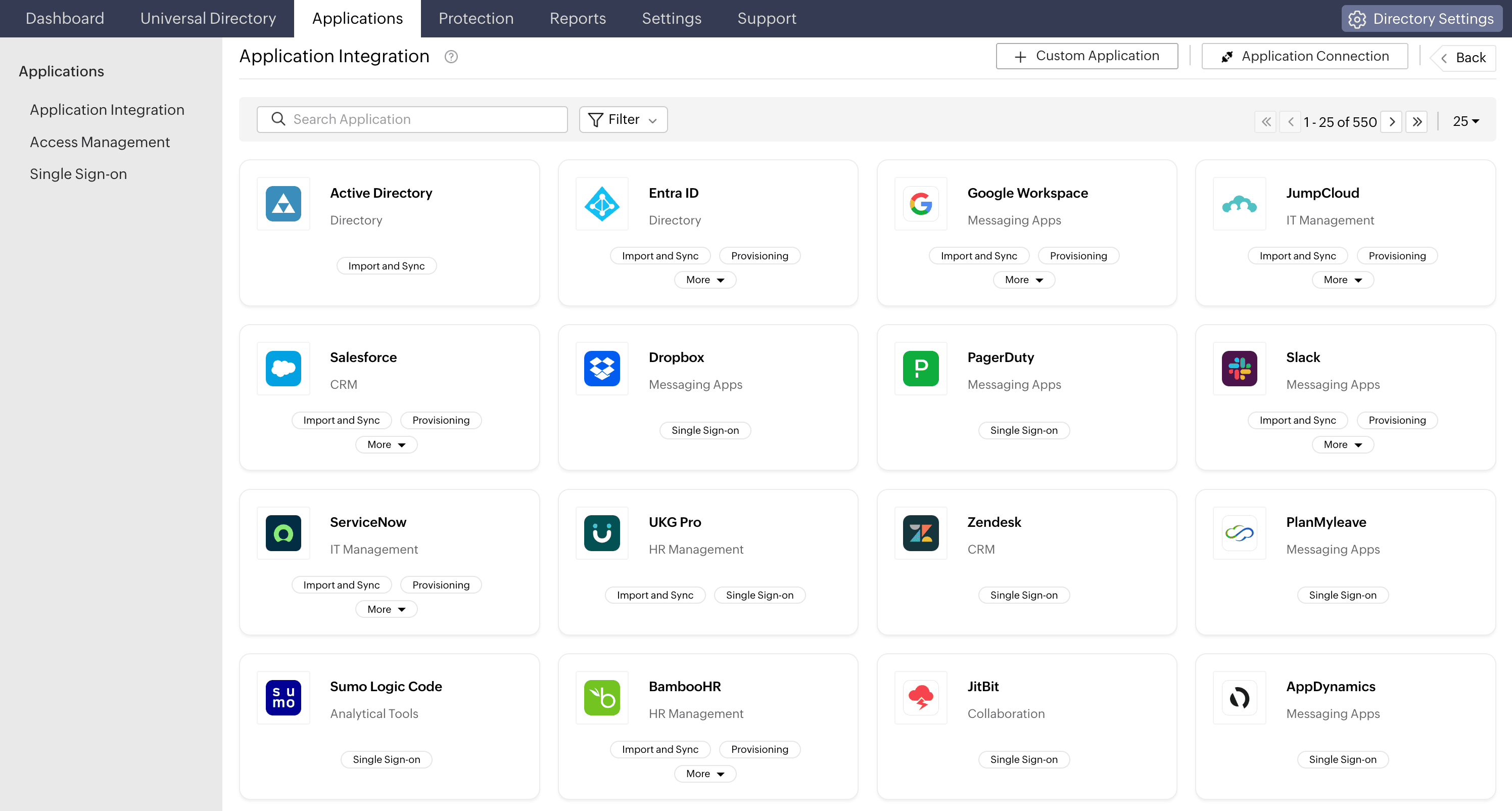
Identity Access is the single IdP in front of your app estate, so access management stops being a per-app chore. From one console, you assign applications to users and groups, apply policy, and see everything in one place—a central dashboard that gives each user a consolidated view of the apps assigned to them.
- One identity, every directory: Integrate with AD, Microsoft Entra ID, and Google Workspace, keeping the account of record where it already lives.
- Group- and role-based access: Assign apps and policies by directory group or role, so access follows the user's function rather than being set app by app.
- Multi-cloud directory coverage: Extend SSO to users across multiple cloud directories at once, something on-premises SSO tools cannot achieve.
2. SAML 2.0 authentication and assertions
For SAML-based applications, Identity Access acts as the IdP. After authenticating the user, it sends the SP a signed SAML assertion containing the user’s identity and configured attributes. The SP validates the assertion and creates an application session.
Identity Access supports both IdP-initiated and SP-initiated SAML SSO. Administrators can also map directory attributes to the values required by each connected application.
3. OpenID Connect and OAuth 2.0
OpenID Connect extends OAuth 2.0 with an identity layer for user authentication. For compatible applications, Identity Access can issue an ID token that tells the application who the authenticated user is, and where applicable, issue an access token that authorizes access to protected APIs or resources.
OAuth 2.0 primarily supports delegated authorization, while OpenID Connect adds the identity information required for authentication and SSO.
4. MFA and conditional access policies
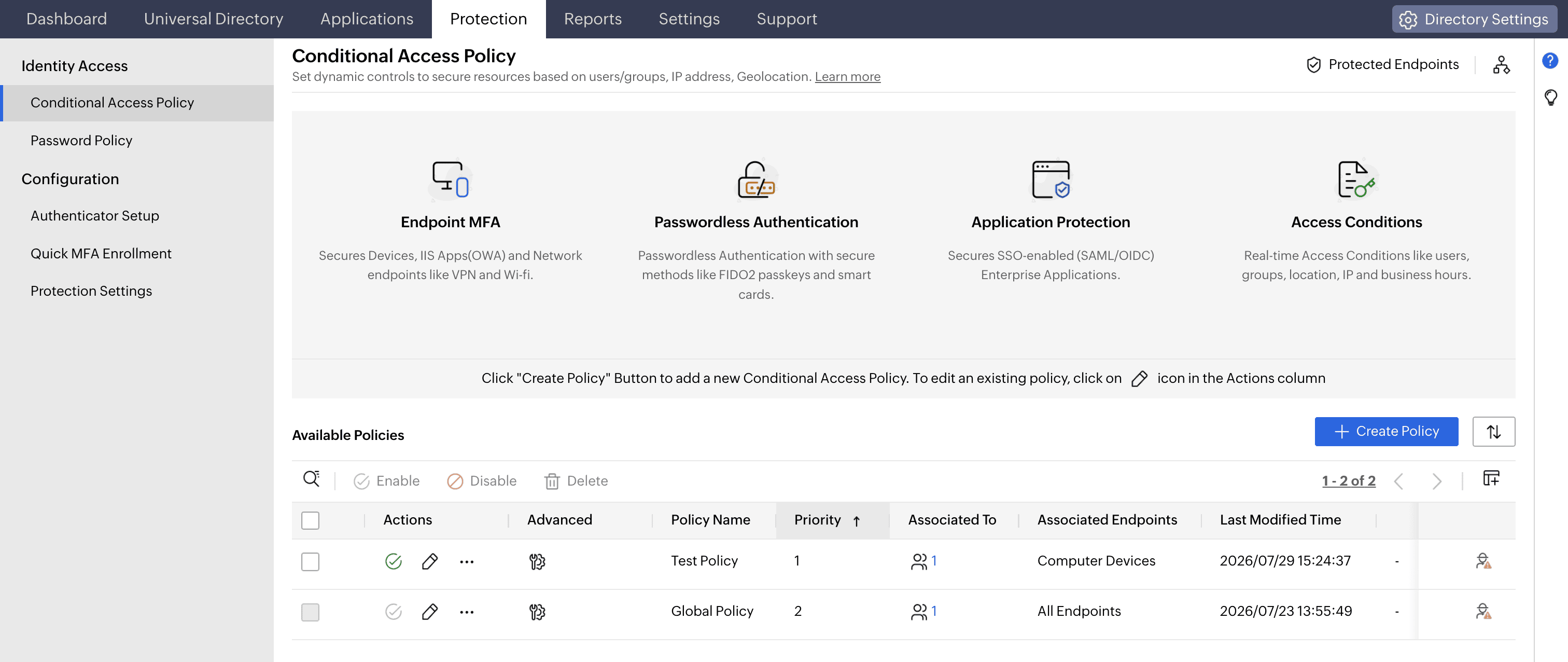
SSO centralizes application access, while MFA and conditional access protect the authentication event.
Identity Access can apply MFA to supported SSO flows so a password alone is not sufficient to access connected applications. Administrators can select authentication methods according to the user, group, application, or access scenario.
Conditional access evaluates supported contextual signals before deciding whether to allow, challenge, or block a request. These signals may include the user or group, device, IP address, or location. Conditional access determines the level of verification required rather than applying the same authentication challenge to every request.
5. Advanced MFA authenticator options
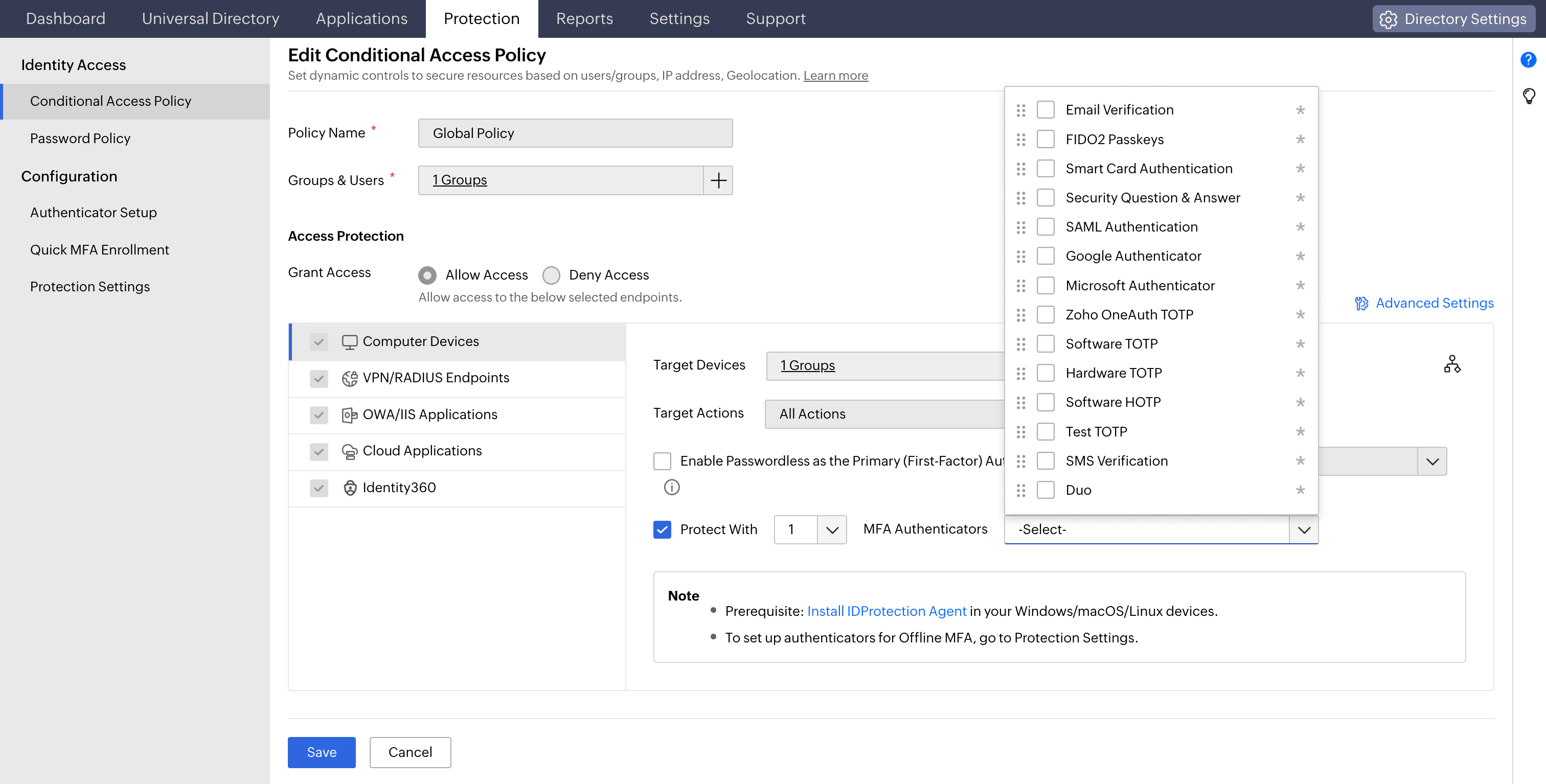
Secure SSO with authentication methods that can be matched to the assurance requirements of each user group or application. Supported methods can include:
- Email verification
- Google Authenticator
- Microsoft Authenticator
- Zoho OneAuth push authentication
- Software- and hardware time-based one-time password (TOTP) tokens
- FIDO2 passkeys
- Hardware security keys such as YubiKey
Traditional methods such as email codes, TOTPs, and push authentications provide more protection than password-only access. FIDO2 passkeys and compatible security keys provide stronger phishing resistance through origin-bound public-key authentication.
6. SCIM provisioning and automated user life cycle management
SSO authenticates users while provisioning ensures that the required application accounts and entitlements exist. Identity Access can automate user provisioning and deprovisioning through System for Cross-domain Identity Management (SCIM) 2.0. For supported applications, SCIM can create accounts, sync user attributes, update account details, modify access, and more.
7. SSO audit trail, reporting, and compliance visibility
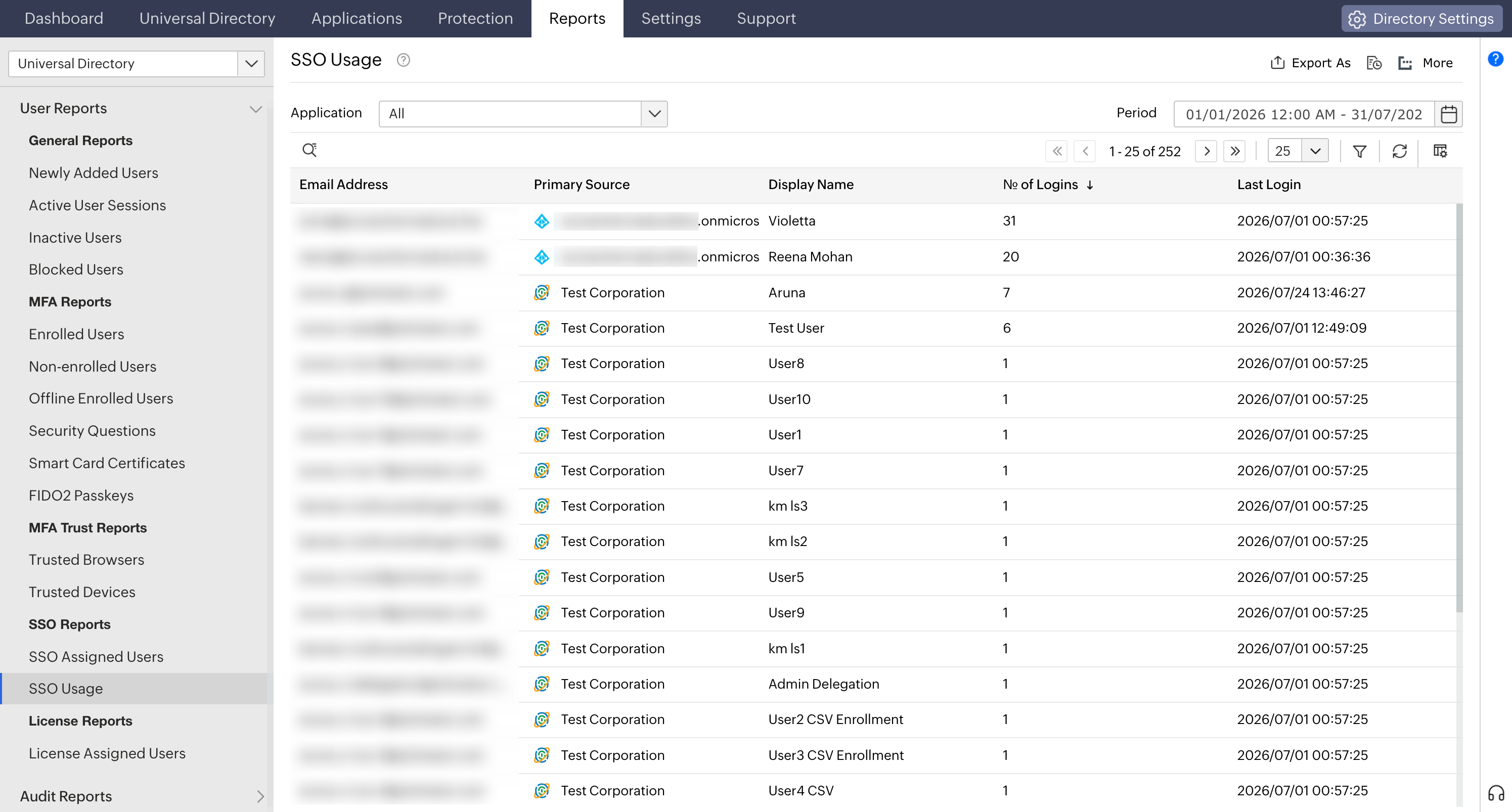
Identity Access keeps a full SSO audit trail so you can prove who accessed what and when. Consolidated reports capture each user's assigned applications, number of logons, failed login attempts, and last logon time per app, plus every MFA login attempt with its timestamp and outcome.
- Customize reports by adding or removing columns and filtering the data you need.
- Export to PDF, CSV, XLS, or HTML for audits and further analysis.
- Single logout and session management end a user's SSO session cleanly across connected apps.
Benefits of using cloud SSO with Identity Access
- Central application dashboard: Give users one consolidated view of every application assigned to them, making it easier to find and access the tools they need.
- Increased productivity: Enable one-click access to applications without repeated sign-ins. This reduces password fatigue and helps users move between tools more efficiently.
- Enhanced security: Protect every SSO attempt with adaptive MFA and conditional access policies that evaluate user, device, location, and other risk signals.
- Broad application support: Provide secure SSO to pre-integrated applications, such as AWS, Google Workspace, Salesforce, and Microsoft Entra ID. You can also connect custom applications in a few steps.
- Cloud-native deployment: Deploy and manage SSO from the cloud without maintaining on-premises infrastructure. There are no servers to install, patch, or scale.
Frequently asked questions
SSO is the capability that lets users access multiple applications with one login. SAML 2.0 and OpenID Connect are common protocols used to deliver it. SAML works by passing a signed assertion from the identity provider to the service provider. In simple terms, SSO is the outcome, while SAML and OIDC are the technologies behind it. Identity Access supports both.
An identity provider (IdP) authenticates a user and vouches for their identity to applications. In cloud SSO, the IdP verifies the first factor against a directory and issues a token or SAML assertion the app trusts. Identity Access acts as your cloud IdP and integrates with AD, Microsoft Entra ID, and Google Workspace.
Start a free trial of ManageEngine Identity Access and give one pilot group one-click, MFA-secured access to their apps this week, then expand across your estate.
A service provider is the application or system the user wants to access. It relies on the IdP to authenticate the user and provide trusted identity information.
Google Workspace can act as an identity provider for signing in to other apps, so it offers a form of SSO. Identity Access works with Google Workspace as a directory source and provides cloud SSO across your whole estate, such as Google, Microsoft, AWS, Salesforce, and custom apps from one console.
Other features
Passwordless authentication
Replace passwords with FIDO2 security keys and platform biometrics, removing the credential most often phished and replayed.
MFA
Add a second authentication factor to endpoint, application, VPN, OWA, and CLI logins. with authentication factors ranging from FIDO2 security keys to smartcards.
Conditional access policy
Evaluate every access request against user, device, IP address, geolocation, time, and operating system, then allow, deny, or challenge it accordingly.
Device authentication
Authenticate Windows, macOS, and Linux machines on cloud without Active Directory or Entra ID.
Machine MFA
Verify identity at the Windows, macOS, and Linux login screen on both domain-joined and cloud-joined machines.
MFA for enterprise apps
Set MFA and access rules for each application on its own terms, so that critical applications carry a stronger challenge and routine ones stay quick.