Proxy, SNMP & Syslog Settings
Configuring Proxy, SNMP, and Syslog settings ensures secure and efficient communication and monitoring in Key Manager Plus. The Proxy Server settings define how the application connects to the internet, either directly or via a proxy server. SNMP (Simple Network Management Protocol) enables real-time monitoring and alerting by sending notifications about key and certificate management activities to your network management system. Syslog settings enable centralized logging of important events related to key and certificate management. This document covers the following topics in detail:
1. Proxy Server Settings
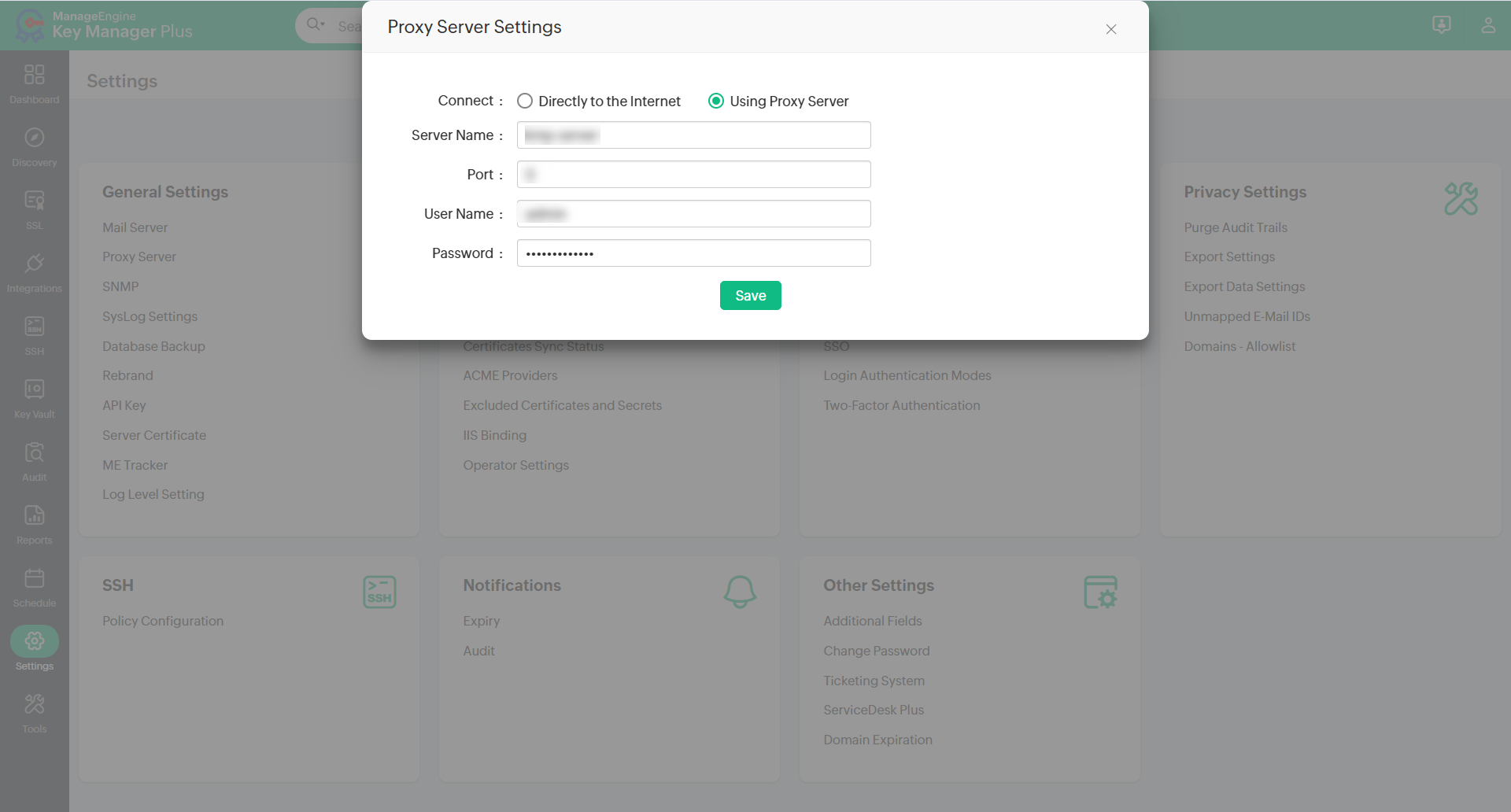
Key Manager Plus allows you to configure how the application connects to the internet - either directly or through a proxy server. If a proxy server is used, you should provide the server details and user credentials for authentication. Follow the steps below to configure proxy server settings:
- Navigate to Settings >> General Settings >> Proxy Server.
- Choose how to connect to the internet:
- Directly to the Internet - Connect to the internet without a proxy server.
- Using Proxy Server - If using a proxy server, enter the Server Name, Port, User Name, and Password.
- Click Save to apply the changes.
A confirmation message will appear indicating that the proxy server settings have been updated successfully.
2. SNMP Traps
SNMP traps enable Key Manager Plus to send notifications about key and certificate management activities to an SNMP management system. These notifications provide details such as the user who performed the operation, the date and time of the event, and the reason for the notification.
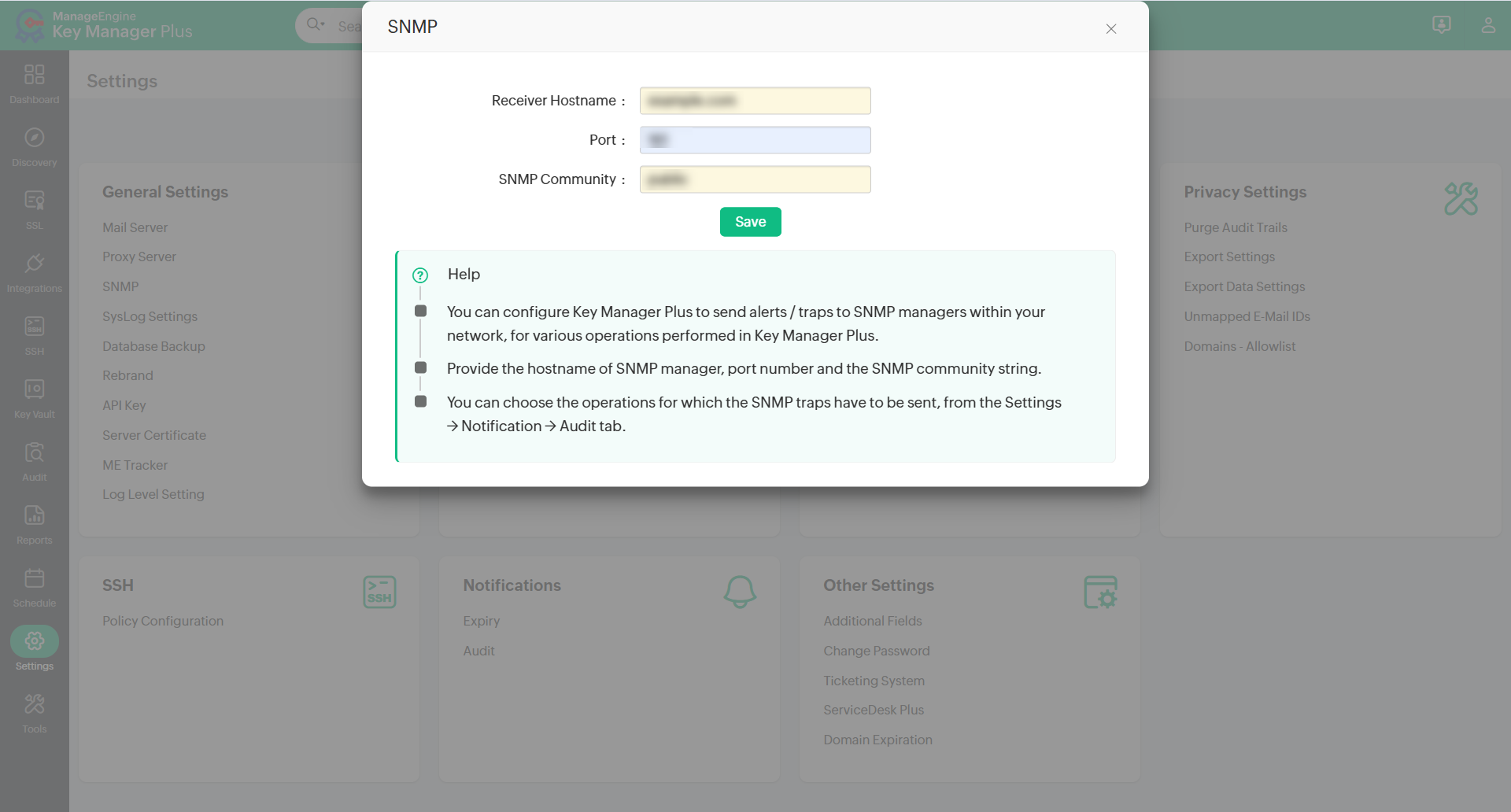
Follow the steps below to configure the SNMP server settings.
- Navigate to Settings >> General Settings >> SNMP.
- In the dialog box that opens, enter the following details.
- Enter the Receiver Host Name for the system you want to send the traps to.
- Specify the Port to which the receiver host is listening.
- Enter the name of the SNMP community in the SNMP Community field.
- Click Save to apply the configured settings.
A confirmation message will appear indicating that the SNMP server details have been successfully configured.
3. Syslog Settings
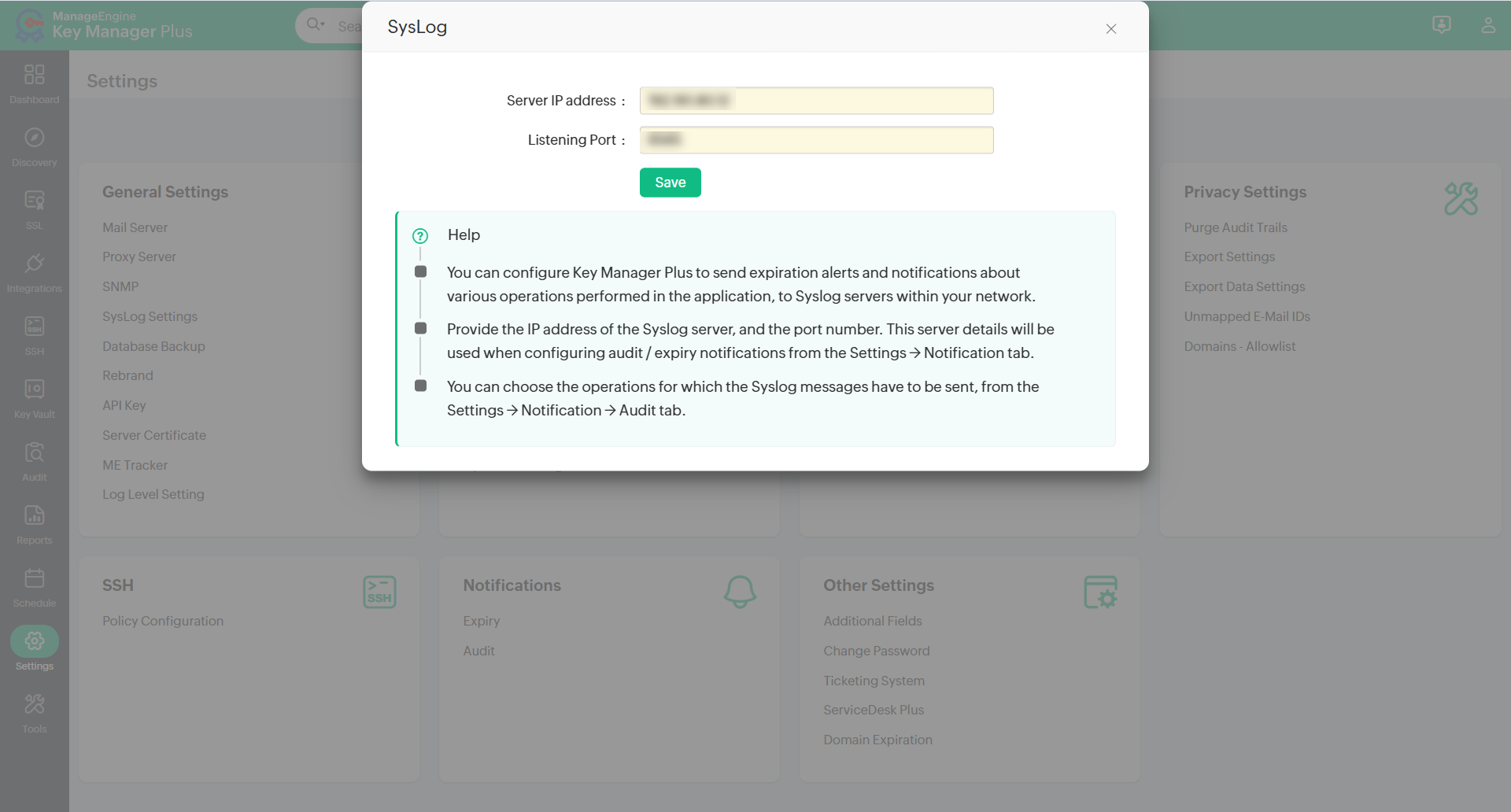
Key Manager Plus can generate and send RFC-3164 compliant Syslog messages to a dedicated Syslog server. These messages provide notifications for key and certificate expiration and various other management activities performed within the application. Follow the below steps to configure Syslog settings:
- Navigate to Settings >> General Settings >> SysLog Settings.
- Enter the following details:
- Server IP Address - Enter the IP address of the Syslog server.
- Port - Specify the port to which the Syslog messages are to be delivered.
- Click Save to apply the settings.
A confirmation message will appear indicating that the Syslog server details have been successfully configured.