
Understanding playbook payloads
Last updated on:
In this page
- Overview
- What is playbook input?
- Supported playbook input types
- Log type playbook and payload
- Detection type playbook and payload
- Alert type playbook and payload
- Incident type playbook and payload
- Evidence-based payload handling
Overview
Playbook input refers to the Applies To field during playbook creation. This field decides what module this playbook will resemble in terms of its functionality. This field decides consecutively what input details will be used for the playbook creation.
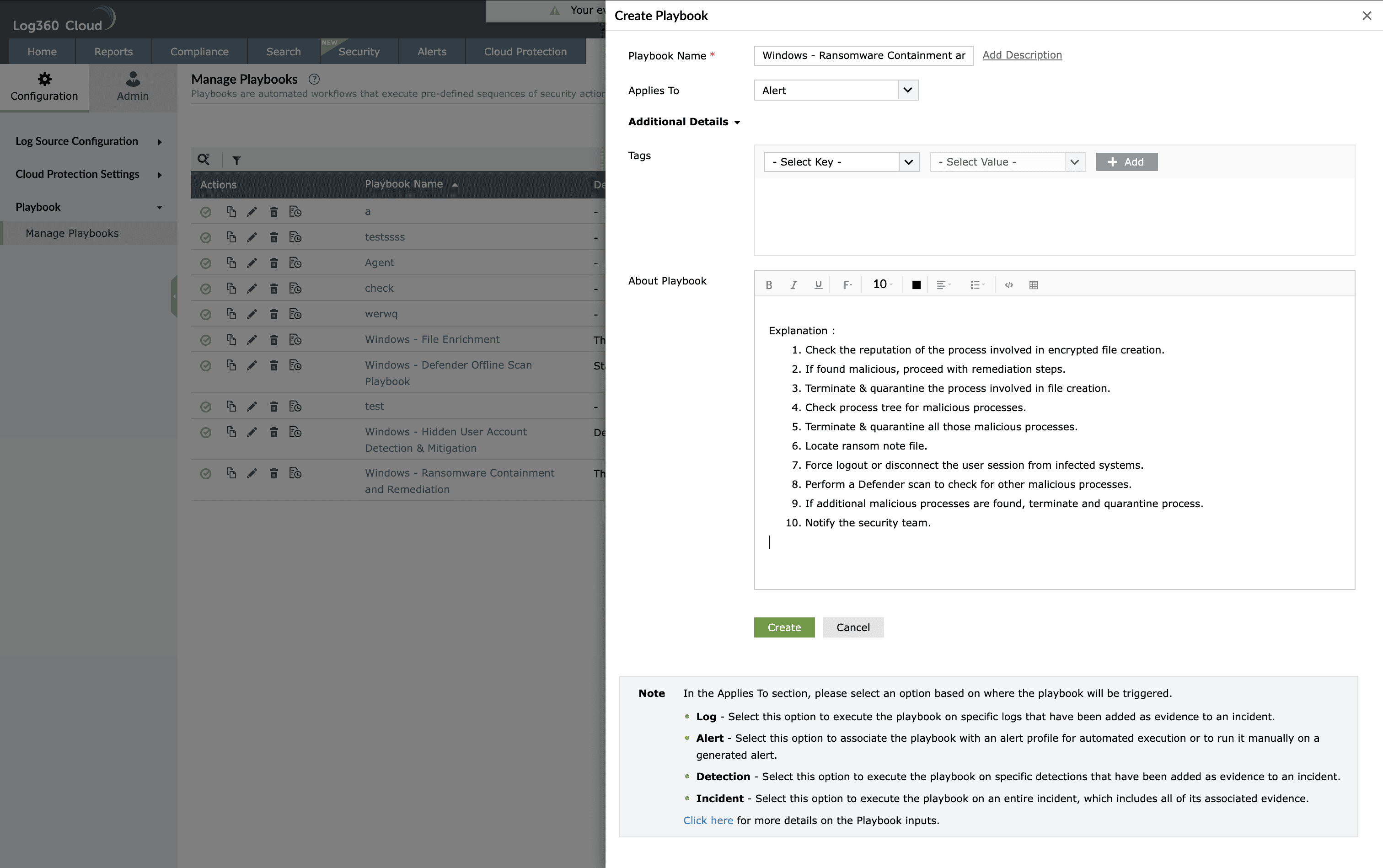
Playbook input defines the data that is passed to a playbook at runtime from the source module that triggers it. When a playbook is associated with logs, alerts, detections, or incidents, a structured payload containing relevant event details is sent to the playbook. These inputs allow the playbook to consume event context, map variables to state input, and execute response actions accurately.
Playbook inputs help detect, investigate, and prevent threats by enabling automated actions to run with full context of the originating security event.
What is playbook input?
Playbook input is the payload object received by a playbook when it is triggered by a user or invoked as a sub-playbook. The payload originates from the initial object such as a log, alert, detection, or incident. Each payload comprises predefined variables and arrays that can be mapped to playbook action parameters and reused across workflows.
Based on the selected playbook input type, the playbook can be associated with the corresponding module and executed manually or automatically.
Supported playbook input types
The Applies To field displays a drop-down containing the input types. The product supports the following playbook input types:
- Log
- Alert
- Detection
- Incident
Each input type has a defined payload structure and supported execution scope.
Log type playbook and payload
Log playbooks are triggered using log-based inputs and are primarily used for investigation, enrichment, and evidence handling.
Supported usage
- Can be called from within another playbook as a sub-playbook
- Can be used in search and report evidence of an incident
- Can be associated with alert and incident playbooks as a sub-playbook
In alert details, one or more log details may be passed based on the alert profile or correlation alert profile threshold.
Log payload structure
The log payload contains an array of log details.
input
- log_details - array
- log_uuid
- eventid
- time
- hostid
- connection_link_name
- hosttype
- source
- severity
- type
- username
- processname
- servicename
This is an example log payload. In real time, the payload contains all log fields from the log source, including custom log fields. The key for each field in the payload corresponds to the indexed name of the log field.
Detection type playbook and payload
Detection playbooks are triggered from detection evidence and rule-based alerts. They carry both rule metadata and associated log details.
Supported usage
- Can be called from within another playbook as a sub-playbook
- Can be executed from detection evidences
- Can be used for rule-based alert profiles
Detection payload structure
input
- detection_details
- rule_id
- rule_description
- rule_name
- tags
- connection_link_name
- Action1
- action_id
- action_description
- log_details - array
- eventid
- message
- hosttype
- log_org_time
- source
- hostname
- type
- severity
- username
- processname
- Action2
- action_id
- action_description
- log_details - array
- eventid
- message
- hosttype
- log_org_time
- source
- hostname
- type
- severity
- username
- processname
Alert type playbook and payload
Alert playbooks are triggered from alert profiles or manually from alert details. They support both standard alert profiles and rule-based alert profiles.
Alert payload for alert profiles with threshold
input
- alert_details
- nf_id
- nf_severity
- hostname
- time
- nf_name
- message
- threshold_count
- connection_link_name
- log_details - array
- eventid
- message
- hosttype
- log_org_time
- source
- hostname
- type
- severity
- username
- processname
Alert profiles may include an array of up to 10 log details based on the configured threshold.
Alert payload for rule-based alert profiles
Each action may have a threshold of 10 events for real-time alerts.
input
- alert_details
- alert_id
- nf_severity
- hostname
- hostid
- connection_link_name
- time
- nf_name
- message
- detection_details
- rule_id
- rule_description
- rule_name
- tags
- Action1
- action_id
- action_name
- action_description
- log_details - array
- eventid
- message
- hosttype
- log_org_time
- source
- hostname
- type
- severity
- username
- processname
- Action2
- action_id
- action_name
- action_description
- log_details - array
- eventid
- message
- hosttype
- log_org_time
- source
- hostname
- type
- severity
- username
- processname
Incident type playbook and payload
Incident playbooks are triggered manually from an incident and receive complete incident context along with associated evidences.
Incident payload structure
input
- incident_details
- incident_id
- incident_name
- description
- severity
- status
- due_date
- assignee
- created_by
- created_time
- incident_age
- Actors - array
- entity - array
- suspect - array
- process_name - array
- evidence_details - array
- type_of_evidence
- log_details - array
- eventid
- message
- hosttype
- log_org_time
- source
- hostname
- type
- severity
- username
- processname
Incident evidence includes logs, search results, alerts, and detections. Incident workbench and Zia agent evidence are not included.
Evidence-based payload handling
Based on the type of incident evidence, a corresponding payload is sent to the playbook.
- For search and report evidence, the log payload is used
- For alert evidence, the alert payload is used
- For detection evidence, the detection payload is used
Along with the respective payload, evidence metadata is included.
input
- evidence_details
- evidence_id
- evidence_type
- incident_id
- added_by
Read also
This document explained the supported playbook input types and payload structures used to pass event context to playbooks for automated threat detection, investigation, and response.