

- Free Edition
- Quick Links
- Highlights
- Exchange Online
- Exchange Online Management
- Exchange Online Reports
- Exchange Online Auditing
- Exchange Online Monitoring
- Shared Mailbox Management
- Mailbox Usage Reports
- Exchange Online Mailbox Auditing
- Shared Mailbox Reports
- Exchange Online Delegation
- Mailbox Size Reports
- Mail Traffic Reports
- Non-owner Mailbox Access Report
- Public Folder Reports
- OWA Reports
- Mailbox Content Reports
- Entra ID
- Entra ID Management
- Entra ID Reports
- Entra ID Monitoring
- Entra ID Auditing
- User Management
- Contact Reports
- Security Group Reports
- License Reports
- Entra ID Delegation
- Microsoft 365 User Provisioning
- User Reports
- Distribution Group Reports
- Group Reports
- Inactive Exchange Users
- Entra ID User Auditing
- Entra ID Group Auditing
- Entra ID Logon Auditing
- Microsoft Teams
- OneDrive for Business
- SharePoint Online
- Security and compliance
- Other Features
- Related Products
- ADManager Plus Active Directory Management & Reporting
- ADAudit Plus Hybrid AD, cloud, and file auditing and security
- ADSelfService Plus Identity security with MFA, SSO, and SSPR
- Exchange Reporter Plus Exchange Server Auditing & Reporting
- M365 Security Plus Microsoft 365 Auditing and Alerting
- EventLog Analyzer Real-time Log Analysis & Reporting
- SharePoint Manager Plus SharePoint Reporting and Auditing
- DataSecurity Plus File server auditing & data discovery
- RecoveryManager Plus Enterprise backup and recovery tool
- AD360 Integrated Identity & Access Management
- Log360 (On-Premise | Cloud) Comprehensive SIEM and UEBA
- AD Free Tools Active Directory FREE Tools
Deploying a cloud-based work environment does not end with choosing a suitable product suite but with finding an effective means to manage it. In your effort to manage your Microsoft 365 setup, native Microsoft 365 features might not satisfy your requirements. M365 Manager Plus is a comprehensive Microsoft 365 management tool that serves as the Microsoft 365 reporting, auditing, and management component of AD360, our unified IAM solution. Unlike basic Microsoft 365 management tools, M365 Manager Plus simplifies administration with built-in automation, bulk management, and customizable templates. You can perform these tasks without relying on additional scripts or subscriptions, and manage multiple tenants effortlessly.
Microsoft 365 services managed by M365 Manager Plus
- Exchange Online
- Entra ID
- SharePoint Online
- Microsoft Teams
Exchange Online management
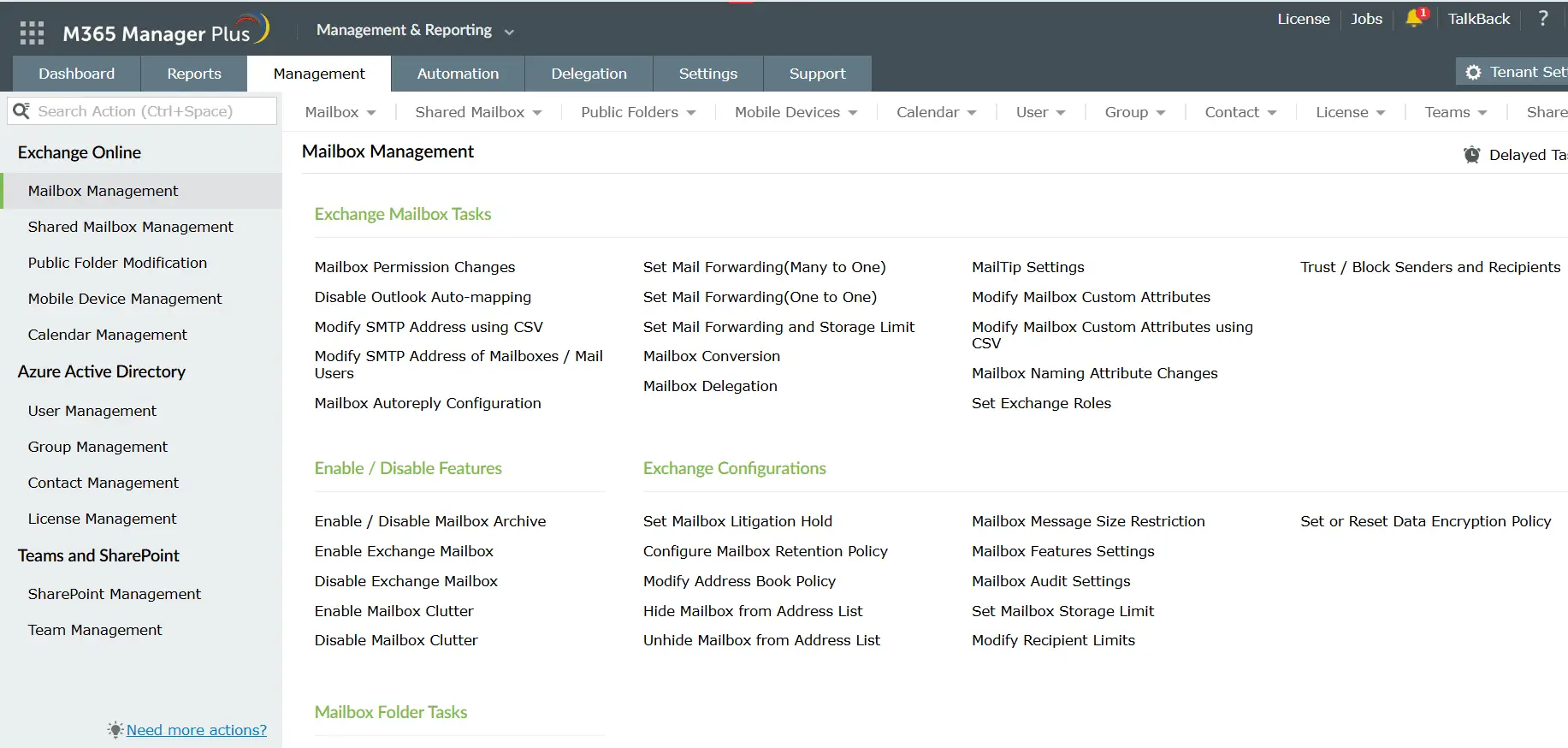
Use M365 Manager Plus' refined features to manage Exchange Online with ease. Handle mailboxes in bulk to eliminate redundant actions and save time. This solution also provides features for contacts and public folder management.
- Mailbox management: Handle mailbox litigation hold settings, permission settings, address list changes, mailbox feature settings, and more.
- Shared mailbox management: Create, enable, or disable shared mailboxes in bulk. Configure auto reply, change permissions, set litigation holds, modify audit settings, and perform other shared mailbox management tasks in bulk.
- Public folder management: Enable or disable email for public folders. Delete unwanted public folders in bulk instead of removing them individually.
- Mobile device management: Remove mobile devices associated with mailboxes and clear mailbox data from devices remotely.
Microsoft Entra ID management
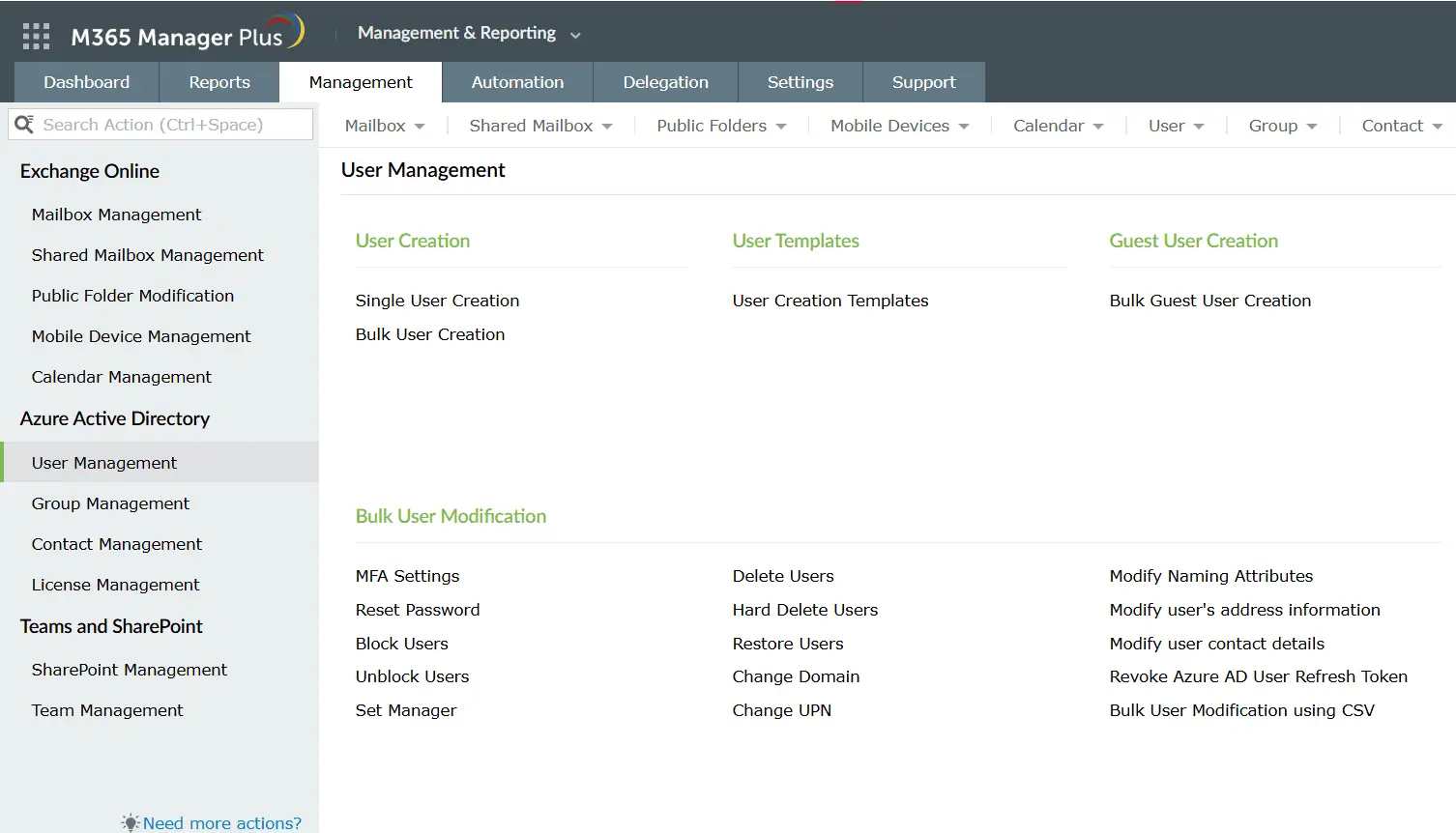
Managing Microsoft Entra ID with its repository of users is a daunting task which must be done cautiously. M365 Manager Plus simplifies user and group management within Microsoft Entra ID.
- User management: Block, unblock, delete, and restore users in bulk. Edit users' contact and address attributes and change their managers and domains from one place.
- Group management: Configure email settings for all your Active Directory groups. Choose which types of senders (internal, external, or both) groups can receive emails from.
- Contacts management: Alter contact attribute values in bulk, with support for setting multiple values simultaneously to enhance administrative efficiency.
- License management Assign, remove, or modify licenses in bulk, making Microsoft 365 license administration easy and efficient.
SharePoint Online management
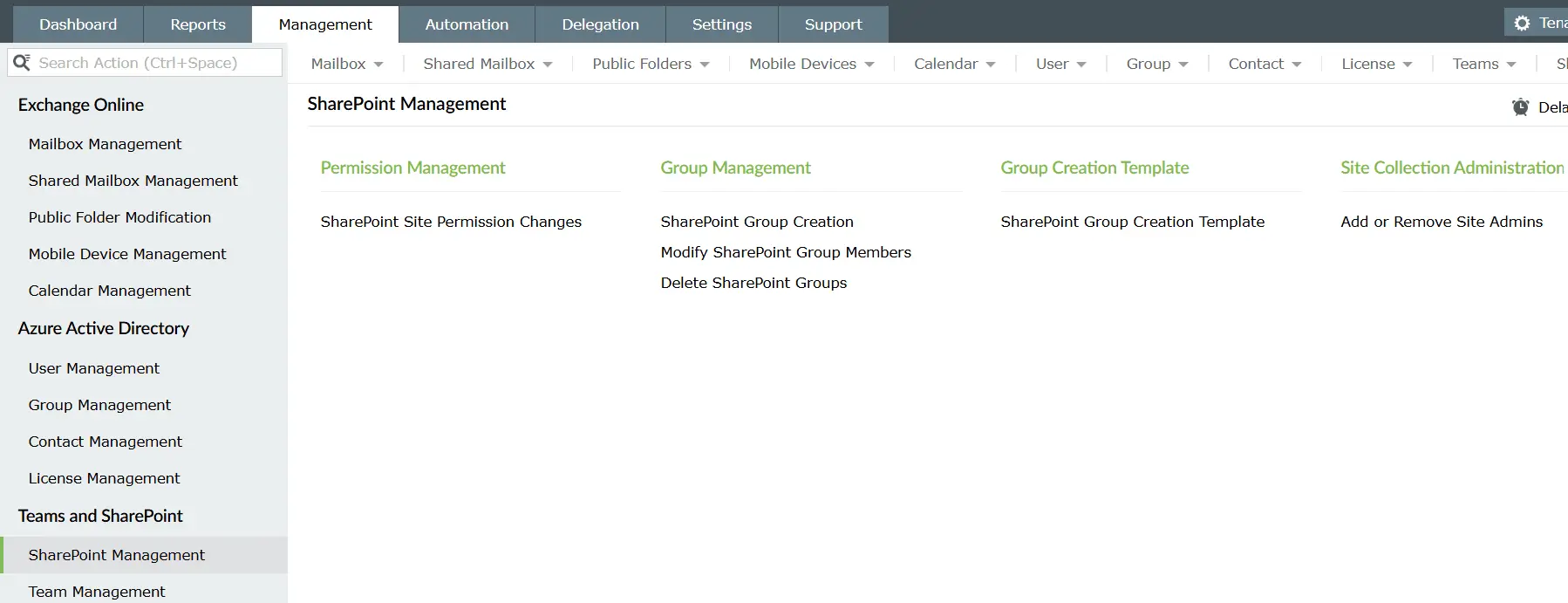
SharePoint Online is widely used by organizations that manage large volumes of information and need a centralized platform for access, storage, and collaboration. Managing multiple SharePoint sites and thousands of site members often involves repetitive tasks. M365 Manager Plus simplifies SharePoint Online management by allowing you to perform common tasks in just a few clicks:
- Manage site permissions: Assign, control, and remove permissions for multiple SharePoint Online site members of each site in a single operation.
- Manage site groups: Swiftly create, delete, and modify group memberships and properties using bulk operations and templates.
- Change management: Track and audit modifications across your Microsoft 365 environment with detailed logs and alerts.
Microsoft Teams management
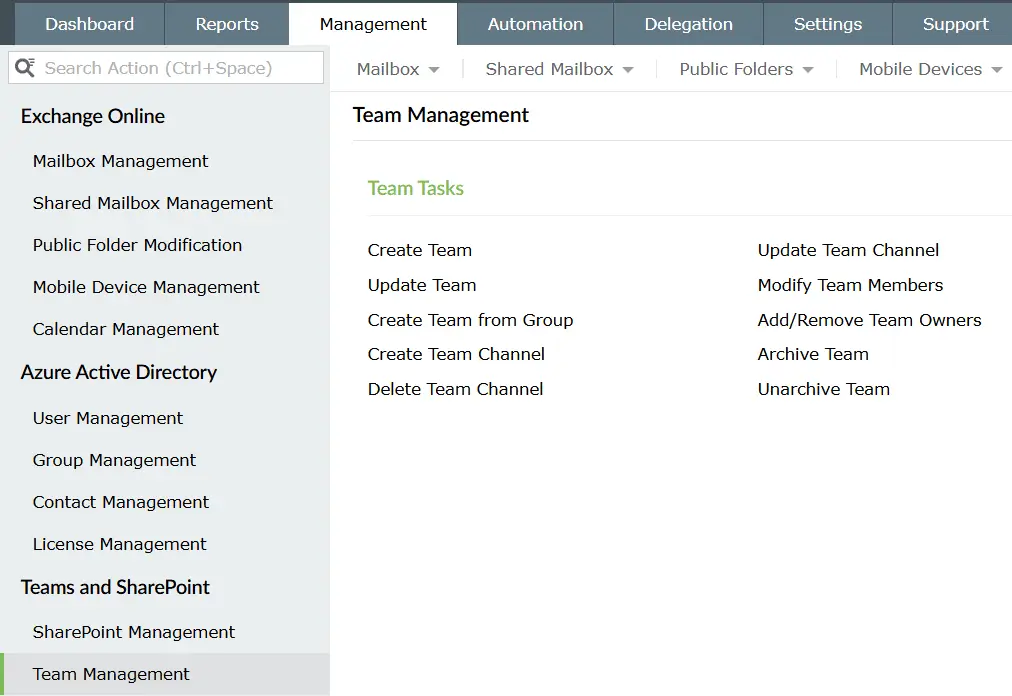
Microsoft Teams helps employees collaborate effectively across small groups or organization-wide with meetings, file sharing, and integration with other apps to boost productivity. Managing Teams can be challenging as it involves creating, modifying, and deleting teams and channels for many users. M365 Manager Plus lightens the administrative load by enabling IT admins to perform these management tasks efficiently in just a few clicks.
- Manage teams: Create, update, and delete teams in bulk, or simply create new teams from existing groups.
- Team settings: Apply granular rules for the teams created, such as enabling a user to delete or edit team messages and channels, enabling team or channel mentions, enabling the creation of private channels, and more.
- Manage channels: Create, update, and delete channels in bulk, eliminating the need to write complex PowerShell scripts.
Why choose M365 Manager Plus for Microsoft 365 management?
M365 Manager Plus offers a robust set of management capabilities designed to simplify and automate administrative tasks across your Microsoft 365 environment.
Automate management tasks
Schedule and automate repetitive user or mailbox management activities using event-driven policies and custom intervals. Support for CSV files and shared data sources makes automation simple, while comprehensive audit reports help you track and review all automated actions performed by admins and technicians.
Learn moreTemplate-based management
Use preconfigured templates to standardize management actions like user creation, group setup, and policy assignments. Templates accelerate repetitive setup, reduce manual errors, and ensure consistent settings across your Microsoft 365 environment.
Learn moreDiscover other features of M365 Manager Plus
Comprehensive reporting
Access over 700 prebuilt reports on Exchange Online, Microsoft Entra ID, SharePoint, Teams, and OneDrive. Visualize usage, compliance, security, and activity data to make informed decisions and support audits.
Advanced auditing
Track detailed activities across your Microsoft 365 environment with built-in audit reports. Monitor user and admin actions, mailbox access, permission changes, and configuration updates to enhance security.
Real-time alerting
Receive instant notifications about critical events such as suspicious activities, configuration changes, policy violations, and service outages. Customizable alerts enable proactive response to keep your Microsoft 365 environment secure.
Real-time service and endpoint monitoring
Monitor the health and status of Microsoft 365 services, endpoints, and connection metrics from a single dashboard. Proactively identify issues before they impact users.
Exchange Online backup and restore
Back up and restore Exchange Online data, such as emails, calendar entries, contacts, and tasks. Perform incremental backups, restore specific mailbox items, compare versions, and encrypt or export backups as password-protected PST files.
Role-based permissions and help desk delegation
Assign granular permissions and create custom roles for technicians, help desk staff, and team leads, giving them exactly the access needed for their responsibilities.