
Modern networks grow and change faster than any team can manually keep up with. Devices run thousands of configurations, and engineers juggle updates across vendors. A single incorrect command on a core router can interrupt services, weaken security, or trigger compliance failures. This is exactly why IT teams are shifting from reactive, CLI-driven routines to automated configuration management that brings order, consistency, and speed.
A capable network automation platform lets you roll out bulk changes in seconds, reverse problematic updates without disruption, detect unapproved edits the moment they happen, and enforce policies the same way across every device you manage. The outcome isn’t just reduced manual work; it’s higher uptime, fewer risks, cleaner audits, and network operations that scale without adding more staff.
This page breaks down how Network Configuration Manager helps you automate configuration management with real-time change tracking, automated compliance checks, firmware and vulnerability insights, and large-scale script execution that keeps your network stable and secure.
How Network Configuration Manager handles key network automation tasks
The effectiveness of any network automation platform comes down to how well it cuts down manual effort, prevents configuration errors, and keeps device settings consistent as the network evolves.
Network Configuration Manager is built to do exactly that. It identifies configuration changes the moment they occur, validates them against policies, resolves violations, runs large-scale updates, and strengthens device security without constant manual involvement. It goes beyond a basic feature set by offering structured automation for every critical task, including configuration rollbacks, compliance enforcement, and firmware vulnerability management. Let’s look at how it handles these tasks in practice:
1. Configuration backups
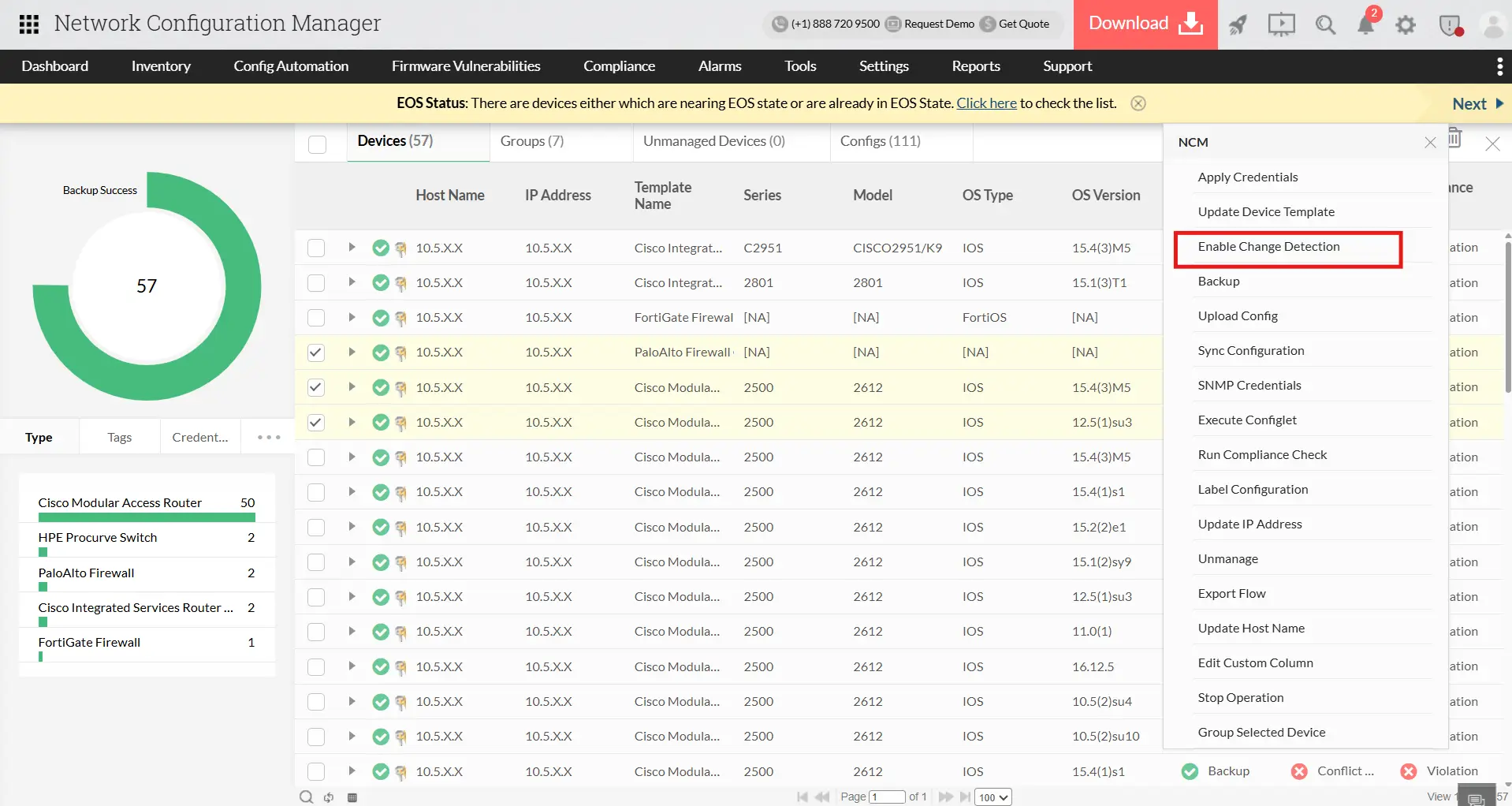
Even minor configuration errors can disrupt critical network services. Network Configuration Manager automates configuration backups so that every change is safely captured without manual intervention. Automation features for configuration backups include:
- Scheduled backups: Automatically capture device configurations at set times or intervals, ensuring no updates are missed.
- Event-driven backups via syslogs: Whenever a device’s configuration changes, Network Configuration Manager automatically detects the change and creates a backup immediately. This ensures that every update is captured in real time, so you always have the latest configuration available without manually checking devices.
These automation features ensure administrators always have reliable, ready-to-use backups for recovery, rollback, or compliance purposes, without having to monitor devices constantly.
2. Configuration change management
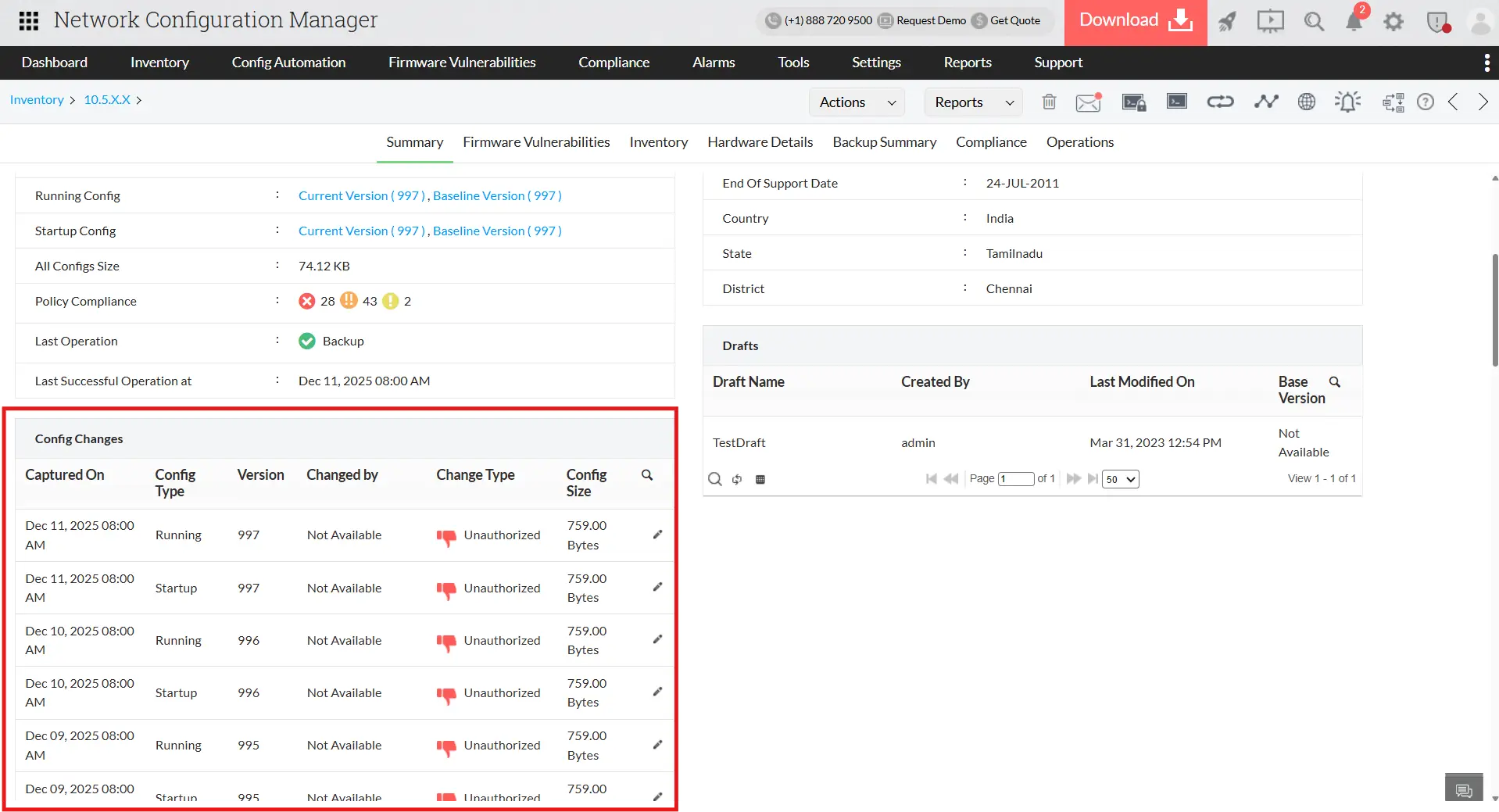
Manually tracking changes in large networks is slow and error-prone. Network Configuration Manager automates change monitoring, providing complete visibility and control over network configurations. Automation-driven capabilities include:
- Real-time automated notifications: Emails, SMS, SNMP traps, and syslogs alert teams immediately when configurations change.
- Role-based access enforcement (RBAC): The system automatically restricts operators to authorized devices and actions, preventing unauthorized changes.
- Automated versioning and labelling: Every change is archived as a new version, with labels like baseline, stable, or any custom label, making rollback during downtime fast and reliable.
- Configuration comparison (Diff View): Configuration differences between versions or devices are highlighted automatically, simplifying audits and troubleshooting.
This ensures network stability, faster issue resolution, and consistent configurations across all devices.
3. Firmware vulnerability management
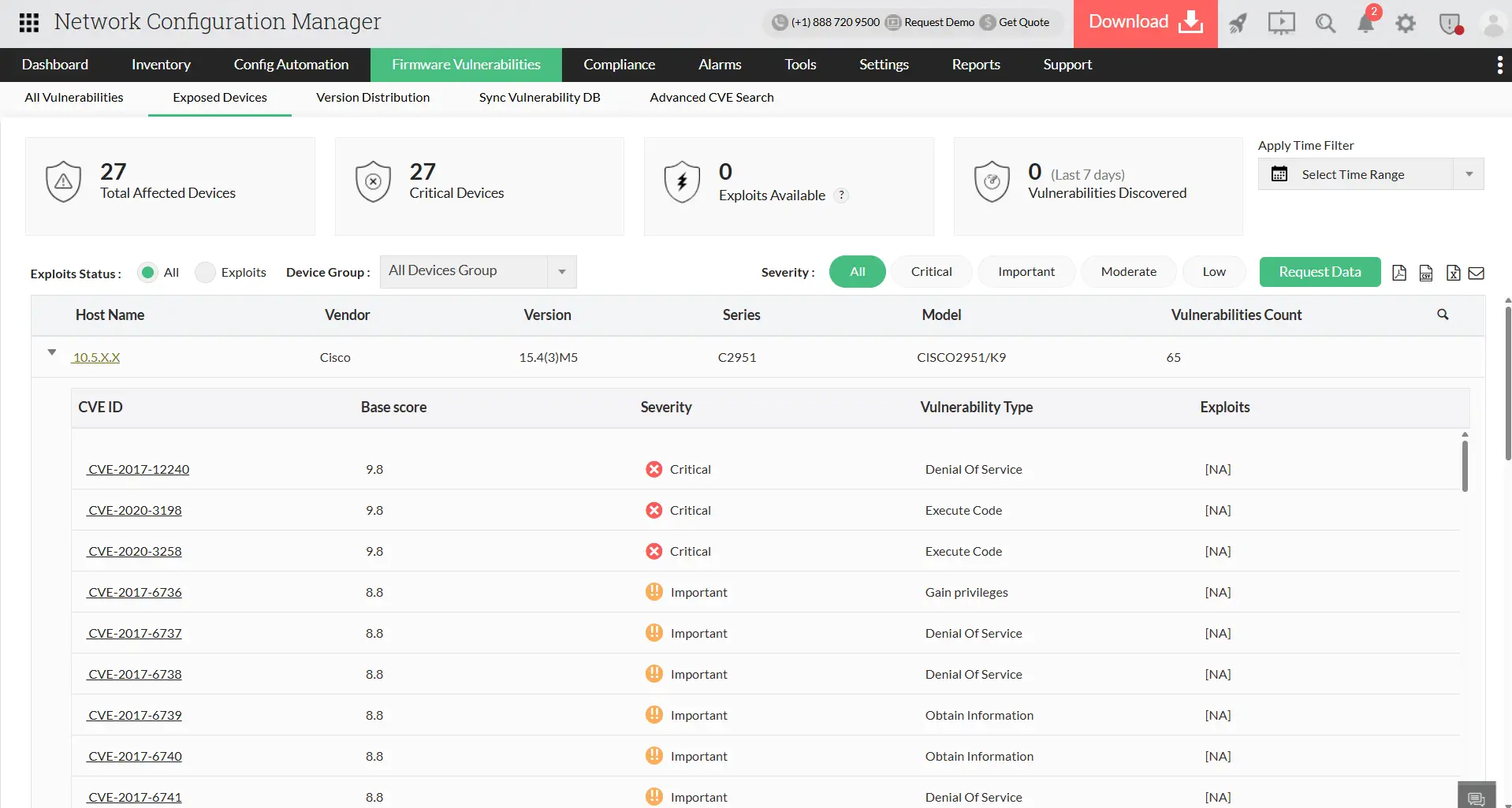
Keeping firmware up-to-date manually is inefficient and risky. Network Configuration Manager automates firmware vulnerability tracking to identify and prioritise risks across the network. Automation features for firmware vulnerability management include:
- Continuous CVE monitoring: Collects firmware vulnerability data automatically from NIST.
- Device-risk mapping: Automatically identifies which devices are affected and classifies vulnerabilities by severity.
- Actionable insights: Provides links to vendor patches, allowing admins to plan remediation efficiently.
By automating detection and prioritisation, administrators can proactively secure devices without spending hours on manual checks.
4. Automated compliance auditing
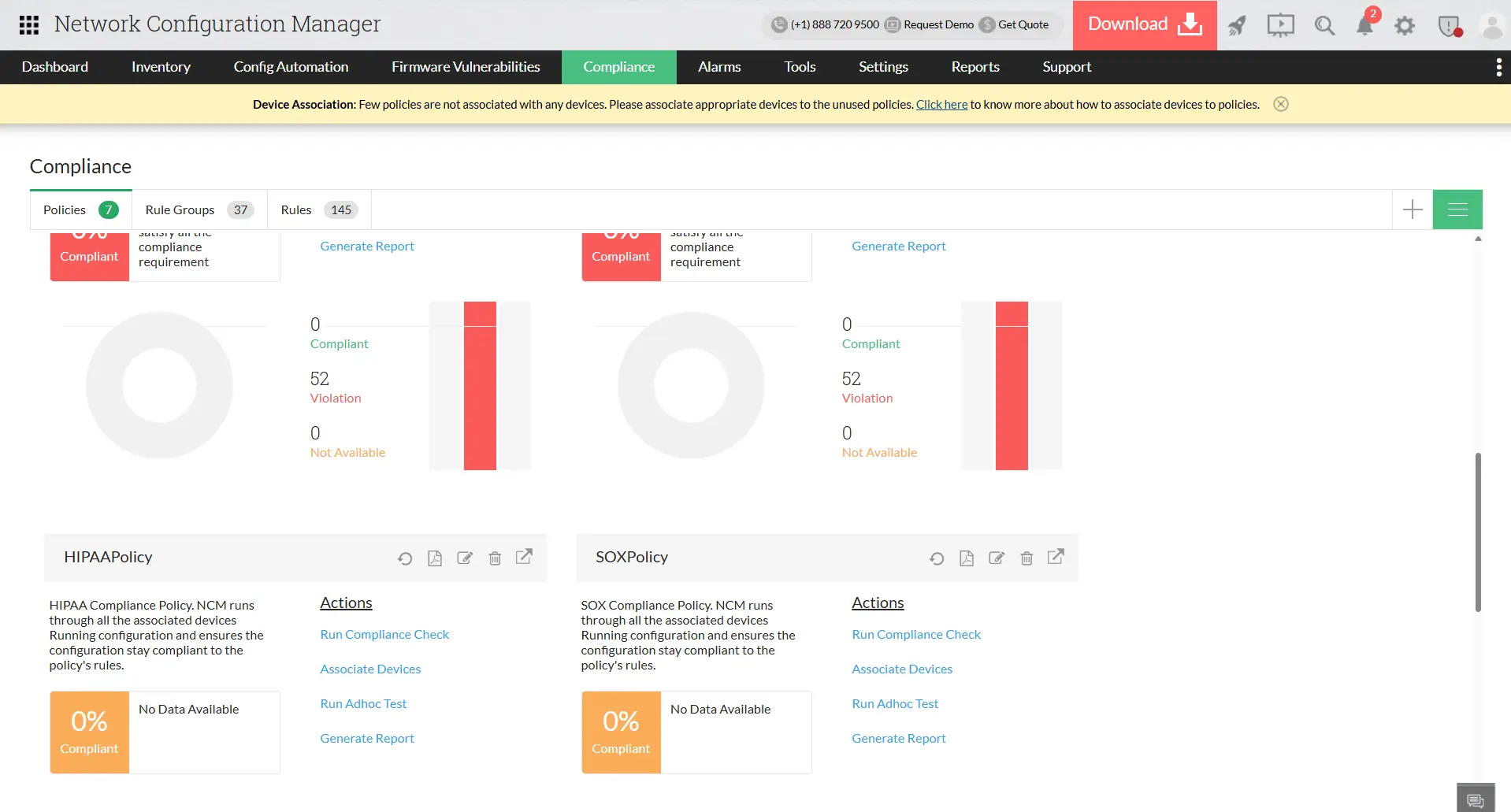
Manual compliance checks are slow and prone to gaps. Network Configuration Manager automates compliance auditingagainst CIS, SOX, HIPAA, and custom policies, ensuring networks stay compliant in real time. Compliance automation capabilities include:
- Prebuilt and custom policies: Network Configuration Manager continuously audits device configurations against industry standards or internal policies, ensuring compliance is always monitored in the background.
- Scheduled automated audits: Compliance checks run automatically at predefined intervals, eliminating the need for manual reviews.
- Violation detection and remediation: The system flags non-compliant configurations instantly, and administrators can apply predefined remediation templates remotely to fix issues quickly.
- Automated compliance reports: Detailed reports are created automatically for audit teams and governance reviews, ensuring accurate documentation without extra effort.
This removes manual overhead and keeps networks secure, compliant, and audit-ready at all times.
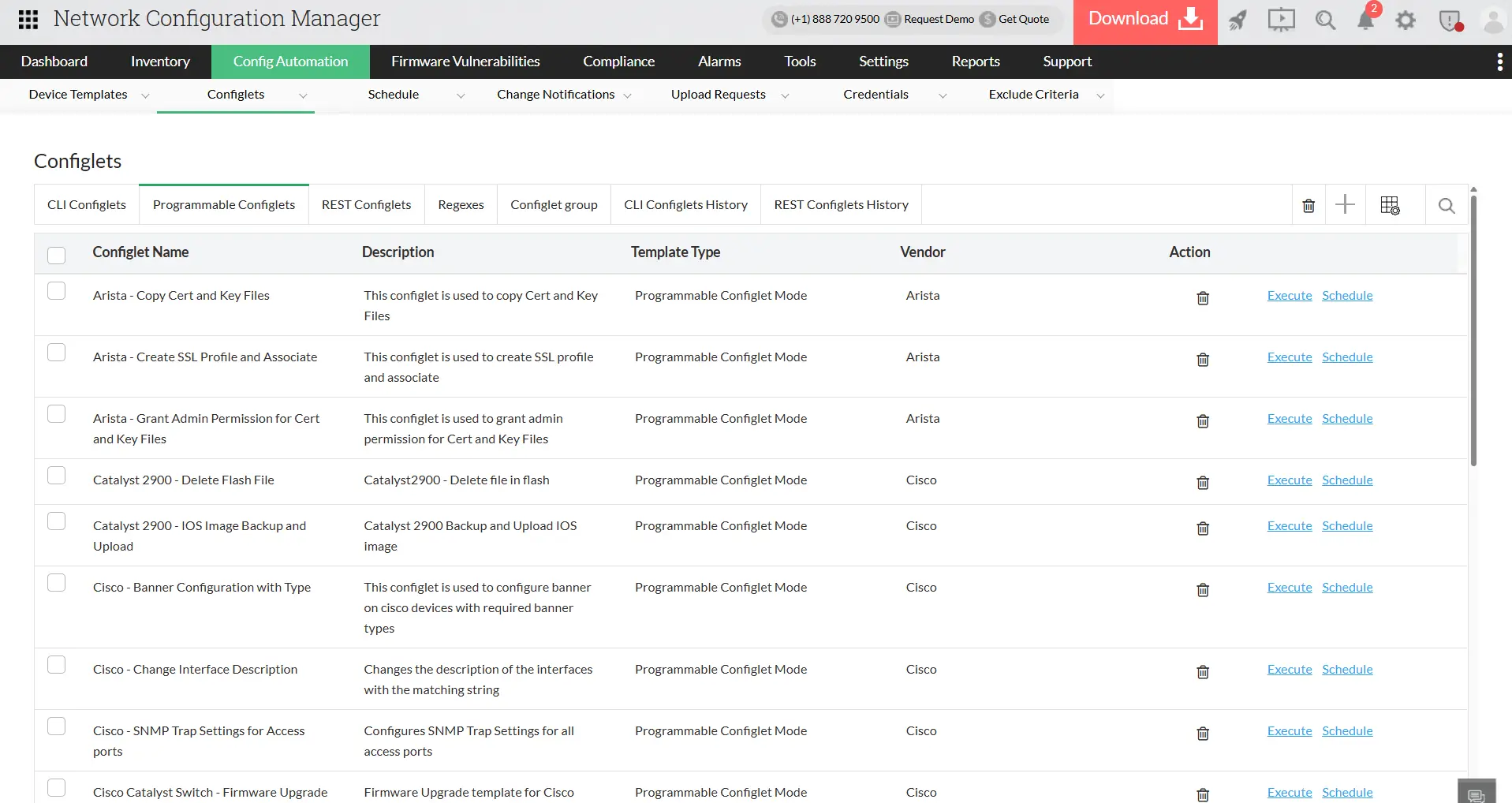
5. Programmable Configlets
Repetitive configuration tasks across multiple devices are time-consuming and error-prone. Programmable Configlets automate multi-device configuration operations, ensuring consistency and scalability. Automation capabilities of Network Configuration Manager include:
- CLI and REST command execution: Apply changes across devices without manual logins.
- Parametrizable templates: Adjust commands automatically for different device types and use cases.
- Group-level execution: Roll out the same update to dozens or hundreds of devices in a single action.
- Audit trails: Every execution is logged automatically, supporting traceability and compliance.
- Two-factor authentication (2FA): Users with 2FA enabled must verify with an OTP before running a Programmable Configlet, preventing unauthorized or accidental updates; users without 2FA can execute as usual.
With programmable configlets, network administrators can orchestrate large-scale changes reliably, reduce human errors, and maintain consistent network configurations.
How Network Configuration Manager stands out among other network automation tools?
Many network automation tools focus mainly on backups and script execution. But Network Configuration Manager is purpose-built for real-world enterprise needs; automating the full lifecycle of configuration management, improving security posture, and enforcing compliance at scale. It combines depth, flexibility, and ease of use in ways other tools often miss.
Here’s how it outperforms the rest:
Dashboards
Track backups, policy violations, change spikes, firmware risks, and device health with real-time widgets you can rearrange or customize for your convenience.Alarms
Instant alerts for unapproved edits, failed backups, policy deviations, and risky config activity; delivered right when they occur, not minutes later.Want to learn how Network Configuration Manager? Download a 30-day free trial or schedule a personalized demo with our product experts and automate your configuration and change management today!
FAQs on network automation
What is a network automation tool?
A network automation tool is software that automatically manages and updates device configurations without requiring engineers to log in to each device manually. It handles tasks like backups, bulk changes, compliance checks, and change tracking so networks stay consistent and errors are reduced.
Why do modern networks need a network automation tool?
Networks change constantly, and manual updates are slow and prone to mistakes. A network automation tool keeps configurations accurate, catches unauthorized edits immediately, enforces policies, and helps teams roll out updates faster. This prevents outages, strengthens security, and reduces day-to-day operational effort.
How does a network automation tool work?
The tool connects to devices through CLI, SSH, or APIs and automates the tasks administrators normally perform by hand. It monitors for changes, saves updated configurations, checks them against policies, highlights violations, and lets teams push updates to many devices at once. Every action is tracked and versioned, giving full visibility and control.