Discovery Filters
Discovery Filters are used to include/exclude devices based on certain filter conditions. These filters come in handy when there is a wide variety of devices coming under the specific input range and you wish to add devices of a particular type (say Windows devices ).
How to set device filters during Discovery:
- In the Discovery wizard, click on 'Add Filter'.
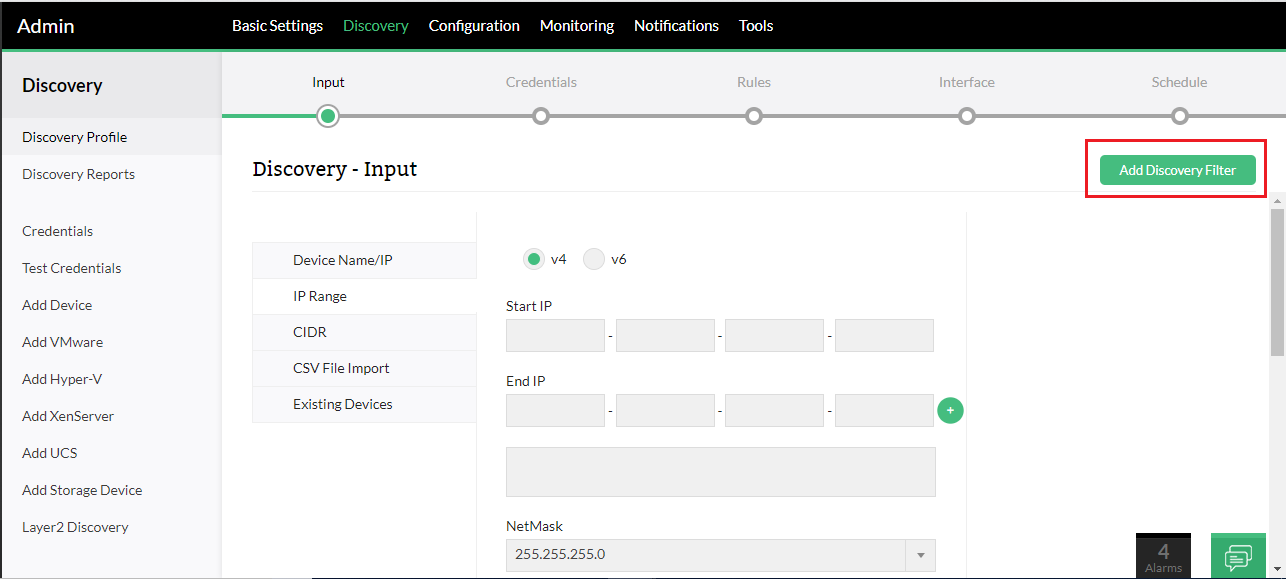
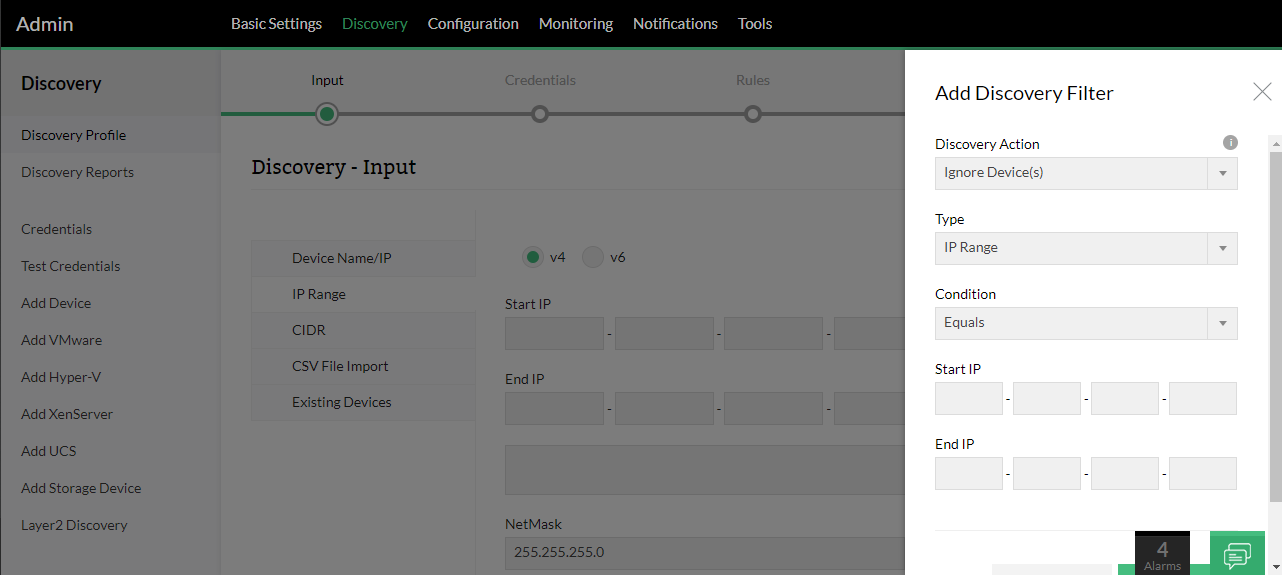
- Discovery Action: Indicates whether the device that satisfies the criteria is to be added or ignored during device discovery
- Type: The parameter that has to be checked for inclusion (add) / exclusion (ignore)
- Condition: The logical condition specified must match with the inclusion (add) / exclusion (ignore) type.
- Enter the value for the condition and click on Add.