Windows 10 Feature Pack Deployment Version 1803 Cloud
Deploy the Windows 10 version 1803 Spring Creators Update feature pack for cloud-managed agents, by adding the dependency ISO to the Distribution store and deploying it as a configuration.
As you know, Microsoft's Windows 10 version updates are released as feature packs. Deploying few feature packs are tricky as dependency files (ISO files) are required. For successful deployment, we recommend downloading the respective dependency file (ISO file) from the vendor's site and place it in our Patch store prior deployment. Here Patch store refers to the Distribution store present in the Distribution server.
Before deployment, run through the Compatibility Check available under the Important Notes section to find if you meet all the minimum requirements that impact upgradeability. This document will provide you with the steps to manage Windows 10 version 1803 Spring Creators Update using Patch Manager Plus.
To deploy Windows 10 feature packs, follow the below steps.
- Add the dependency patch (ISO file) to the Distribution store.
- Deploy the feature pack as configuration.
To add ISO file to the Distribution store
Follow the steps given below to add the respective ISO file to the patch store:
- Download Windows 10 ISO file from Volume Licensing Service Center or from here.
- Rename 32 bit ISO file as 105608-Win10_1803_enx32 (Ensure the file is saved with extension .iso).
- Rename 64 bit ISO file as 105610-Win10_1803_enx64 (Ensure the file is saved with extension .iso).
- Patch Manager Plus supports the deployment of feature packs for multiple languages.
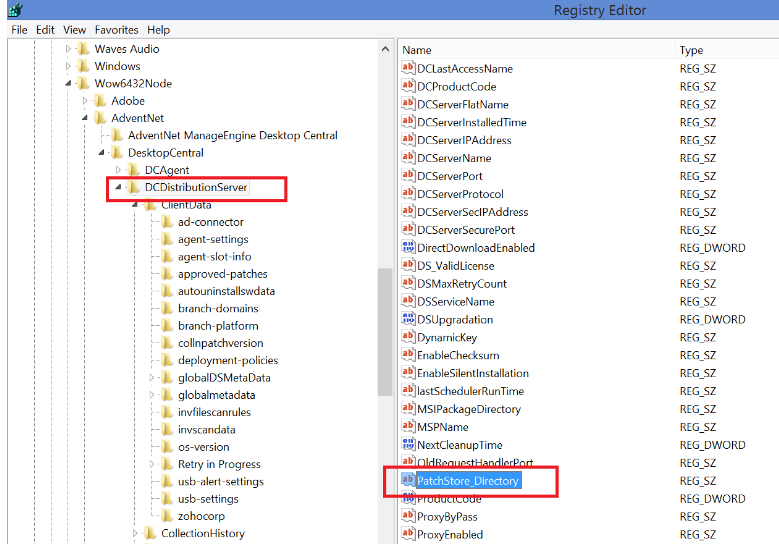
- Navigate to patch store location: Patch Management → Cleanup Settings and copy the downloaded iso file manually into the Store directory and rename the files accordingly.
To find Distribution store location: navigate to <DS_INSTALL_DIR> → Replication → Store.
To deploy the feature pack
Create a configuration
- After following the above steps, you can create a configuration from the missing patches (Patch ID: 106049 and 106051 for 32 and 64-bit respectively) and deploy it.
- If the configuration that you created before following the above steps failed, make sure to repeat the same and redeploy the configuration.
Automated Patch Deployment (APD)
- To create an APD task for deploying feature packs, make sure to select the feature pack check box while defining the patch task.
- Once the dependency patch is downloaded and stored in the Patch Store, "Feature Packs" will be successfully deployed to the target computers during the subsequent deployment window. A separate configuration can be created for the particular patch on demand.
Are you facing issues while installing or upgrading to Windows 10? Refer knowledge base for resolution.