- Related Products
- AD360
- Log360
- ADManager Plus
- ADSelfService Plus
- EventLog Analyzer
- Exchange Reporter Plus

 Click here to expand
Files/folders can be excluded based on File/folder local path, file type, process name, and user name by using the Exclude Configuration setting.
Log in to ADAudit Plus' web console → Go to the File Audit tab, navigate to the left pane, click on Configuration and then on Exclude Configuration → Choose to exclude by File/Folder local path, File Type, Process Name, or Users → Click on '+', and configure the necessary settings.
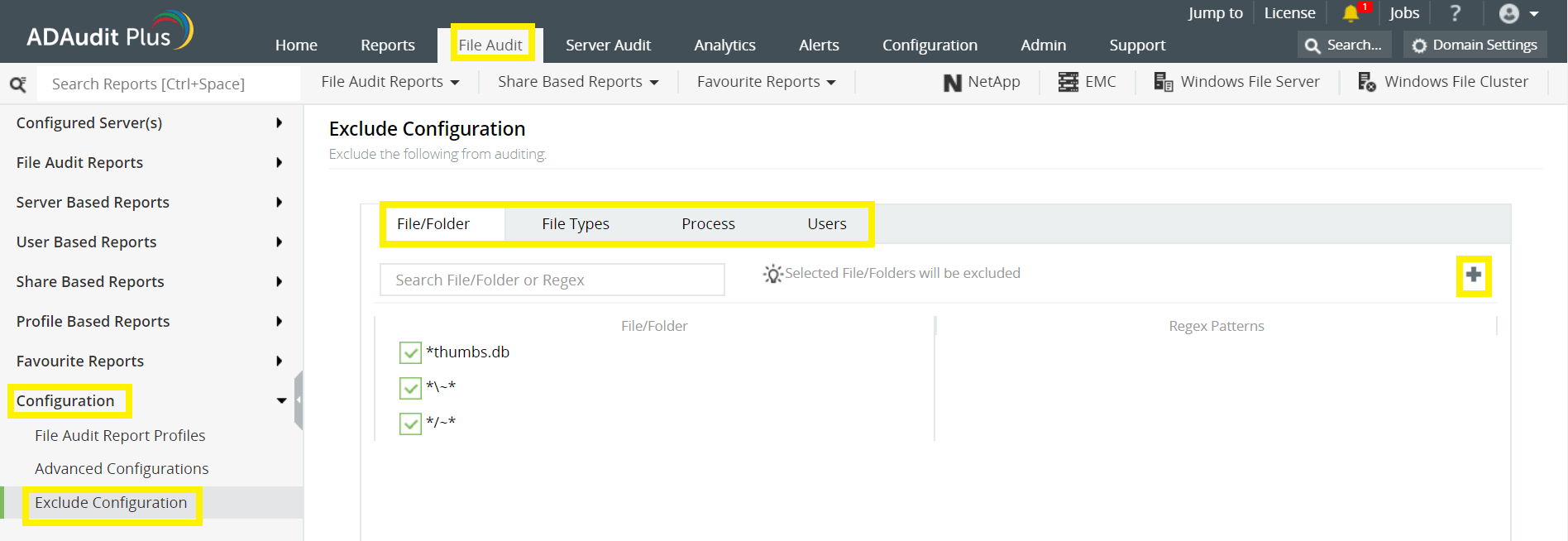
Example scenarios, to exclude by File/Folder local path:
| Objective | To exclude a folder and all of its subfolders and files | ||||
|---|---|---|---|---|---|
| Share configured |
|
||||
| Path of folder that is to be excluded | C:\sharefolder\excludefolder | ||||
| File/Folder or Regex Patterns | File/Folder Patterns | ||||
| Syntax |
|
||||
| What will get excluded |
|
||||
| What won''t get excluded |
| Objective | To exclude "AppData" folder for every user profile |
|---|---|
| Share and folder path | \\SERVER_NAME\Users C:\Users |
| Path of folder that is to be excluded | C:\Users\user1\AppData |
| File/Folder or Regex Patterns | Regex Patterns |
| Syntax | C:\\Users\\[^\\]*\\AppData |
| What will get excluded |
|
| What won''t get excluded |
|
| Objective | To exclude files from a specific folder but audit all subfolders and its contents |
|---|---|
| Share and folder path | \\SERVER_NAME\share_name C:\sharefolder |
| Path of folder that is to be excluded | C:\sharefolder\excludefolder |
| File/Folder or Regex Patterns | Regex Patterns |
| Syntax | ^C:\\sharefolder\\excludefolder\\[^\\]*\.[^\\]*$ |
| What will get excluded |
|
| What won''t get excluded |
|
Copyright © 2020, ZOHO Corp. All Rights Reserved.