Integrating Freshdesk with Applications Manager
Note: Integrations and actions based on integrations are not supported in the Free Edition of Applications Manager.
- Overview
- Prerequisites
- Configuring Freshdesk integration
- Creating a Freshdesk ticket action
- Related information
Overview
Freshdesk is a cloud-based help desk platform for managing customer support requests and incidents. Integrating Freshdesk with Applications Manager lets you create, update, close, and reopen Freshdesk tickets when alarm status changes.
The integration includes configuring the Freshdesk connection in Applications Manager and creating a Freshdesk ticket action. You can then associate the action with alarm criteria to send incident details to Freshdesk.
Prerequisites
- Ensure that you have a Freshdesk account with access to the required help desk settings.
- Obtain the Freshdesk API key. In Freshdesk, navigate to Profile Settings > API Key to copy the key.
- Ensure that the Freshdesk server URL is reachable from the Applications Manager installation.
Configuring Freshdesk integration
Follow the steps below to connect Applications Manager with Freshdesk:
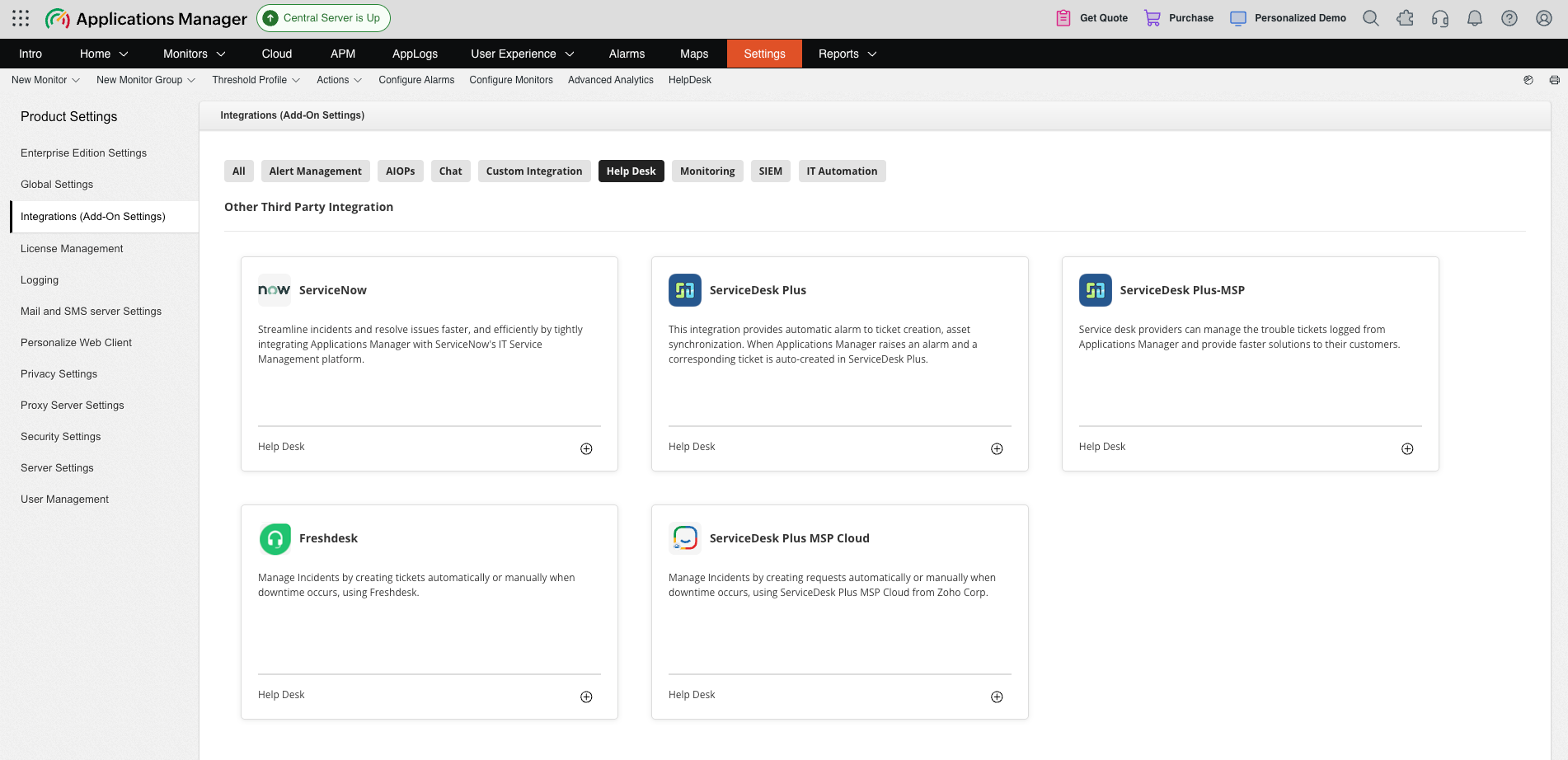
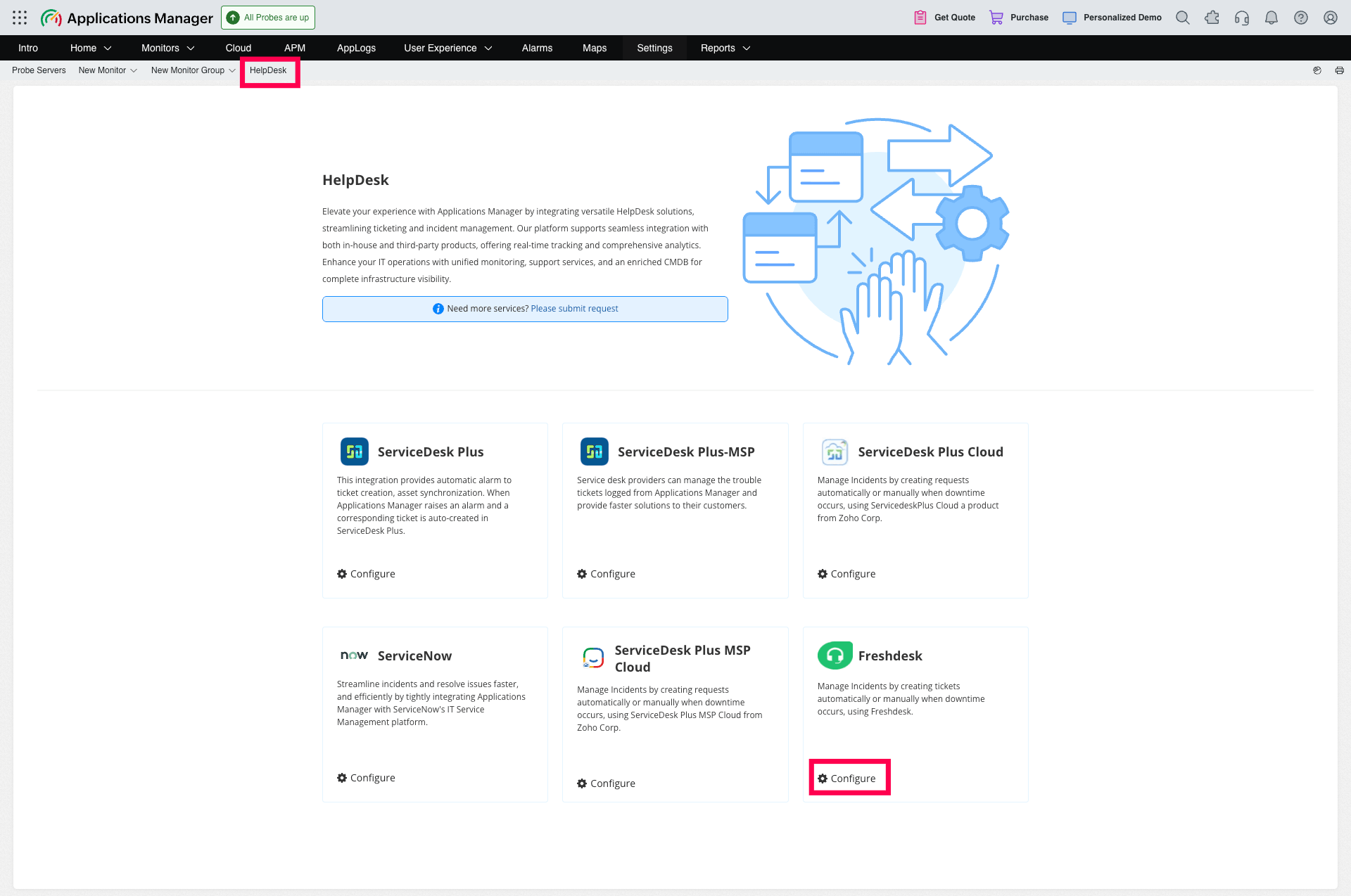
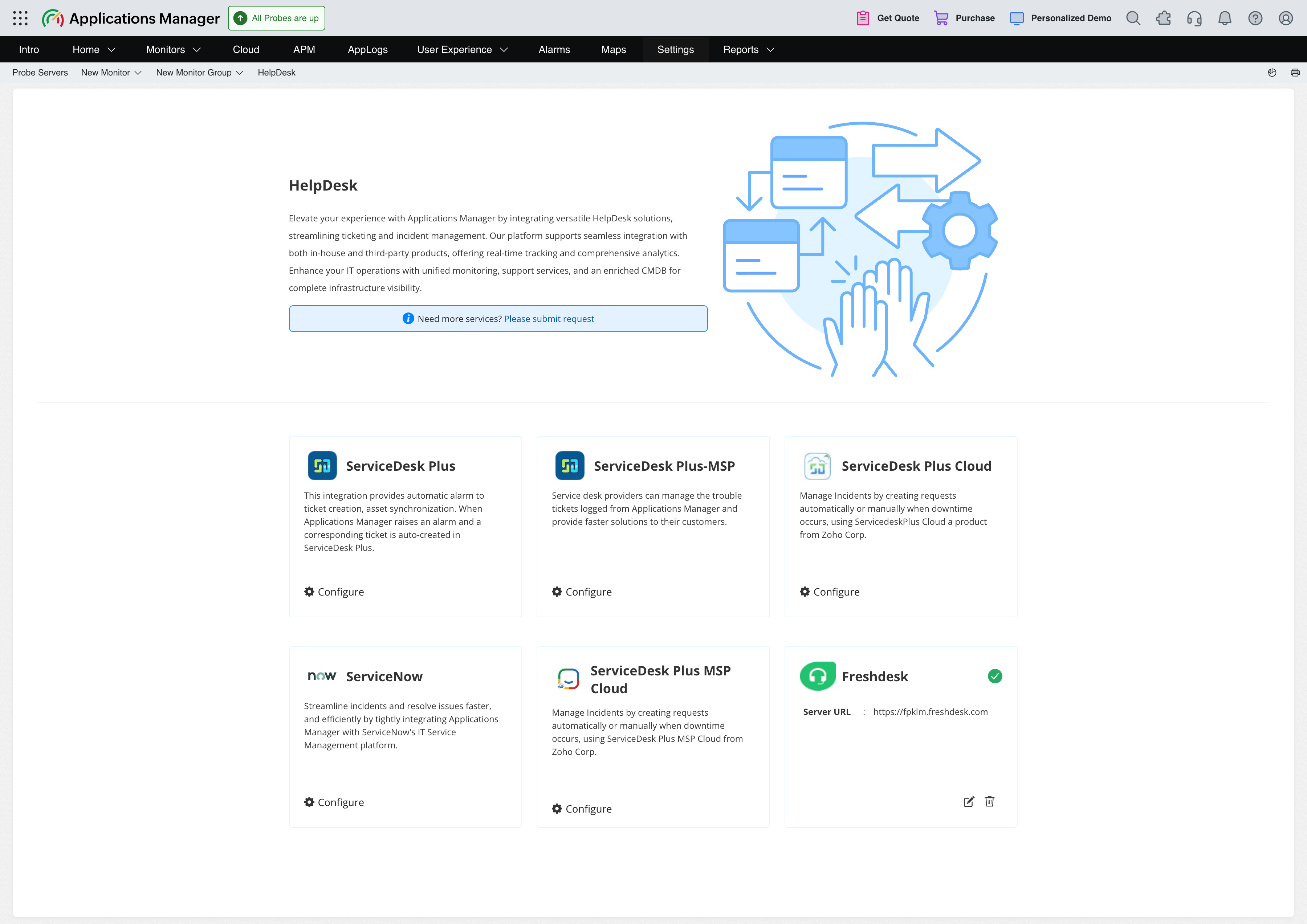
- Go to Settings > Product Settings > Integrations (Add-On Settings) and click the ( + ) icon to configure Freshdesk integration. Alternatively, you can also configure the integration by clicking Configure for Freshdesk under the Help Desk tab.
- In Connection Settings, enter the Server URL of your Freshdesk account and the API key.
- Click Test Configuration to verify the connection.
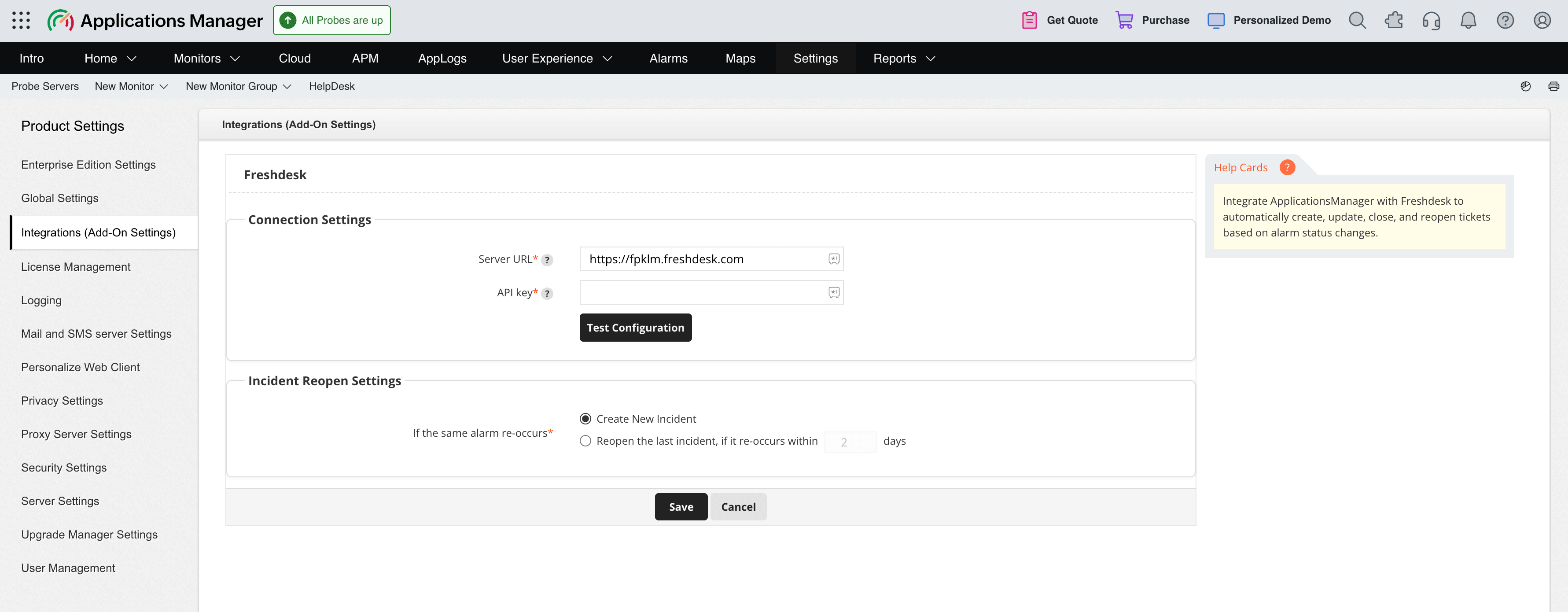
- Under Incident Reopen Settings, configure how Applications Manager handles a recurring alarm:
- Select Create New Incident to create a new Freshdesk ticket when the same alarm recurs.
- Select Reopen the last incident and specify the number of days to reopen the previous ticket when the same alarm recurs within that period.
- Click Save.
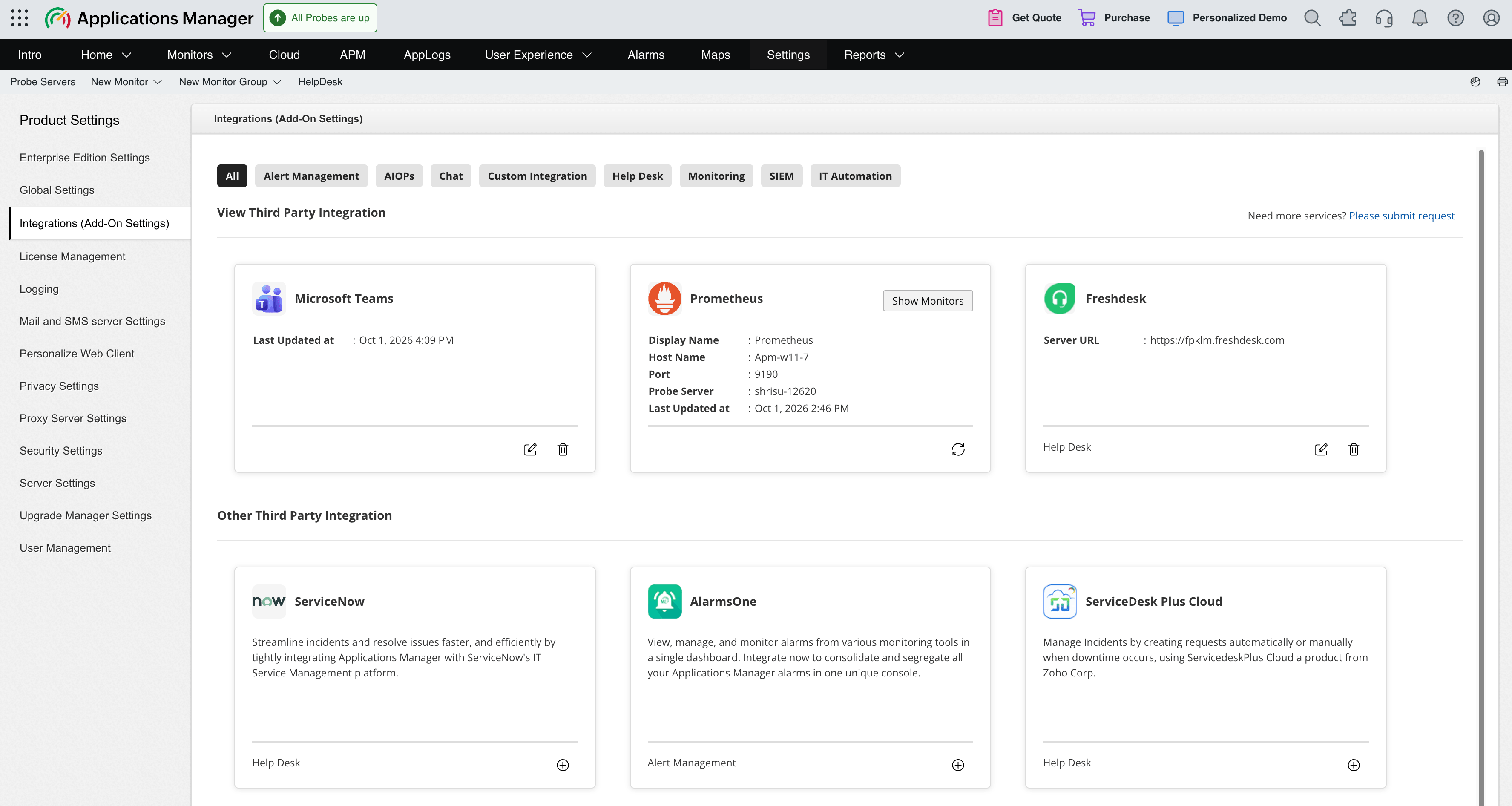
After you save the configuration, you can find the Freshdesk integration added under Settings > Product Settings > Integrations (Add-On Settings) as well as under the Help Desk tab, which displays the server URL along with the options to edit or remove the integration.
Creating a Freshdesk ticket action
After configuring Freshdesk, create a ticket action to send alarm details to Freshdesk:
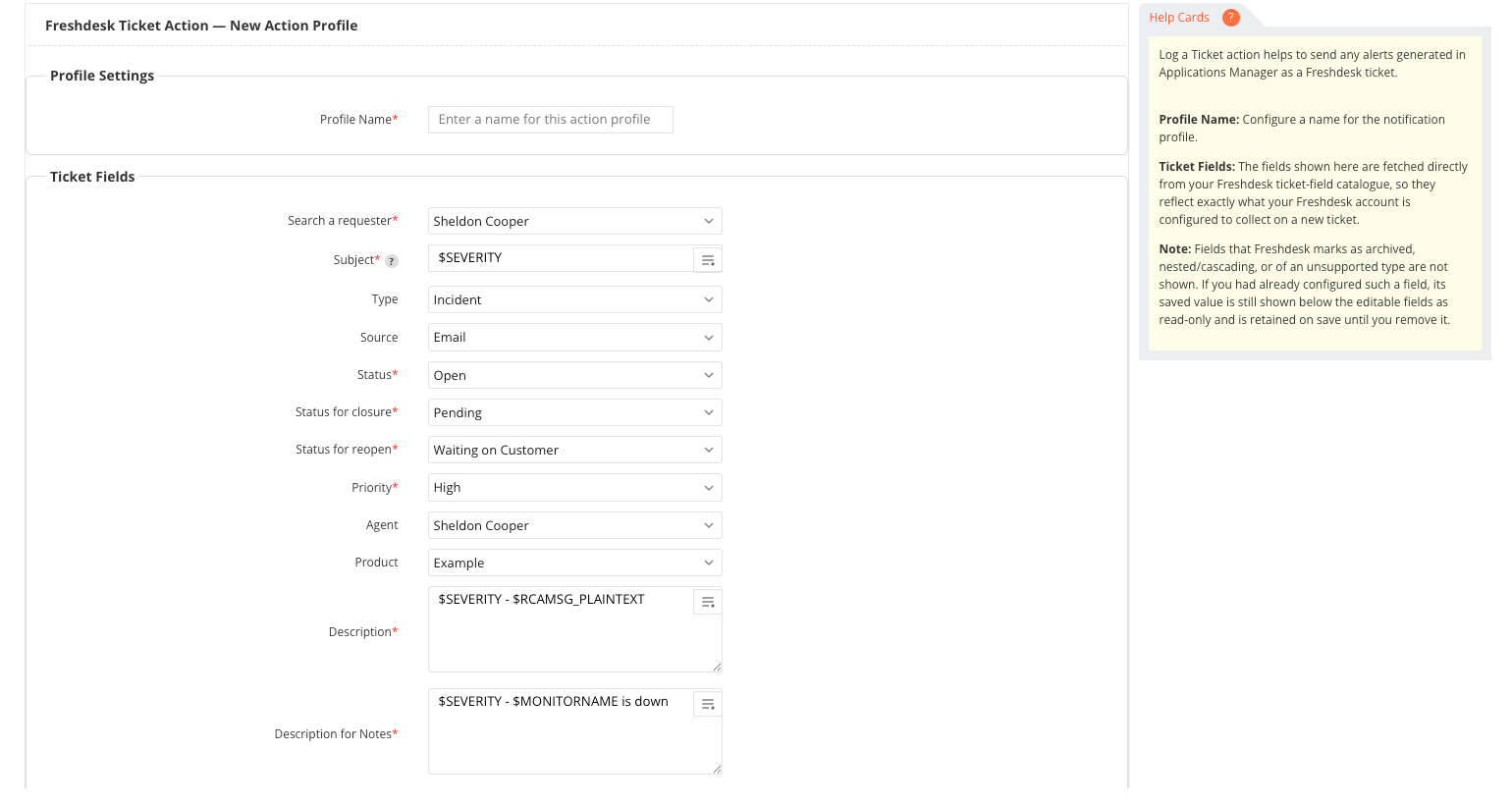
- Select New Action from the top menu.
- Click Log a Ticket under the Actions menu in the left pane. The Freshdesk Ticket Action form opens.
- Enter a Profile Name for the action.
- Under Ticket Fields, configure the fields required for your Freshdesk instance. The available fields are fetched dynamically and may vary between Freshdesk instances. Use replaceable tags in supported fields, such as the subject, description, and notes, to include alarm details dynamically.
- Under Business Hours Configuration, enable Execute Action based on Business Hours if required. Choose whether to run the action during or outside business hours, and select a time window.
- Click Create to save the Freshdesk ticket action.
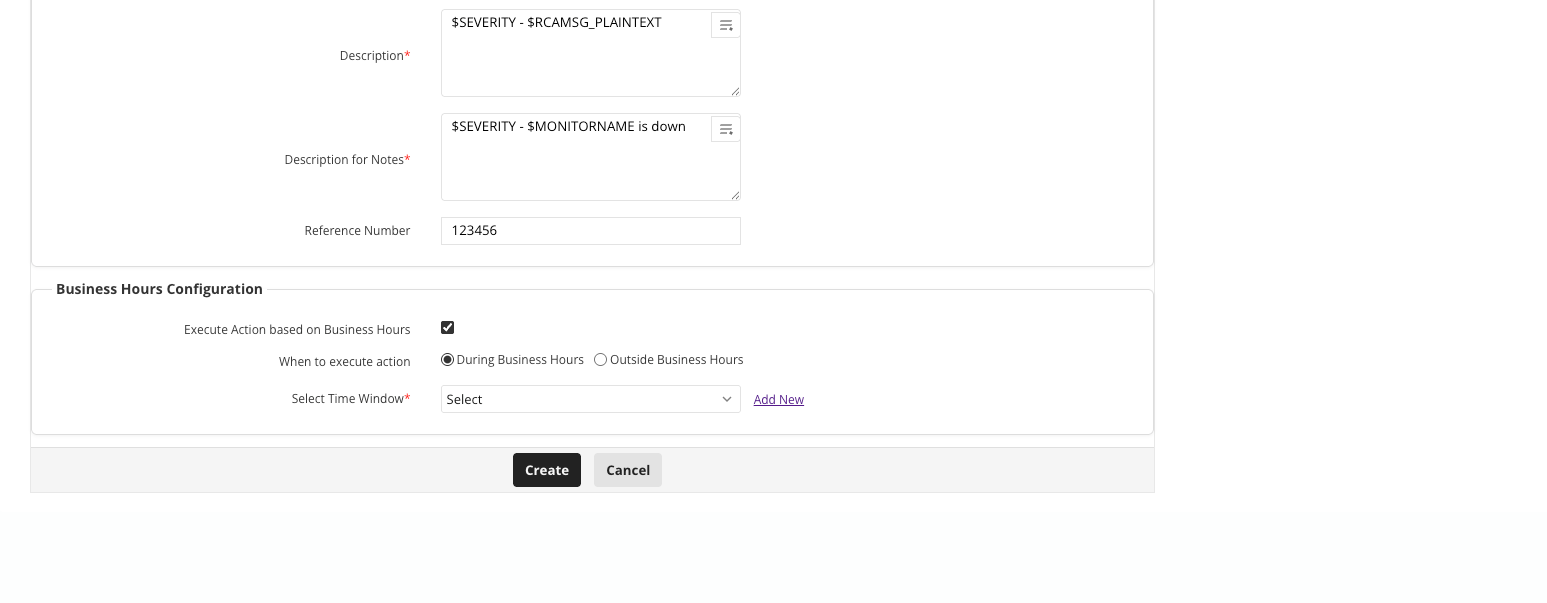
After creating the action, test it from the action list by clicking Execute Action. Associate the action with the required alarm criteria to create Freshdesk tickets automatically.
Note: Freshdesk fields marked as archived, nested, cascading, or unsupported are not displayed. If a field was already configured, its saved value remains below the editable fields as read-only until you remove it.