Integrate Applications Manager with Zoho Flow
- Overview
- Why integrate Applications Manager with Zoho Flow?
- Prerequisites
- Connecting Applications Manager with Zoho Flow
- Pre-built Integration Workflows
- Available triggers
- Available actions
- Troubleshooting
Overview
Zoho Flow is an integration platform that automates workflows between Applications Manager and other cloud or on-premises applications without requiring code. By connecting Applications Manager with Zoho Flow, automated actions can be triggered based on monitoring events, alarms, or application status changes, enabling rapid incident response and streamlined operational workflows.
Why integrate Applications Manager with Zoho Flow?
The Applications Manager integration with Zoho Flow eliminates repetitive manual tasks by automating workflows based on monitoring events.
Key benefits of this integration include:
- Automatic creation of users in Applications Manager from onboarding or approval workflows.
- Automatic addition of monitors when new servers or applications are provisioned.
- Instant notifications upon the generation of an alert in Applications Manager.
- Notification delivery to collaboration platforms such as Microsoft Teams or Slack.
- Seamless connection between Applications Manager and other business applications through Zoho Flow.
This integration reduces manual effort, improves response times, and helps streamline IT operations.
Prerequisites
Before connecting Applications Manager to Zoho Flow, ensure the following prerequisites are met:
- A running ManageEngine Applications Manager instance.
- Administrator privileges in Applications Manager.
- A Zoho Flow account.
- The Zoho Flow On-Prem Agent should be installed on the server hosting Applications Manager.
Note: The Zoho Flow On-Prem Agent should be installed on the server hosting Applications Manager.
Connecting Applications Manager with Zoho Flow
- Log in to the Zoho Flow account.
- Create a new Flow or open an existing one.
Select Applications Manager as the Trigger or Action application.
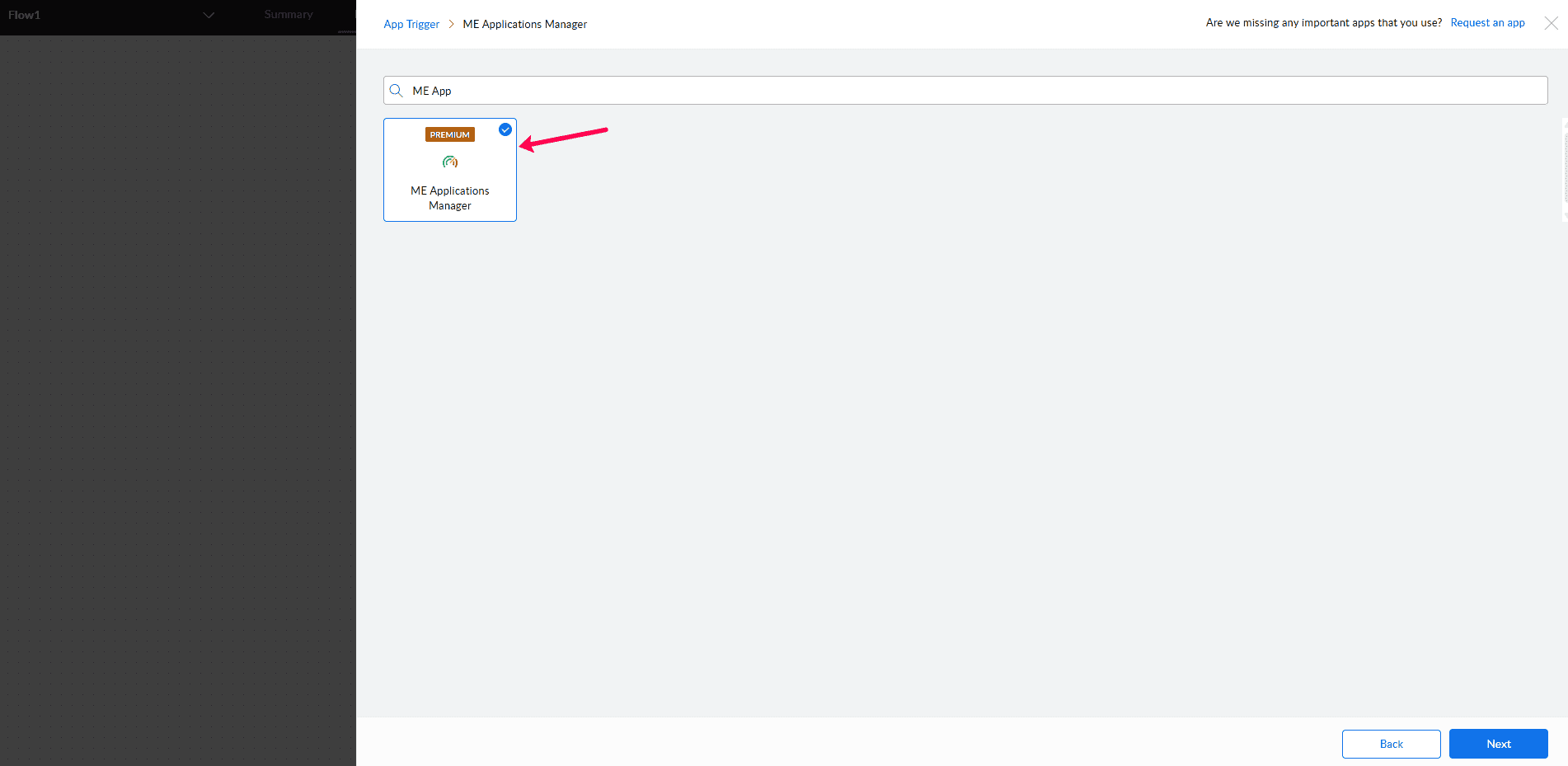
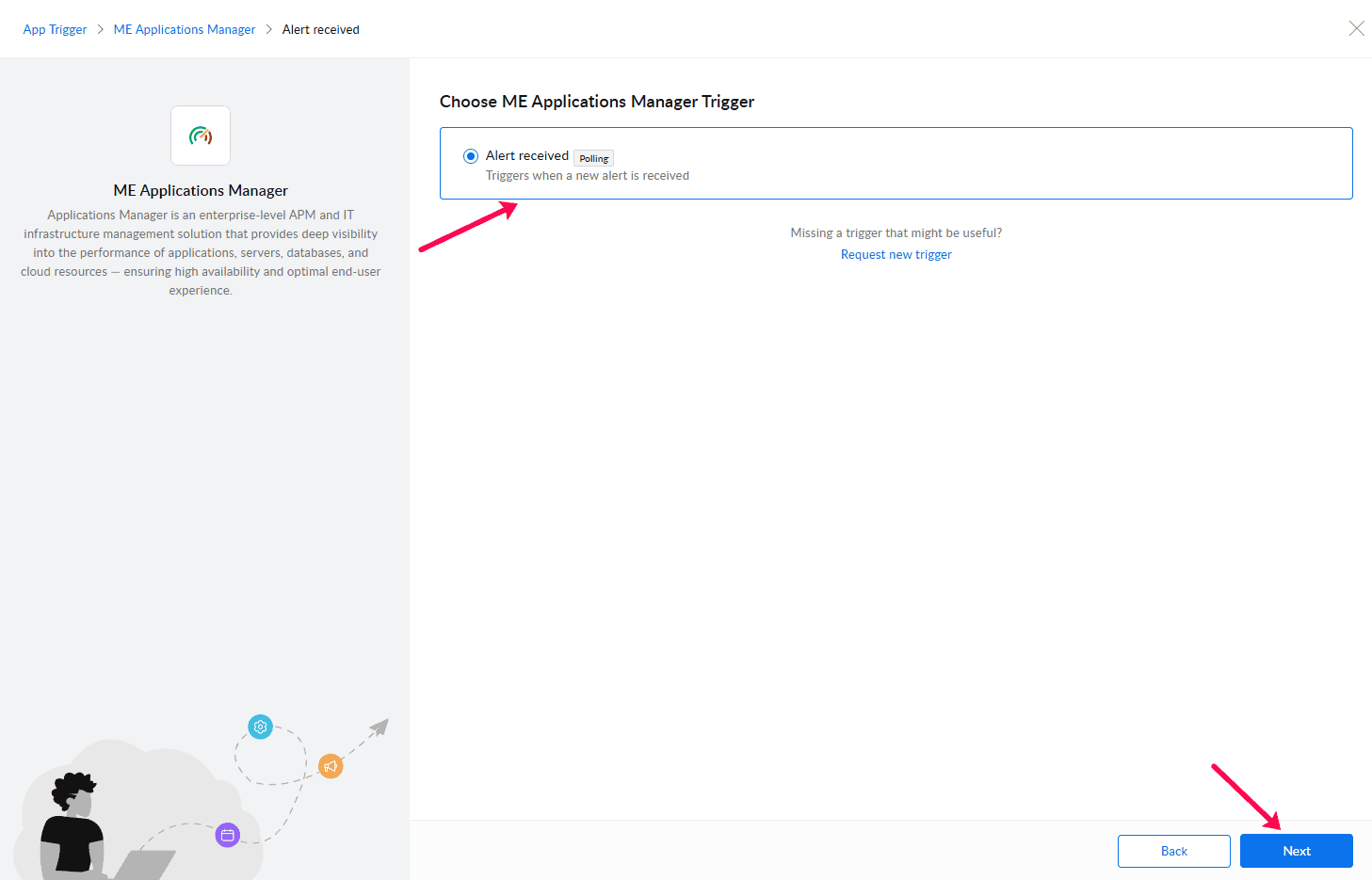
- Click Connect or New Connection.
- Enter a name for the connection.
Select the appropriate Zoho Flow On-Prem Agent.
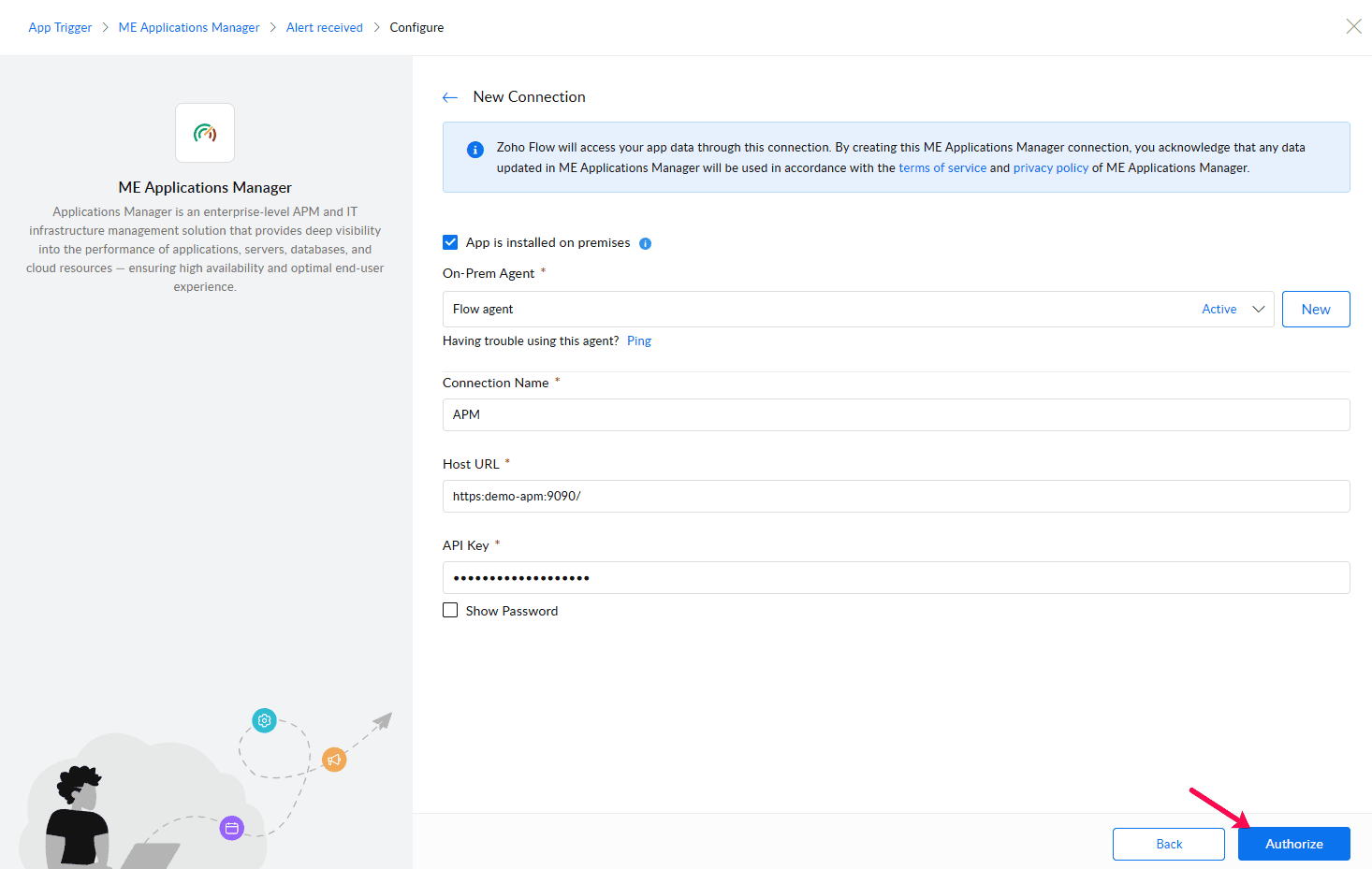
- Enter the following connection details:
| Field | Description / Sample |
|---|---|
| Server URL | Sample URL: https://apm-prod-server:8443, http://apm-prod-server:9090 |
| API Key | To fetch API key, follow steps in help documentation and choose API key from Applications Manager module. |
- Click Authorize to validate the connection.
Pre-built Integration Workflows
Zoho Flow provides a collection of pre-built workflow templates for Applications Manager to facilitate rapid setup. These templates demonstrate common automation scenarios and can be customized based on requirements.
Available integrations and workflow templates can be explored here:
Applications Manager - Zoho Flow Integrations
These templates can be used as a starting point for creating automated workflows between Applications Manager and other supported applications. Once the connection is successful, Applications Manager will be available for use in workflows. The On-Prem Agent securely communicates with the Applications Manager server without exposing it directly to the internet.
Available triggers
Applications Manager can trigger Zoho Flow workflows when monitoring events occur.
- Alert received
Available actions
Applications Manager actions allow Zoho Flow to interact with the Applications Manager instance. Typical actions include:
- Add a monitor
- Create user
Troubleshooting
If you are unable to connect to Applications Manager:
- Verify that the AppManager URL is correct and accessible from Zoho Flow.
- Ensure the Zoho Flow On-Prem Agent is running and connected.
- Verify that the Applications Manager server is reachable from the On-Prem Agent.
- Confirm that the provided Host URL and API key are valid.
- Check firewall or proxy settings that may block communication between the On-Prem Agent and Applications Manager.