Skype for Business Server (formerly Microsoft Lync Server) is Microsoft's enterprise unified communications platform for instant messaging, audio and video conferencing, online meetings, and real-time collaboration. ManageEngine Applications Manager is a dedicated Skype for Business monitoring tool that tracks all five server roles - Front End, Edge, Mediation, A/V Conferencing, and Mobility - in real time, with full support for Microsoft Lync Server 2013 and Skype for Business Server 2015.
Applications Manager collects 80+ Skype for Business performance counters - including SIP metrics, database queue and sproc latency, call quality indicators, MCU health states, and service status data - in a single unified dashboard. Set intelligent alert thresholds, receive proactive notifications, and prevent service outages before they impact your users.
Applications Manager: Your complete Skype for Business monitoring solution
Monitor your Skype for Business Server with Applications Manager to get deep visibility into all server roles and performance counters, including:
- Front End Server monitoring
- Conferencing Server performance
- Edge Server visibility
- Mediation Server health
- Mobile services monitoring
Ensure optimal functioning of core activities of your Front End Server
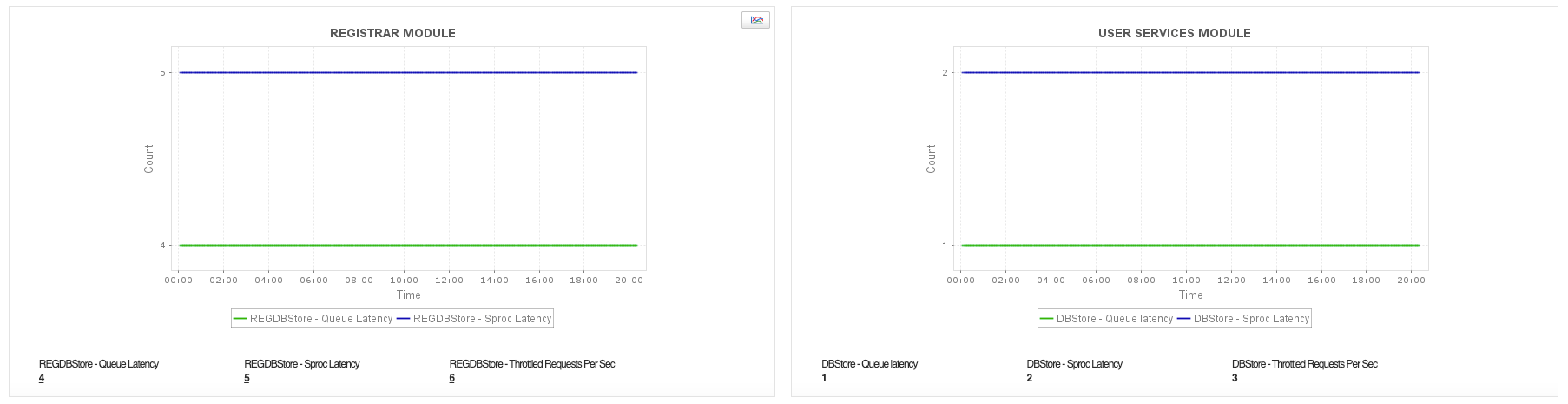
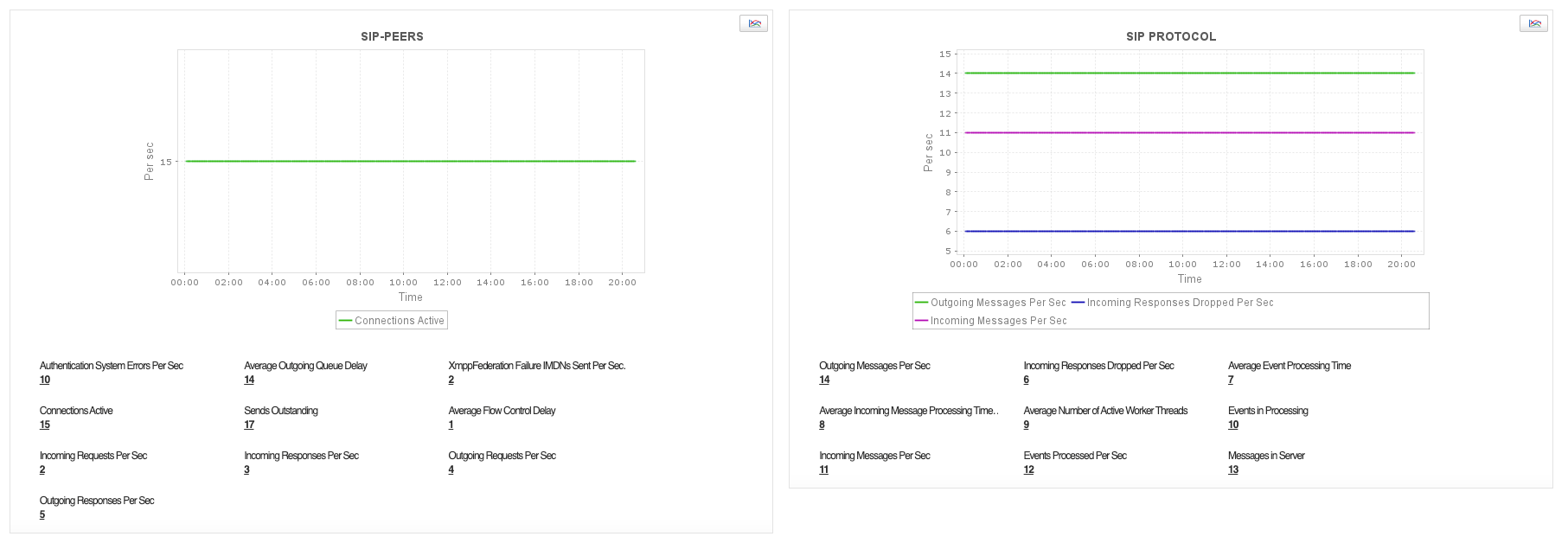
The Front End Server is the backbone of your Skype for Business deployment, hosting the Registrar, User Services, SIP peers, SIP protocol, and MCU services. Applications Manager monitors key performance indicators such as database queue and sproc latency, authentication errors, incoming and outgoing SIP request rates, connection counts, and MCU health states (Application Sharing, Audio/Video, Data, and IM). Detect any slowdown in user authentication, peer connectivity, sharing contact information, and web conferencing before it affects business communication.
Track your Conferencing Server performance
The Conferencing Server (A/V MCU) powers your organization's audio, video, and web conferencing capabilities. Applications Manager monitors conference allocation latency, MCU health states, active conference counts, connected user counts, and call failure rates. Determine any network latency and the number of incomplete calls to ensure end users get the best experience during meetings and collaboration sessions.

Gain visibility into your Edge Server
The Edge Server authenticates external users and enables federation with partners and remote participants. Since external users are allowed to join meetings and communicate with internal users, uninterrupted communication through the Edge Server is critical. Applications Manager tracks SIP bad request rates, flow-controlled connections, incoming request drop rates, message processing times, and send timeout rates, helping you identify communication bottlenecks and maintain secure external connectivity.

Monitor your Mediation Server health
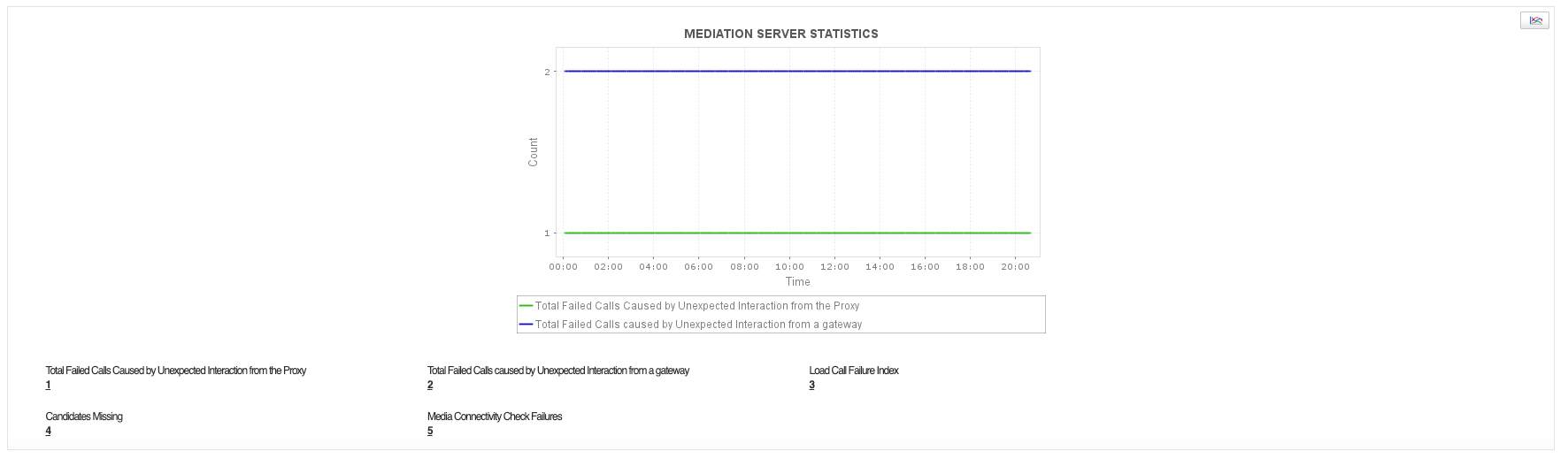
The Mediation Server performs bandwidth management and connects users outside the corporate network to PSTN gateways. Applications Manager monitors call failures caused by unexpected proxy and gateway interactions, the load call failure index, media relay candidate availability, and media connectivity check failures. Track failed and delayed calls and connectivity failures to prevent degradation of voice and video service quality.
Ascertain proper working of mobile services
With mobile users relying on Skype for Business for communication on the go, monitoring the Mobility service is essential. Applications Manager tracks push notification request failure and throttle rates, request failure rates, and rejected request rates to ensure mobile users experience a seamless and uninterrupted communication experience, even during network transitions.

In addition to monitoring Skype for Business, Applications Manager lets you track the health and performance of over 150+ infrastructure components - including databases, servers, cloud services, containers, and middleware - along with full application performance and digital experience monitoring.
Common questions on Skype for Business Server monitoring
What is Skype for Business Server monitoring?
Skype for Business Server monitoring is the process of continuously tracking the health, performance, and availability of all Skype for Business Server roles in real time. This includes monitoring the Front End Server (Registrar, User Services, SIP Peers, MCU health, Storage Service), Edge Server (external communication and federation), Mediation Server (PSTN gateway connectivity and bandwidth management), A/V Conferencing Server, and Mobility Service. Key metrics include SIP request and response rates, database queue latency, call failure rates, MCU health states (ASMCU, AVMCU, DATAMCU, IMMCU), and service availability.
Why should I monitor Skype for Business Server?
Skype for Business Server is a critical communication platform. Degraded performance or service failures directly impact user productivity through dropped calls, failed meetings, and connectivity issues. Monitoring allows you to detect and resolve issues proactively before they affect end users and business operations.
What server roles does Applications Manager monitor?
Applications Manager monitors the following Skype for Business Server roles:
- Front End Server (Registrar, User Services, SIP, MCU, Storage)
- A/V Conferencing Server
- Edge Server
- Mediation Server
- Mobility Service
What metrics are monitored for the Front End Server?
Applications Manager monitors 50+ performance counters for the Skype for Business Front End Server, including: database queue latency, database sproc latency, throttled requests per second, SIP peer active connections, average outgoing queue delay, authentication errors, incoming and outgoing SIP request and response rates, MCU health states (ASMCU, AVMCU, DATAMCU, IMMCU), active conference counts, connected user counts, storage service stale queue items, data loss events with and without state changes, Address Book file and search request failure rates, Active Directory request timeout rates, and HTTP 5xx response rates.
Does Skype for Business monitor also support Lync server monitoring?
Yes. Applications Manager supports monitoring of Microsoft Lync servers in addition to Skype for Business servers. The monitoring capabilities is same for both versions and cover all key server roles and performance counters, including Front End, Edge, Mediation, Conferencing, and Mobility services.