# Understanding Application Control
**Table of contents**
- [Specifications of Agent Processes](https://www.manageengine.com/products/desktop-central/help/application-control/ac-how-it-works.html#specification)
- [Application Discovery: Data Scanning & Collection](https://www.manageengine.com/products/desktop-central/help/application-control/ac-how-it-works.html#appdiscovery)
- [Policy Deployment Workflow: Agent-Server Synchronization](https://www.manageengine.com/products/desktop-central/help/application-control/ac-how-it-works.html#policydeploy)
- [Policy Enforcement in Agent](https://www.manageengine.com/products/desktop-central/help/application-control/ac-how-it-works.html#policyenforce)
- [Just-In-Time Access Workflow](https://www.manageengine.com/products/desktop-central/help/application-control/ac-how-it-works.html#jit)
Endpoint Central's Application Control provides a robust layer of security by restricting the execution of unauthorized applications. This document delves into the specifications of the agent processes and the core mechanisms behind Application Control, helping you understand how it safeguards your endpoints.
## Specifications of Agent Processes
| Agent Process | Running Application Name | Bandwidth Consumption (Approximately) | CPU Consumption (Approximately) | Memory Consumption (Approximately) |
|---|---|---|---|---|
| Application Processing server | Verifytrustedfiles.exe | Will download the configuration in the dcconfig exe | 0.25-0.3% | 30 MB |
| Application Scanner | Dcprocmon.exe | 100-200 KB | 0.3% | 6-24 MB |
| Process Notifier | AppCtrlToast.exe | NA | 0-1% | 20 MB |
| ACP Driver Control | DriverCtrl.exe | NA | 0-0.18% | 1-2 MB |
| ACP Privileger | Privilager.exe | NA | 0-1.4% | 1-1.5 MB |
| Component Upgrade | dcconfig.exe | 3.5 MB | 0-1% | 1 MB |
## Application Discovery: Data Scanning & Collection
After agent installation, a one-time scan is initiated. It identifies and collects verified `.exe` files located within the Program Files and Program Files (x86) directories and the running processes. The duration of the scan is influenced by the number of applications installed on the endpoint. The gathered data becomes readily accessible in the web console.
Once an application control policy is deployed, running applications are continuously monitored. Newly installed applications will only be detected if a policy is in place. The central server automatically removes applications inactive for 90 days.
**Note:** Before creating an application group in *Mac*, make sure to complete [these pre-requisites](https://www.manageengine.com/products/desktop-central/help/application-control/dependencies/configure-mac-prerequisites.html).
## Policy Deployment: Agent-Server Synchronization
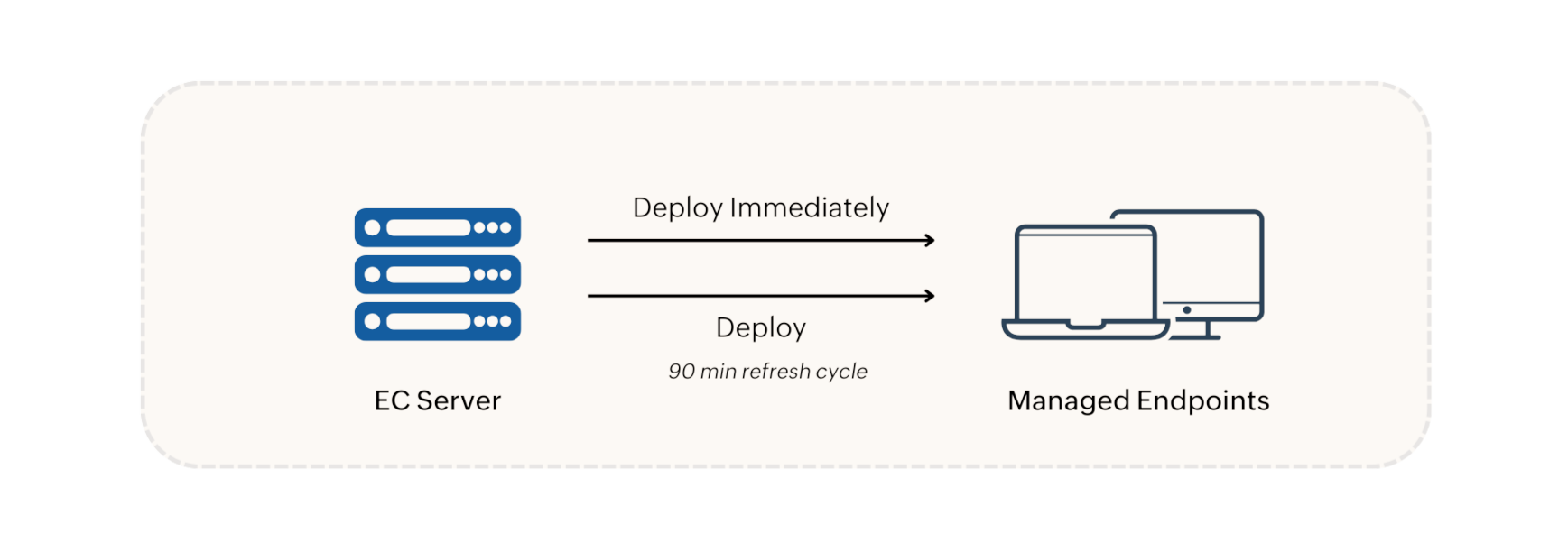
When an Application Control policy is created, it is deployed in the following two options:
- **Deploy Immediately** option: The policy is immediately pushed to and applied on agent machines that are currently online. For large CGs (over 200 machines), the policy is applied to 200 machines initially, with the rest following in the next refresh cycle.
- **Deploy** option: The policy is scheduled for the next 90-minute refresh cycle.
Policy modifications, deletions, group changes, and unmanaged application updates are synchronized with agent machines during refresh cycles. In environments with a Distribution Server, policies and configurations are replicated to the Distribution Server and then synchronized with agent machines during the 90-minute refresh cycle.
### Application Access Request Workflow
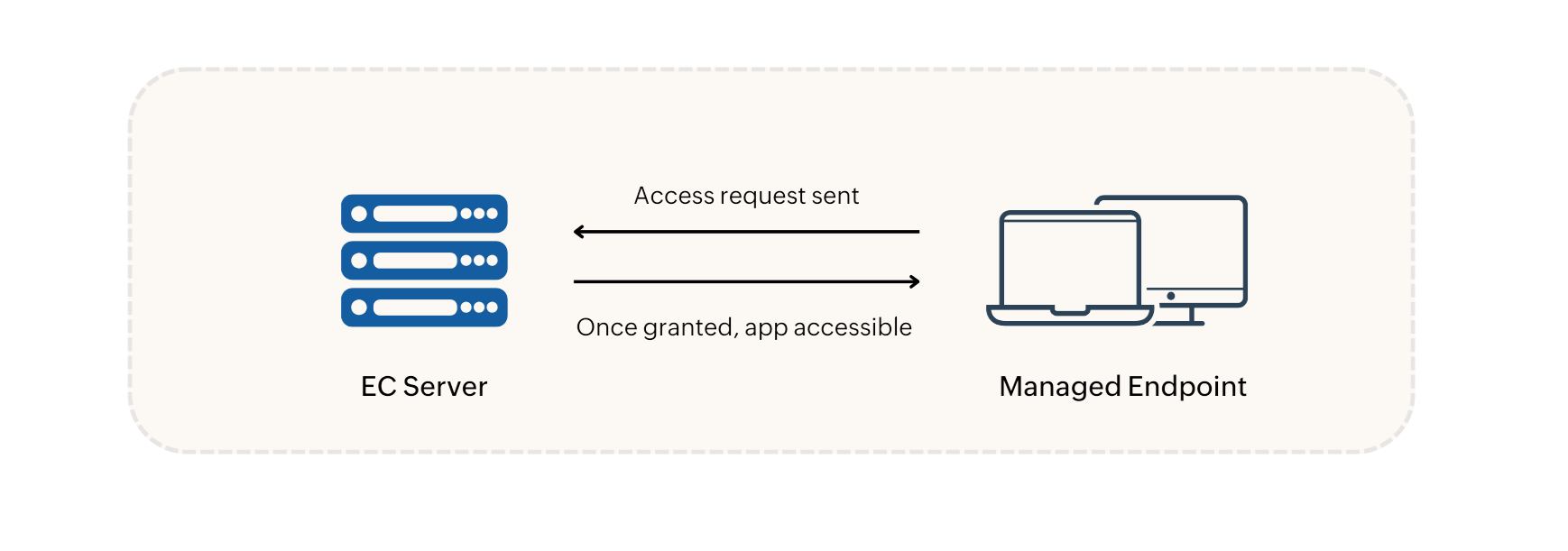
When a user requests access to an unmanaged application, a request is immediately sent to the server for administrator approval. Once approved, the application will be accessible to the user immediately.
## Policy Enforcement in Agent
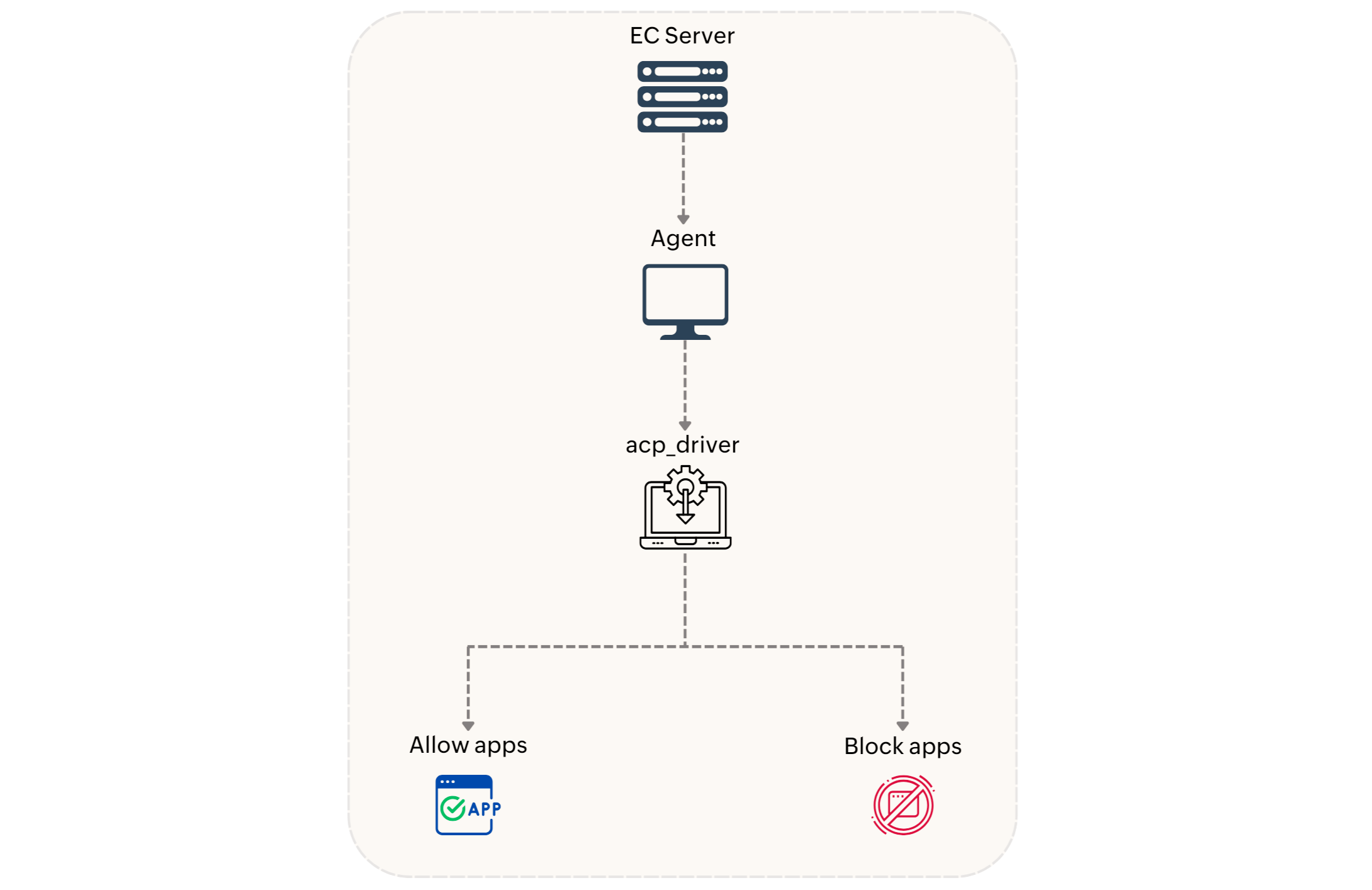
The Application Control policy will be received in the agent and is enforced by the kernel mode driver named **acp_driver**. The driver filters through the newly created processes and allows only the authorized applications to run according to the deployed policy. The policy will be enforced on the `.exe` and `.msi` applications. The audited and blocked application events will be posted in the 90-min refresh cycle.
### Application Policy Conflict Precedence
When conflicting allowlist and blocklist policies are applied to the same target group, the **blocklisted** applications have higher precedence over the allowlisted applications. The following is the order of precedence:
| **For Windows** | **For Mac** |
|---|---|
| 1. **Blocklisting using Filehash Rule**
2. **Allowlisting using Filehash Rule**
3. **Blocklisting using Verified EXE Rule**
4. **Allowlisting using Verified EXE Rule**
5. **Blocklisting using Product Name Rule**
6. **Allowlisting using Product Name Rule**
7. **Blocklisting using Vendor Rule**
8. **Allowlisting using Vendor Rule**
9. **Blocklisting using Folder Path Rule**
10. **Allowlisting using Folder Path Rule** | 1. **Blocklisting using Filehash Rule**
2. **Allowlisting using Filehash Rule**
3. **Blocklisting using Binary Rule**
4. **Allowlisting using Binary Rule**
5. **Blocklisting using Application Rule**
6. **Allowlisting using Application Rule**
7. **Blocklisting using Vendor Rule**
8. **Allowlisting using Vendor Rule**
9. **Blocklisting using Folder Path Rule**
10. **Allowlisting using Folder Path Rule** |
**Scenario:** If the application Google Chrome is associated with an allowlist and a blocklist, the application will be blocked in the target machines.
Also, when an endpoint belongs to multiple custom groups with different policies, those policies are merged into a single consolidated policy. And if it is one policy with Audit mode and another with Strict mode, the machine will be deployed with **Strict mode**.
## Just-In-Time Access Workflow
Just-In-Time policies provide time-bound access provision for specified applications. The driver facilitates the execution of these applications on deployed machines, with access being automatically terminated after the specified duration.
**Related Articles:** [End-User Notifications of Application Control](https://www.manageengine.com/products/desktop-central/help/application-control/ac-enduser-notifications.html)