Managing switches through Cisco ACI in OpUtils
OpUtils now supports seamless switch discovery in Cisco ACI environments through direct integration with the APIC controller. This integration enables real-time visibility into spine and leaf switches, their interfaces, and connected endpoint devices - without the need for SNMP configurations or manual scans.
This guide walks you through the steps to discover ACI-managed switches in OpUtils.
Key benefits of using Cisco ACI discovery:
- Configuration-free: Eliminates the need to configure SNMP credentials on each individual switch.
- Real-time data: Fetches live topology, interface status, and connectivity details directly from the APIC, ensuring your data is always accurate.
- Scalable and reliable: Designed to handle large-scale ACI deployments across hundreds of switches and thousands of endpoints.
- Centralized visibility: Allows you to monitor all discovered switches and their connections from the unified OpUtils console.
Prerequisites
Before you begin, please ensure you have the following:
- Administrative access to your OpUtils instance.
- The IP address or hostname of your Cisco APIC controller.
- A valid username and password with at least read-only access to the APIC.
- Network connectivity between the OpUtils server and the APIC controller.
Steps to discover switches through Cisco ACI
To initiate discovery through Cisco ACI:
Step 1: Navigate to the Discover Cisco ACI Page
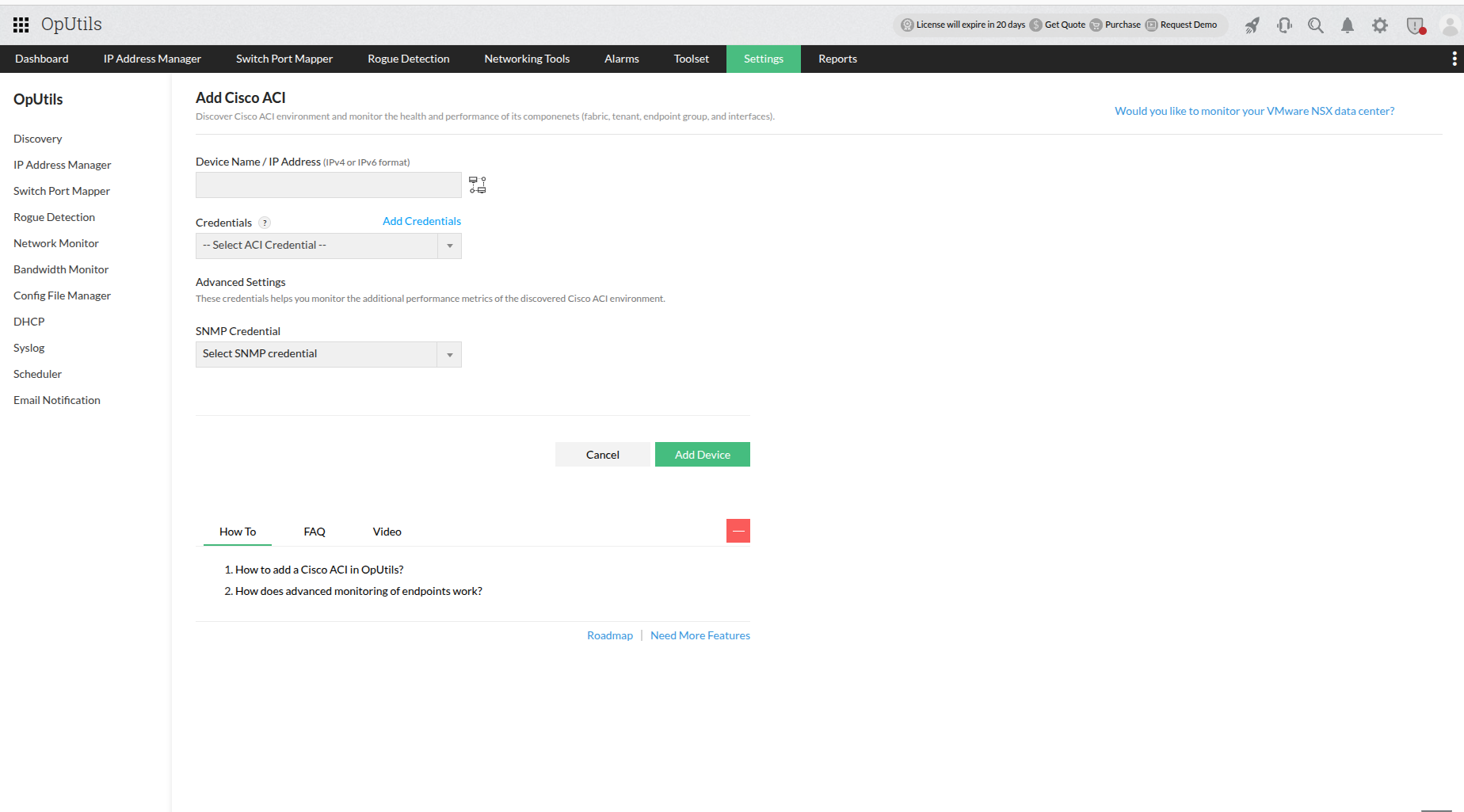
In the OpUtils user interface, navigate to: Settings > Discovery > Discover Cisco ACI
Step 2: Add Your APIC Controller Details
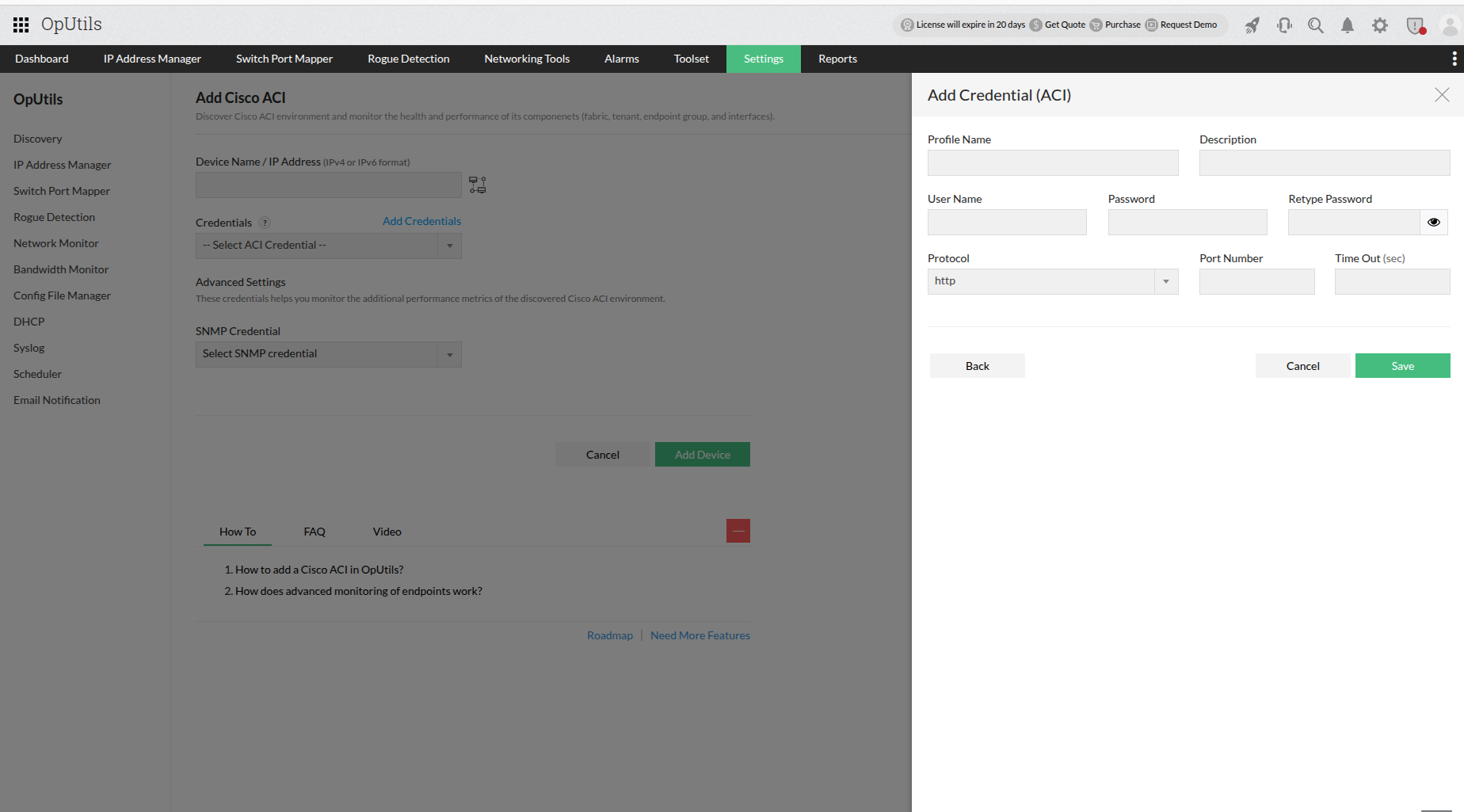
On the discovery page, you will be prompted to enter the credentials for your APIC controller. Fill in the following fields:
- Controller IP Address: The IP address or hostname of your Cisco APIC.
- Port Number: The port used to communicate with the APIC (typically 443 for HTTPS).
- Username: The username for your APIC account.
- Password: The password for your APIC account.
Step 3: Initiate Discovery
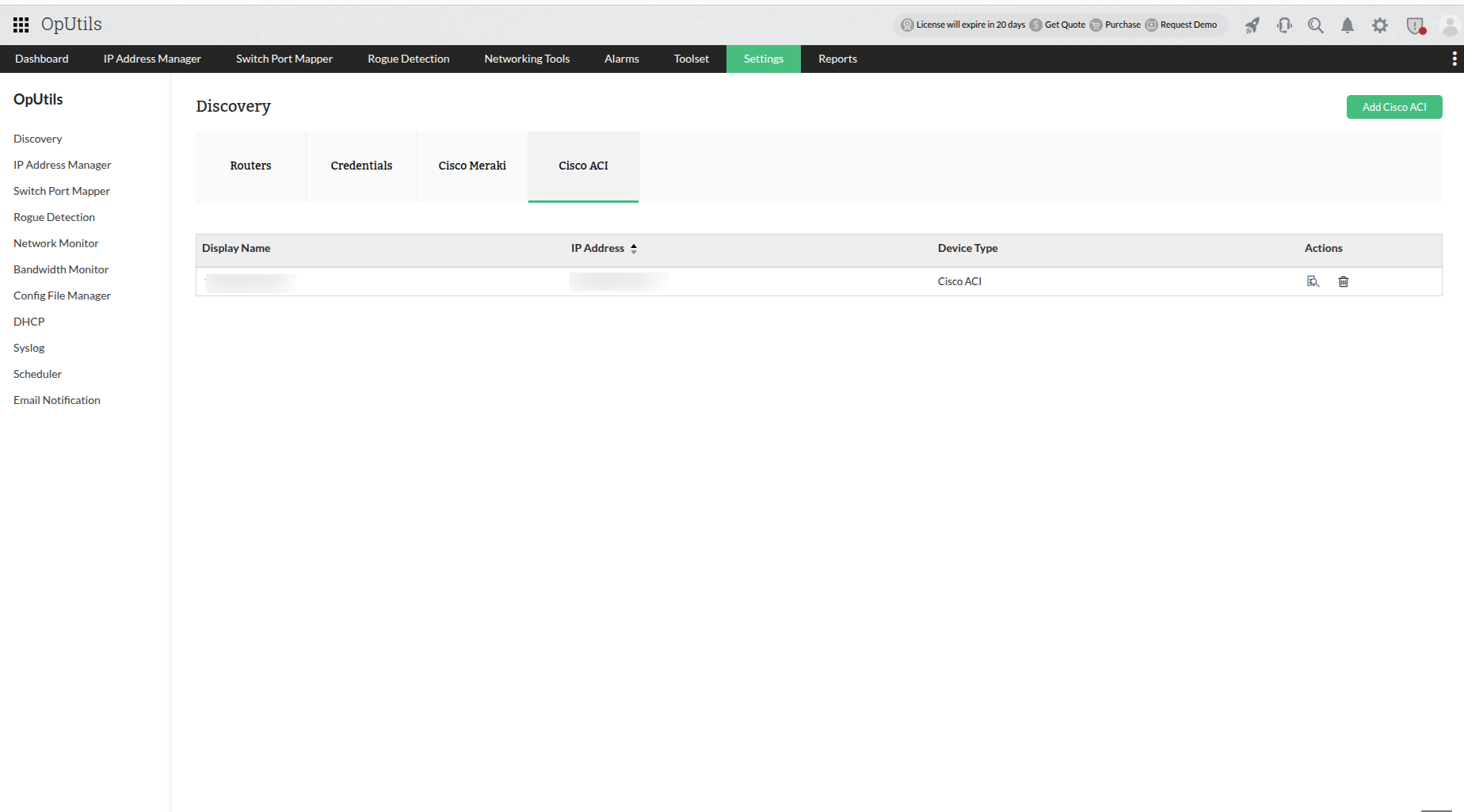
After entering the details, click the "Discover" button to begin the process.
OpUtils will then securely connect to the APIC controller via its REST APIs and begin fetching and mapping the entire ACI fabric inventory. This includes:
- Spine and leaf switch interfaces
- Connected MAC and IP addresses
- Real-time port status, associated VLANs, and interface activity
- Node roles (identifying each switch as a leaf or spine)
- Device-to-port connectivity for all endpoints
Where to view discovered switches
Once the discovery process is complete, you can view the detailed information for your ACI-managed switches in the following locations:
- In OpUtils: Navigate to the Switch Port Mapper module. All discovered ACI switches will be listed alongside your other network switches. Here you can view detailed endpoint data, port status, and connectivity details.
- In OpManager (if integrated): If you are using OpUtils as an add-on to OpManager, you can view the discovered ACI data by navigating to: Network > Switches > Cisco ACI > Port View.
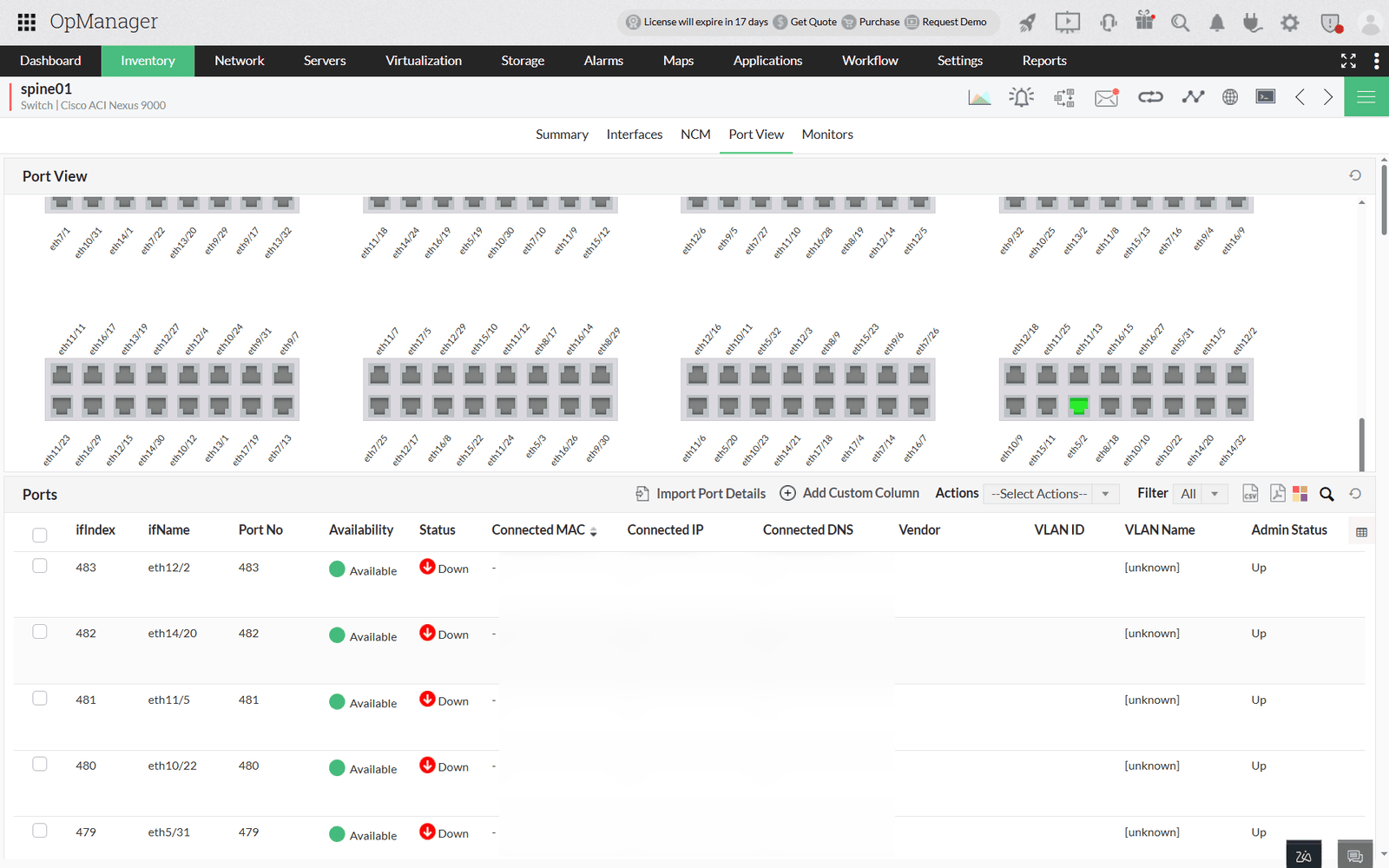
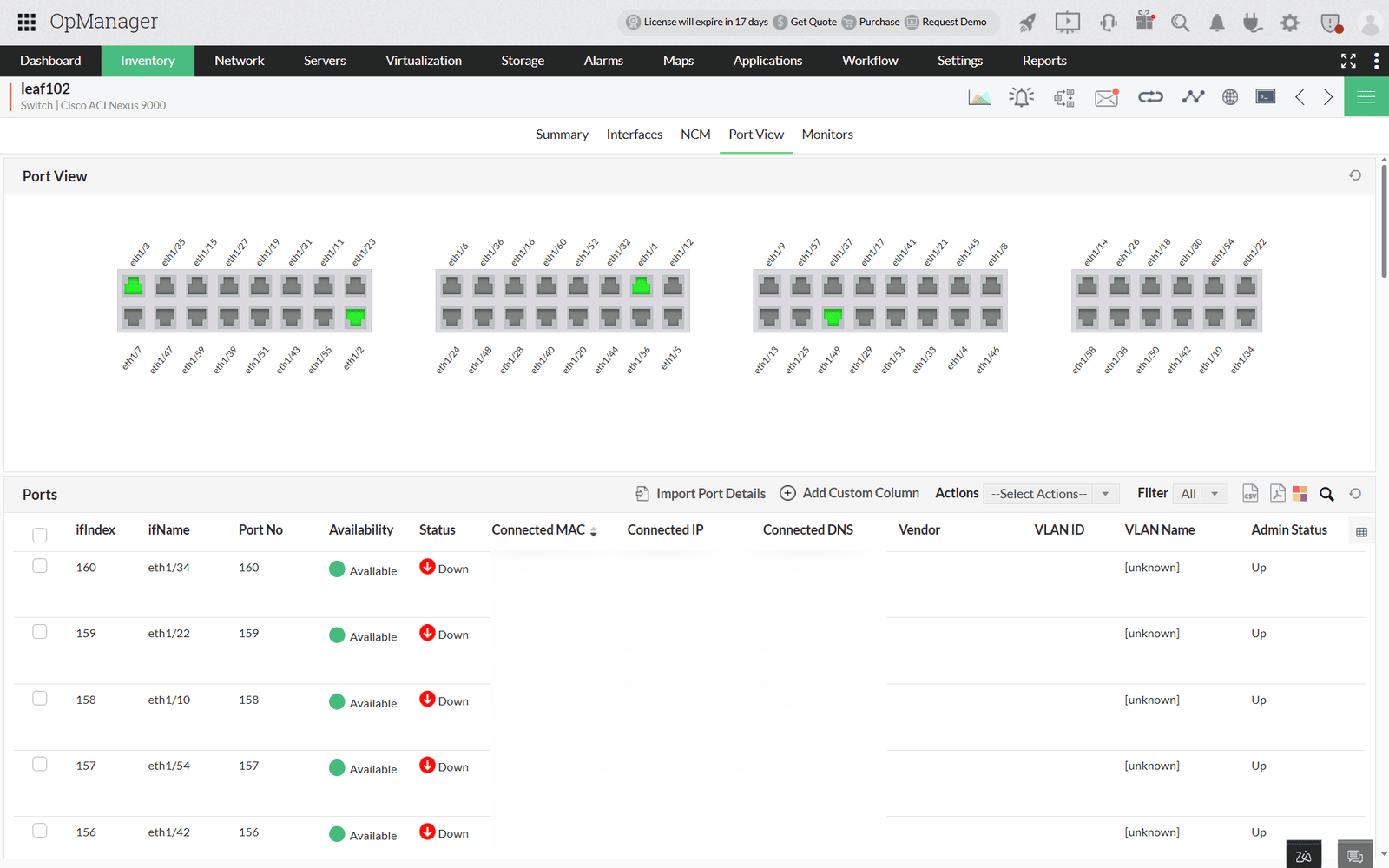
This view provides detailed, port-level data specifically for your spine and leaf switches within the OpManager console.