Summarize
The modern IT organization faces growing pressure to handle increasing service desk ticket volumes, support hybrid and remote work, and provide a consistent, high-quality employee experience. As service expectations evolve, IT leaders must make a key choice: Should they build and operate an internal IT service desk or partner with a managed service provider (MSP) to deliver IT support at scale?
This decision goes beyond day-to-day operations. Choosing between the two service desks is a strategic decision that affects service quality, cost efficiency, and business value. Internal IT service desk teams focus on alignment with the organization and control over processes. In contrast, MSP service desk teams focus more on standardizing IT service delivery and contract-driven service-level agreements (SLAs). Since each model has fundamentally different needs, choosing the right ITSM platform is also a key decision to make as ITSM platforms designed for internal IT often do not support MSP service desk operations and vice versa.
In this context, this guide offers a clear comparison of internal IT service desks and MSP service desks. It also outlines the new co-managed (hybrid) IT model and looks at how ManageEngine’s internal IT and MSP service desk software meet the specific needs of each approach. The guide ends by helping you assess which service delivery and platform model best fits your operational priorities, growth plans, and long-term IT strategy.
What are the key differences between internal IT service desk and MSP service desk?
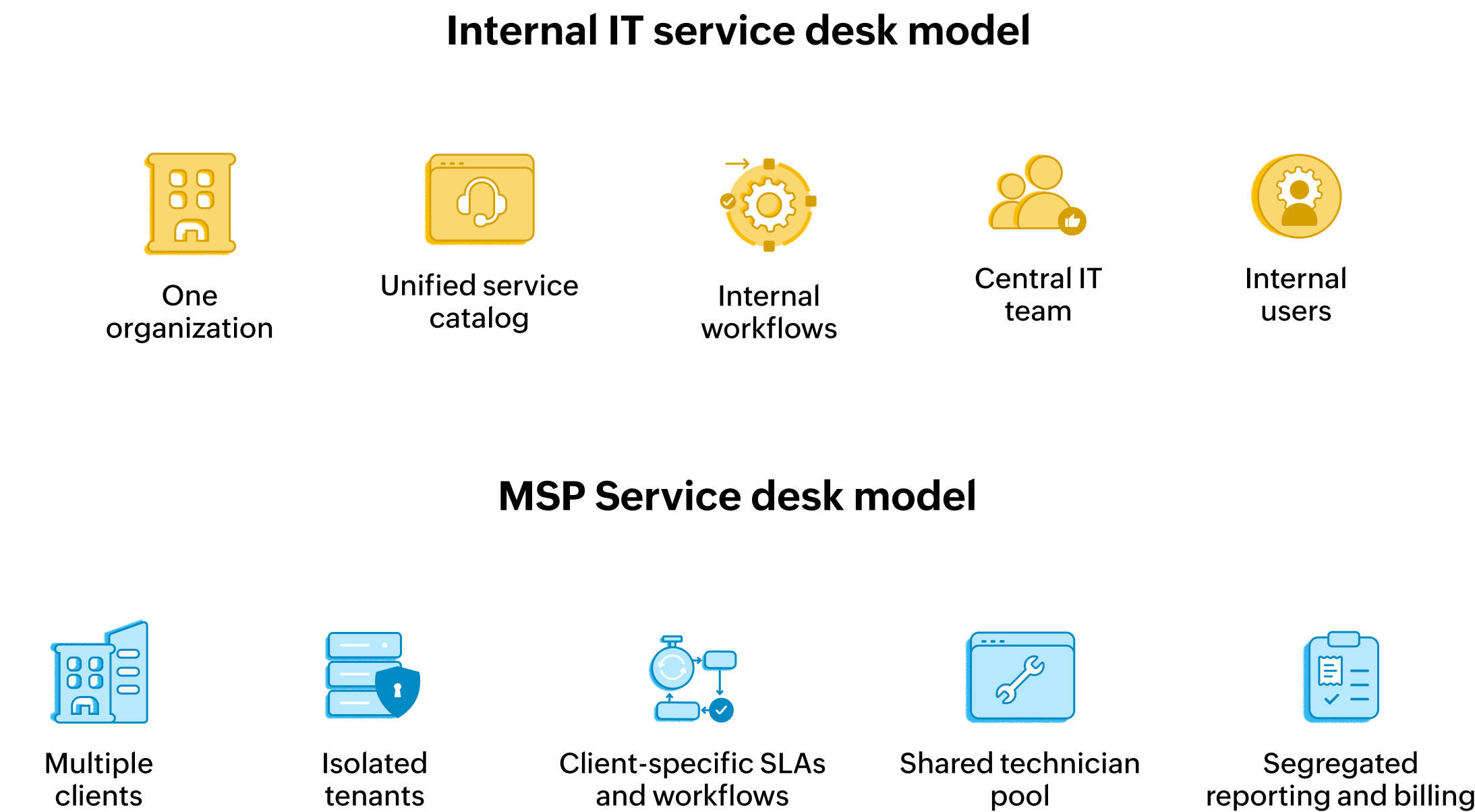
Understanding the difference between internal IT and MSP service desk models is crucial for selecting the right architecture. While both depend on ITSM frameworks, their operational structures and the software needed to support them differ quite a lot.
Internal IT service desk
An internal IT service desk is a central, employee-facing function in an organization which is designed to support internal users (employees) with IT issues, enable business productivity, and maintain business continuity. It's essentially a cost center for an organization as its primary mandate is not revenue generation but employee satisfaction and productivity. They ensure employees have access to IT services reliably, securely, and with minimal disruption to their work.
Since it operates within a single enterprise, the internal service desk benefits from localized control and deep integration with internal business processes, applications, and organizational policies. This allows IT teams to tailor workflows, approvals, and service catalogs within their ITSM software to closely reflect how the business operates, aligning strongly with ITSM practices.
A key trend in internal IT service desks is the move to shift-left strategies. These strategies focus on solving common issues earlier in the service life cycle using self-service chatbots, knowledge bases, and intent-based automation. By reducing routine ticket requests, internal teams lower mean time to resolution (MTTR) and improve user experience. Alongside this, AI-driven automation has become a norm, being used for incident categorization, root cause analysis, proactive issue detection, ticket summarization, and more. This allows smaller IT teams to handle expanding digital environments.
ServiceDesk Plus vs. ServiceDesk Plus MSP: Selecting the right solution
MSP service desk
An MSP service desk is a centralized IT support business serving multiple client organizations simultaneously. Unlike internal IT, its mission extends beyond service quality to include profitability, scalability, and contractual compliance. MSPs must deliver consistent outcomes across diverse customer environments while maintaining operational efficiency. They manage a broad range of IT tasks, including support tickets, remote support, patching, monitoring, billing, and SLA management.
An MSP service desk acts as an external partner for several organizations. This model relies on multi-tenancy and an MSP's platform must support hundreds of different clients while ensuring complete client isolation for security and compliance.
Unlike internal service desk software, MSP service desk software operates like a business-in-a-box. This is where professional services automation (PSA) tools serve as the "operating system" of the MSP. A regular service desk software manages tickets, but a PSA-integrated service desk software, utilized by most modern MSPs these days, links those tickets to service contracts, time tracking, and automated billing. Each action is governed by a service contract and every minute spent serves as a data point for client invoices.
To operate efficiently at scale, MSPs also rely heavily on AI-driven automation. Intelligent automation allows for ticket triage, priority assignment, and auto-remediation across tenants. It also supports anomaly detection and proactive issue resolution. These features reduce manual effort and help MSPs maintain consistent service levels without increasing staff.
Core operational differences:
| Aspect | Internal IT service desk | Managed service providers |
|---|---|---|
| Primary objective | Maximize employee productivity and satisfaction | Profitability and multi-client growth |
| End users | Internal employees and contractors | External clients |
| CDeployment scope | Single organization (enterprise-wide) | Multi-client, standardized |
| Automation focus | Employee self-service and ESM workflows | Billing, RMM integration, multi-SLA tracking, and cost control |
| Reporting focus | Departmental ROI and employee experience | Client profitability and SLA compliance |
| Typical buyer | CIO, IT director, or VP of operations | MSP owner, CEO, or head of managed services |
| Success metric | Mean time to resolve (MTTR) | Billable utilization and net promoter score (NPS) |
IT service desk vs. MSP service desk: Core operational comparison
When should you outsource your IT operations?
When should you stop making do with internal IT and start looking outside for help? The answer usually appears long before a major outage or audit failure. It's recognizable through everyday signals like rising backlogs, burned-out technicians, and projects that never leave the roadmap.
Here's a quick checklist of signals and a table of triggers to help you decide whether an outsourced or co-managed model can give your IT operations the boost they need.
A quick outsource checklist :
- Rising backlog and SLA violations despite automation and shift-left efforts
- Frequent after-hours incidents with no formal 24/7 coverage
- Struggle to hire or retain IT specialists for security, cloud, or automation
- New locations or business units launching faster than IT can support
- Compliance, audit, or board reviews highlighting IT as a key risk area
Triggers for outsourcing your IT and recommended actions:
| Trigger | What it looks like | Recommended action |
|---|---|---|
| Capacity crunch | Persistent ticket queues, burnout in the internal IT team | Offload L1 or L2 support, or routine operations, to an MSP |
| Skills gap | All types of issues, whether general or complex, escalated to only a handful of experts | Bring in an MSP with specialized tooling and expertise |
| Fast growth | Single organization (enterprise-wide) | Multi-client, standardized |
| Automation focus | Frequent addition of new sites, mergers and acquisitions, or product launches | Use an MSP for standardized rollout and remote support |
| Compliance pressure | Tougher audits, data residency, or security mandates | Partner with a provider that offers audited, policy-driven operations |
IT service desk vs. MSP service desk: Core operational comparison
The co-managed IT model (hybrid)
Over time, the binary choice between fully internal and fully outsourced has evolved into a sophisticated middle ground: co-managed IT. In this hybrid architecture, internal IT teams and MSPs function as a single, unified force, sharing responsibilities to optimize both scalability and focus.
Bridging tactical and strategic IT
As organizations grow, their internal IT teams often experience a heavy workload due to the expansion of their IT infrastructure and the increasing number of devices to manage. Despite these challenges, many organizations may find it difficult to further expand their IT teams. The co-managed model aims to address this talent gap and the burnout often seen in internal IT departments. By delegating time-consuming, repetitive tasks to an external partner, such as a managed service provider (MSP), internal teams can focus on higher-level IT work, like innovation and business growth, rather than firefighting and maintenance.
A typical example of this model separates responsibilities based on the complexity of the environment:
- The MSP role: Takes charge of the behind-the-scenes infrastructure management, including automated patch management, 24/7 security monitoring, and capacity planning. This ensures that the foundational systems remain secure and up to date.
- The internal IT role: Keeps direct control over incident management workflows that require more personal interaction. Since the teams work on-site and understand the specific details of their organization, they provide the employee-facing support that needs a deeper understanding of the business.
This partnership helps organizations grow quickly without the delay of hiring and training. When a company opens a new branch, the MSP supplies the necessary infrastructure right away while the internal team manages the cultural onboarding.
Industry data shows that about 83% of MSPs now offer co-managed IT services. This reflects the widespread adoption of this hybrid approach to support internal teams instead of replacing them. By using this hybrid model, businesses achieve operational resilience that neither fully internal nor fully outsourced setups can offer alone. This ensures that both tactical support and strategic IT goals are met effectively, working together instead of as separate entities.
Internal IT and MSP service desk software offerings from ManageEngine
As organizations work towards improving their IT service delivery models, whether internal, led by an MSP, or co-managed, they increasingly need specific service desk platforms. ManageEngine addresses these various operational needs with two dedicated options:
Although both share a common ITSM-oriented foundation, they're tailored for different service delivery models.
ServiceDesk Plus: The enterprise ITSM platform for internal IT
For internal IT teams, the main goal is to serve as a unified hub that connects technology with business productivity. ServiceDesk Plus is designed specifically for a single organization setup. It provides deep control and customization to fit your unique processes. It also addresses specific challenges faced by internal departments, such as shadow IT and siloed operations, by centralizing service standards. Benefits of ServiceDesk Plus include:
- High-value Al capabilities for IT and enterprise service management are not paywalled behind add-ons but included within your subscription.
- Powerful, modern ITIL workflows orchestrate enterprise and IT services from end to end.
- From servers, networks, and switches to workstations and peripherals, it's your single system of record for the entire digital infrastructure.
- Platform capabilities power up ServiceDesk Plus to digitize and optimize workplace service delivery.
- ServiceDesk Plus integrates natively with every ManageEngine application and alongside other third-party business apps.
ServiceDesk Plus MSP: The complete PSA platform for IT service providers
For IT service providers such as MSPs or MSSPs, the goal is to deliver smooth IT support for multiple clients while keeping efficiency and profitability. ServiceDesk Plus MSP is designed for this multi-tenant environment. It combines ITSM best practices, asset management, and CMDB features with strong PSA capabilities. It helps MSPs manage various customer operations from one console. The platform simplifies service delivery, improves resource tracking, and makes billing easier while ensuring consistent service quality for every client. Benefits of ServiceDesk Plus MSP include:
- Multi-tenancy and client isolation: The core design ensures strict client management and isolation. Technicians can switch between client environments through a centralized dashboard, but data remains strictly separated to protect client confidentiality and meet compliance standards.
- The PSA core: The platform connects technical support with business operations. It amalgamates core PSA capabilities like timesheets, service contract management, resource management, and automated billing with key ITSM processes strategically. This helps optimize technician workload, ensuring that every billable second is recorded across tickets and that MSP customers are accurately billed on time.
- AI and scalable automation: MSPs thrive on tight margins. By leveraging predictive and generative AI features such as predicting issues, analyzing customer sentiment, and offering workflow assistance, MSPs can identify, prioritize, and resolve problems more efficiently. The combination of these AI capabilities, along with a robust API framework and last-mile customizations, enables MSPs to seamlessly integrate key applications and automate repetitive tasks across their entire client base, driving more efficient and scalable service delivery.
Choosing the right solution: ServiceDesk Plus or ServiceDesk Plus MSP
Selecting the right platform is an important decision that affects your organization’s total cost of ownership (TCO), operational flexibility, and long-term security. The choice depends on whether your IT team serves a single entity as a cost center or multiple clients as a profit center.
Business model and strategic fit
If your main goal is close alignment with a single company’s workflows and specific business objectives, an internal model powered by ServiceDesk Plus is best. It offers the customization needed for unique internal processes. On the other hand, if you work as a service provider, ServiceDesk Plus MSP serves as a complete PSA engine, turning IT support into a scalable and profitable business.
Account-based scoping vs. unified environment
For internal IT, the ServiceDesk Plus platform operates as a unified environment. It assumes that all data, including SLAs, assets, and change risks, belongs to one entity. This setup allows for global reporting and consistent processes across the company. In contrast, ServiceDesk Plus MSP is designed for account-based scoping. It treats each client as a separate, isolated silo. This ensures that every module, whether it’s the CMDB, SLA timers, or change management, is automatically separated by account. While the internal tool manages a single company’s infrastructure, the MSP version oversees a portfolio of independent business environments within one console.
The scalability factor
An internal team usually scales by adding more staff, which can be slow, costly, and resource-heavy. In contrast, an MSP can scale operations efficiently by leveraging shared resources, automated workflows, and on-demand service delivery, enabling rapid expansion without significant upfront investment in personnel and infrastructure—or burning a big hole in your pockets.
Decision framework: Selecting your ideal solution
The following table provides a high-level framework to help you align your organizational needs with the correct ManageEngine offering.
| Business type or requirement | Recommended tool | Strategic value and key differentiator |
|---|---|---|
| If you're a single organization with dedicated internal support | ServiceDesk Plus | Focused on enterprise service management (ESM) and deep ITIL-aligned workflow customization. |
| Managed service provider (MSP) or multi-client operator | ServiceDesk Plus MSP | Built for profitability with PSA capabilities like time tracking, automated billing with service contracts, and client isolation combined with industry-recommended ITSM frameworks. |
| Hybrid or co-managed enterprise (Internal IT and MSP partner) | ServiceDesk Plus MSP | Provides a "best of both worlds" approach and facilitates collaboration between internal and external teams within a single platform. |
| Security‑sensitive or data‑sovereign organization | ServiceDesk Plus | Organizations that require full control over data residency, security posture, and governance within their own ITenvironment. |
| Rapidly scaling organizations or enterprises with multiple business units that need independent management | ServiceDesk Plus MSP | Rapid, scalable, and unit-specific ITSM, ensuring each business unit receives tailored support, consistent governance, and efficient operations without compromising agility or compliance. |
ServiceDesk Plus vs. ServiceDesk Plus MSP: Selecting the right solution
Conclusion
Choosing between an internal IT service desk and an MSP service desk comes down to what best suits your business model. ServiceDesk Plus offers great value for organizations aiming for internal service excellence, deep customization, and broad ESM maturity. In contrast, ServiceDesk Plus MSP is designed for service providers that need client isolation, integrated billing, and the ability to scale operations. Both platforms are ready for the future, but their effectiveness depends on choosing the one that best supports your operating model, growth strategy, and long-term service delivery goals.