Why AD360
 
Solutions
 
Resources


Service pack

 
close-but
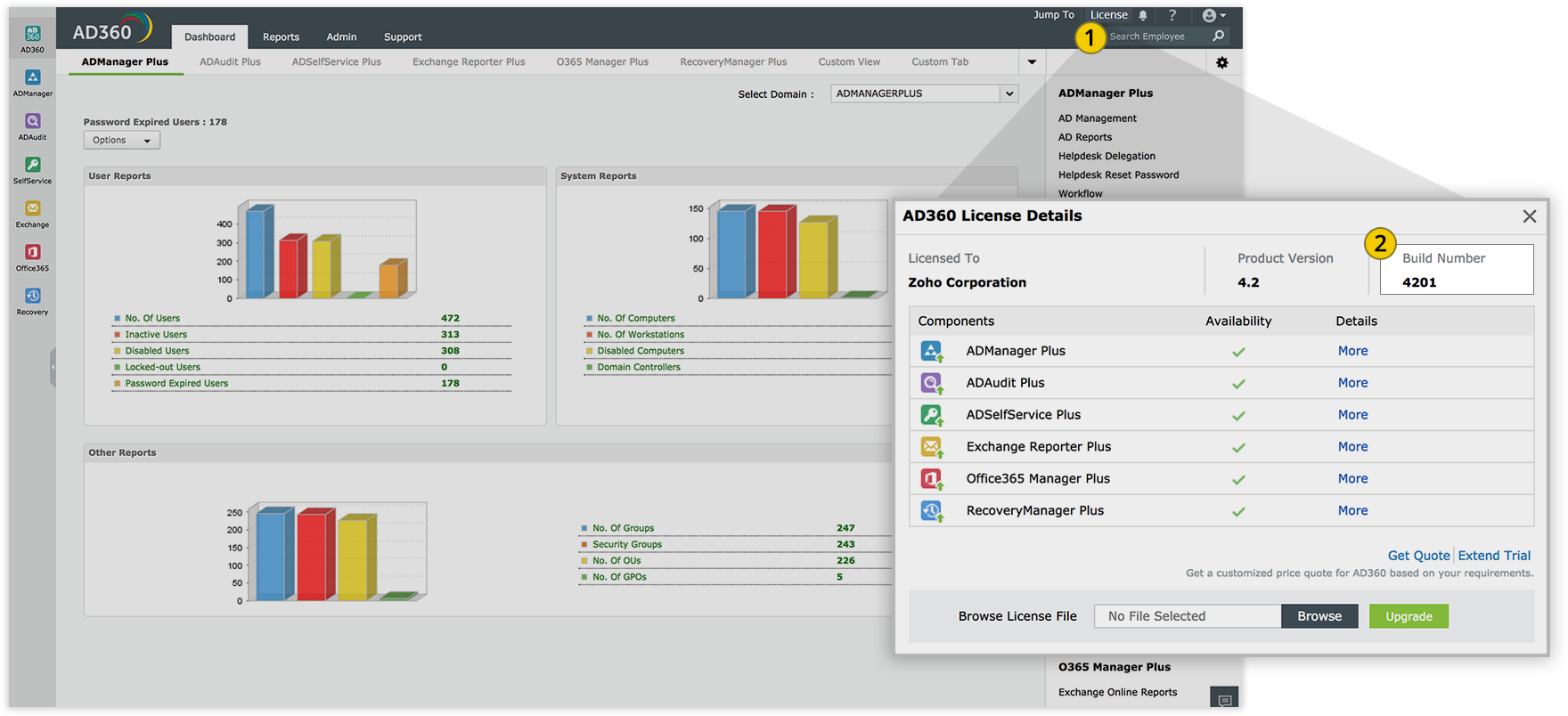
  • How do I find out my Build number?
  • 1 Log in to the AD360 web client, and click the "License" link in the top pane.
  • 2 You will find the "Build" number mentioned right next to the "Product Version"

    Build Number

AD360 service pack installation

     
If your build number is Update to build number
4503

Download and update to latest 4504

spack-arrow
Important:
  • We strongly recommend you to take backups before migrating. This helps you prevent accidental loss of data.
  • If you have enabled high availability, please read this before applying the service pack.
  • If you receive the error Keystore file not found while updating to build 4400 using the service pack, download and import this certificate into the Update Manager tool manually.
  • If your build number isUpdate to build numberSHA256 checksum hash value
  • 4503Download and update to latest 4504 a1eeaa4dc915f41a2d72552adc478b7d9c526b505f08324337d77e7a33144792

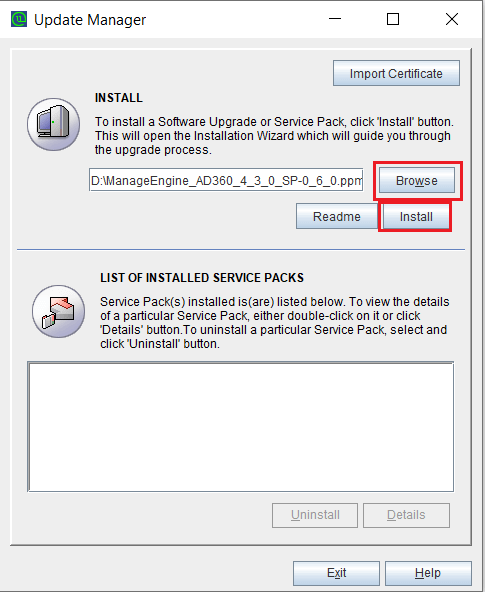
Instructions for applying the service pack:

Follow steps 1 through 9 to apply the service pack.

If you have enabled high availability:

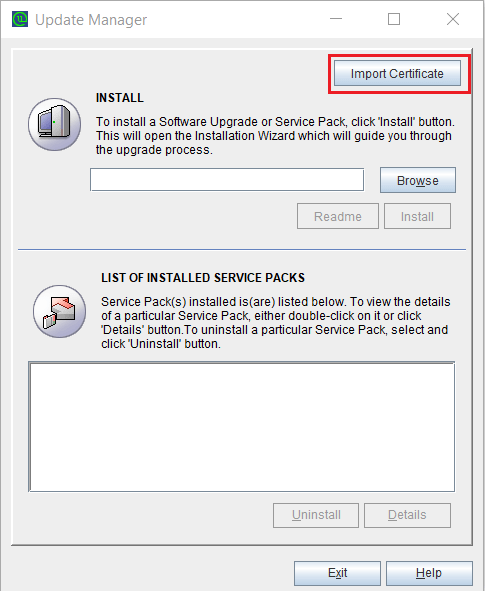
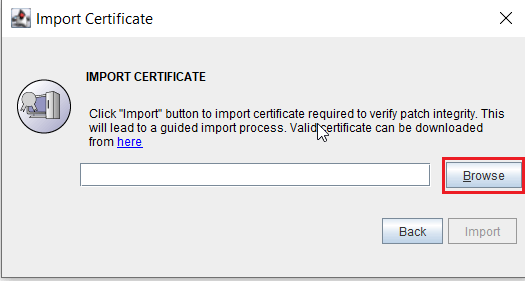
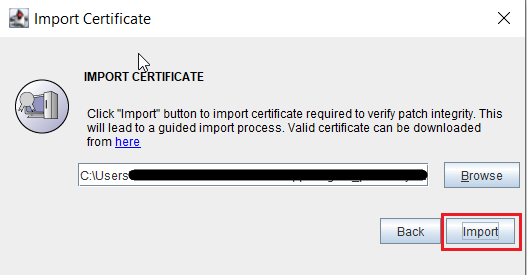
Steps for manually importing the security certificate:

How do I find my current build number?

Need help?

You can contact AD360 Support at any time for assistance in updating AD360 to the latest version.

 
Chat now
   

Hello!
How can we help you?

I have a sales question  

I need a personalized demo  

I have a product query  

E-mail our sales team  

Book a meeting  

Chat with sales now  

Back

Book your personalized demo

Thanks for registering, we will get back at you shortly!

Preferred date for demo
  •  
    • Please choose an option.
    • Please choose an option.
  •  
  •  
    This field is required.

    Done

     
  • Contact Information
    •  
    •  
    •  
    •  
  • By clicking ‘Schedule a demo’, you agree to processing of personal data according to the Privacy Policy.
Back

Book a meeting

Thanks for registering, we will get back at you shortly!

Topic

What would you like to discuss?

  •  
  • Details
  •  
    • Please choose an option.
    • Please choose an option.
    Contact Information
    •  
    •  
    •  
    •  
  • By clicking ‘Book Meeting’, you agree to processing of personal data according to the Privacy Policy.