Endpoint Central MSP Agent Installation via MDT
Open the MDT Workbench application.
Click the Application->New Application option.
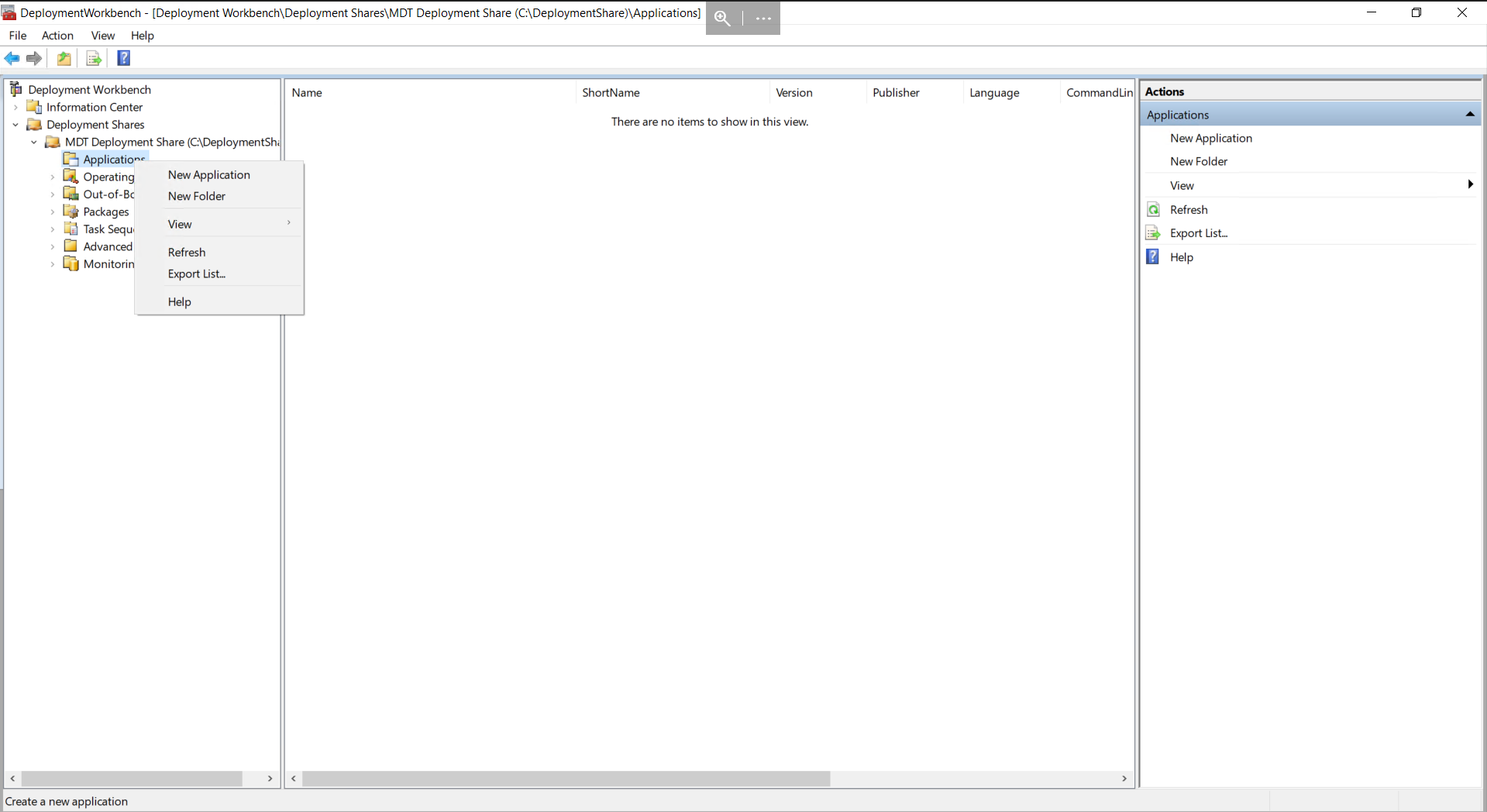
Select "Application with source files"
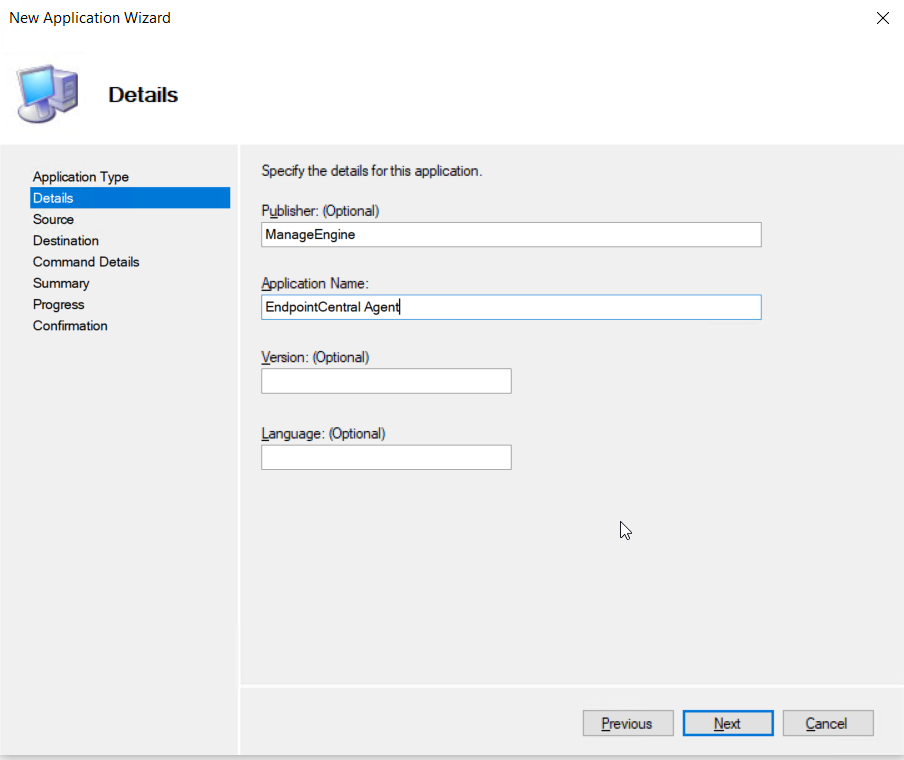
Enter the details of the target application
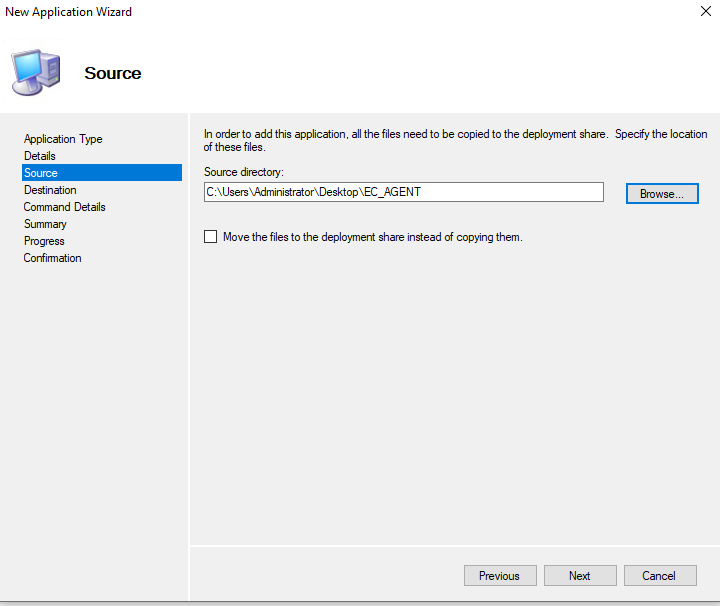
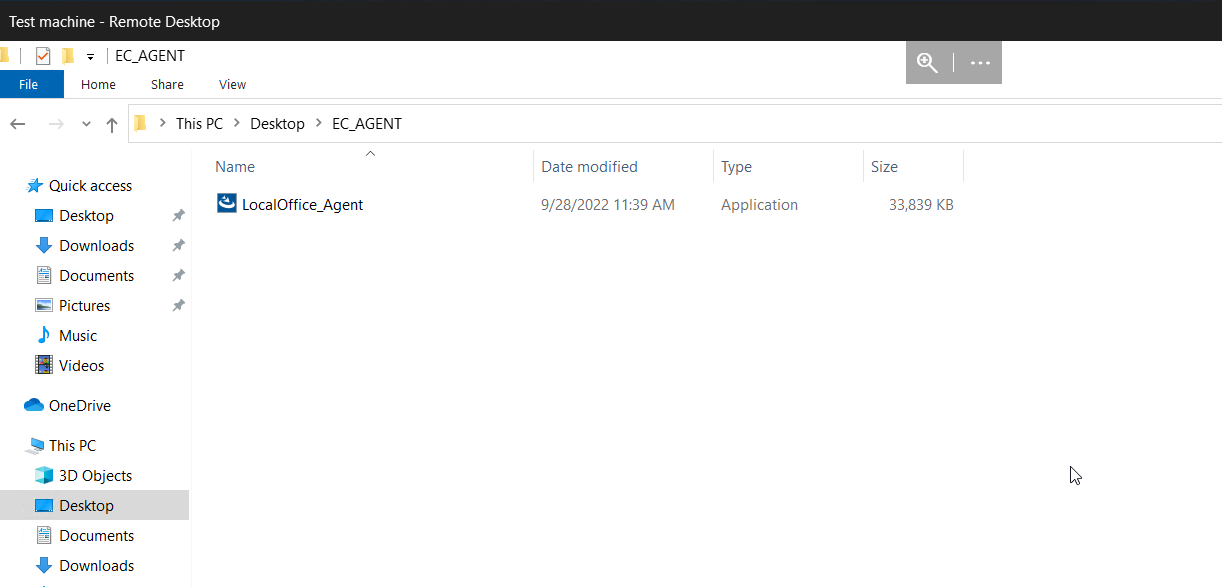
Indicate the location of the source folder and click next
- Enter a destination folder name.
Enter the command line for silent installation:
LocalOffice_Agent.exe /silent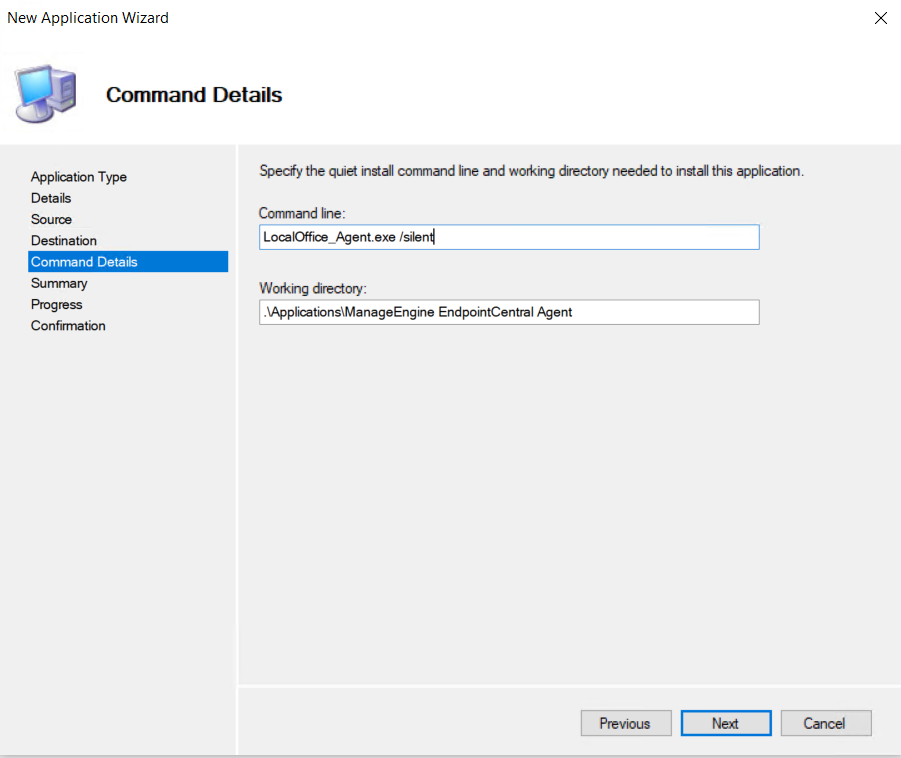
Verify the summary and click finish, the application will be added to the list of apps.