×![]()
×
×![]()
×
×
How to get the Device Instance Path for Removable Devices?
Every USB device has a unique ID. This ID is assigned to devices by the system to identify them easily. You can identify the Device Instance ID of a device by following the steps mentioned below:
Search for Device Manager in the control panel.
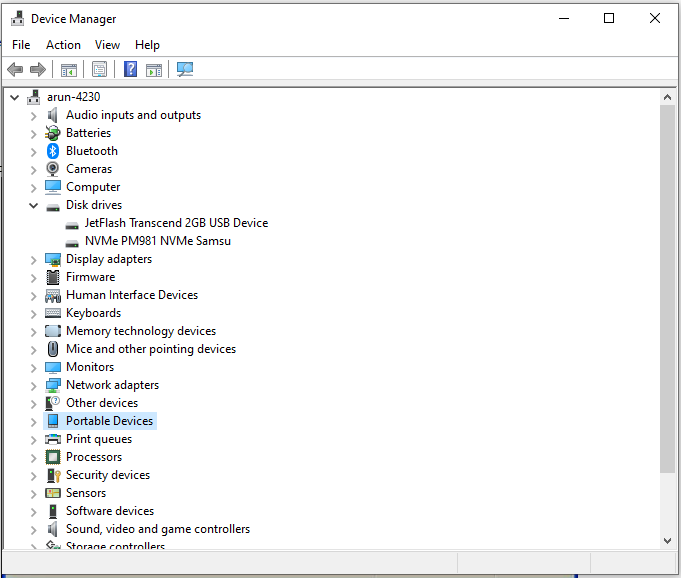
From the list of devices, expand the list of devices for which you would like to obtain the Device Instance Path. (For example : if you want to identify the Device Instance ID of a mobile phone that you have connected to the computer, expand portable devices and follow the next step.)
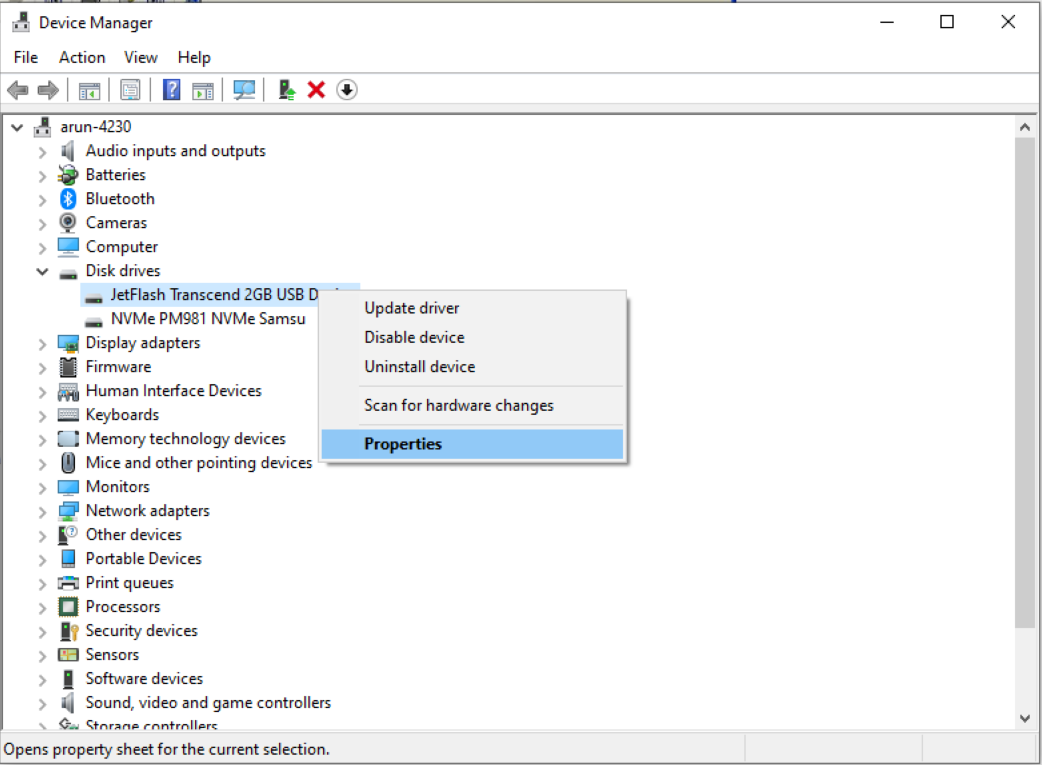
Right click on the device type and choose properties.
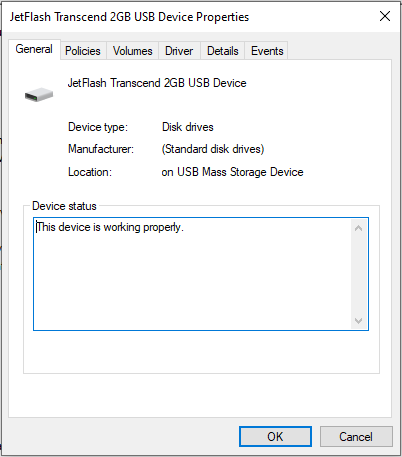
Click on the Details tab.
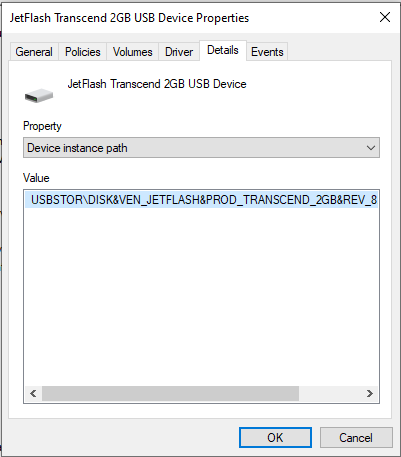
- In the drop-down box, select Device Instance ID or Device Instance Path (refer to the figure below)
- You can now view and copy the Device Instance ID for a specific device.
- In the drop-down box, select Parent or Parent Device Instance Path (refer to the figure below)
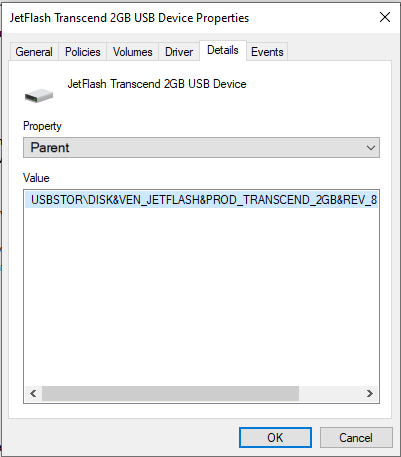
- You can now view and copy the Parent Device Instance ID for a specific device.
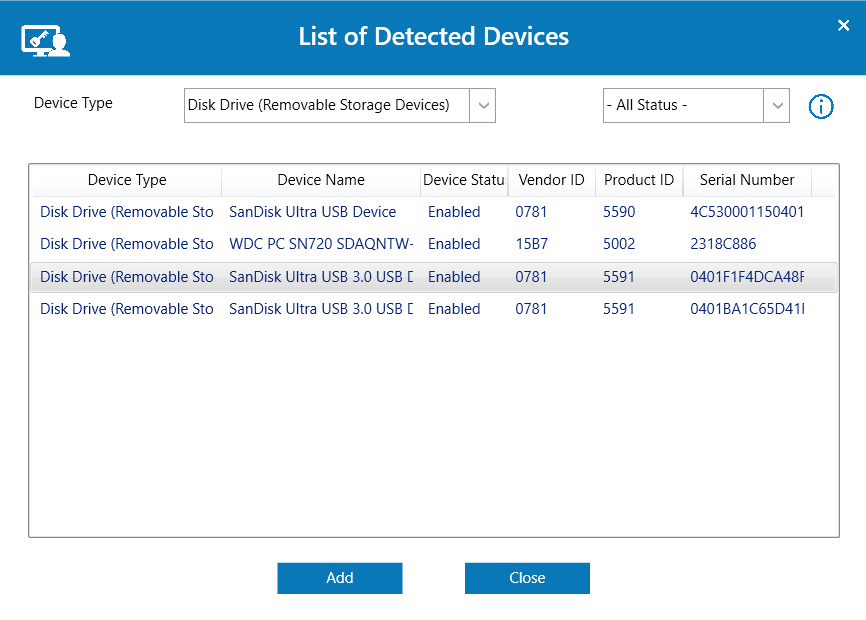
To view all connected Device Vendor ID, Product ID and Serial Number in the Temporary Access Portal :
- Go to Agent Tray icon and click on view Temporary Access Portal.
- In the Temporary Access Portal, click on Select Device.