Use cases of the FileAnalysis tool
- ROT data analysis
- File storage analysis
- Duplicate file management
- Disk usage reporting
- File share analysis
ROT data analysis
- Reduce unnecessary storage expenses by managing redundant, obsolete, and trivial (ROT) files.
- Locate unnecessary data like media files, orphaned files, empty folders, and more using FileAnalysis.
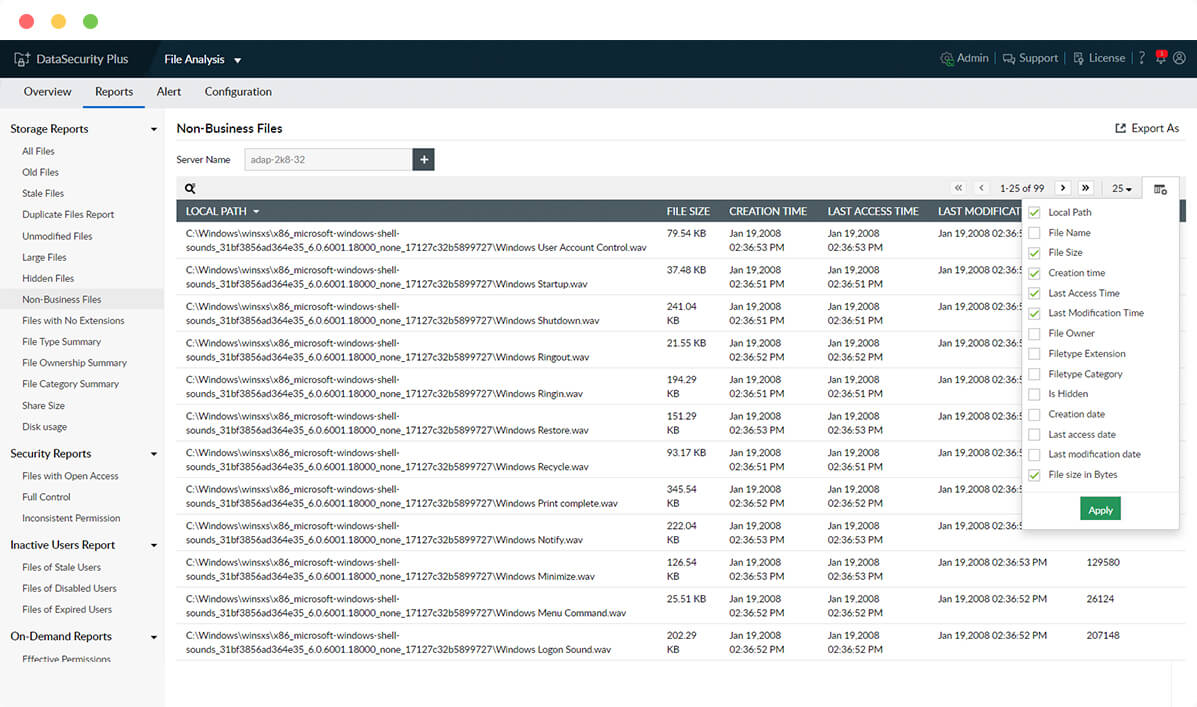
- Get a consolidated view of all hidden files in Windows file servers, failover clusters, and workgroup servers.
- Reclaim primary storage by locating and removing junk files from enterprise storage devices.
File storage analysis
- Know when to free up space by monitoring storage space in every server and triggering low storage space alerts.
- Sort enterprise files based on their types and categories to understand your file storage status.
- View details on the size, location, owner, and other important attributes for every file in your storage environment.
- Track the annual growth of file volume with information on the volume of junk files created each year.
Duplicate file management
- Reduce storage redundancy, improve performance, and declutter disk space with the duplicate file finder.
- Compare file names, sizes, and last modified times to precisely identify duplicated files.
- List all copies of duplicated files along with information on their locations.
- Select and remove multiple duplicates at once right from FileAnalysis' user interface.
Disk usage reporting
- Easily locate old, stale, unmodified, hidden, and other nonessential files in enterprise storage.
- Enable granular analysis with instant reports on all file shares, active sessions, open files, junction points, and more.
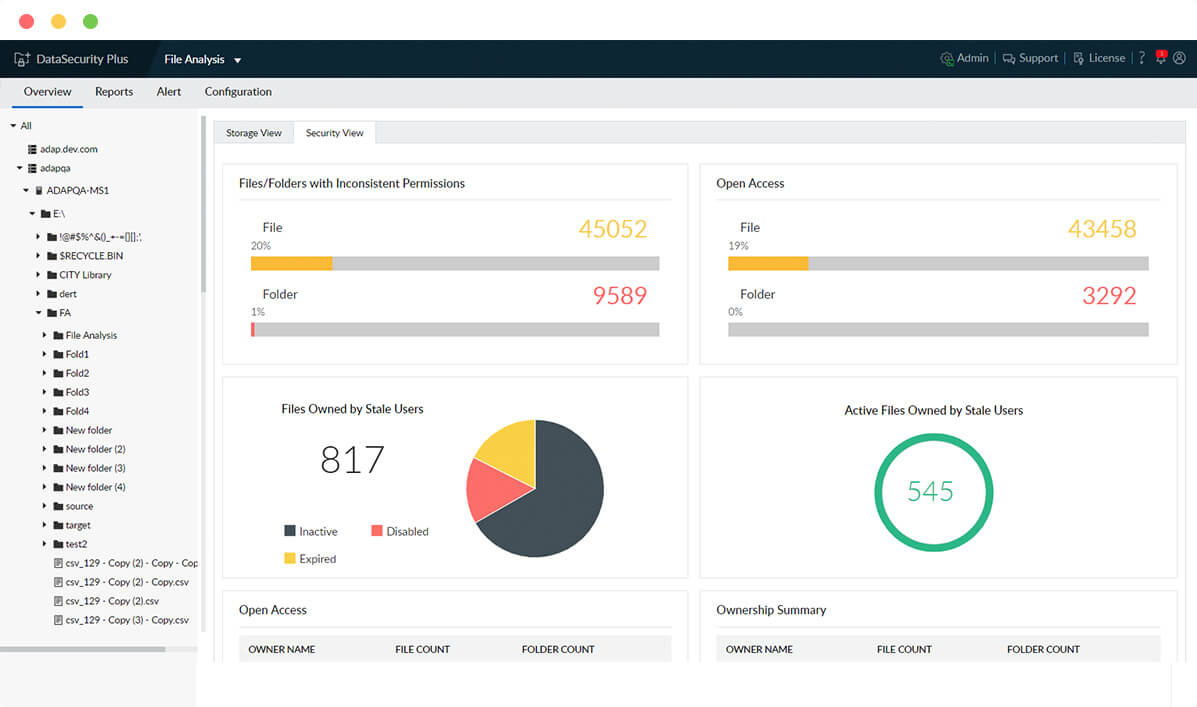
- Monitor employees' storage patterns, and know who owns which files along with whose files take up what volume of organizational storage.
- Spot storage policy violations such as employees storing large media files, stale files, or other trivial data with email notifications.
File share analysis
- Locate every shared file and folder in your organization's file storage environment.
- Analyze the size of your shares and the number of files and folders within the share.
- Easily identify duplicates and other junk files within shared folders.
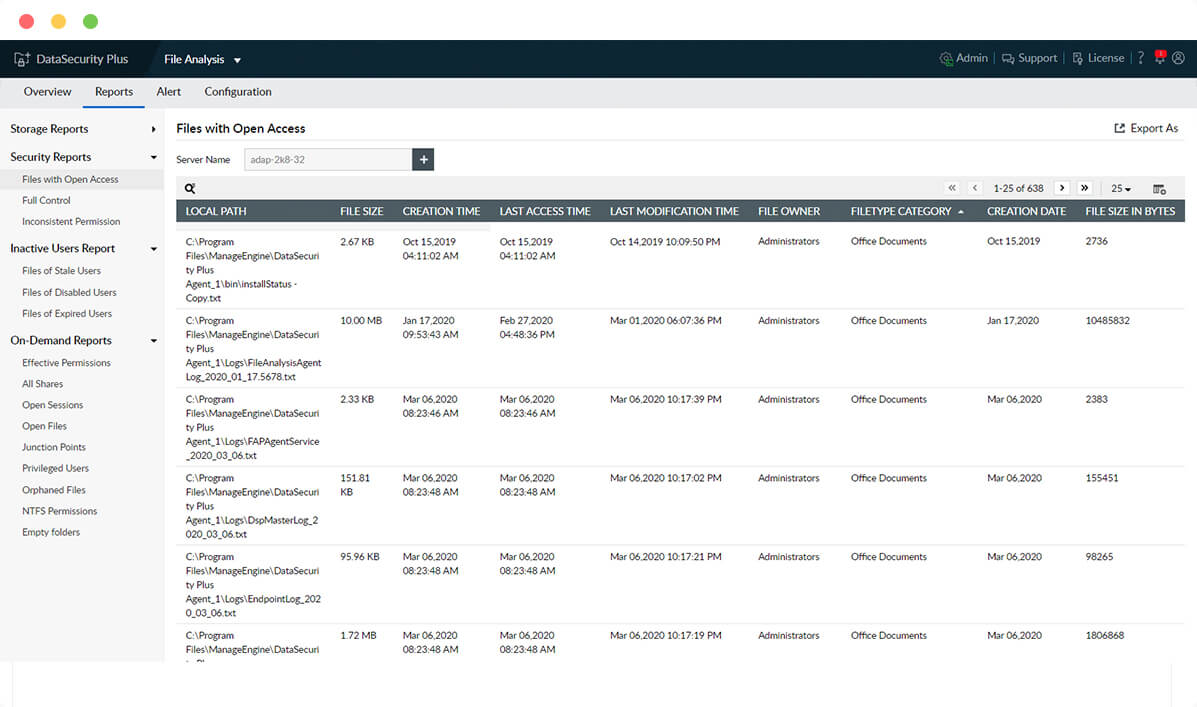
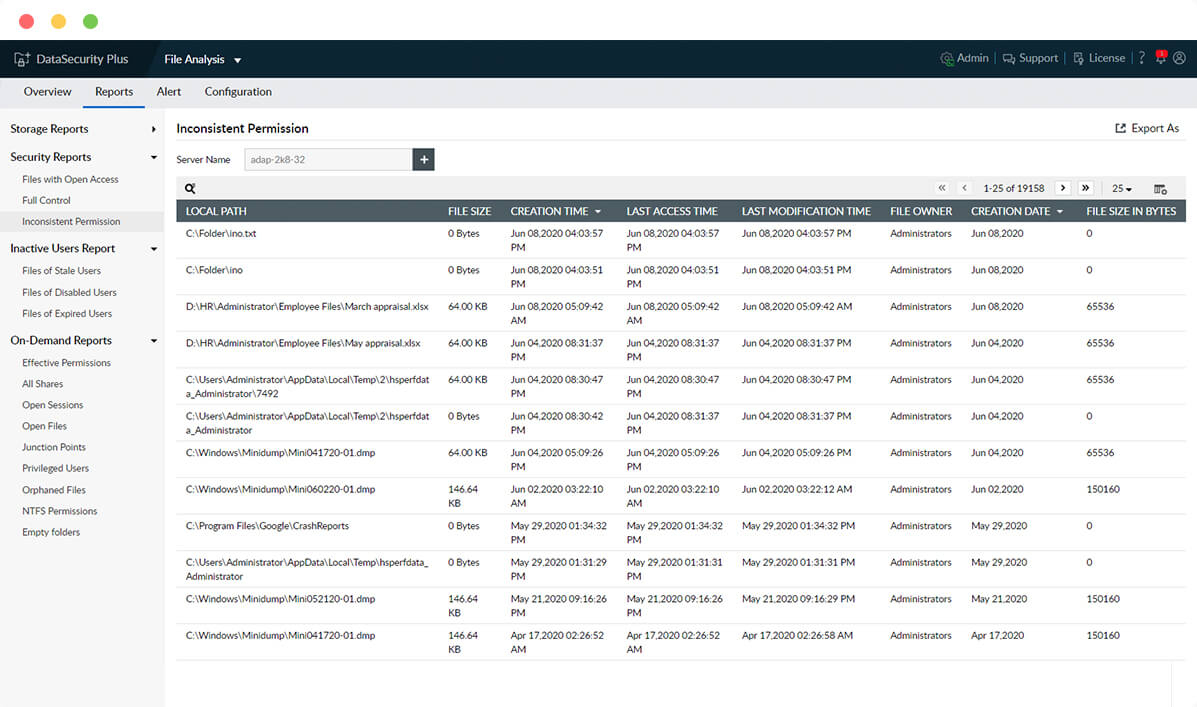
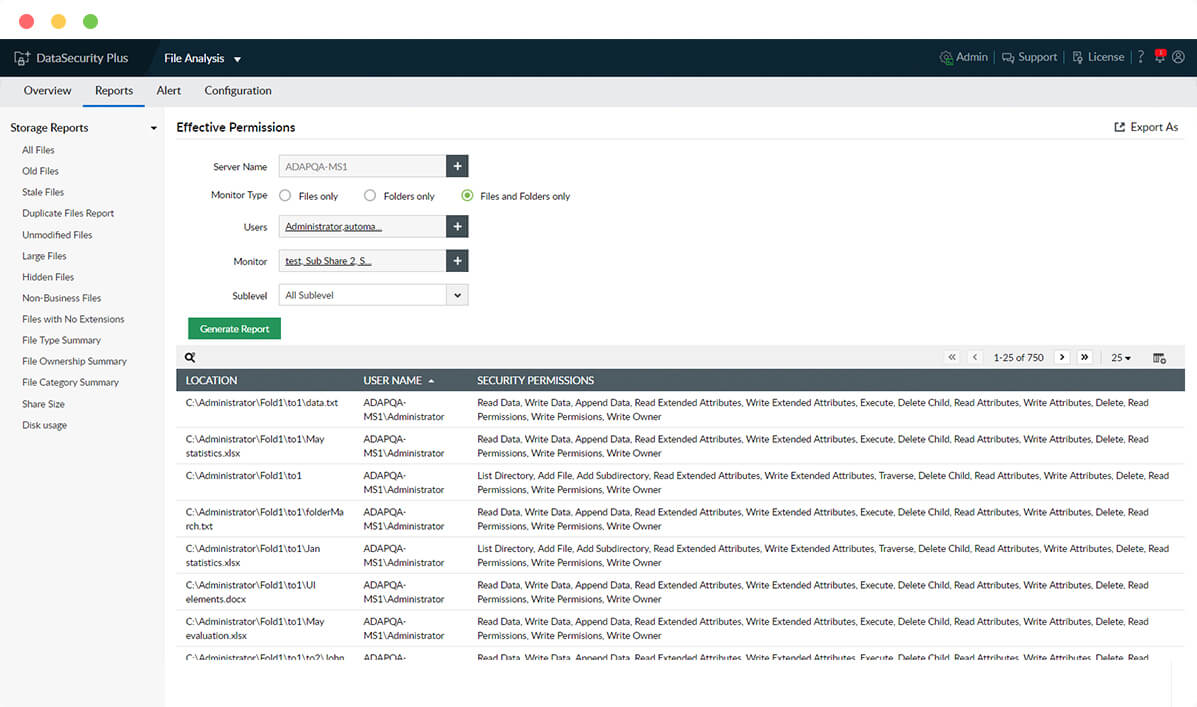
- Better manage permissions by listing and reviewing the access rights associated with your file shares.
Here's how the FileAnalysis tool works
Locate and manage ROT data to optimize file storage.
Understand your file storage
Get key insights on file ownership, type, location, last access and modification times, etc.
Next Step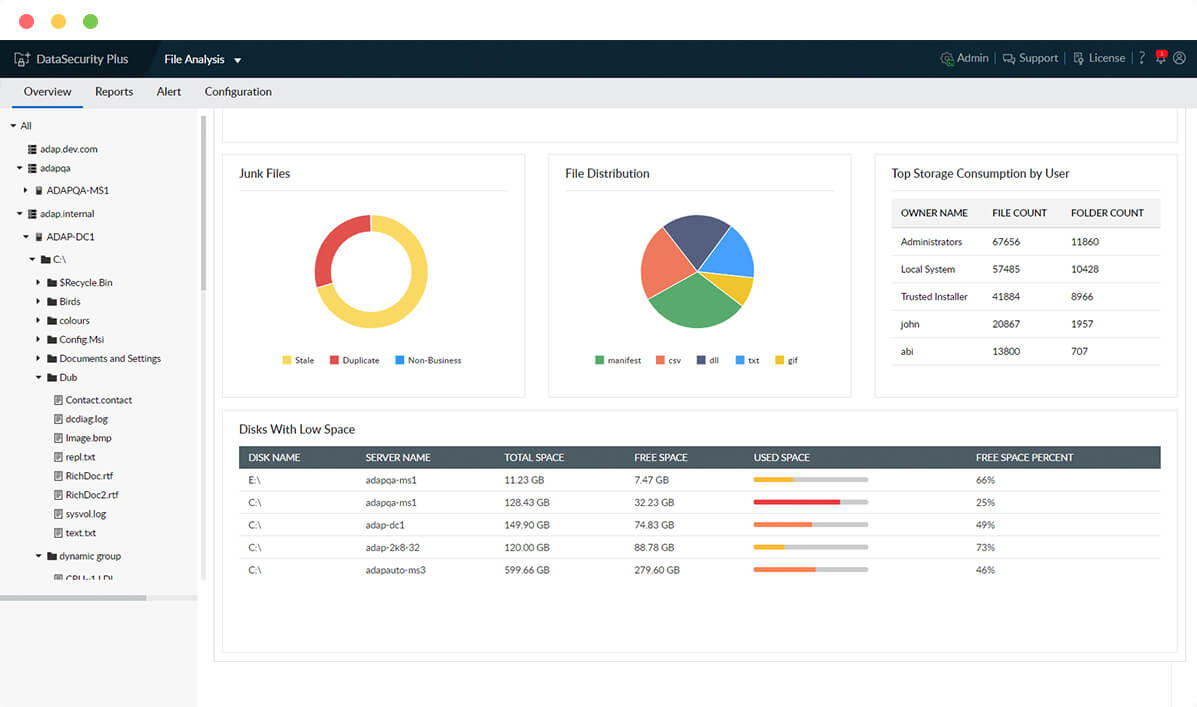
Identify ROT data
Monitor storage availability, and remove redundant, obsolete, and trivial (ROT) data.
Next Step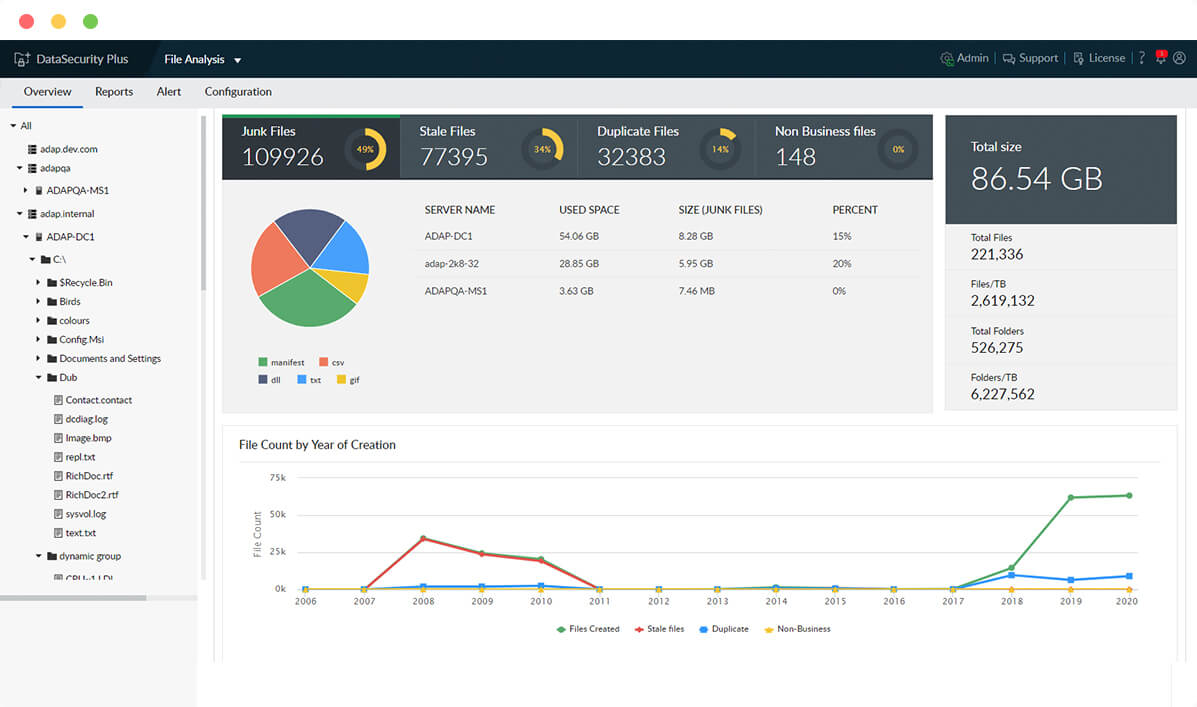
Manage unneeded files
List every copy of junk and duplicated files, and move or delete them to increase storage capacity.
Next Step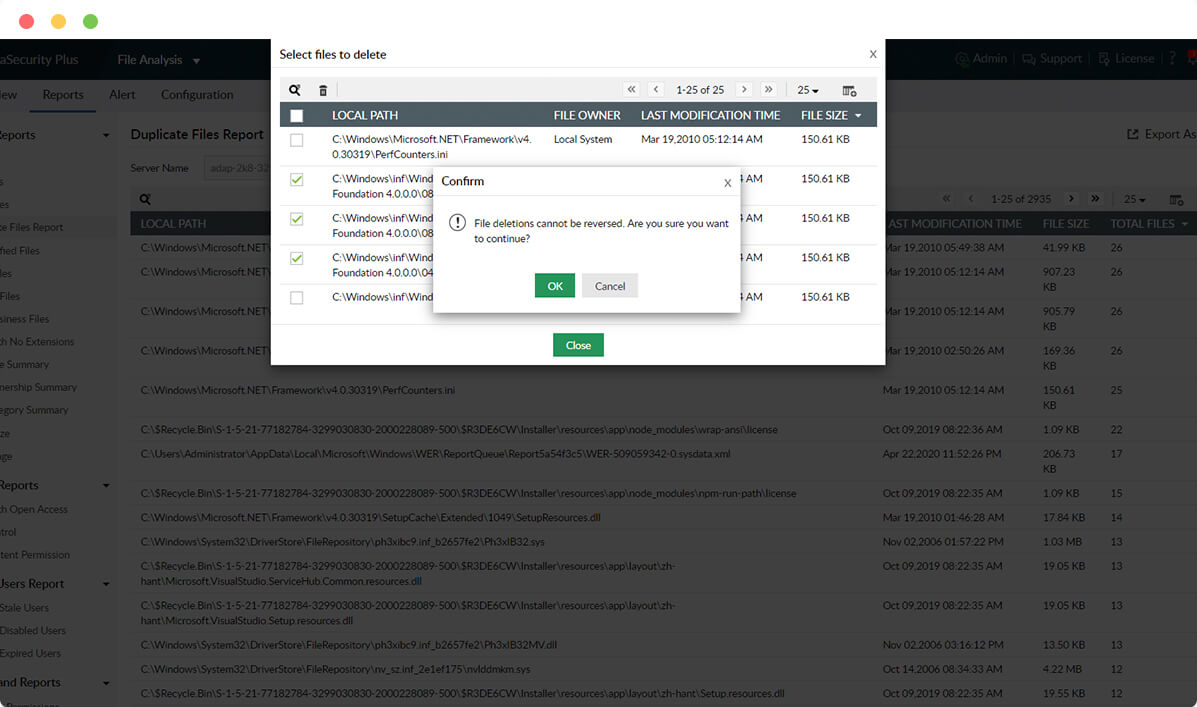
Generate storage reports
Spot old, stale, large, hidden, unmodified, and non-business files using detailed reports.
Next Step