- What is a certificate signing request?
- What information does a certificate signing request contain?
- Prerequisites before creating a certificate signing request
- How to create a certificate signing request
- So why does a certificate signing request look like a long string of characters?
- Automate your certificate signing requests using Key Manager Plus
What is a certificate signing request?
A certificate signing request (commonly known as CSR) is when encrypted data about an organization requesting a new SSL/TLS certificate is sent to a CA to get a new certificate issued. A certificate signing request initiated by an organization contains a variety of information, including the server's public key and the CA's name. Using this information, a CA will be able to create and issue a valid certificate.
What information does a certificate signing request contain?
Apart from the public key, a typical certificate signing request contains the following information:
Common Name
The Common Name is the fully qualified domain name of your organization. For example: manageengine.com
Organization Name
The Organization Name will be the full, legal name of your organization. This must be inclusive of suffixes, if any. For example: Zoho Corporation. The organization name cannot contain the following characters: < > ~ ! @ # $ % ^ * / \ ( ) ? . , &
Locality
The Locality field refers to the town, city, or village your organization belongs to. For example: Austin
State
The State field refers to the state your organization belongs to. For example: Texas
Country
The Country field refers to the two-digit country code of your organization. For example: US
Email Address
The email address field requires the email address of the admin or the employee who will oversee the whole process. For example: admin@zylker.com
Note: The email address field is often optional and may not be required or used by all CAs.
Fields
Example
Common Name
manageengine.com
SANs
DNS:www.manageengine.com,
DNS:manageengine.com,
DNS:blogs.manageengine.comOrganization Name
Zoho Corporation
Organizational Unit
IT Department
Locality
Austin
State
Texas
Country
US
Email Address
admin@zylker.com
Prerequisites before creating a certificate signing request
Before creating a certificate signing request for an X.509 certificate, you will have to generate a public-private key pair. The public key will be sent to the CA along with the certificate signing request, while the private key must be kept a secret and used for signing the information in the certificate signing request.
How to create a certificate signing request
You can create a CSR either manually or using certificate lifecycle management software.
Creating a certificate signing request manually
To create a CSR manually, you will have to:
01. Create an RSA private key pair
Log in to your server, then create an RSA private key with CSR using OpenSSL or keytool.
openssl
Command
Function
openssl
To invoke OpenSSL.
req
Indicates the generation of a new certificate signing request.
-new -newkey rsa:2048
Generates a new 2048-bit RSA private key.
Note: 4096-bit key pairs are more secure. If you wish to use them instead, replace 2048 with 4096.-keyout domain_name.key
Specifies the domain for which you're creating a new key. Replace domain_name with a name of your choice.
-out MYCSR.csr
Specifies the name of the output file that stores your CSR. Replace MYCSR with a name of your choice.
keytool
Command
Function
keytool
To invoke Keytool.
genkey
Generates a new key pair.
-alias ALIAS
The name used to identify the key pair in the keystore. Replace ALIAS with a name of your choice.
-keyalg ALGORITHM
Specifies the algorithm (RSA, DSA, EC) to be used to generate the key pair.
-keystore server.keystore
Specifies the name of the keystore file that will store the key pair. Replace server.keystore with a file name of your choice.
-storetype TYPE
Specifies the type of keystore that will be created. Replace TYPE with the keystore type of your choice (JKS, PKCS12, etc).
Note: You will typically require appropriate permissions (like root or administrator privileges or user rights to write files) on the server. The server must also have the respective tool (OpenSSL or Java Development Kit for keytool) installed. When using keytool, you will be prompted to enter and confirm passwords for the keystore and key entry.
02. Submit certificate signing request details
Soon after you run the command, you will be asked to enter relevant certificate signing request details, including Common Name, Organization Name, Organizational Unit, Locality, State, Country, and Email Address. You can also enter a password for your key pair at the end.
Sending certificate signing request details to the certificate authority
To send the generated CSR details to the CA:
Access the newly created CSR. You can find it in your working directory. Copy the entire content to a separate file. If your certificate authority does not allow you to upload a file, you can copy & paste the CSR details manually.
Verify the details before sending them to your CA. Many CAs also offer CSR decoders to troubleshoot error messages that appear during CSR generation.
Example of a CSR
After generating a CSR, you will get an output that resembles the example shown below. The CA uses this information to verify the request and issue the corresponding SSL/TLS certificate.
-----BEGIN NEW CERTIFICATE REQUEST-----
MIIE1zCCAr8CAQAwbTELMAkGA1UEBhMCSU4xEzARBgNVBAgTClRhbWlsIE5hZHUxEDAOBgNVBAcTB0NoZW5uYWkxFjAUBgNVBAsTDU1hbmFnZSBFbmdpbmUxDTALBgNVBAoTBFpvaG8xEDAOBgNVBAMTB3Rlc3RDU1IwggIiMA0GCSqGSIb3DQEBAQUAA4ICDwAwggIKAoICAQDgCx5kIVbqwVnBQmGIca7Ni3JzLgdnH4oVLpPXLHErtaYnXAwIY9VknLzSvxEapCmkme2ELZ8FfbTslyuCrrqLL4fnytsIX4QZDpzBPRyjyrwCNcSl5DeOYwjy3+f88BAm8lYX69hRoqr7QUulcfxSUSwZzGgN+MFQFw56+5HQ58ZP9MQn1yqBjM4ajhAJ6tGKwb3es3PA/dIGu/9Arkw7JYm0GWTv+Gwg0blH1NKrNovG4H4QeS2euCMnpmiojexWtD+3t4x9OW1lg1nvbGQGu6cKyn3h0ltIOsyete2wCLTFWwjPLnma7XoCDIzFGTdNOy5BFqq+2624GLw+8gjz8LSvIGhwfUY8+i+EWuGDb85+K4j40fvUq2krsZye9WKyUVdgEP9RjfZtvxB/1/tPiMWrbmZnY6yjdYKdG8Kxrp6N+rrNruB3iYqQKCD9XbEwAwl82I7jkyn/4a0nWJokfN7BEiR2GK1dOC3fn5r84TBm4McraaVZBPuxwpFP5YXAaJc5S4bo0JtJSWHdia65zrj3wbs9Cb8MZlki8fElwA2MumcjBt7aEipzFYkyKmYS9EF6qAnPixKE8V5U5VdNtDc22WBwwk9FsaaG4gYJi2YYcWLsOSnjw+Qhm5m54OharLnBAiKR3Ev0AQwaFgqqBIgp+rL4ynfl3LHVrOU17QIDAQABoCUwIwYJKoZIhvcNAQkOMRYwFDASBgNVHREECzAJggd0ZXN0Q1NSMA0GCSqGSIb3DQEBCwUAA4ICAQAc6TpPe1Yx05V6atsTxjgjsvXg+Bhgsqld5pgNWCCqUViAqtYA670rKO95DXP2xk3+iEKmzWCkxz9HcDY29WH48fVuxxwjh/S+tfJO9vdFu2DrG+ocUltLAPWDsRSlaxI3mUw7+78/kTSnDOFCDe/RZ7ck0C/9aT9eqLIcxM8sv/NlcVa5rnJ8J/nJ3ZEp1lBsVLuB046TFvEIx7EhLiC9/THRgpNtAXSLMimtXq1/SG+xf5BH1eSn/MpOAZ/nOvUf/qPwBhcWqbCAmQsyjPrW1jAOR11xZ6MEUn/5NIPJrW+4rHXFX/df14Ha/h06y4HzRhw6LYRxIhf7E9jBz7zkciR3VV5hl8eRglIRO47ihRJcGEJx1nXTUE4aJ3MNh0L3x9BDpRpfVpZ+6v2TPvEk/PWuHz5+J87BQaMmgc3HpwcLoUX8a8C6YANxygxjO91SMlHL/CWEXPp6DXwN9vfmOVROw5yQViHUXbMuvk6GpKOUkluDt8qrE3+6E1XzYUvfS0Tu/ahbp1Vh6ZACHxNaRKBa8RGLIMwu4z725J36WgwfBDd/pAnYtRDwMLKzBVH8DVA66NFg8dpwJYKDvATURhGYM5FSQNU4lqBOfBlsZQurpe1gumPkNwgheXAdh98GRVbDiHJwWM3vS6/vacZ2AfCPcB1wSIYzg7ePew+Kig==
-----END NEW CERTIFICATE REQUEST-----
Note: The specific encoded characters will differ for every unique certificate signing request generated.
So why does a certificate signing request look like a long string of characters?
The certificate signing request consists of Base64 encoded data, containing the public key and the distinguished name information entered initially. A major portion of the certificate signing request is the public key. This key is a large number and is inherently binary data. On top of the public key, the data within a CSR (Common Name, Organization, etc.) is organized into a specific, standardized data structure defined by Abstract Syntax Notation One (ASN. 1). This ensures that any CA can parse the request and understand it regardless of the system that generated it. This is why the certificate signing request appears as a long string of random characters.
You can use a certificate signing request decoder to verify the authenticity of the information stored in your certificate signing request.
Automate your certificate signing requests using Key Manager Plus
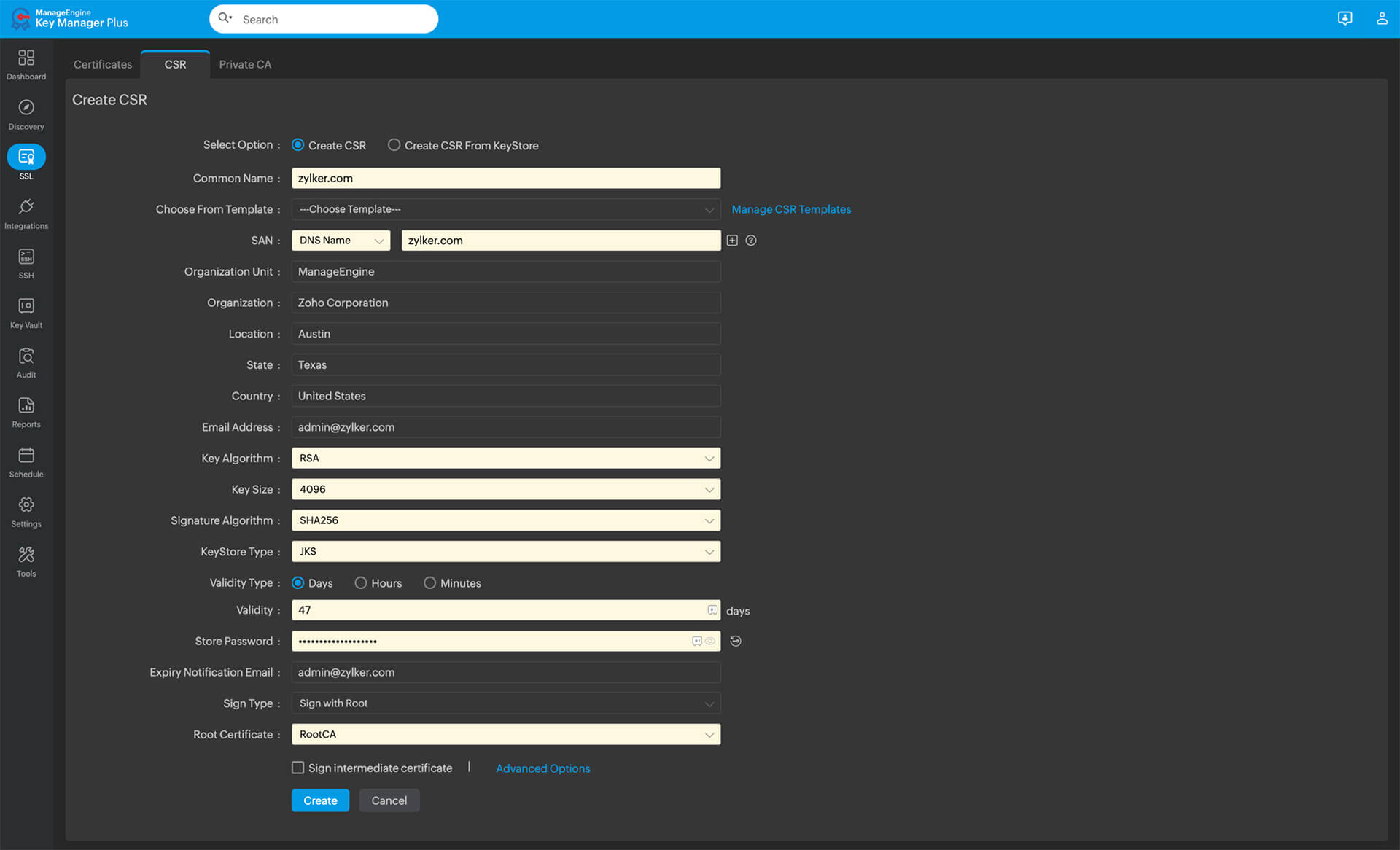
While manually creating a certificate signing request request can seem intuitive, it isn't scalable when you manage multiple devices in your organization. In such cases, it might be helpful to use machine identity management software that automates the certificate signing request process. For example, a solution like ManageEngine Key Manager Plus helps enterprises create new certificate signing requests, import or export certificate signing requests, set up certificate signing request templates, order new certificates from popular CAs, and much more.
Simplify your certificate life cycle management
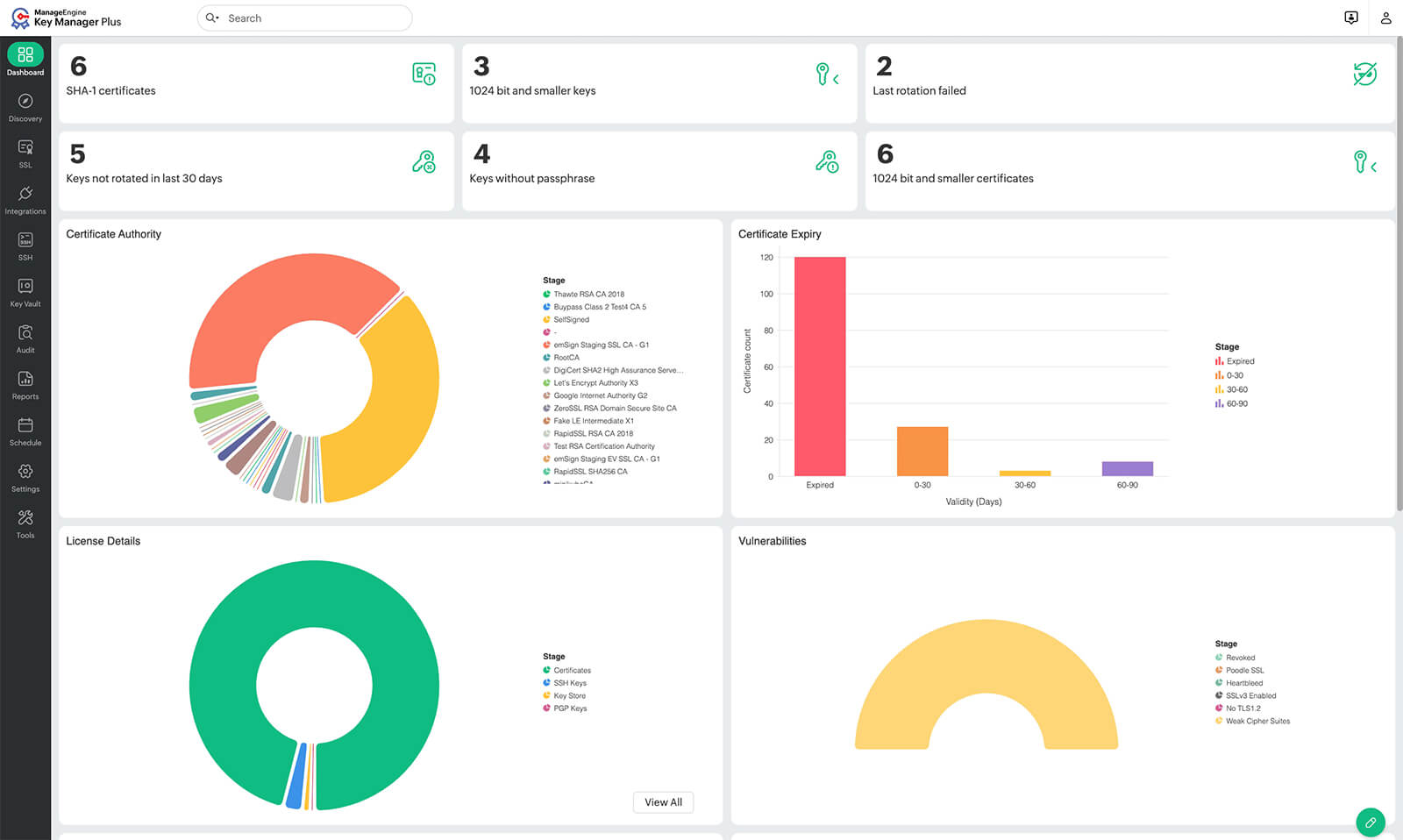
Managing certificate signing requests is one part of managing certificate life cycles in your enterprise. From encrypting data for secure communication to validating user identities, certificates form an essential part of our online world. If you do not yet use a certificate life cycle management solution, you should consider adopting one.
FAQs
- Can you share system-specific instructions for creating a certificate signing request?
If you're looking for instructions to create a certificate signing request on Windows, Mac, Kubernetes, or other platforms, you can find the detailed steps from the official sources below:
- What are some common mistakes to avoid when generating a certificate signing request?
There are a few mistakes to be aware of, but here are three common mistakes that you'll want to avoid when generating a certificate signing request:
- Entering the wrong domain name: You can prevent this by ensuring you're always typing the correct FQDN. Based on your server configuration and primary domain usage, be consistent about whether you want www. included (e.g.: www.zylker.com vs. zylker.com).
- Mishandling of private keys: Administrators often lose, fail to securely save, or compromise the private key file generated with the certificate signing request. Since the certificate is cryptographically bound to its private key, it's important to secure it. This can be prevented if the private key file is secured even before the generation of the certificate signing request.
- Weak key strength: Strong keys are usually recommended for better security. Browsers now by default require 2048-bit keys at least. Ensure you specify a key size of at least 2048 bits during generation (4096-bit would be preferred).
- How do I troubleshoot a rejected certificate signing request by a CA?
Start by reviewing the specific rejection reason provided by the CA. Your certificate signing request might be rejected because of an incorrect Common Name (CN), missing Subject Alternative Names (SANs), insufficient cryptographic key strength (e.g., below 2048-bit), errors in the submitted format, or discrepancies in the provided organizational details. In many cases, regenerating the certificate signing request with corrected information resolves the issue, or contacting the CA's support team for further assistance can help fix the issue.
- What kind of encryption is used in a certificate signing request?
Technically, the certificate signing request itself isn't encrypted. It uses the public key infrastructure (PKI) and digital signatures for authenticity and integrity. It is digitally signed using cryptography algorithms (RSA or ECC) and hashing algorithms (like SHA-256).
- What is a certificate signing request file? What does it contain?
The certificate signing request file is a simple text document that contains the details of the certificate signing request. The certificate signing request file is used to easily and securely store and transmit the certificate signing request message.
- Why are SANs an essential part of certificate signing requests?
Modern browsers rely on SANs to match the certificate to the website address. If SANs are present, some browsers might even disregard the Common Name. Since SANs help secure both www and non-www versions of your domain (e.g., www.manageengine.com and manageengine.com), multiple of your subdomains (e.g., insights.manageengine.com and blogs.manageengine.com), and even different domain names under one certificate, they play a very crucial part in every certificate signing request.
- Why do businesses create certificate signing requests?
Organizations create certificate signing requests to procure new certificates for their business use cases. These certificate signing requests are required by the CA to validate the organization's legitimacy and to issue new certificates. Without a certificate signing request, a business cannot obtain a legitimate SSL/TLS certificate from a trusted CA, and without certificates, businesses cannot establish trust or secure communication.