Last updated: August 13, 2026
Integrate Entra ID(formerly Azure Active Directory) with MDM Cloud
This page explains how to integrate Microsoft Entra ID (formerly Azure Active Directory) with ManageEngine MDM Cloud, enabling administrators to configure device policies based on directory users and groups. It walks through the integration procedure step by step — from navigating to Directory Services on the MDM server, authorizing MDM access to Entra ID, and accepting the required permissions, to enabling Directory Authentication for enrollment. An Azure account with global administrator privileges is required to complete the integration.
Azure has been fast rising as the preferred AD services for organizations, especially as more organization go cloud. With that in consideration, you can integrate the Entra ID(formerly Azure AD) of your organization with MDM, to configure policies based on Directory-users and/or groups. You need to use an Azure account, with global administrator privileges, to integrate Entra ID with MDM Cloud.
Integration Procedure
You need to follow the steps below to integrate your Entra ID with MDM:
- On the MDM Server, click on Enrollment tab from the top menu and select Directory Services from the left pane.
Click on Add Domain > Entra ID and then click on Authorize Now, to authorize MDM to access your Entra ID details.
Note : Once you are redirected to Microsoft's login page , complete the integration within 1 minute or else the session will timeout.
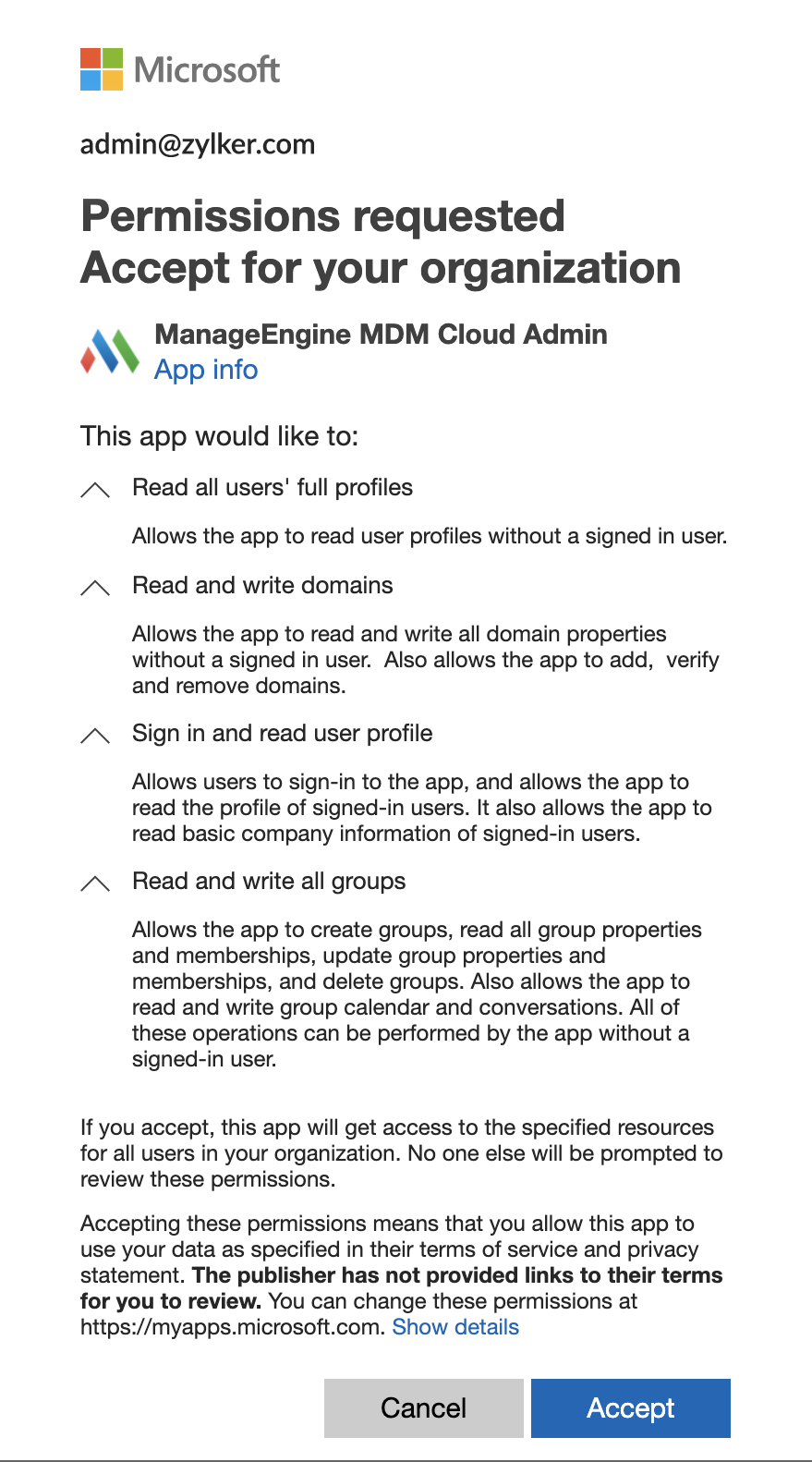
- On clicking a new windows opens, where you need to provide your Entra ID administrator credentials. Once done, click on Accept after viewing all the requisite permissions needed by MDM for integration. MDM requires all the permissions listed.
- Once the integration is succesful, you will be redirected back to the MDM server. If you want to utilize Entra ID credentials for device enrollment, select the option Directory Authentication under Enrollment settings and click on Finish. Also, to enable self enrollment using Entra ID, you need to verify the organization domain.
Frequently asked questions
Do I need to configure OAuth to integrate Entra ID with MDM Cloud?
No. OAuth app configuration is only required for MDM On-Premise; for MDM Cloud, you simply click Authorize Now and sign in with your Entra ID administrator credentials.
What account is needed to integrate Entra ID with MDM Cloud?
You need an Azure account with global administrator privileges to integrate Entra ID with MDM Cloud.
How do I enable self-enrollment using Entra ID?
After integration, select Directory Authentication under Enrollment settings and click Finish. You'll also need to verify your organization's domain to enable self-enrollment using Entra ID.