Last updated: July 24, 2026
How to enroll Mac using Apple Business Manager without performing a factory reset?
Since Apple Business Manager (ABM) normally requires devices to be new or factory reset before enrollment, this guide explains a workaround for enrolling Macs into ABM without wiping existing data. After completing standard ABM enrollment, admins run the command profiles renew -type enrollment in Terminal with root permissions on the Mac, approve the resulting management profile prompt, and assign users to complete enrollment with the same benefits as a standard reset-based enrollment.
Description
Apple Business Manager (ABM) is a free portal provided by Apple, allowing organizations to easily manage mobile devices, Macs and TVs. While enrolling devices into ABM one of the pre-requisite is that the device should be new or factory reset before enrollment. Wiping the data from devices is not feasible in most organizations.Using the workaround given below, the admins can enroll devices without having to reset them. In addition to completing the enrollment without reset, this enrollment has all the same benefits as the usual ABM enrollment.
Steps:
Follow the steps to enroll Macs without performing a reset:
- Enroll the Mac using ABM by following the steps given here.
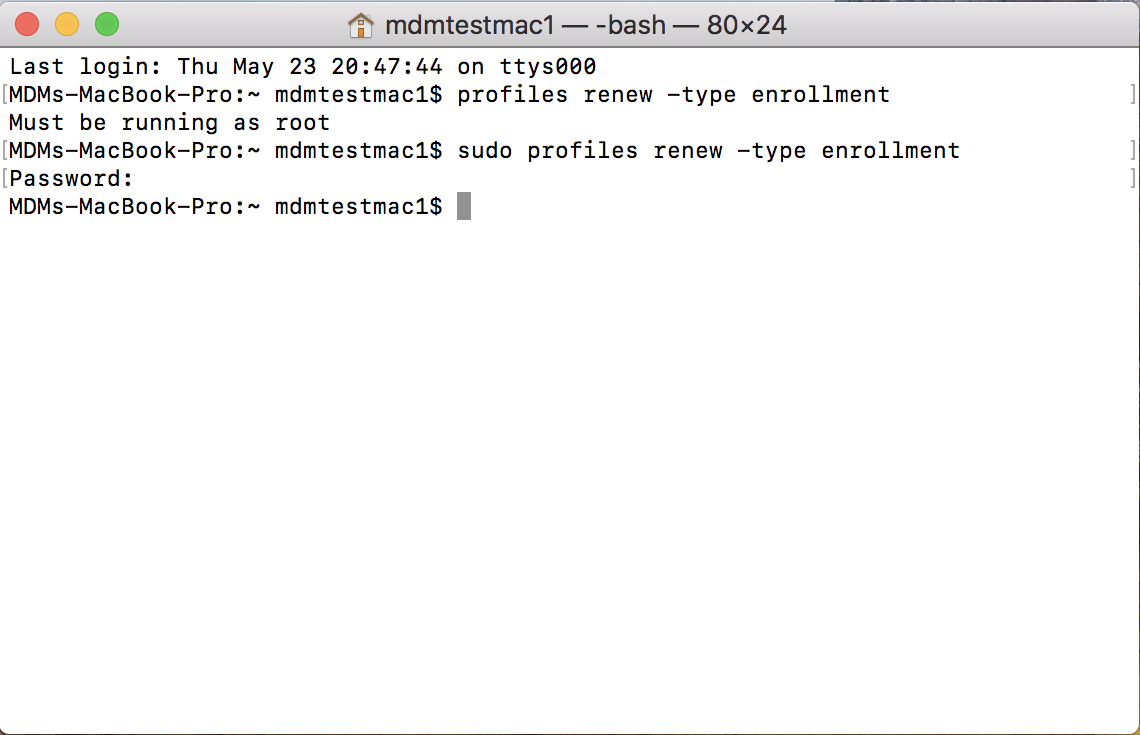
- On the Mac to be enrolled with ABM, with root permissions, open Terminal and run the following command profiles renew -type enrollment
- On the pop-up displayed on the right top corner of the screen, click Details.

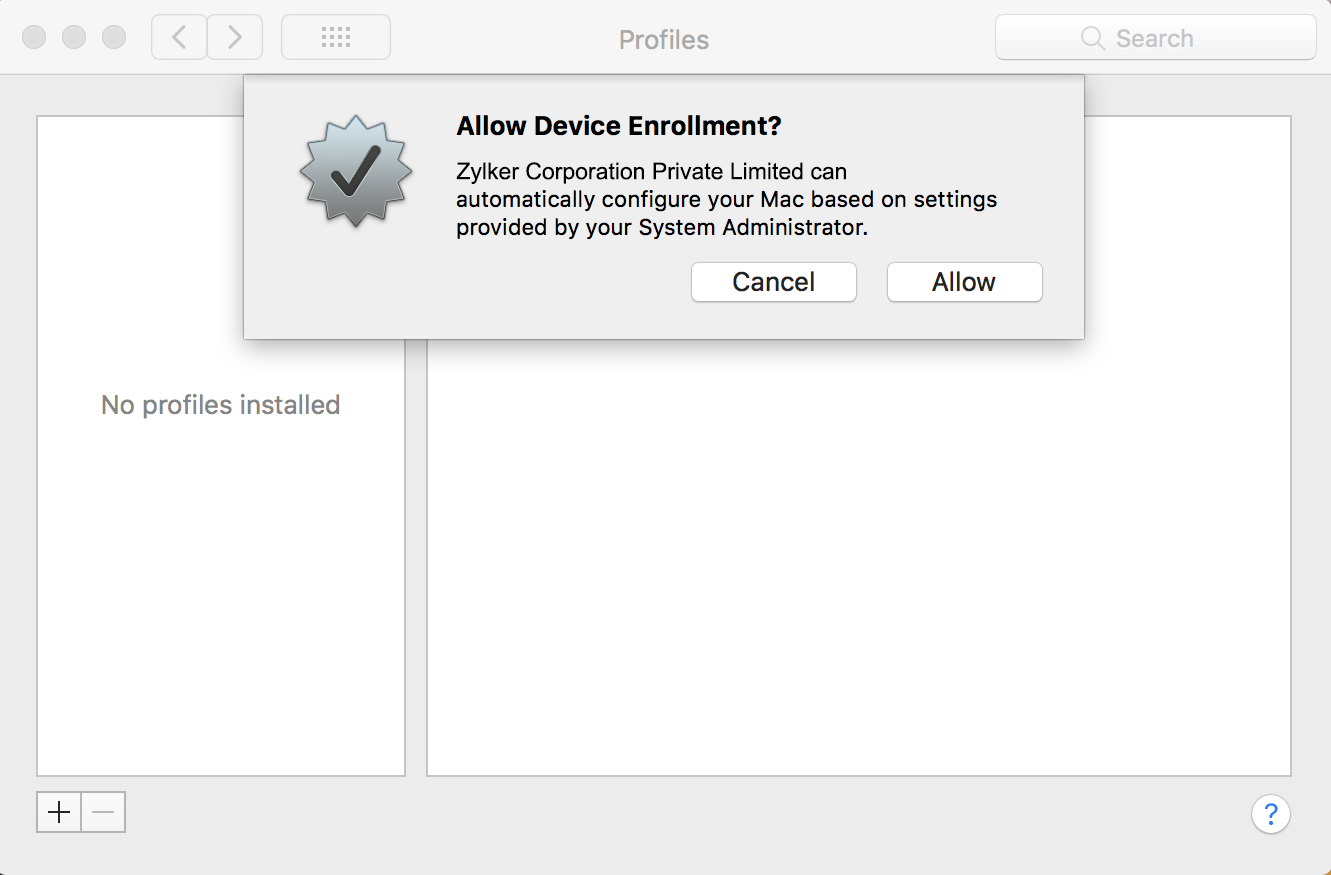
- You will be navigated to the Profiles, click on Allow to provide management capabilities to MDM
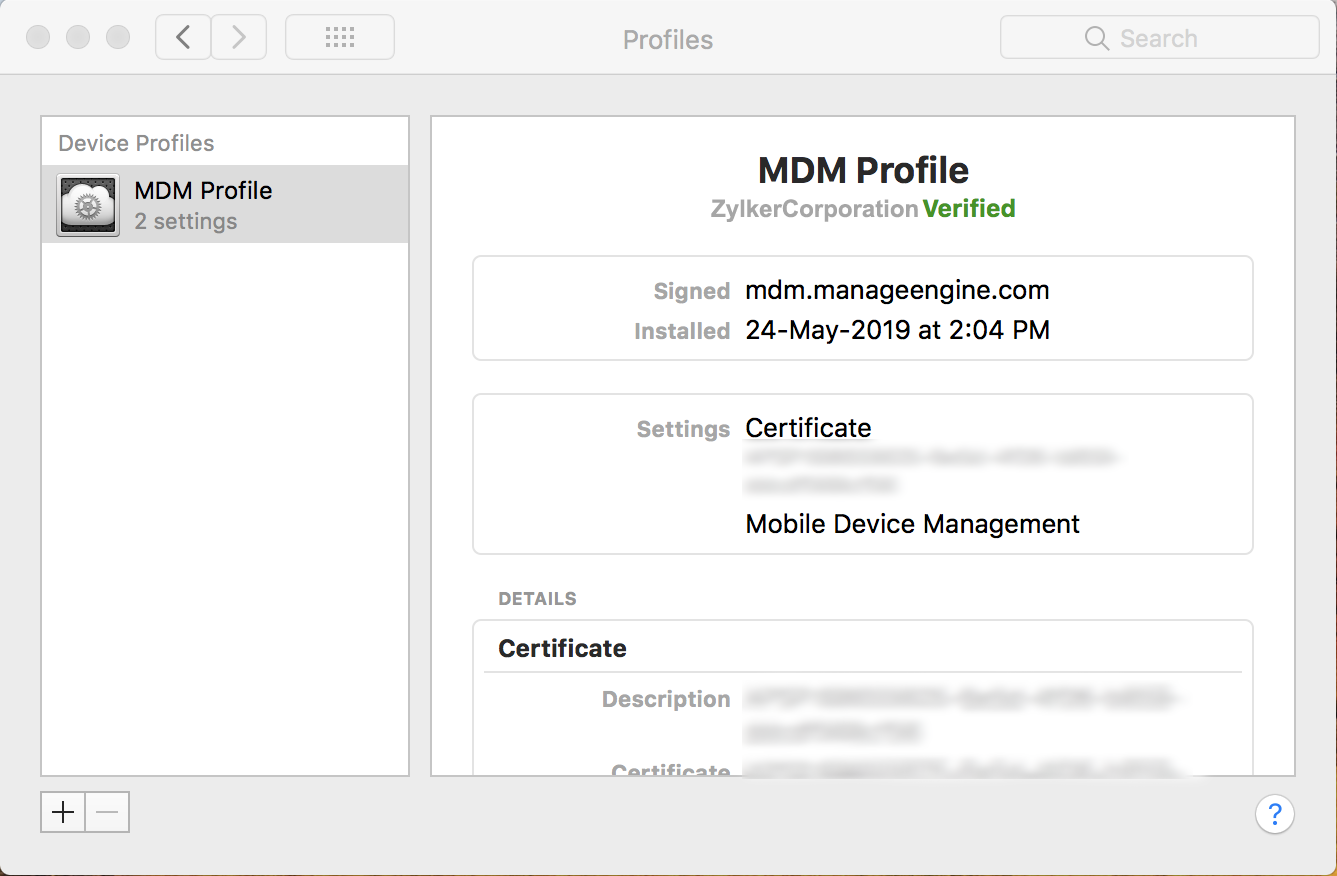
- Assign the users to the Mac and complete the enrollment.
Note:
If you want to enroll your Mac devices after performing a factory reset, follow the below steps:
Frequently asked questions
Do I need to wipe a MacBook when switching MDM services if it’s already registered in Apple Business Manager?
No. This workaround lets you enroll a Mac that's already in use into ABM without a factory reset, by running profiles renew -type enrollment in Terminal with root permissions instead.
Does a Mac enrolled this way get the same management capabilities as one enrolled with a reset?
Yes. Enrolling without a reset provides all the same benefits as the usual ABM enrollment.