Last updated: July 24, 2026
Enabling the revoke management option in Self Service app (previously ME MDM app)
This guide explains how to let users revoke device management through the Self Service app (previously ME MDM app). Administrators enable this by checking the "Show revoke management option" setting under Device Deprovision in Enrollment Settings on the MDM server. Once enabled, Android, iOS, and iPadOS users can open the Self Service app, go to Device Details, and select Revoke Management to remove the device from management themselves.
How to enable the revoke management option in the Self Service app (previously ME MDM app):
To allow the users to revoke the device from management through the Self Service app (previously ME MDM app), follow these steps:
- Navigate to Enrollment Settings on your MDM server.
- Locate the Device Deprovision section.
- Check the option "Show revoke management option in Self Service app (previously ME MDM app)".
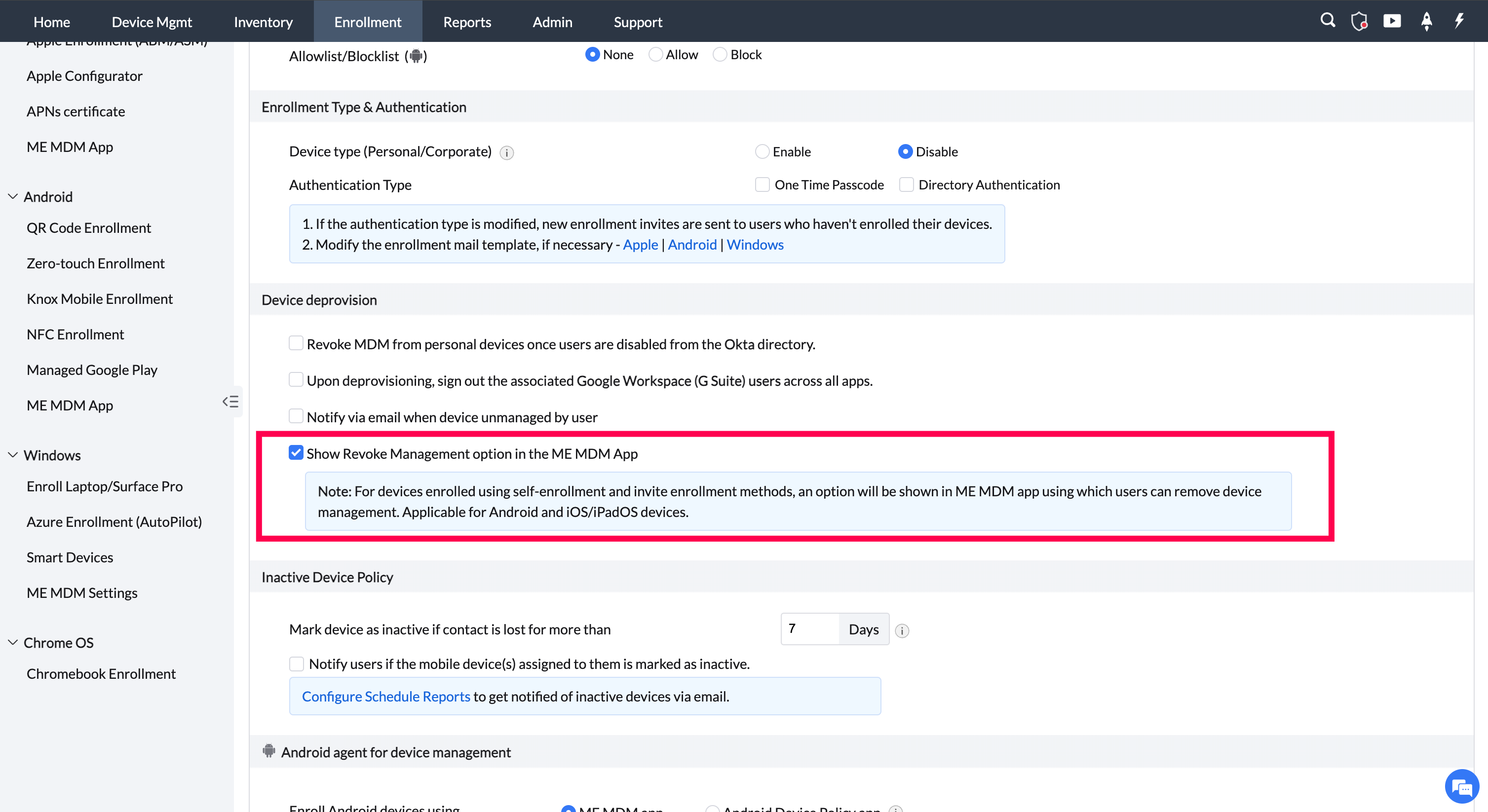
By enabling this, the revoke management option will be shown in the app, thereby allowing users to revoke device management through the Self Service app (previously ME MDM app).
How an End User Can Revoke Management Using the Self Service app (previously ME MDM app)
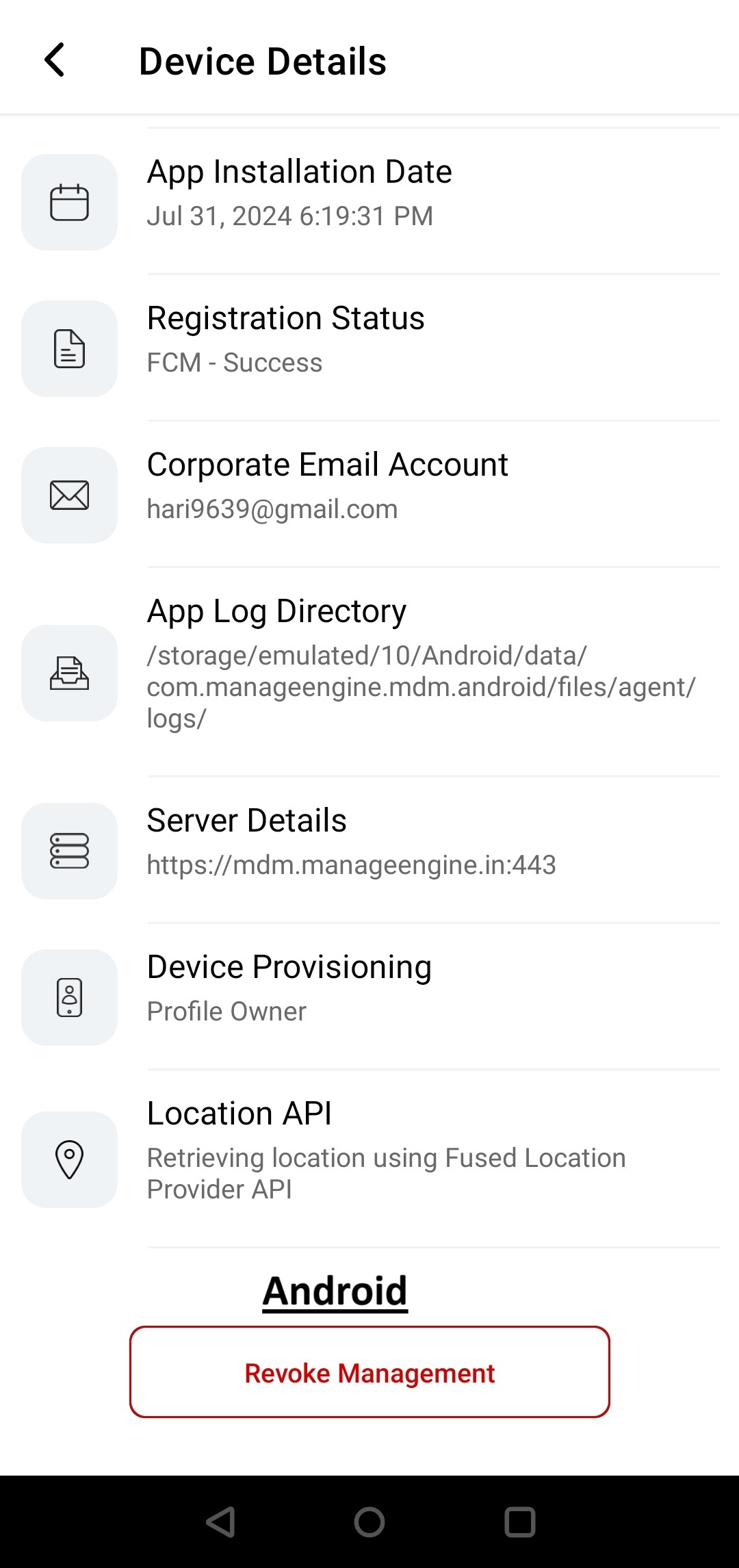
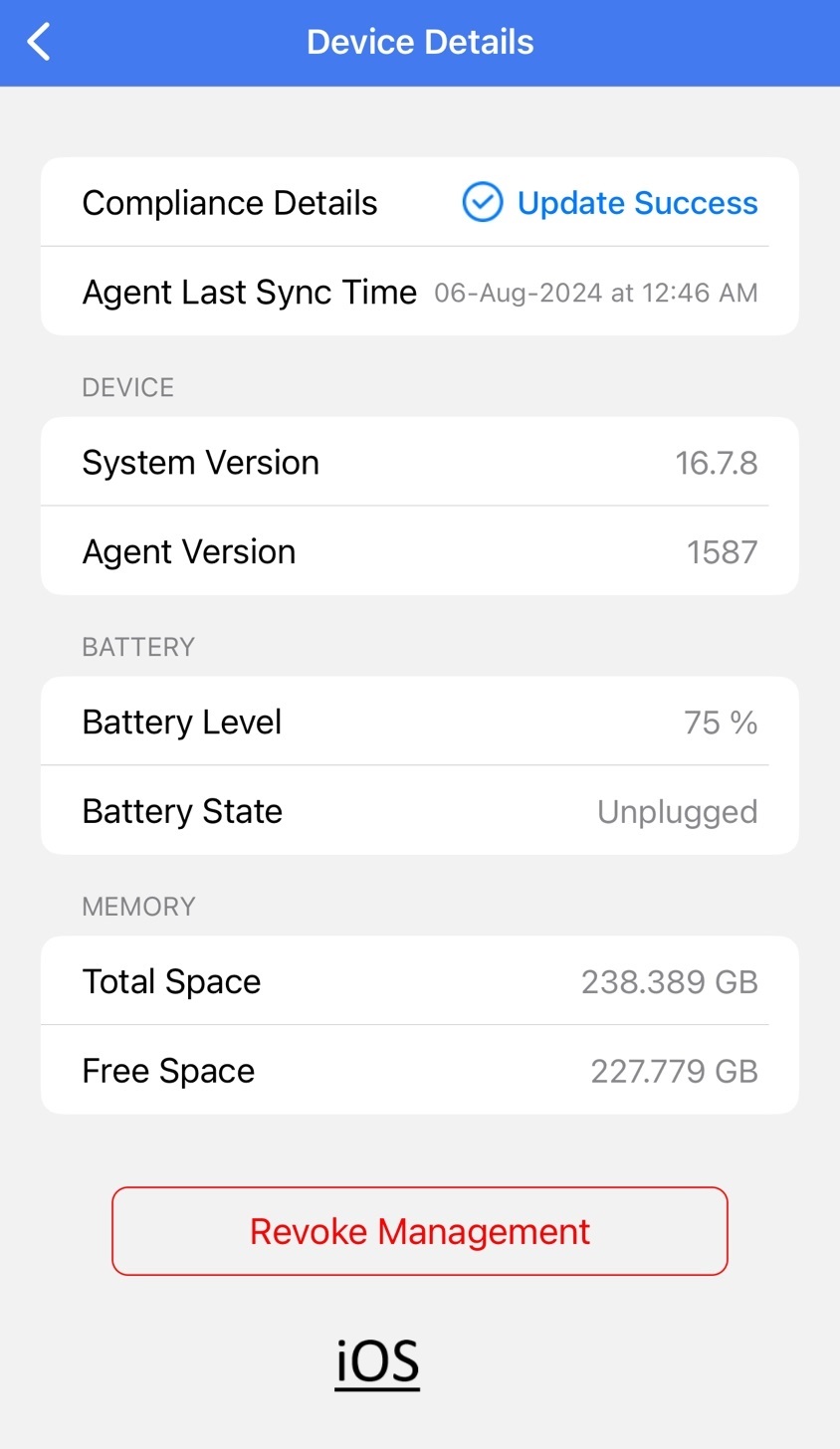
If the Show Revoke Management Option is enabled in the Enrollment settings, a user can revoke the management on Android, iOS, and iPadOS by following these steps:
- Open the Self Service app (previously ME MDM app).
- Navigate to the Device Details tab.
- Select Revoke Management.
By following these steps, the user can successfully revoke the management of their device.
Frequently asked questions
How do I let end users revoke device management themselves?
In Enrollment Settings on the MDM server, go to the Device Deprovision section and check "Show revoke management option in Self Service app (previously ME MDM app)."
How does an end user revoke management from their device?
The user opens the Self Service app (previously ME MDM app), navigates to the Device Details tab, and selects Revoke Management.
Which platforms support self-service revoke management?
Android, iOS, and iPadOS devices all support revoking management through the Self Service app once the option is enabled.
What happens after I enable the "Show revoke management option" setting?
The Revoke Management option becomes visible in the Self Service app, letting users remove their device from management themselves without contacting an administrator.