Last updated: July 24, 2026
Unable to connect to Exchange
Problem
You are trying to set up your Exchange Server account in Conditional Exchange Access to fetch device details and get the error message 'Unable to connect to Exchange - Verify entered credentials and pre-requisites'
Cause
You might get this error message, due to the following:
Resolution
Entered credentials are incorrect
Verify whether the Server FQDN and user name are entered in the specified format.
Server Name : Enter the Fully Qualified Domain Name of the Server. Example: exchange.server.com
User Name : Enter the user name in the format <username@domainname.com>
'Basic Authentication' is not enabled in Exchange Server
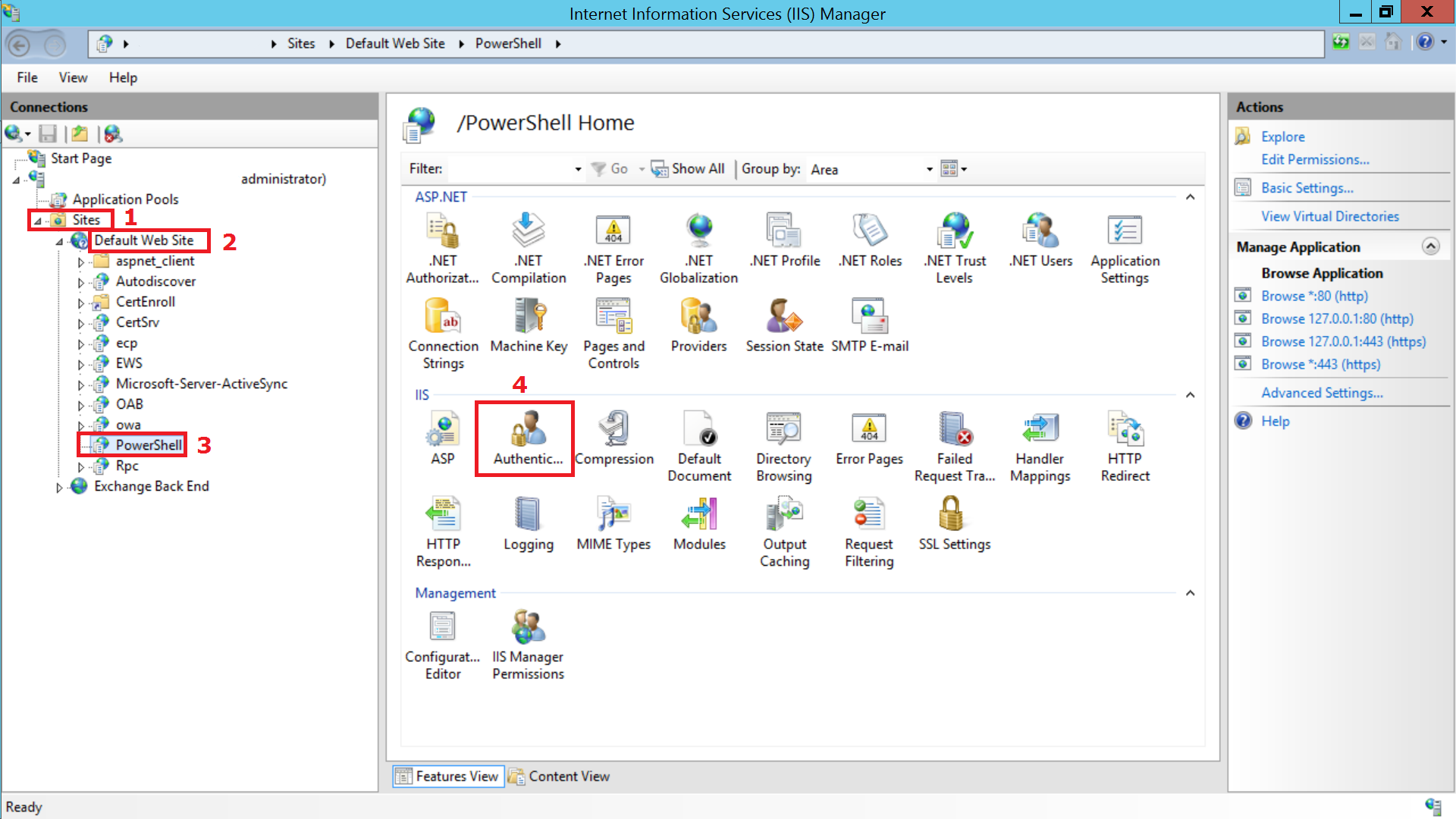
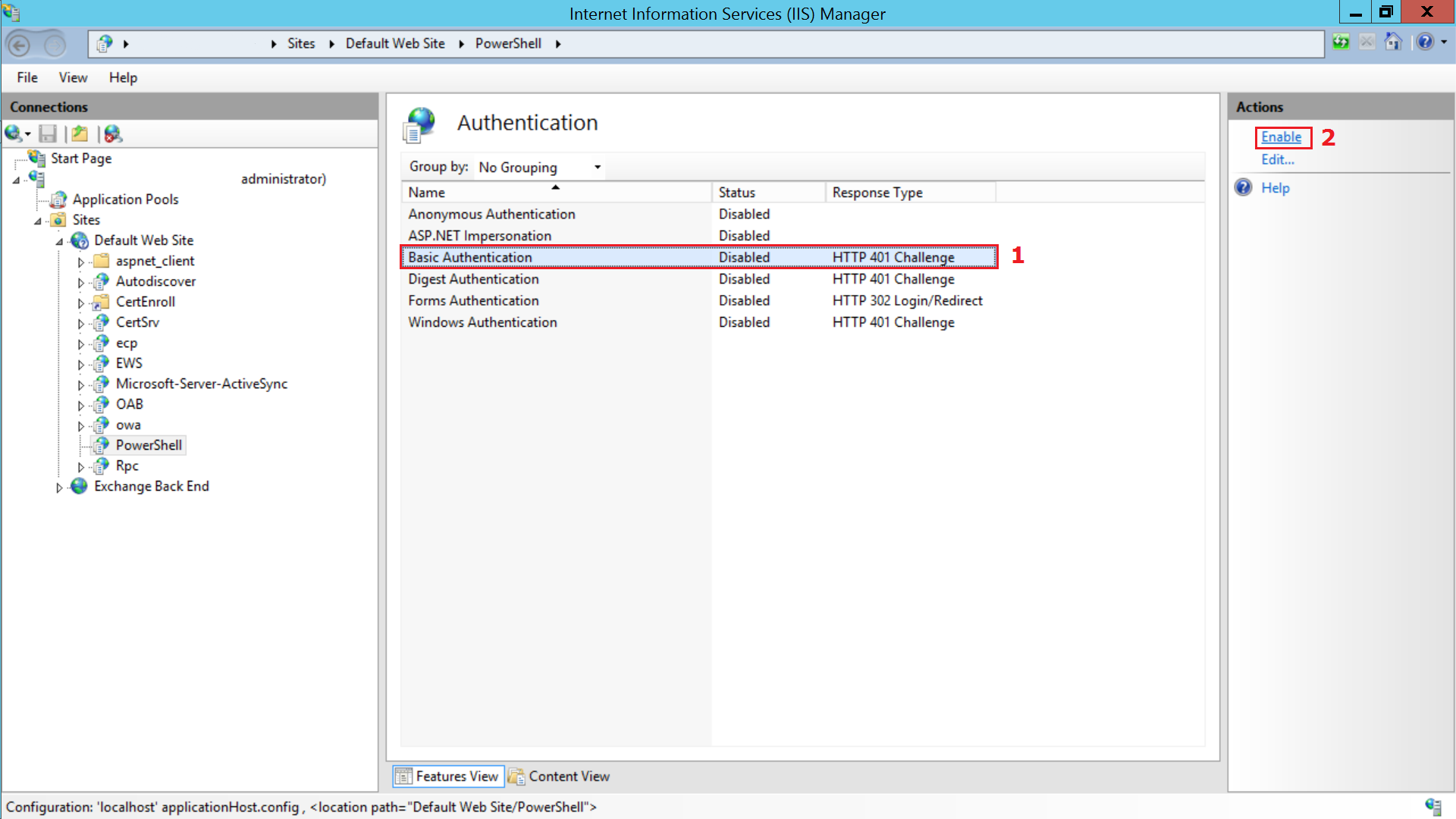
In the system running Exchange Server, Open IIS Manager, select Sites from the left pane. Then select Default Website > PowerShell > Authentication. Enable 'Basic Authentication' option by selecting 'Enable' from the Actions menu in the right pane and click Apply.
Applies to: Device Management, Device Enrollment, Mailbox Access Management
Keywords: Conditional Exchange Access, Exchange Server not reachable, Exchange Server Admin