End of Life (EOL) and End of Sale (EOS) Management in Network Configuration Manager
The End of Life (EOL) and End of Sale (EOS) feature in Network Configuration Manager (NCM) enables administrators to track the lifecycle of all network devices and plan timely replacements. By integrating vendor data, it provides complete visibility into hardware support timelines, ensuring that no unsupported device remains unnoticed in your infrastructure.
The EOL/EOS dashboard gives a unified view of your devices categorized by their lifecycle stage. From expired to active devices, the dashboard helps you assess replacement priorities, verify device data, and generate reports for audits or planning. You can access this feature from the EOL tab in the top menu.
EOL feature in Network Configuration Manager
EOL dashboard overview
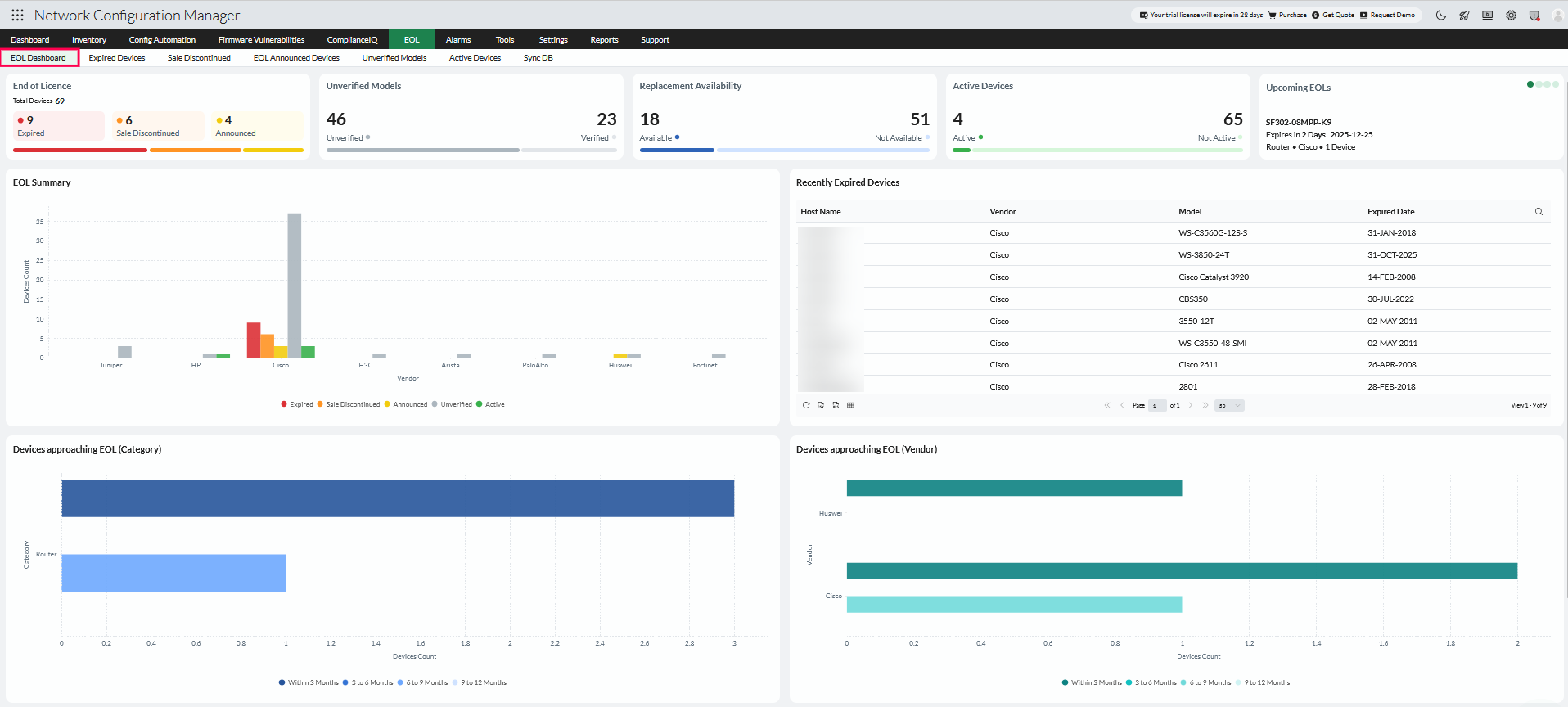
The EOL Dashboard offers a comprehensive snapshot of your network's lifecycle distribution, vendor coverage, and replacement readiness. It helps identify devices nearing end-of-support and provides insights for proactive lifecycle management.
EOL Dashboard Statistics
The stats section at the top of the dashboard provides a quick overview of your network's lifecycle status. It highlights:
- End of Licence distribution - Total devices, and how many are Expired, Sale Discontinued, or Announced.
- Unverified Models - Displays devices with missing or incorrect model information that does not match vendor records.
- Replacement Availability - Number of devices for which compatible replacement products are available.
- Active Devices - Devices that are fully supported by the vendor with no EOL/EOS announcements.
These metrics give administrators an immediate understanding of lifecycle risks and help prioritize corrective actions.
Upcoming EOL of Devices
Lists devices that will reach their End of Life within the next 12 months. This proactive view helps you plan hardware replacements, and migration strategies ahead of time.
EOL Summary
Shows the lifecycle status of all managed devices—categorized as Expired, Sale Discontinued, Announced, Unverified, or Active. This summary provides an at-a-glance understanding of the network's overall EOL condition.
Recently Expired Devices
Lists devices whose support period has ended based on vendor EOL data. The table displays the host name, vendor, model, and expired date to help assess unsupported devices and plan replacements.
Devices Approaching EOL (Category & Vendor)
Visual representations of devices that are expected to reach EOL within the next year, grouped by both device category and vendor. These charts help identify which hardware types or brands are most affected by upcoming lifecycle expirations.
Replacement Availability
Displays devices with identified replacement products or models across all lifecycle statuses, except Unverified and Active, helping administrators plan upgrades using vendor-provided data.
Unverified Models
Displays devices whose model information is missing, incomplete, or not match vendor records. This may occur if the model name was entered incorrectly or not populated during backup.
To resolve this, raise a support ticket from within this section and request an EOL/EOS database update to verify and correct the device data.
Expired Devices
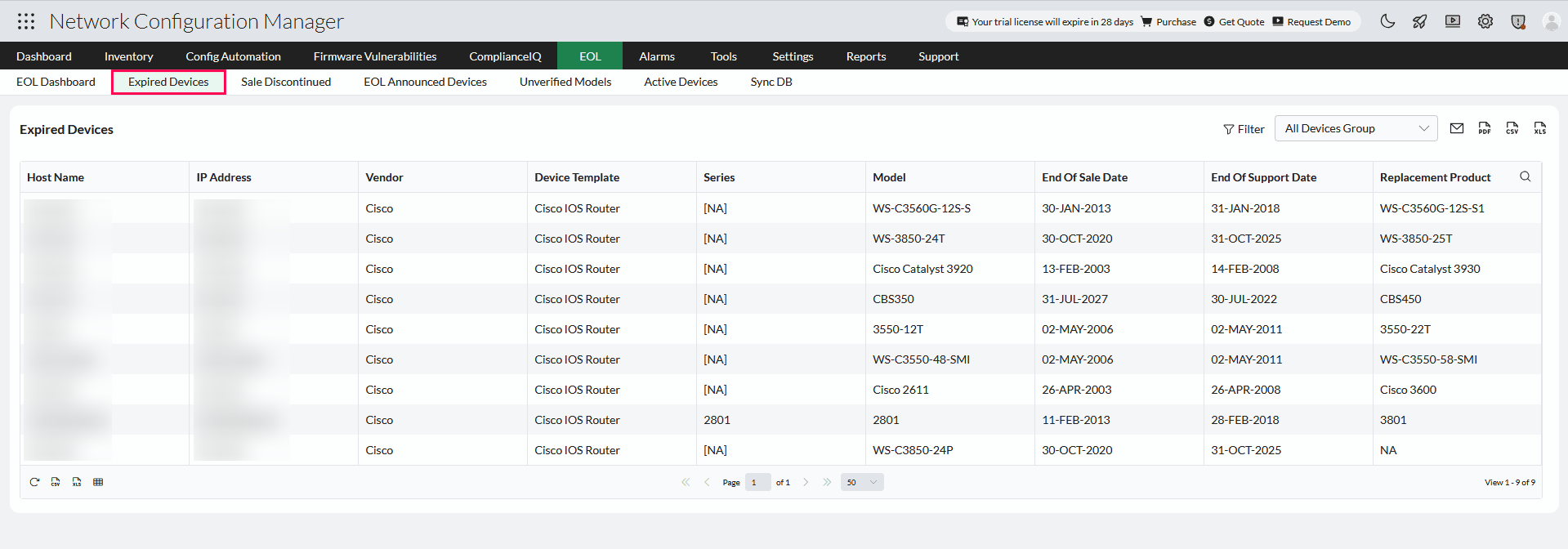
Lists devices whose sale and support periods have ended as per vendor data. These devices are no longer backed by the manufacturer and should be replaced at the earliest.
NCM automatically identifies replacement models for expired devices using the latest vendor database. This helps administrators find compatible alternatives without manual research, streamlining hardware planning and procurement.
Sale Discontinued
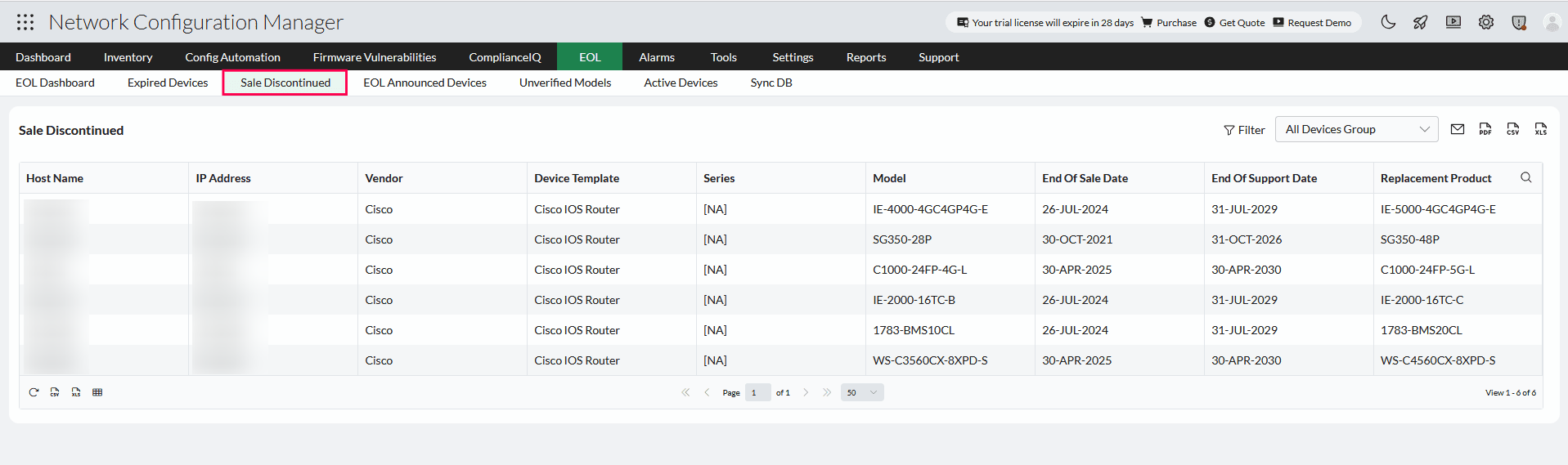
Includes devices whose sale has been discontinued, but vendor support is still active. These are operational but approaching their end-of-support date.
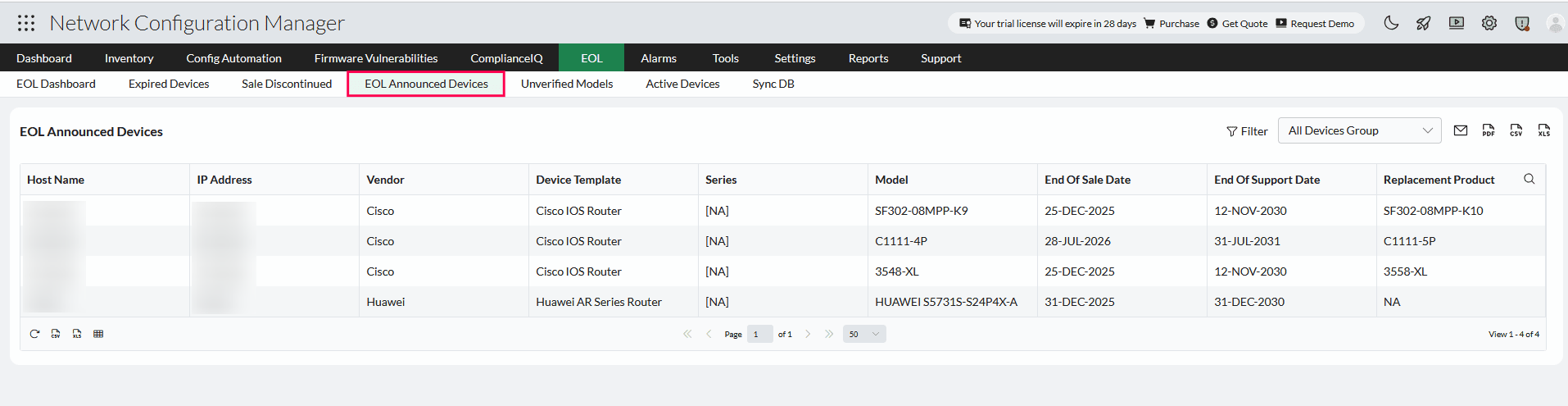
Announced Devices
Displays devices that vendors have announced for future discontinuation. These entries allow you to prepare for upcoming lifecycle events and plan replacements in advance.
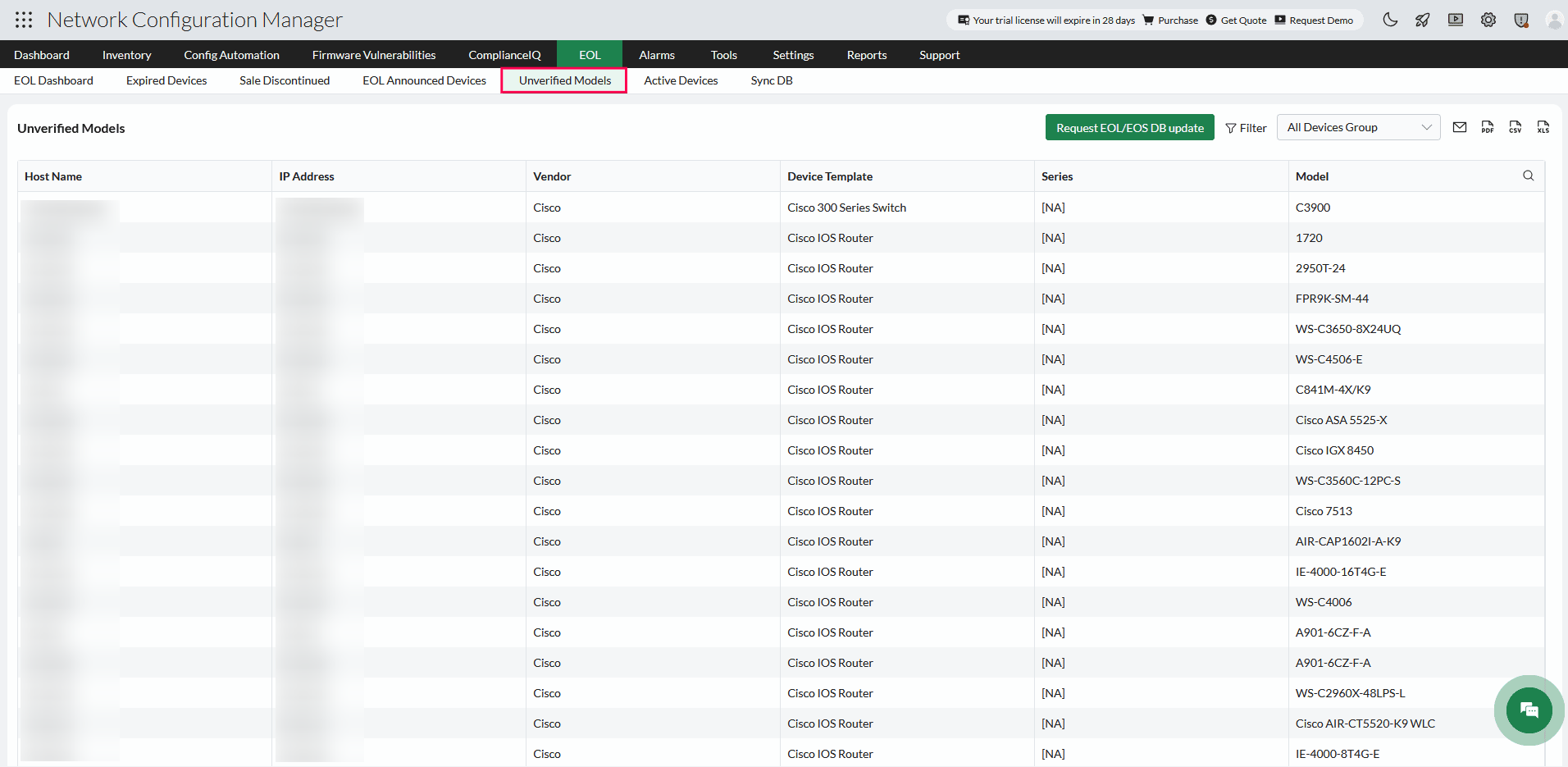
Unverified Models
Shows devices whose model information is incomplete or mismatched with vendor records, often due to incorrect model naming or missing entries.
From this section, you can raise a support ticket using Request EOL/EOS DB update. A list of SysOIDs and other device details will be sent to the NCM support team, who will review the discrepancies and update any missing or incorrect information in the NCM data center.
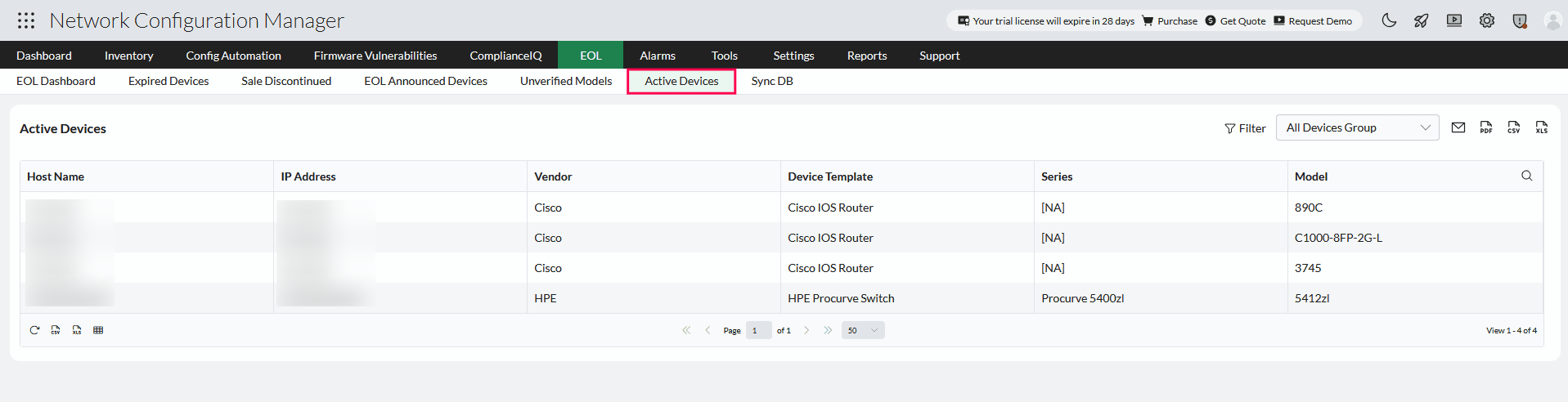
Active Devices
Lists devices that are fully supported by the vendor with no EOL or EOS announcements. These devices are up-to-date and compliant with vendor lifecycle policies.
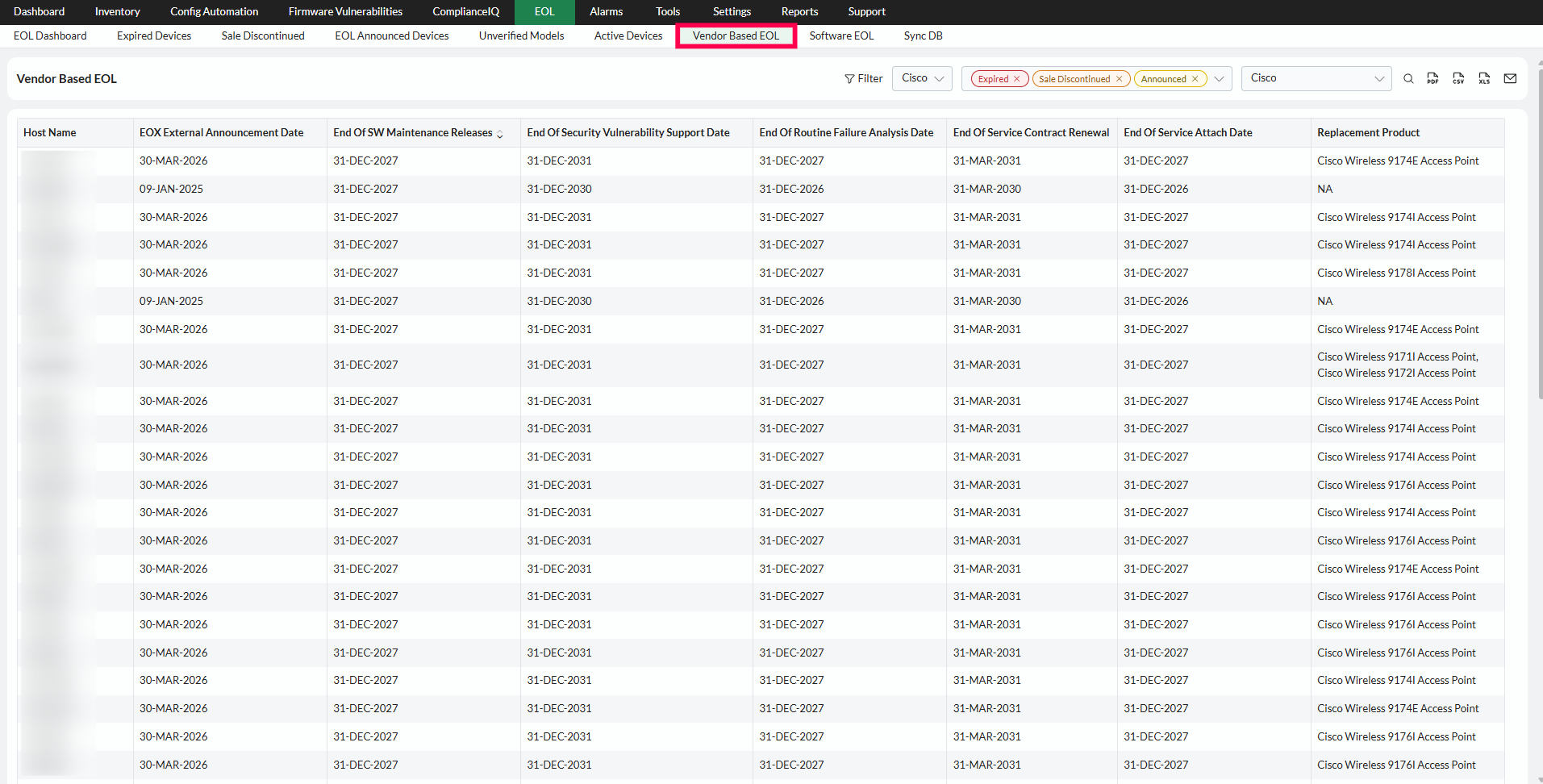
Vendor-based EOL and dynamic lifecycle columns
Starting from version 12.9.118, lifecycle columns in the EOL dashboard are populated dynamically based on the selected vendor's available model information. This means the columns displayed may vary between vendors, as different vendors provide different levels of lifecycle detail.
Software version-based EOL
From version 12.9.118, Network Configuration Manager tracks EOL status based on the software versions running on your network devices, including operating system versions, OS type, replacement product etc. Devices flagged here will display the detected software version and its corresponding EOL or EOS date as per vendor records.
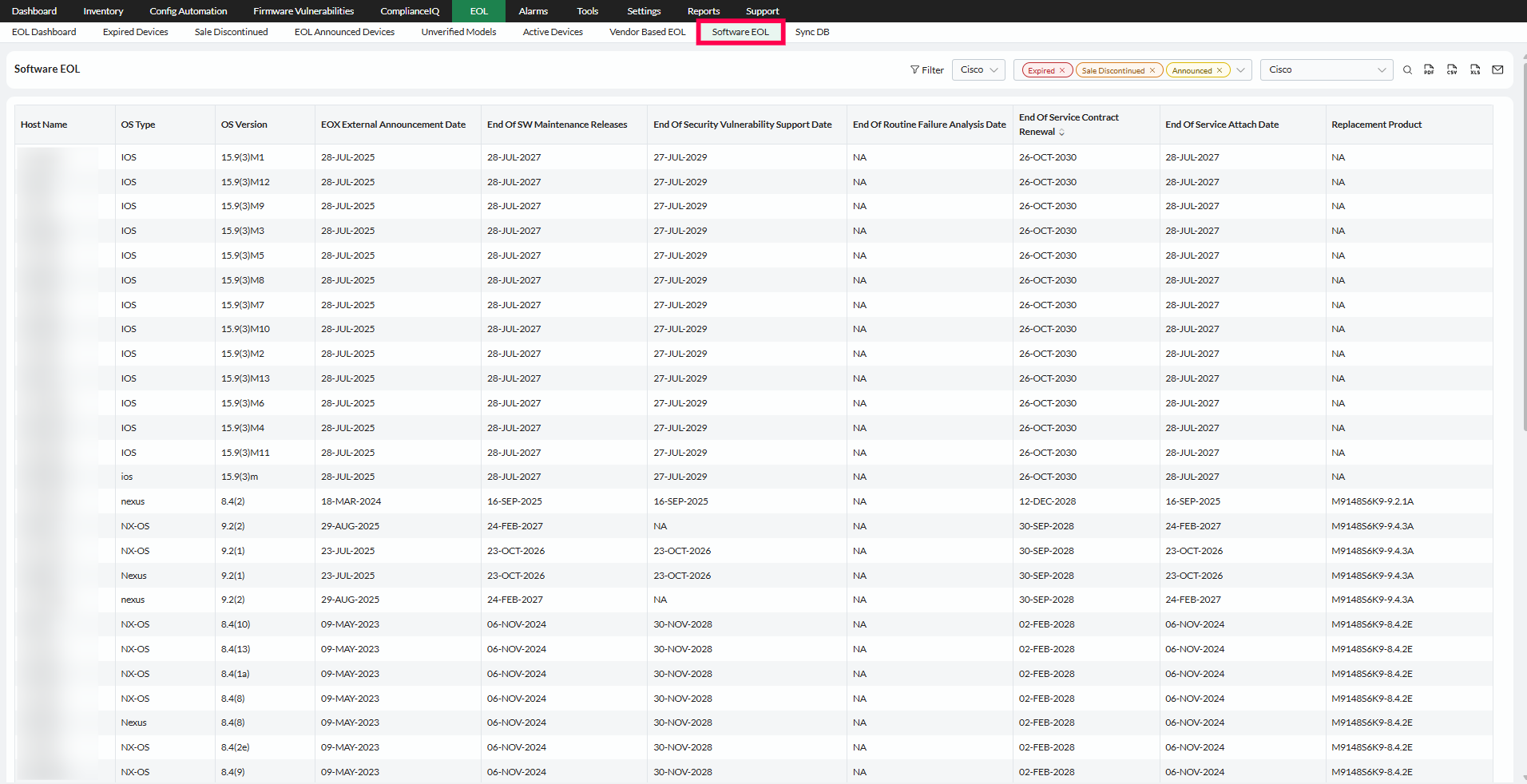
To ensure accurate tracking:
- Devices must have an active backup in NCM, as software version information is collected during backup.
- If a device's software version is missing or incorrect, verify that the backup is current and that the device template supports version extraction.
- If software lifecycle data is missing for a device, use the Request EOL/EOS DB update option to submit the details to the support team.
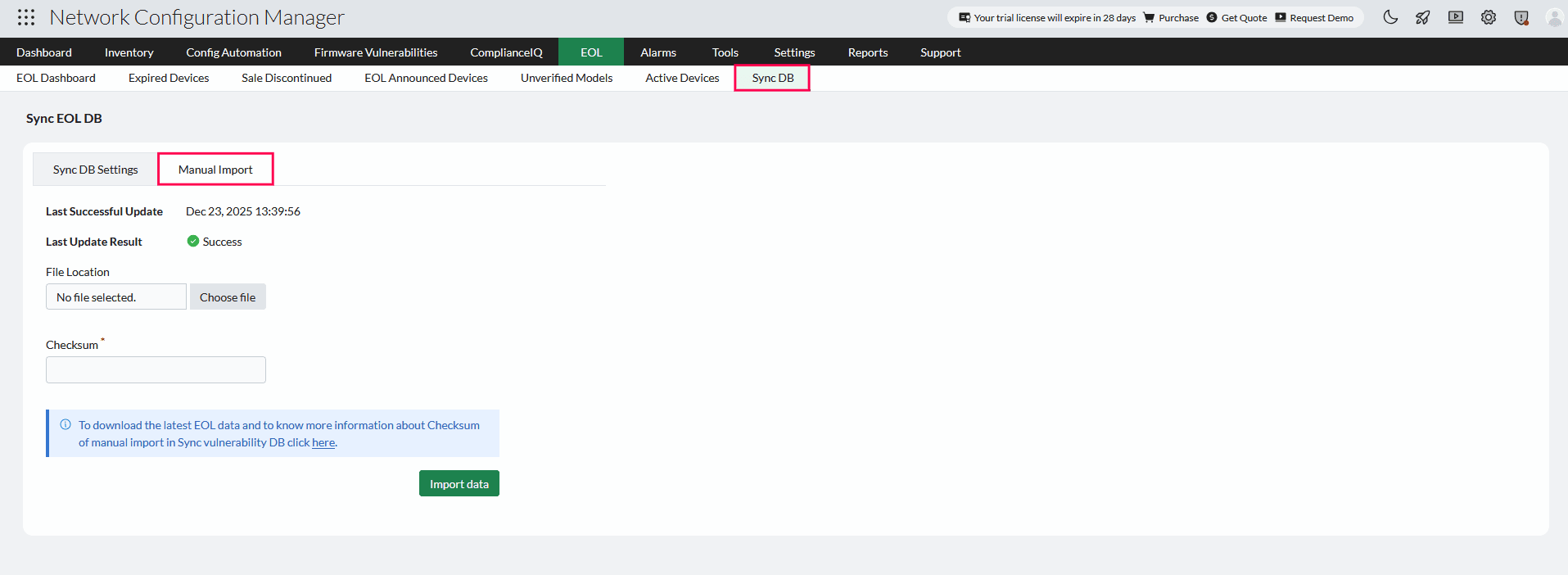
Sync DB
The EOL/EOS database in NCM is regularly updated to ensure accurate lifecycle tracking. You can manage database synchronization using the following options:
- Online sync - Automatically updates every day at 3:00 AM.
- Manual import - Ideal for closed network setups, allowing updates via checksum-based file import.
- Custom schedule - Lets you configure your preferred sync timings instead of using the default schedule.
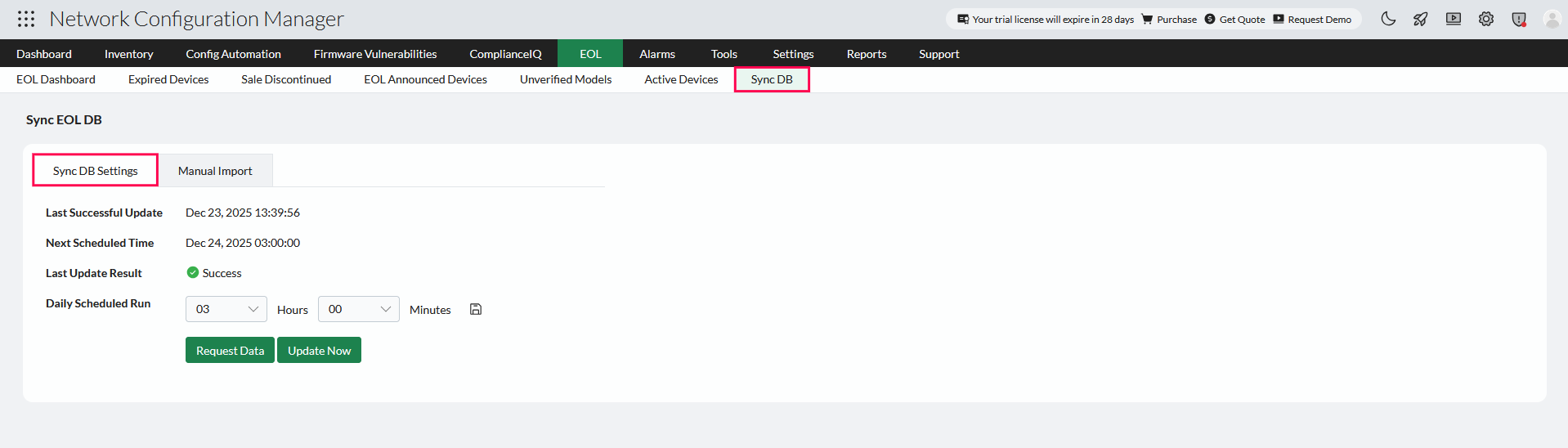
EOL/EOS DB Sync for Closed Networks
In closed or isolated network environments, Network Configuration Manager cannot automatically retrieve EOL and EOS information from vendor data sources. In such cases, the EOL/EOS database must be updated through a manual import.
- To ensure the authenticity and integrity of the imported file, NCM provides a checksum validation mechanism. Enter the checksum displayed in the UI before proceeding with the import.
- Once the new file is imported, the existing EOL/EOS data will be removed and replaced with the latest available dataset.
Note: Modifying or editing the EOL/EOS data dump may corrupt the EOL lifecycle database maintained in Network Configuration Manager.