Integrate OpManager with Ollama
OpManager integrates with Ollama to bring the power of local AI models into any network monitoring workflow. Infrastructure insights, alert patterns, and performance data are intelligently processed and interpreted using local language models running entirely within the organization's environment. This enables IT teams to move beyond raw metrics and act on clear, context-aware summaries — reducing troubleshooting time and strengthening overall network observability without relying on external cloud-based AI services.
Sensitive device and user data is automatically masked before being sent to the LLM, and restored in the response after processing, ensuring data privacy without affecting the generated output.
Configuring Ollama in OpManager
AI-generated summaries in OpManager require the Ollama integration to be configured beforehand.
- Navigate to Settings → General Settings → Integration → Ollama.
- Enter the Organization Name and Base URL.
- Read and acknowledge the data privacy notice before proceeding.
- Click Save.
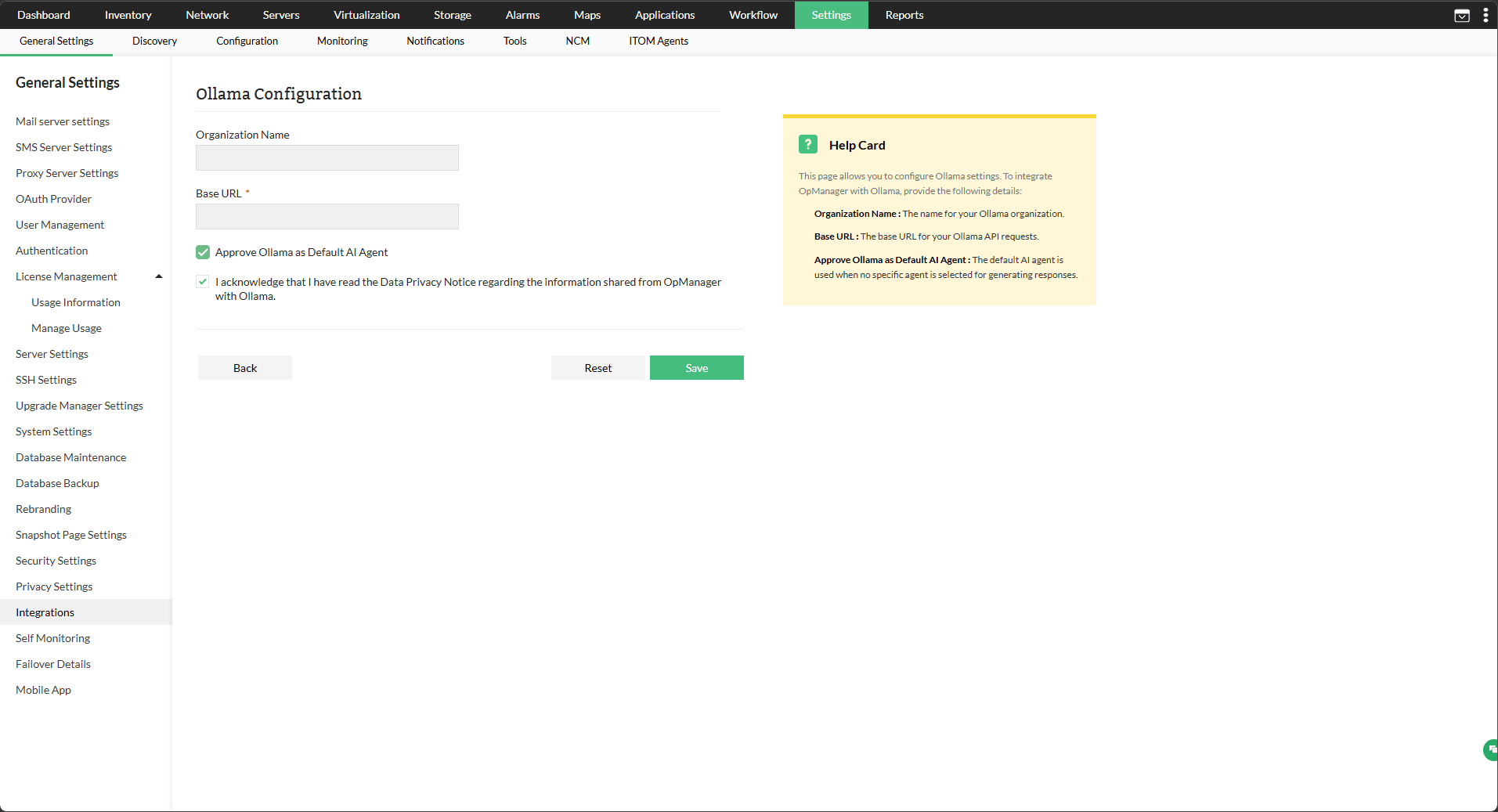
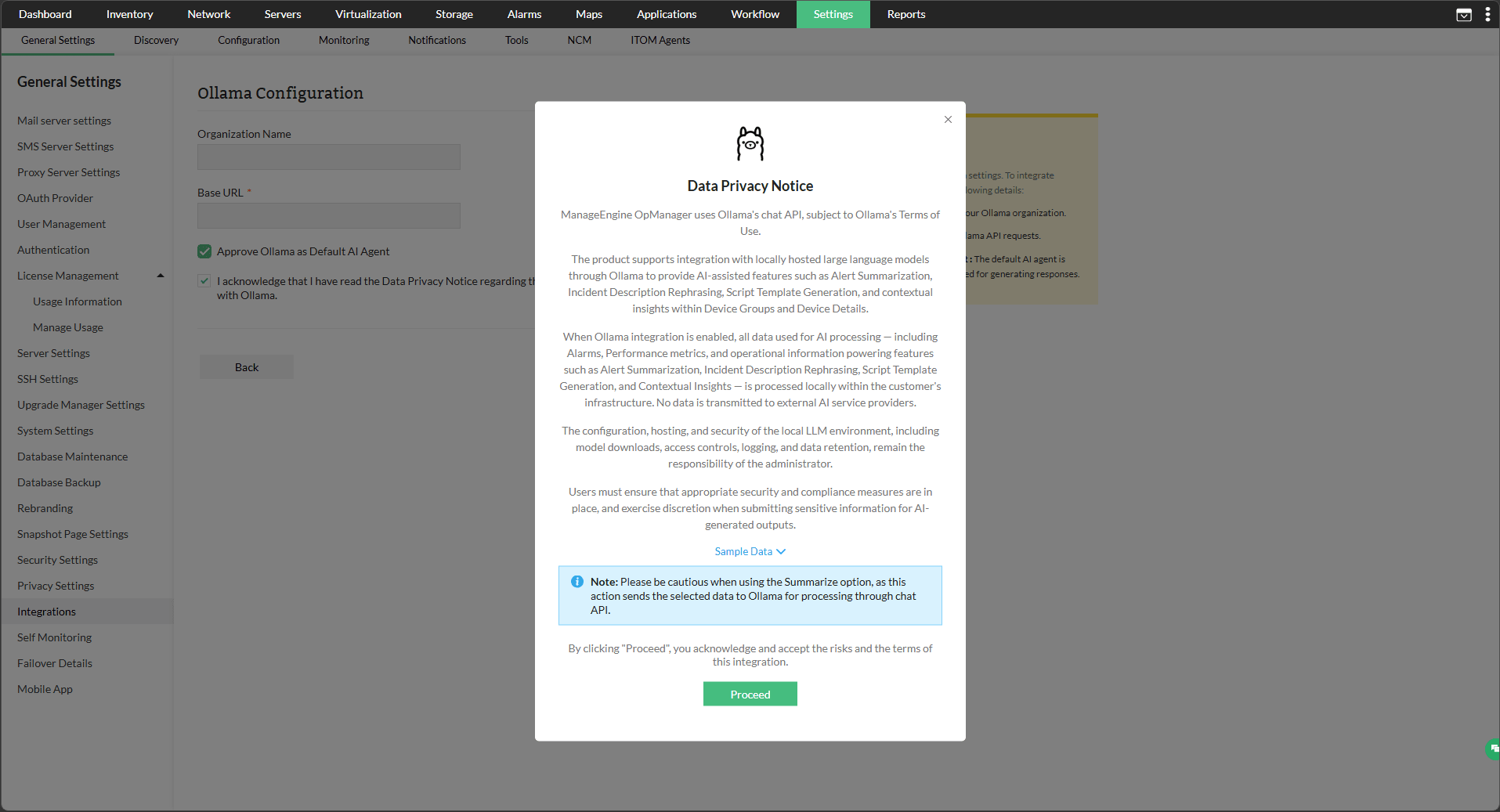
Ollama is successfully integrated with OpManager. Once integrated, individual AI features can be enabled or disabled, and the vendor and model assigned per feature, from Settings → General Settings → AI Settings.
To Change the Default Model
OpManager uses gpt-oss:20b as the default model for Ollama integration; ensure that this model is downloaded locally for use. If you prefer to use a different model, you can override the default by editing the server parameters configuration file:
- Navigate to <OPM_HOME>/conf/OpManager/ on your OpManager server.
- Open the file serverparameters.conf in a text editor.
- Add the following entry at the bottom of the file:
OLLAMA_GENAI_MODEL <your-model-name> - For example, to use llama3:
OLLAMA_GENAI_MODEL llama3 - Save the file and restart OpManager for the change to take effect.
Note: Ensure the model you specify is already downloaded on your Ollama host. If the specified model is not available, OpManager will fail to generate AI responses.
AI Summaries in OpManager
With Ollama integrated, and the relevant features enabled in AI Settings, OpManager users can now view summarized versions of the following monitored entities:
- All Alarms Summary
- Individual Alarm Summary
- Device Group Summary
- Device Summary
- Problem Summary
- Script Generation
All Alarms Summary
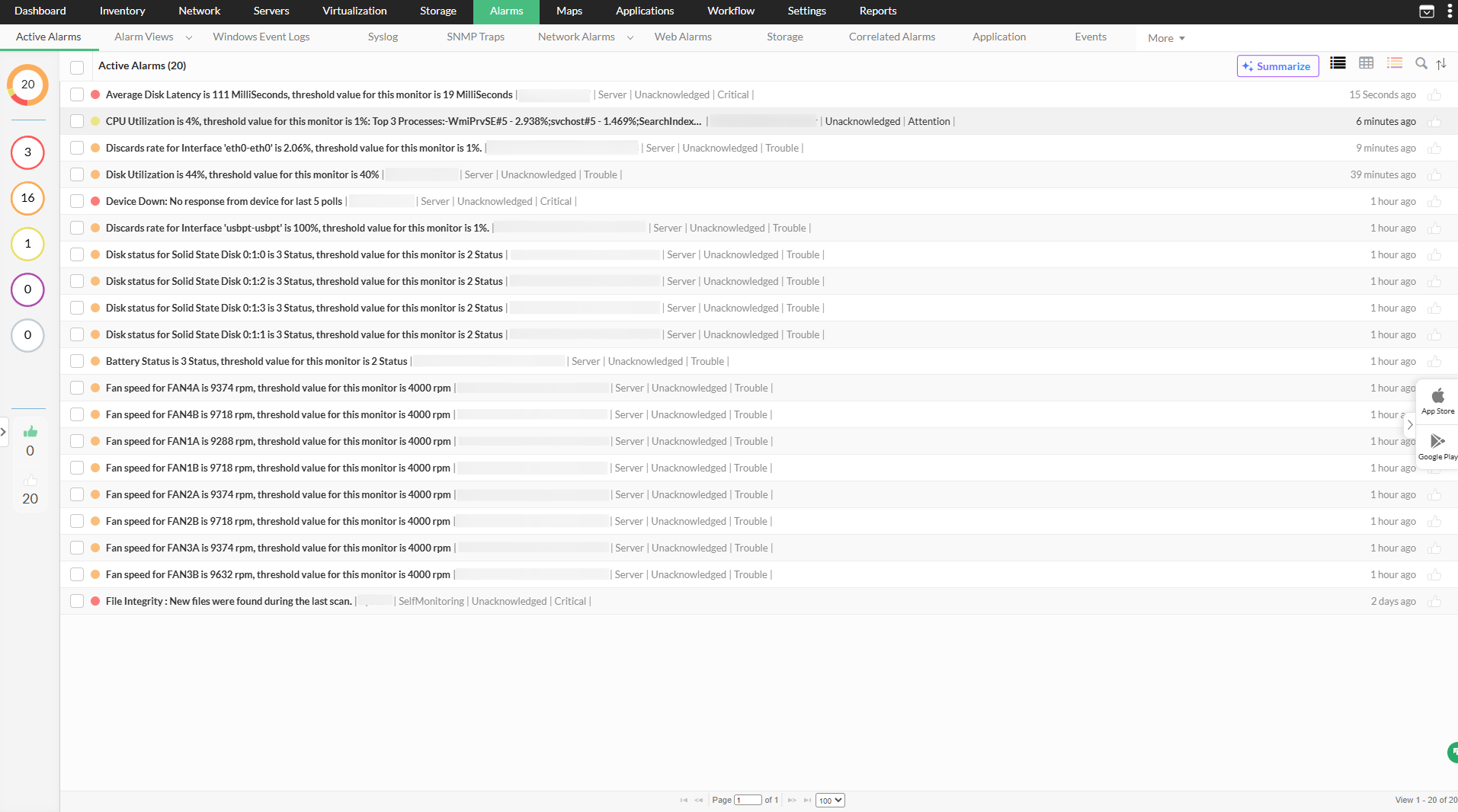
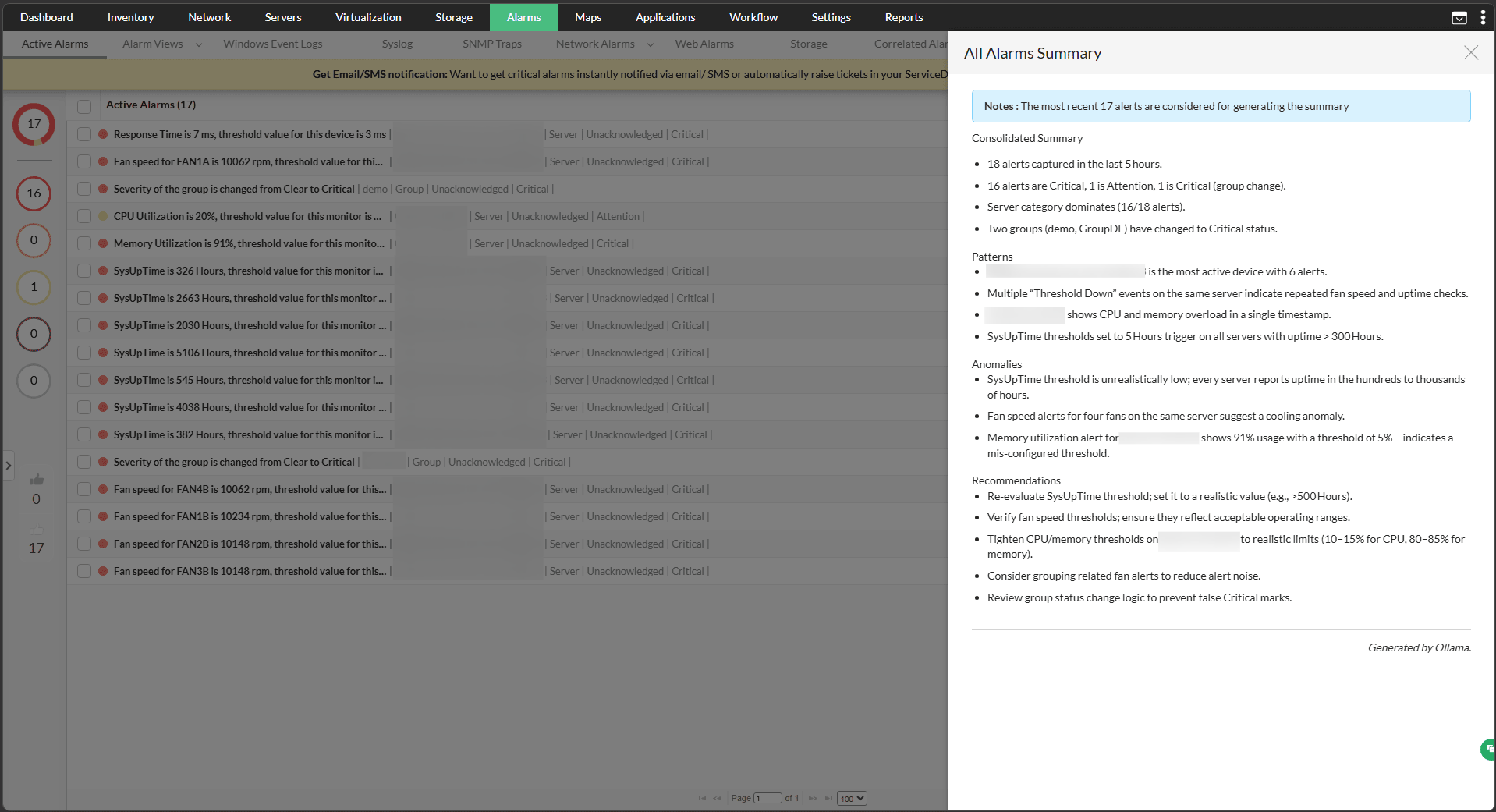
Summarized overviews of all alarms generated together can now be viewed as a consolidated overview of the recent alarms with their key details. To view that,
- Go to Alarms, and click on the Summarize tab on top-right.
- The summary will be generated automatically.
Individual alarm summary
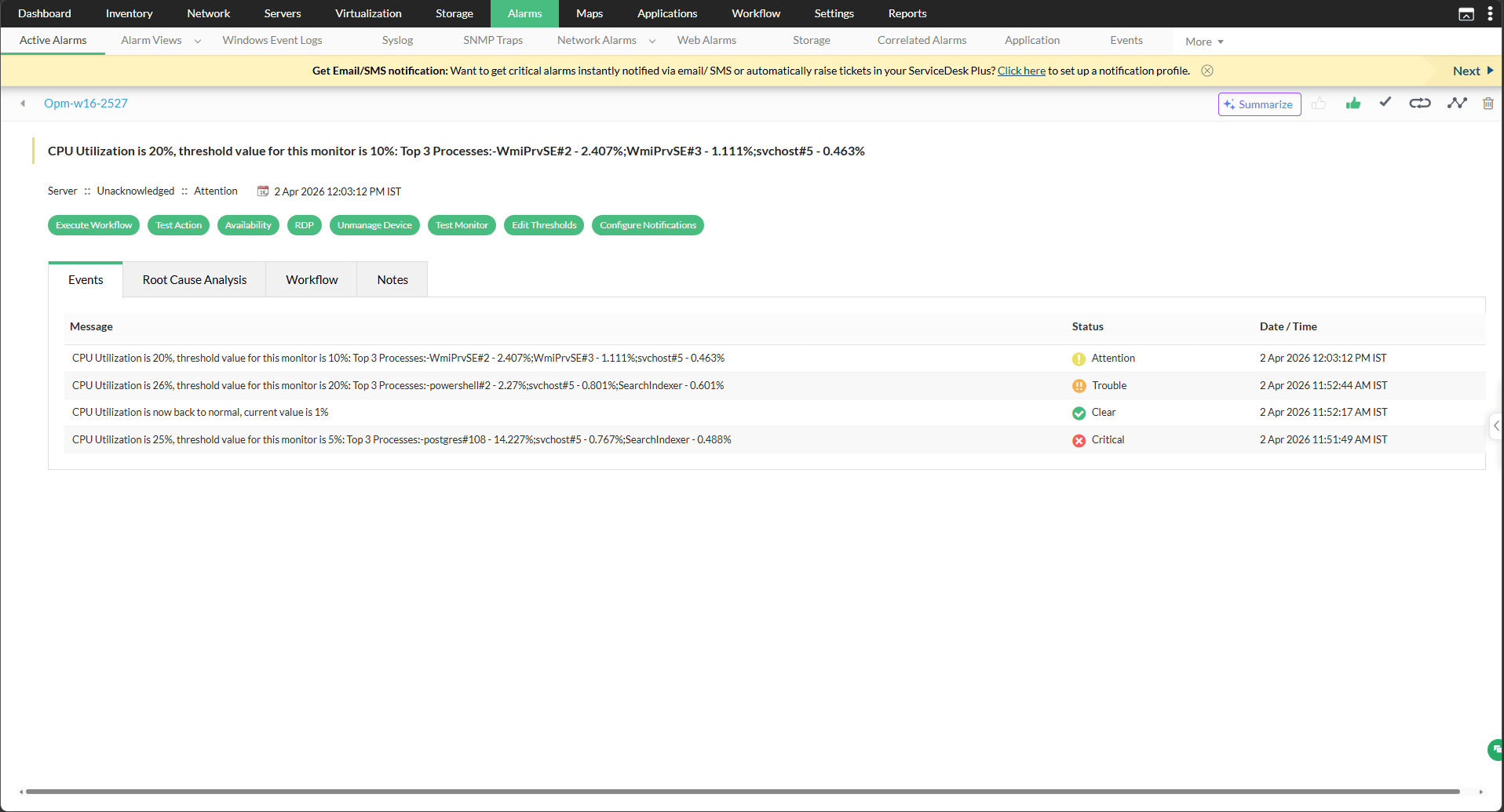
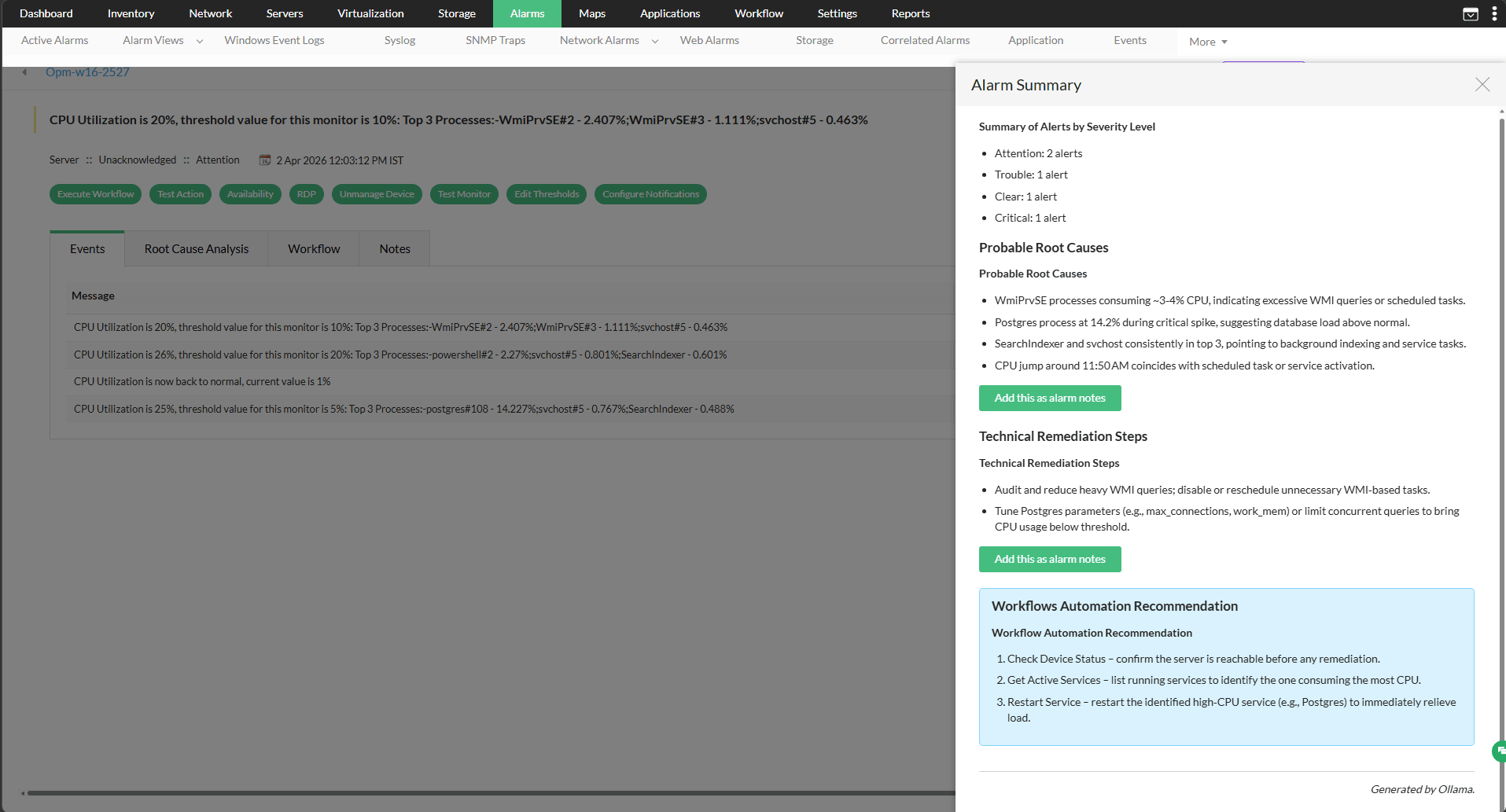
The summary of an individual alarm with the alarm type, probable causes and recommendations steps can be generated.
- Go to Alarms, and click on any one of the alarms.
- Click on the Summarize tab to generate a summary.
Device Group Summary
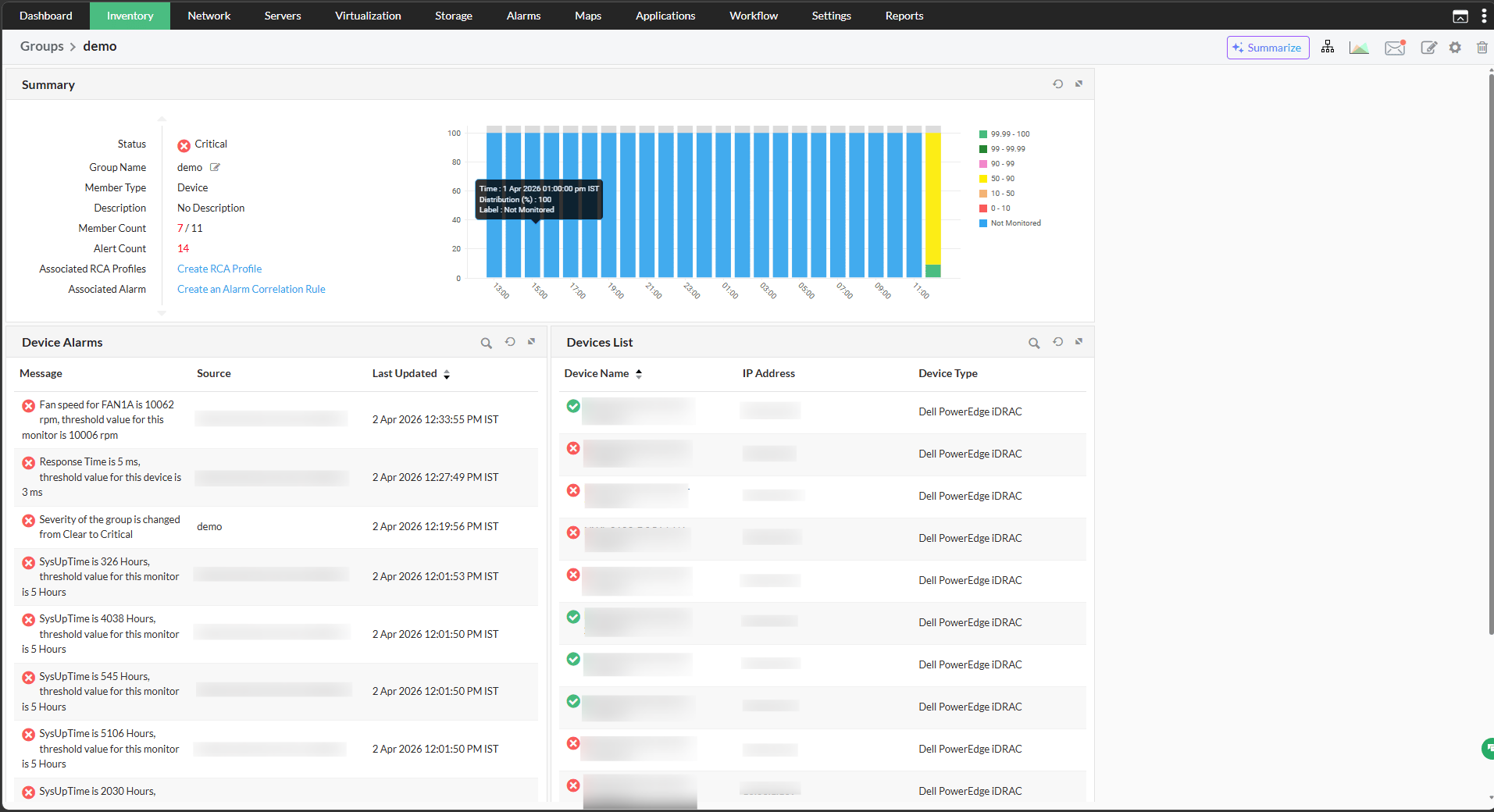
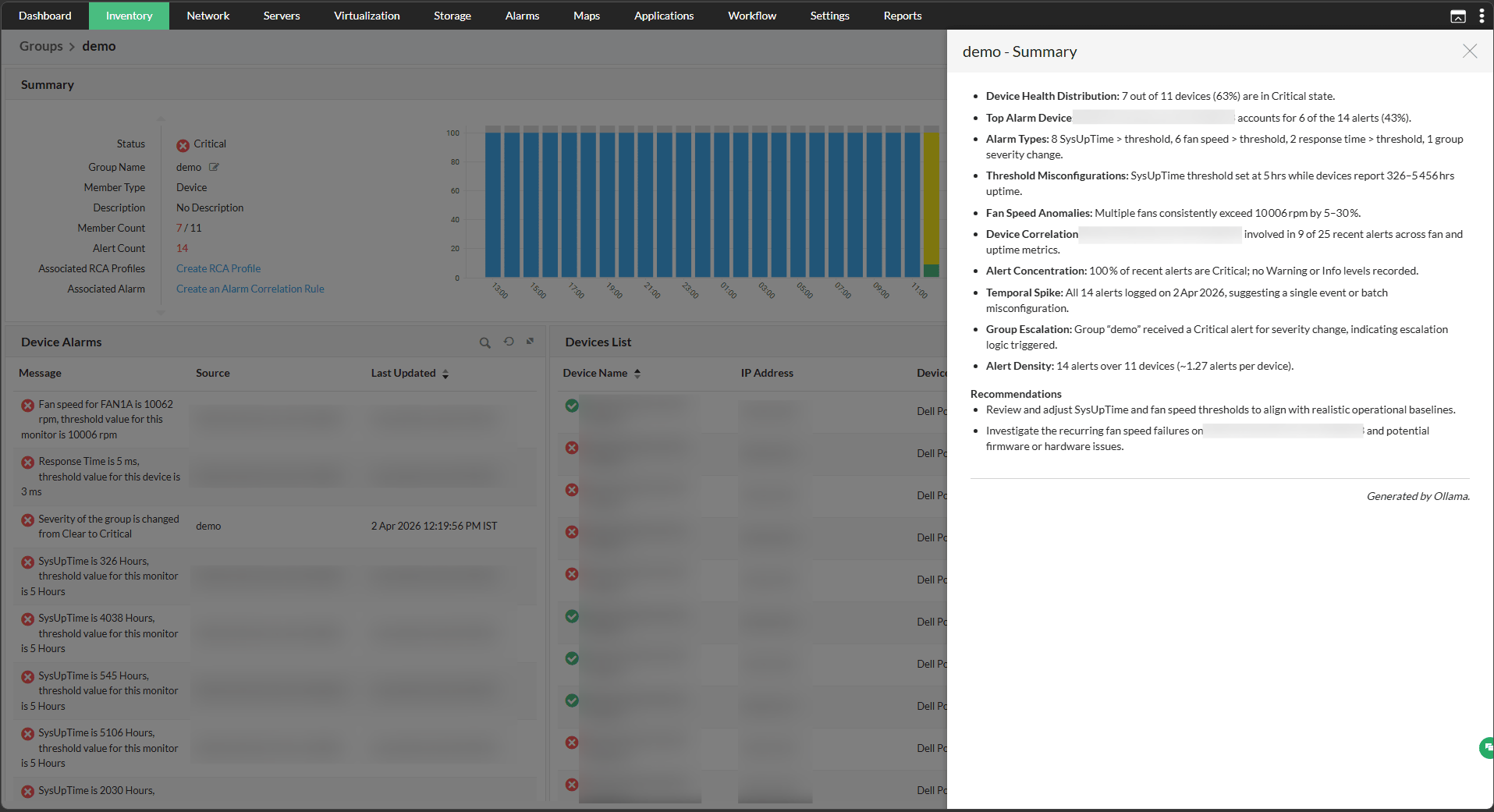
With the integration, you can get an overview of the device groups created in OpManager along with the devices condition, key metrics and recommendations. This can be viewed from the snapshot of a device group.
- Go to Settings → Configurations → Groups. You can also navigate to Groups from the Inventory.
- Select a device group and click on the Summarize tab to generate the summary.
Device Summary
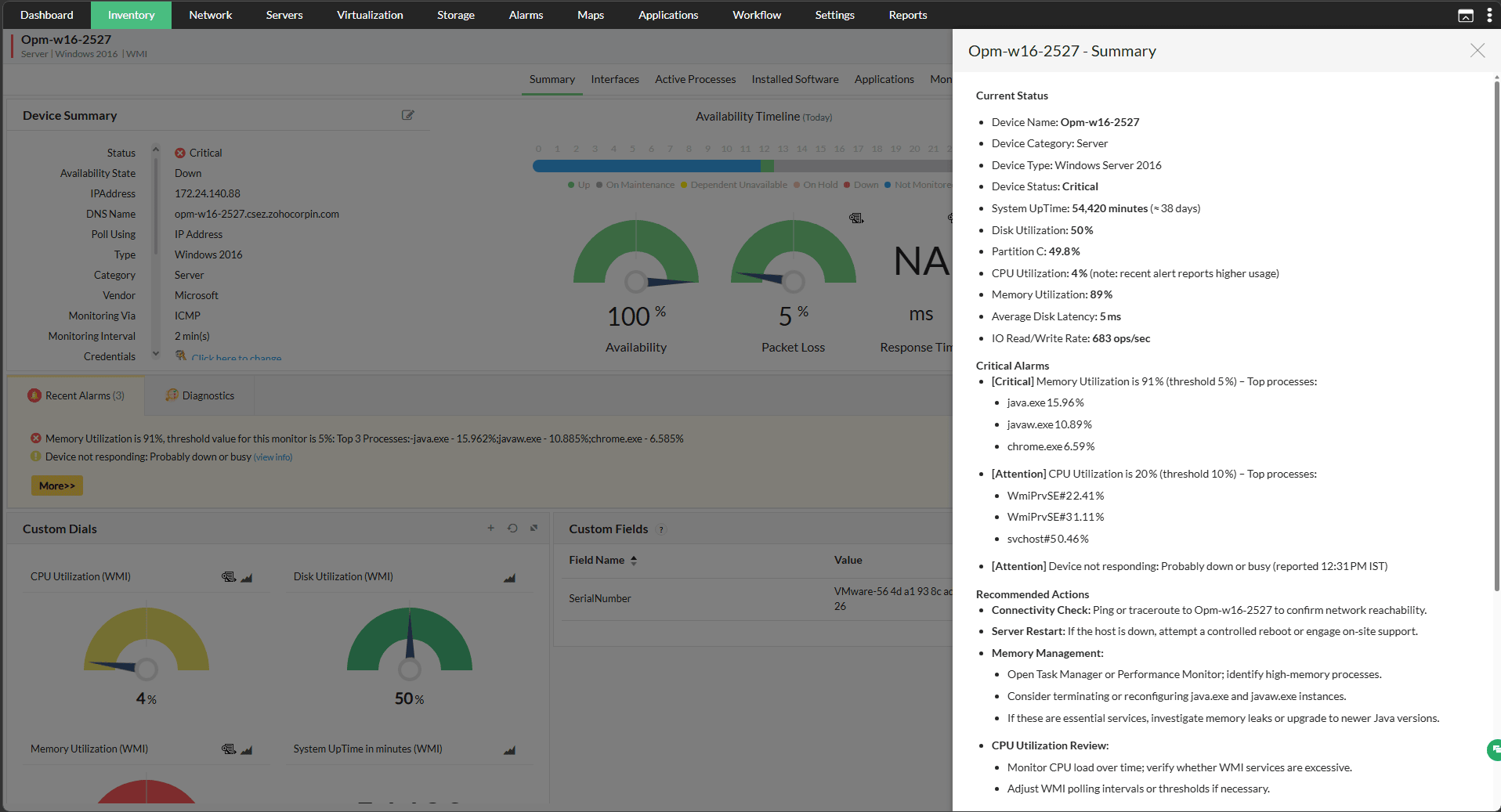
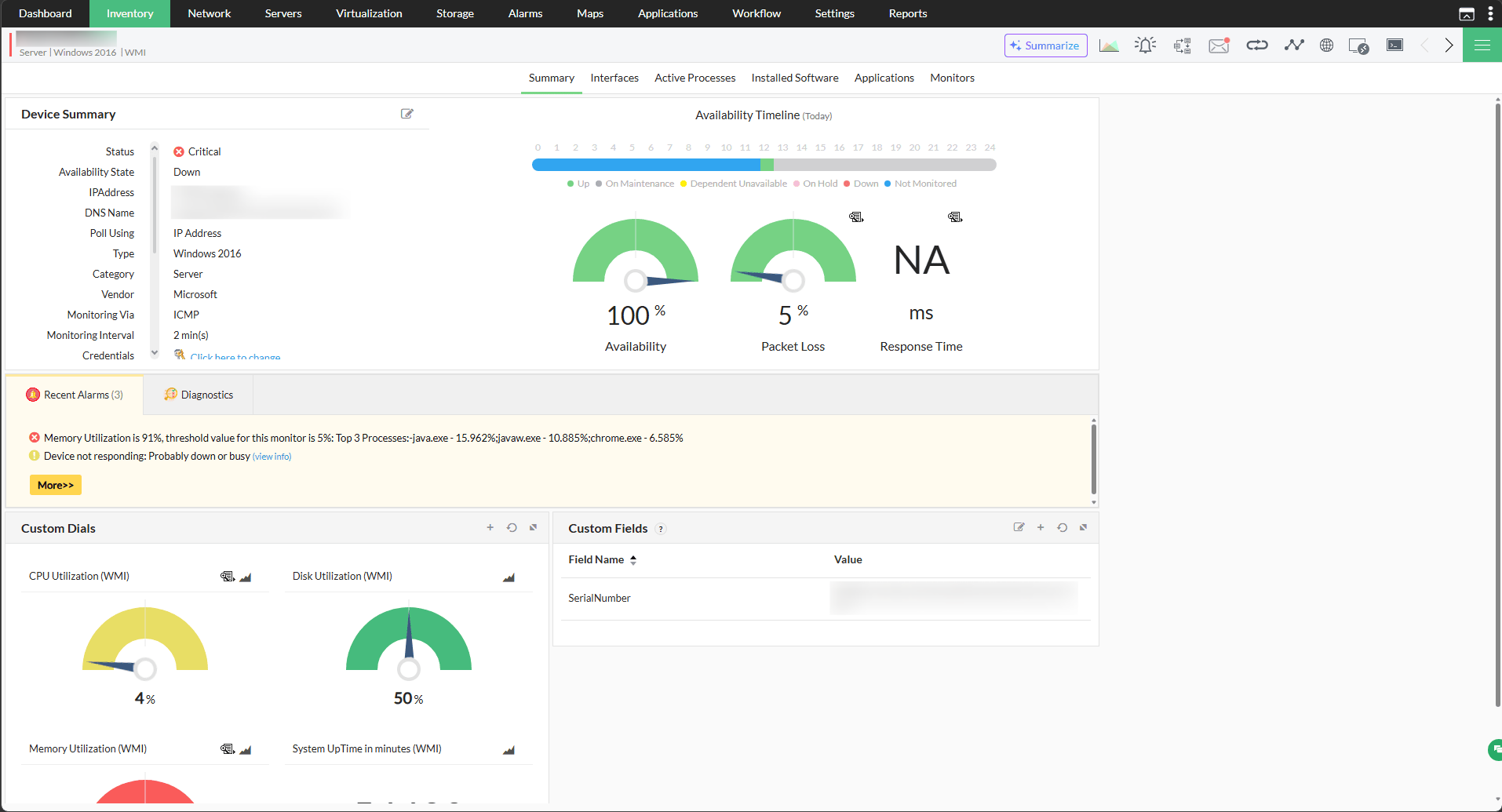
The summary for an individual device can also be generated that will give an overview of the device with it's key metrics.
- Go to Inventory → Select a device to view the Device Snapshot Page.
- In the snapshot page, click on the Summarize tab to generate the summary.
Problem Summary
When related alarms are grouped into a Problem through Event Correlation, Ollama can analyze the associated alarms and identify the probable cause with a high or medium confidence level, along with recommended next steps.
- Go to Alarms → Problems, and open a Problem.
- Click Analyse with AI to generate the summary.

Script Generation
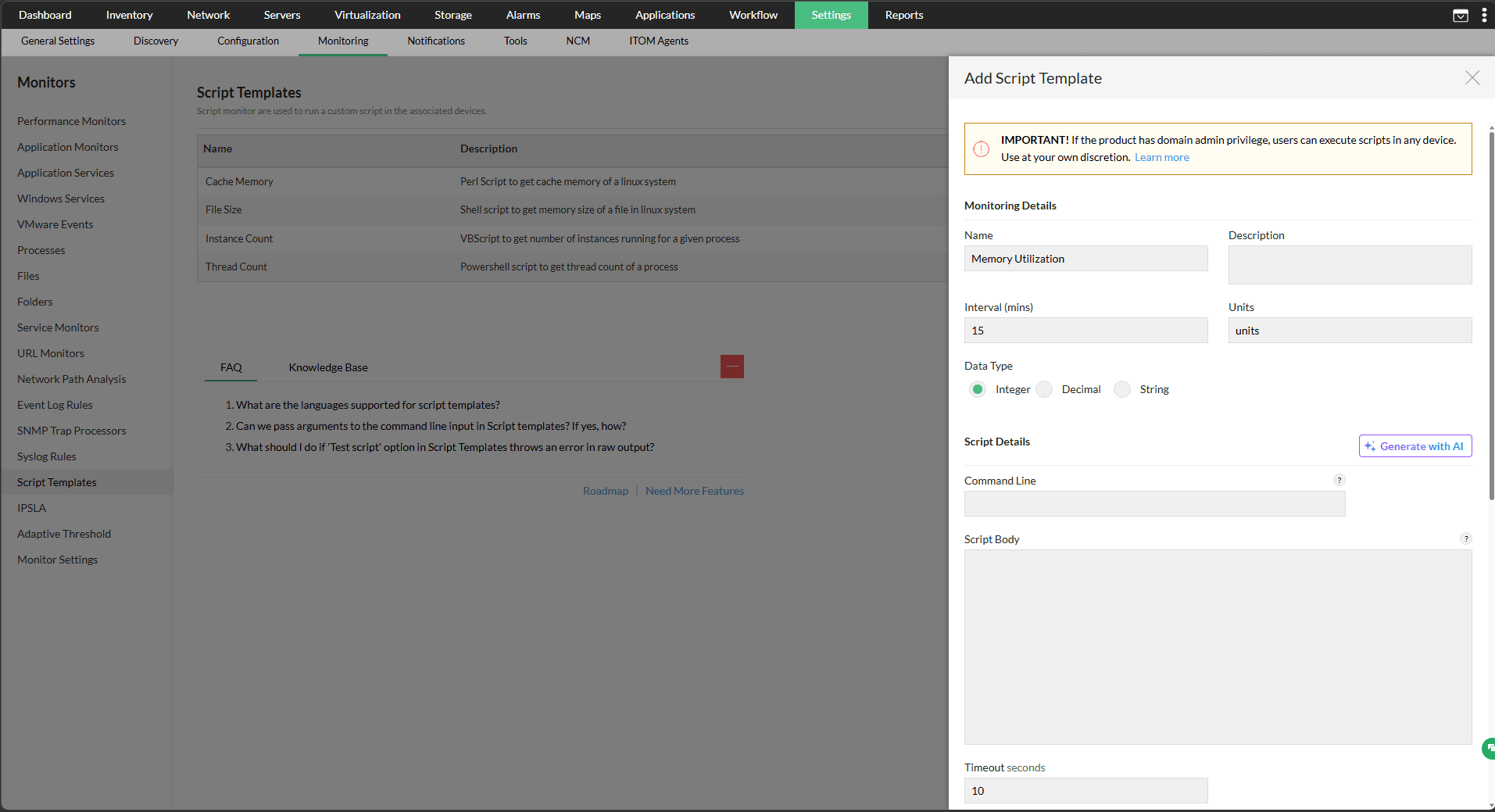
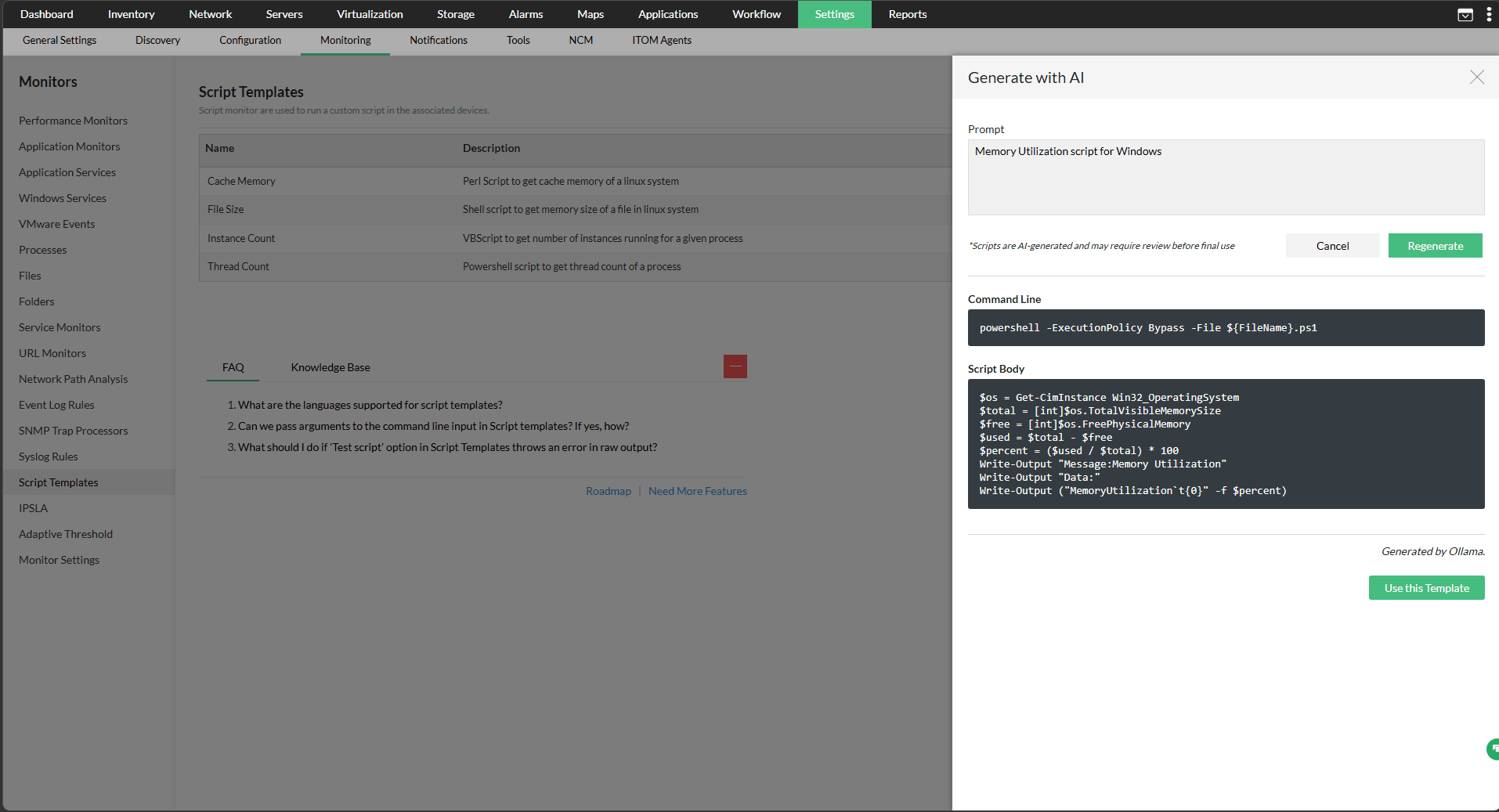
With this integration, scripts for script templates can be generated using Ollama. By entering a prompt, Ollama generates the required script automatically.
- Go to Settings → Monitoring → Script Templates
- Click on Add and enter the Monitoring details.
- Under Script details, Click on Generate with AI.
- In the next window, enter the prompt for the script required.
- Click on Generate, the Script will be generated.
- You can choose to use the template for monitoring.
By bringing AI-driven insights, automated summaries, and script generation into a single integration, OpManager and Ollama together reduce the burden of manual analysis and empower network teams to diagnose issues faster with greater efficiency.
To learn more about using Ollama in OpManager, click here.