Serial Number in Custom Fields
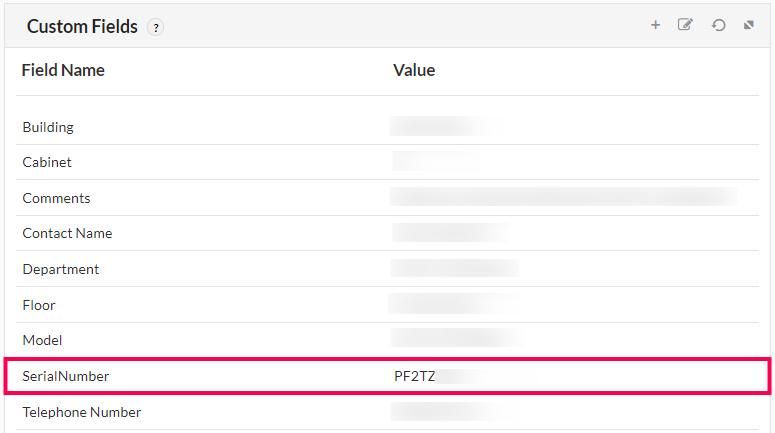
Custom fields in OpManager allow users to have additional information regarding the discovered device and acts as an inventory metadata to help in the management of your network better. The serial number in the custom field widget of a device is fetched by OpManager during the add device, network discovery and the rediscovery actions of SNMP devices. This serial number will be displayed under the custom fields section in the device snapshot page.
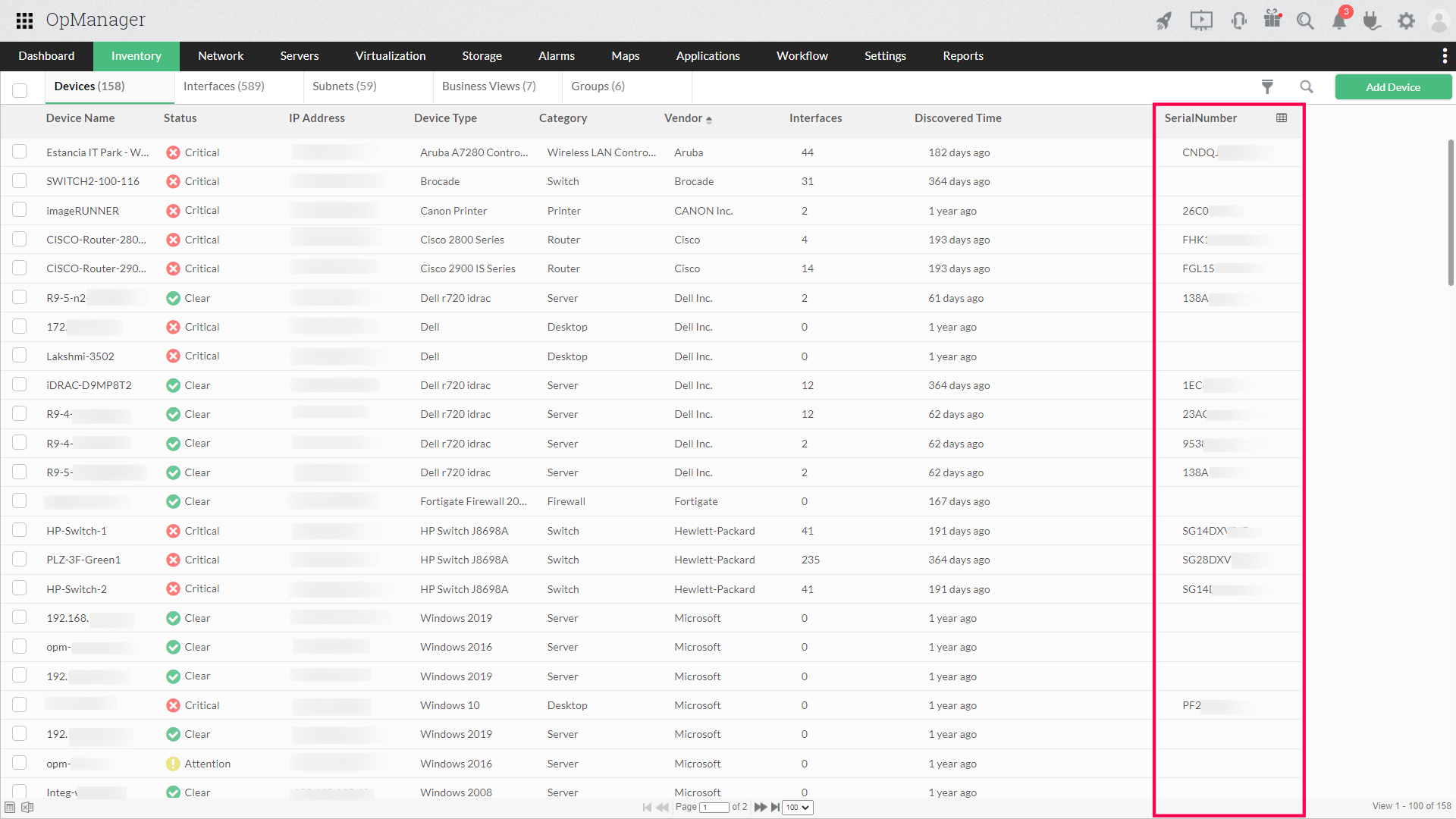
You can also view this by adding the 'Serial Number' custom field as a column under Inventory -> Devices or fetch this as an inventory report.
To learn more on how to configure custom fields, click here.
Listed below are the vendors that are currently supported by OpManager, for the automatic retrieval of the serial number of its devices.
- Cisco
- Dell
- Hewlett-Packard
- H3C
- Juniper
- CheckPoint
- Adtran
- 3Com
- Netscreen
- Palo Alto Networks
- Aruba Networks
- Extreme Networks
- Brocade
- Ceragon
- MiKroTik
- CIENA
- Ruckus
- ZD
- Alcatel-Lucent
- RuiJie
- Sophos
- Synology
- Fortinet
- Riverstone Networks
- American Power Conversion Corp.
- SonicWALL
- Mellanox
- Netgear
- Huawei
- Arista
For more assistance, please contact our support team at support@manageengine.com.