


1 Million and Counting

Saint Gobain
NASA
Time Warner Cable
Loreal Paris
Siemens
DHL

What is printer monitoring?

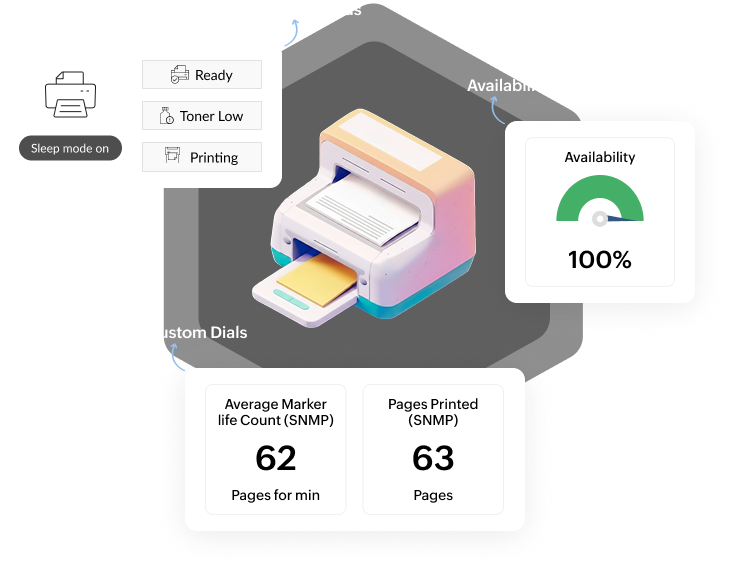
Printer monitoring is the process of continuously tracking the availability, status, and operational health of network-connected printers. It helps IT teams identify printer faults, consumable shortages, and usage patterns in real time- reducing downtime, preventing print disruptions, and minimizing helpdesk tickets related to printing issues.

Improve printer availability and operational efficiency

Seamless multi-vendor printer discovery and management

  • OpManager automatically discovers and adds network printers using SNMP, supporting a wide range of commonly deployed printer vendors and models across enterprise and SMB environments.
  • Once discovered, printers are monitored from a centralized console, giving IT teams a unified view of device status, consumables, and performance without switching between vendor-specific tools.
  • Automatically apply monitoring templates to new printers as soon as they are discovered in the network - across floors, branches, and remote offices.
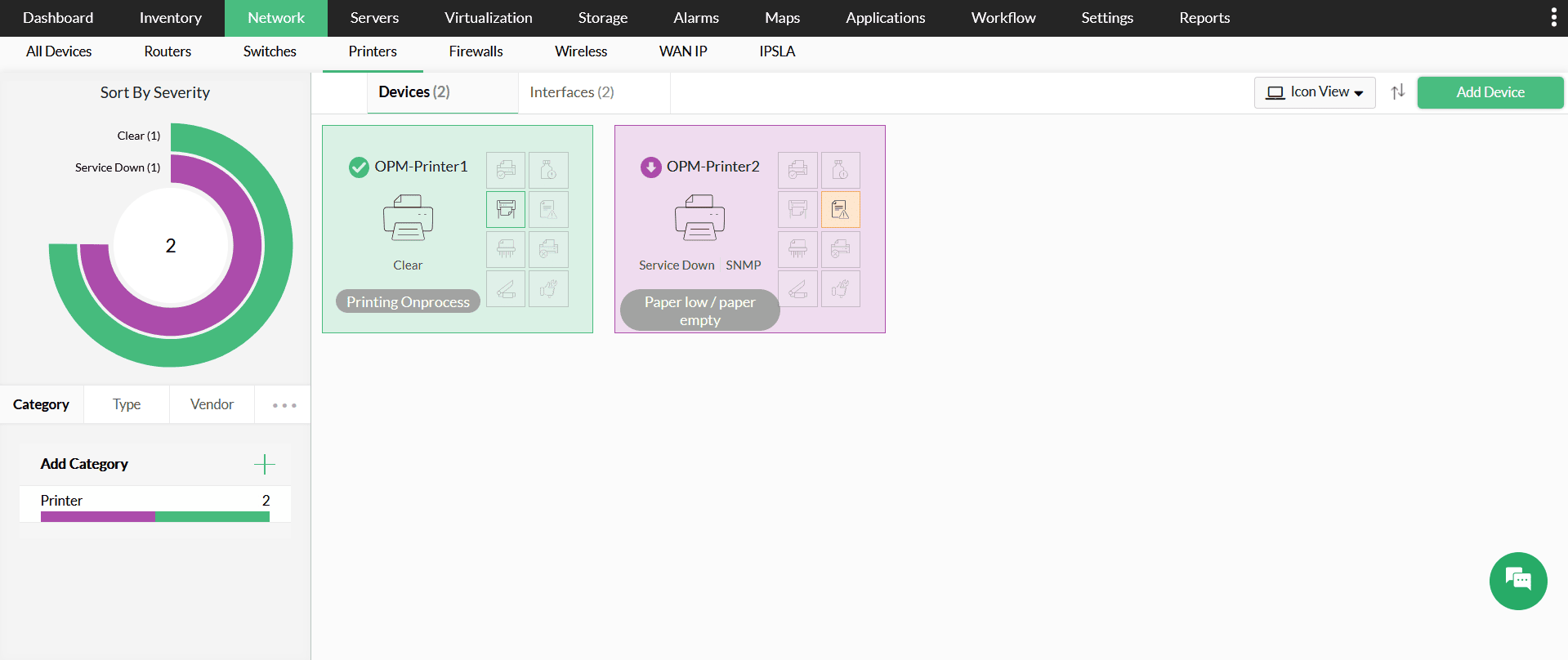
Seamless multi-vendor printer discovery and management
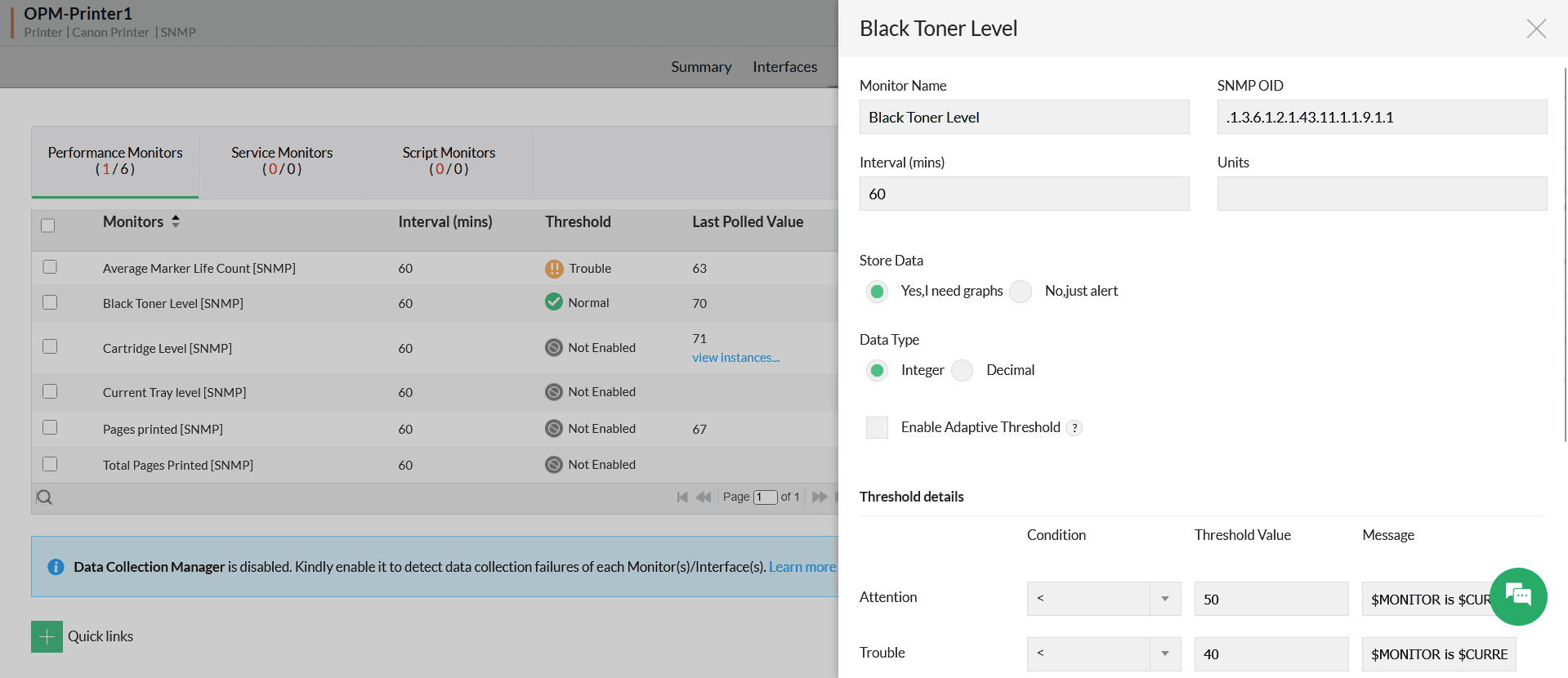
Gain real-time visibility into printer health with threshold-based monitoring

Gain real-time visibility into printer health with threshold-based monitoring

  • Gain granular visibility into consumables by monitoring toner, ink, and drum unit levels for Black, Cyan, Magenta, and Yellow cartridges individually.
  • Configure intelligent alerts to trigger when toner hits specific percentages (e.g., 10% or 20%), giving procurement teams ample time to order replacements before printing stops.
  • Continuously monitor paper levels in specific input trays to prevent "Out of Paper" errors from stalling critical, high-volume print jobs.

Detect hardware faults proactively

  • Receive immediate notifications for critical device states like Paper Jams, Door Open, Service Required, or Output Tray Full, allowing for rapid intervention.
  • Track the lifecycle of internal components like Maintenance Kits (fuser units, rollers) to schedule preventative service before hardware degradation affects print quality.
  • Drill down into specific error codes and device status messages to tell your technician exactly what is wrong before they even walk over to the device.
Detect hardware faults proactively
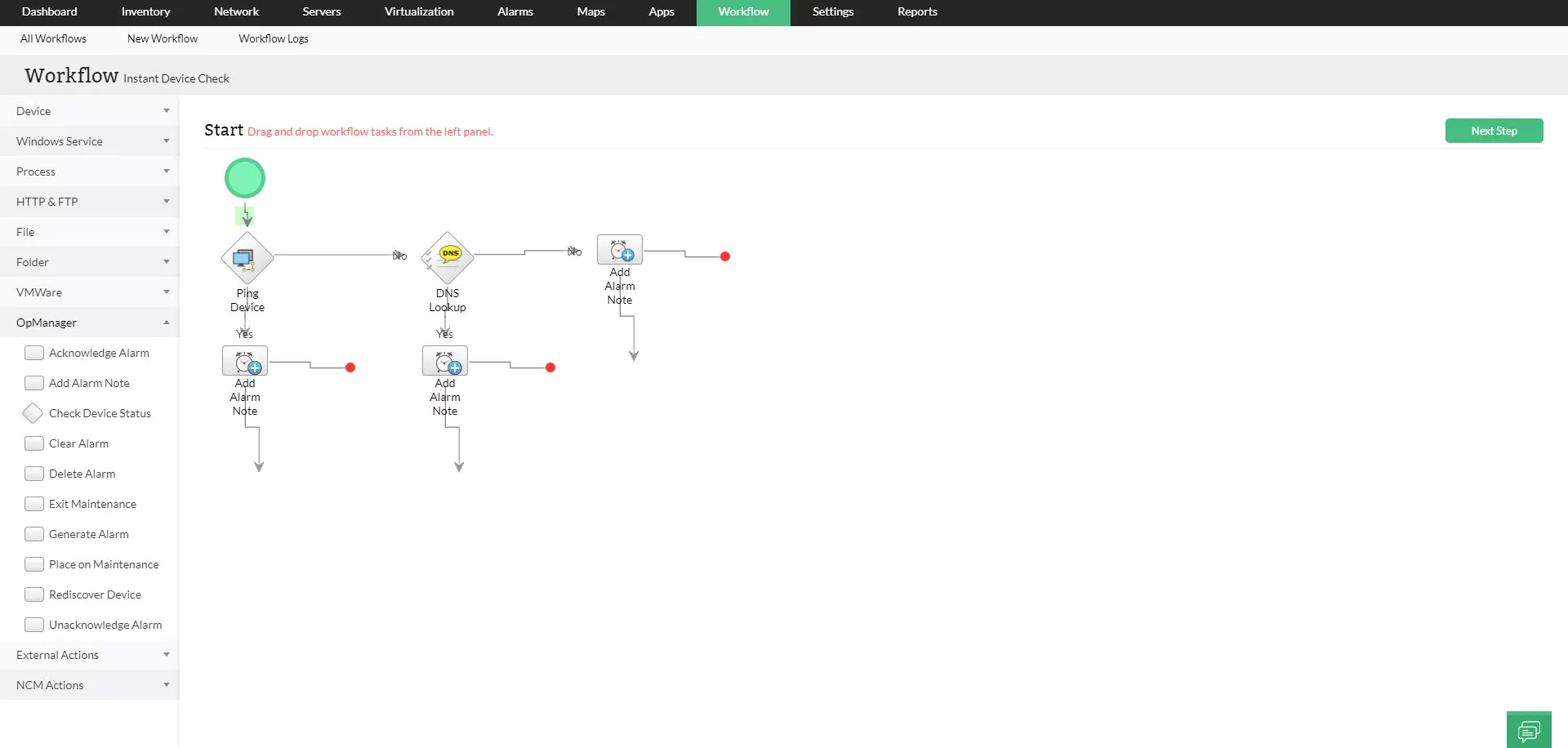
Automate printer fault management with workflows

Automate printer fault management with workflows

  • Streamline incident response by automatically logging a ticket in ServiceNow or ServiceDesk Plus whenever a critical "Service Required" alert is triggered.
  • Execute automated scripts to restart print spooler services or reset interfaces if a printer becomes unresponsive to network requests.
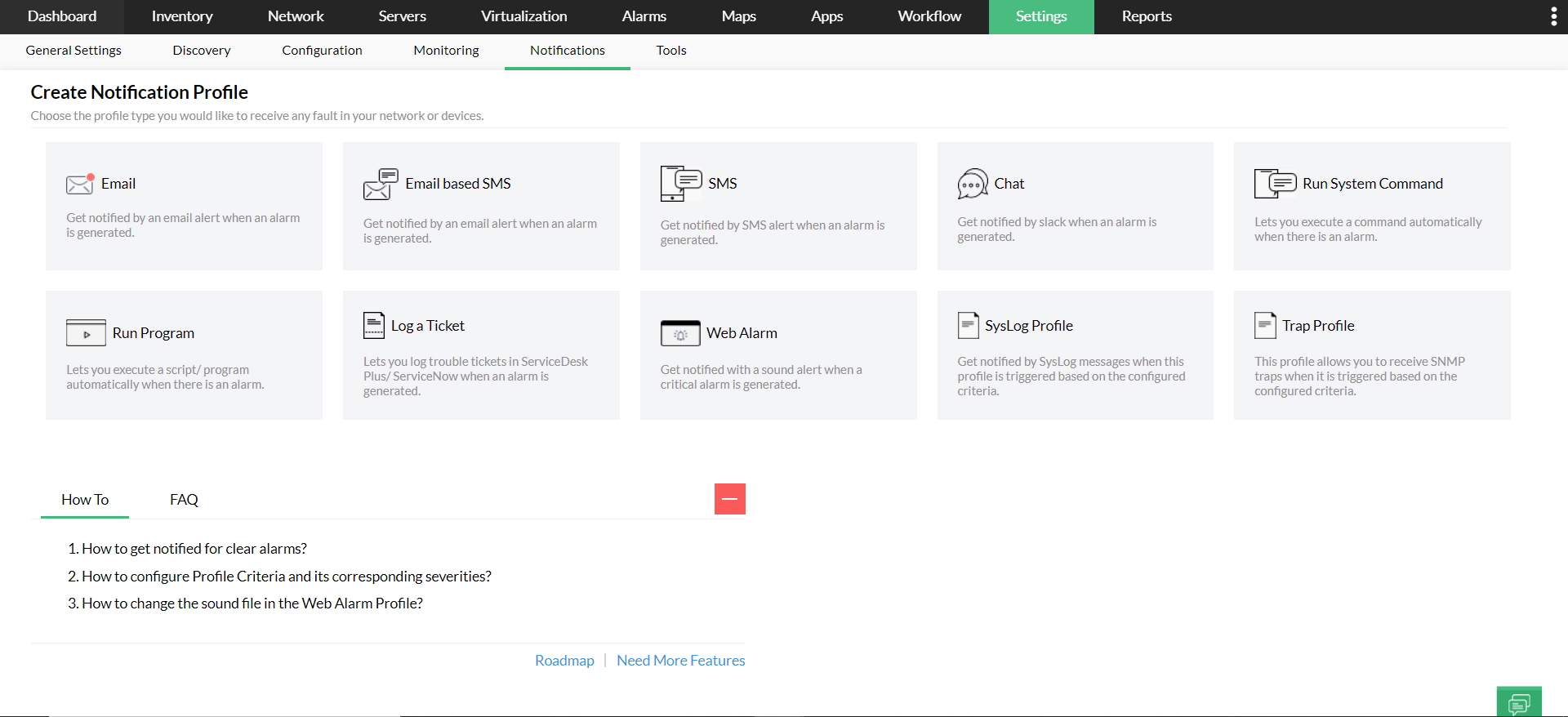
  • Ensure the right person gets the message by routing "Paper Jam" alerts to the floor manager and "Toner Low" alerts directly to the procurement team.

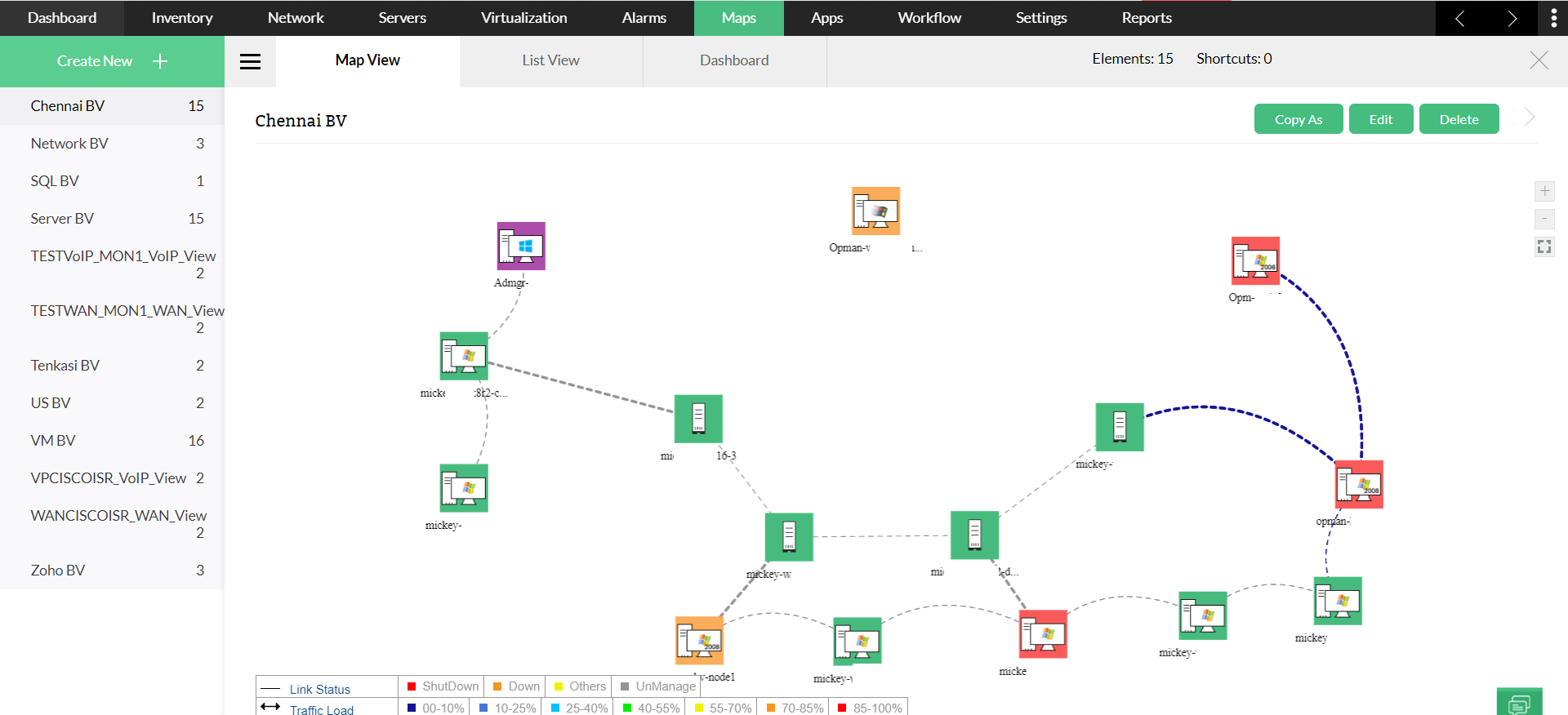
Visualize printers with floor maps

  • Upload your actual office floor plans and drag-and-drop printer icons onto their exact physical locations for a spatial real-time view of your infrastructure.
  • When a printer icon turns red, technicians know exactly which room and floor to visit, significantly reducing resolution time in large, multi-story campuses.
Visualize printers with floor maps

OpManager's extensive printer monitoring portfolio

  • Canon
  • Brother
  • Datamax
  • Dell
  • D-Link
  • EFI
  • Emulex
  • Epson
  • Fuji Xerox
  • HBM
  • Hewlett-Packard (HP)
  • IBM
  • Intermec Technologies
  • Konica Minolta
  • Kyocera
  • Lanier
  • Lantronix
  • Lexmark
  • Matsushita
  • MiLAN Technology
  • Océ
  • OKI
  • Panasonic
  • Ricoh
  • Samsung
  • Seiko Epson
  • Sharp
  • Toshiba
  • TSC
  • Tektronix
  • Xerox

Benefits of using printer monitoring in OpManager

Scalability

Scalability

Effortlessly monitor a few dozen printers or a fleet of 10,000 without experiencing performance degradation.

visibility

Full-stack visibility

View your printer health alongside your Servers, Switches, and Wi-Fi in one unified dashboard for complete IT visibility.

efficiency

Operational efficiency

Drastically reduce "Printer Down" help desk tickets by identifying and fixing issues before users even notice.

FAQs about printer monitoring

Does OpManager require an agent on the printer?


No. OpManager uses SNMP (Simple Network Management Protocol) to communicate directly with the printer's network card. It is completely agentless and lightweight.

Can I see specific toner colors?


Can it track who is printing?


Keep your print fleet running smoothly

Stop reacting to empty toner and paper jams. Get deep visibility into your printer infrastructure today with ManageEngine OpManager

Loved by customers all over the world


“Easy Implementation, Excellent support & Lower Cost Tool - Team Lead, IT Services Industry”

Reviewer Role: Infrastructure and Operations

Company size: 500M - 1B USD

We have been using OpManager since 2011 and our overall experience has been excellent. The tool plays a vital role in providing the value to our organization and to the customers we are supporting. The support is excellent and staff takes full responsibilities in resolving the issues. Innovation is never stopping and clearly visible with newer versions.

“OpManager - 10 steps ahead of the competition, one step away from being unequaled - Network Services Manager, Government Organization”

Reviewer Role: Infrastructure and Operations

Company size: 5,000 - 50,000 Employees

I have a long standing relationship with ManageEngine. OpManager has always missed one or two features that would make it truly the best tool on the market, but over it is the most comprehensive and easy to use the product on the market.

“Easy Implementation with a feature rich catalogue, support has some room for improvement - NOC Manager, IT Services Industry”

Reviewer Role: Program and Portfolio Management

Company size: 500M - 1B USD

The vendor has been supportive during the implementation & POC phases providing trial licenses. Feature requests and feedbacks is usually acted upon swiftly. There was sufficient vendor support during the implementation phase. After deployment, the support is more than adequate, where the vendor could make some improvements.

“Great Monitoring tool - CIO in Finance Industry”

Reviewer Role: CIO

Company size: 1B - 3B USD

ManageEngine provides a suite of tools that have made improvements to the availability of our internal applications. From monitoring, management and alerting, we have been able to peak performance within our data center.

“Simple Implementation, Easy To Use. Very Intuitive. - Principle Engineer in IT Services”

Reviewer Role: Enterprise Architecture and Technology Innovation

Company size: 250M - 500M USD


ManageEngine support was responsive to all our queries.

Capterra
Getapp
Software Advice
G2
Altaleb Alshenqiti

“OpManager helps me monitor all aspects of the data-center and equipment like servers, switches and routers. It is fast, intuitive and centralized and you do not need to be an expert to deal with OpManager.”

Altaleb Alshenqiti

NGHA

Donald Stewart

“Donald Stewart, IT Manager of Crest Industries is happy with ManageEngine OpManager for its end-to-end network monitoring software. It is easy-to-use and offers fault and performance management for router.”

Donald Stewart

IT Manager, Crest Industries

John Rosser

“John Rosser, MIS Manager of Yale Chase talks about the proactive nature of ManageEngine OpManager & how his organisation gained value from it.”

John Rosser

MIS Manager


 Pricing  Get Quote