Checksum validation
You can verify the authenticity of the downloaded agent with SHA256 checksum validation. This ensures that the downloaded agent is credible and is not tampered with by any malicious code or software. For the .NET agent, you can use CertUtil or Get-FileHash to compute a file hash for verifying the checksum with the agent checksum value. To verify the authenticity of the agent:
- Download the checksum file here - .NET agent & .NET Core agent.
- To check via CertUtil, run the below command via PowerShell or Command Prompt to compute the hash.
CertUtil -hashfile <Your_Agent_File_Name> SHA256
- On successful execution, you will get the following response:
SHA256 hash of YOUR_FILENAME:
319fac26e690ddae59f6de7c0600bcf7ec005820039e8da86c7194d62935fb94
CertUtil: -hashfile command completed successfully. - To check via Get-FileHash, run the below given command via PowerShell to compute the hash.
Get-FileHash <Your_Agent_File_Name> -Algorithm SHA256 | Format-List
- On successful execution, you will get the following response:
Algorithm : SHA256
Hash : 319FAC26E690DDAE59F6DE7C0600BCF7EC005820039E8DA86C7194D62935FB94
Path : <Your_Agent_File_Name> - After computing the hash, kindly verify it with the downloaded checksum value.
Verify the signature of your agent binaries
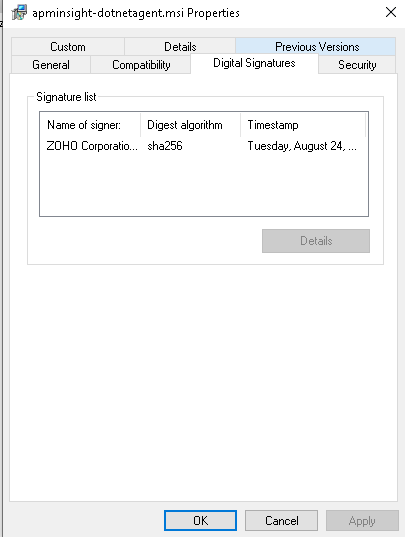
- Right-click on the agent file and select Properties.
- Navigate to the Digital Signatures tab in the Properties window.
- The signature will be shown here as seen in the image below: